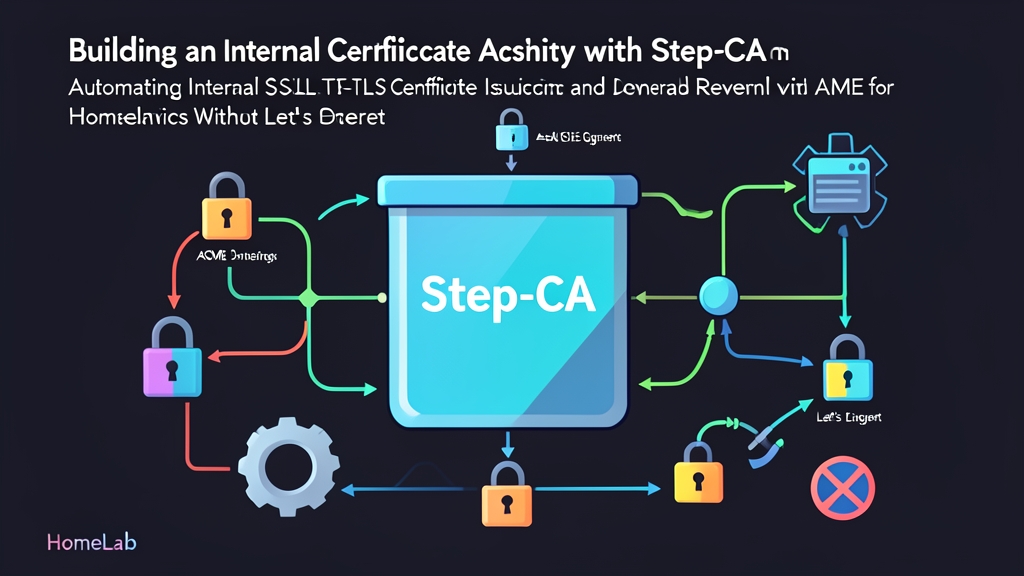
It is 2:15 AM on a Sunday. My browser drops an ugly NET::ERR_CERT_AUTHORITY_INVALID block across our primary internal dashboard. A wildcard certificate quietly expired two hours ago.
Upstream microservices immediately dropped connections, and automated telemetry pipelines started blasting out 502 Bad Gateway alerts across Slack. Punching port 80 through our firewall to solve this with Let’s Encrypt HTTP-01 challenges is an operational non-starter on private lab subnets. Meanwhile, scattering Cloudflare API tokens with master zone permissions across 30 different Docker containers turns a simple renewal into a massive security liability. The clean, robust fix is spinning up an internal Certificate Authority (CA) with Smallstep’s Step-CA and letting the ACME protocol handle renewals on autopilot, essential for implementing end-to-end TLS/SSL across your services.
Quick Start (5 min): Bootstrap Step-CA on Docker
When internal endpoints fall offline, you need a functional CA in minutes. Follow this streamlined bootstrap process to deploy Step-CA with Docker Compose and register an ACME provisioner.
Step 1: Set up directories and the root passphrase
Create the persistence paths on your host filesystem. We will write out an initial password file so Step-CA can bootstrap non-interactively:
mkdir -p /opt/step-ca/data /opt/step-ca/config
cd /opt/step-ca

# Generate a 32-character passphrase for the CA root and intermediate keys
openssl rand -base64 24 > password.txt
chmod 600 password.txt
Step 2: Initialize the CA configuration
Run the step ca init routine inside an ephemeral container before starting the daemon. Swap out ca.internal.lan with your local domain or static host IP:
docker run -it --rm \
  -v /opt/step-ca:/home/step \
  smallstep/step-ca step ca init \
  --name="Homelab Internal Root CA" \
  --dns="ca.internal.lan,localhost,127.0.0.1" \
  --address=":9000" \
  --provisioner="[email protected]" \
  --password-file=/home/step/password.txt
Step 3: Launch Step-CA via Docker Compose
Place this docker-compose.yml file directly in /opt/step-ca. Notice that we mount /opt/step-ca to /home/step, matching the default working directory of the official container:
services:
  step-ca:
    image: smallstep/step-ca:latest
    container_name: step-ca
    restart: unless-stopped
    ports:
      - "9000:9000"
    environment:
      - DOCKER_STEPCA_INIT_PASSWORD_FILE=/home/step/password.txt
    volumes:
      - /opt/step-ca:/home/step
    networks:
      - internal_net

networks:
  internal_net:
    name: internal_net
    driver: bridge
Bring the service up and tail the logs:
docker compose up -d
docker compose logs -f step-ca
Once the log prints Serving HTTPS on :9000, your internal CA daemon is running and ready for clients.
Deep Dive: Architecture & The ACME Engine
Managing self-signed certificates through manual OpenSSL CLI invocations is painful. You generate CSRs, copy keypairs around via SCP, and inevitably forget to renew them until production breaks. Step-CA eliminates that toil by running an RFC 8555-compliant ACME engine—the same protocol Let’s Encrypt uses across the public web.

Register the ACME provisioner
Fresh Step-CA installations ship exclusively with JWK token provisioners. To let Caddy, Traefik, or Certbot pull and renew certs automatically, add the ACME provisioner inside the running container:
docker exec -it step-ca step ca provisioner add acme --type ACMETake a look at /opt/step-ca/config/ca.json. You should see the newly appended provisioner object:
{
  "type": "ACME",
  "name": "acme",
  "challenges": [
    "http-01",
    "tls-alpn-01",
    "dns-01"
  ]
}
Your local ACME directory is now reachable at:https://ca.internal.lan:9000/acme/acme/directory
Export and trust the Root CA certificate
Browsers and operating systems will outright reject certificates signed by your new CA until you import its root certificate into their local trust stores. Copy the public root cert from the persistent volume:
cp /opt/step-ca/certs/root_ca.crt /tmp/homelab-root-ca.crtOn Ubuntu and Debian systems, trust it system-wide in two steps:
sudo cp /tmp/homelab-root-ca.crt /usr/local/share/ca-certificates/homelab-root-ca.crt
sudo update-ca-certificates
For workstation endpoints, add homelab-root-ca.crt to macOS Keychain Access under “System” and select Always Trust. On Windows, import it into Trusted Root Certification Authorities via certmgr.msc.
Integration: Zero-Touch Reverse Proxy TLS
Your reverse proxies should negotiate and refresh transport security quietly in the background without manual oversight, protecting entry points when exposing services or pairing with a tool like BunkerWeb WAF to secure internal endpoints.
Example 1: Traefik automatic TLS with Step-CA
To point Traefik to your private Step-CA instance instead of Let’s Encrypt, configure an ACME resolver in traefik.yml:
certificatesResolvers:
  internalCA:
    acme:
      email: [email protected]
      caServer: https://ca.internal.lan:9000/acme/acme/directory
      certificatesDuration: 24
      tlsChallenge: {}
      storage: /etc/traefik/acme.json
Traefik must validate Step-CA’s own TLS certificate when connecting to the ACME directory. Mount your root certificate into the Traefik container and expose its path with an environment variable: LEGO_CA_CERTIFICATES=/etc/traefik/homelab-root-ca.crt.
Example 2: Automating renewals with Certbot
For standalone edge boxes or dedicated VMs running Nginx, Certbot can validate against Step-CA over a standard HTTP-01 challenge on port 80:
REQUESTS_CA_BUNDLE=/usr/local/share/ca-certificates/homelab-root-ca.crt \
certbot certonly --standalone \
  --server https://ca.internal.lan:9000/acme/acme/directory \
  -d gitlab.internal.lan \
  --email [email protected] \
  --agree-tos \
  --no-eff-email
Since running this setup across 40 internal services and 4 VLANs, certificate-related downtime has dropped to zero. We replaced frantic midnight renewals and expired cert alerts with self-healing, zero-touch certificate rotations, keeping all services alive and monitored on Uptime Kuma without TLS handshake warnings.
Hardening & Production Reliability
Keep these operational rules in mind before relying on Step-CA for critical internal workloads:
- Shorten leaf lifetimes to 24 hours: Drop default certificate validity from 90 days down to 24 hours in
ca.json. This forces renewal logic to run daily. If a renewal job breaks, you will detect and fix it within hours during the workday rather than months later during a major outage. - Lock down private keys: The private keys stored in
/opt/step-ca/secrets/root_ca_keyandintermediate_ca_keygrant full signing authority over your network. Restrict access immediately:chmod 700 /opt/step-ca/secrets && chmod 600 /opt/step-ca/secrets/*. Ship encrypted, versioned backups of/opt/step-cato an offline or air-gapped target using a dedicated backup solution like Kopia. - Validate split-horizon DNS: Every target machine must resolve
ca.internal.lanto the container’s exact internal IP address. If upstream resolvers timeout or return loopback addresses, ACME challenge negotiations fail, leaving downstream reverse proxies with dead TLS sessions. - Mount secrets in memory (Tmpfs): Avoid persisting passphrases on unencrypted host disks. Pass
password.txtinto your container using Docker secrets or atmpfsmount at/home/step/password.txtso master credentials never linger on raw storage blocks across system restarts.