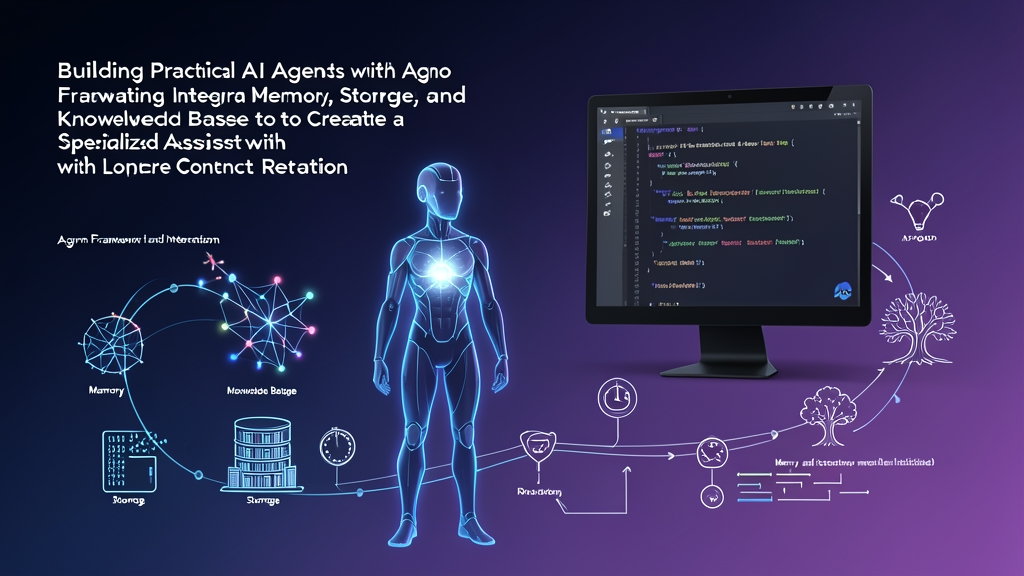
Approach Comparison: Stateless LLMs vs. Stateful Agno Agents
Most developers start with generative AI by piping a prompt string to an API endpoint and printing the text output. That pattern works fine for one-off tasks like summarizing a pull request. However, it falls apart the moment an assistant must handle multi-turn conversations, consult internal runbooks, and recall past preferences across separate CLI or web sessions.
Production systems typically follow one of three architectural patterns:
- Raw LLM APIs with Hand-Rolled State: You dispatch raw JSON payloads to OpenAI or Anthropic while appending chat history to an in-memory list. This gives you full runtime control. The downside? You will write roughly 300 to 500 lines of boilerplate to handle context window limits, token truncation, database persistence, and vector lookups.
- Heavy Orchestration Frameworks: Monolithic graph libraries offer massive ecosystems. Yet their deep class hierarchies and chain wrappers frequently produce fragile code. When a request hangs in production, tracing through six layers of internal callbacks turns debugging into a slog.
- Lightweight Agentic Architecture (Agno Framework): Agno—the successor to Phidata—relies on standard Python primitives. It packages the LLM, persistent storage, memory, and vector knowledge into a single cohesive object without hidden middleware or bloated abstraction layers.
Shifting from one-off prompt wrappers to dependable enterprise tools requires mastering these state boundaries.
Pros and Cons of Using Agno Framework for Stateful Agents
Evaluating an agent framework upfront saves you from painful rewrites six months into production. Here is how Agno measures up in real engineering environments.
Advantages
- Clean State Separation: Agno strictly distinguishes between raw conversation logs (storage), summarized user attributes (memory), and indexed reference material (knowledge base). You never have to hack conversation logs into a vector collection just to remember a username.
- Minimal Overhead and Fast Execution: Because Agno uses lightweight Pydantic schemas and standard Python calls, framework dispatch overhead stays under 5ms per run. By contrast, bulky graph engines can add 50ms to 120ms of middleware latency before the model call even begins.
- Native Database Adapters: Production-ready drivers for SQLite, PostgreSQL (with pgvector), LanceDB, and Qdrant come out of the box. You can prototype against a local file on your laptop and switch to an Aurora Postgres cluster in staging by updating a single connection URI.
- Straightforward Debugging: Execution traces remain linear. If an agent query fails, your stack trace points directly to the failed function or database call instead of an internal framework runtime loop.
Trade-offs
- Evolving Ecosystem: Following its late-2024 rebranding from Phidata, the core API has stabilized. Still, community tutorials from early 2024 frequently reference deprecated class names and old import paths.
- Smaller Integration Catalog: LangChain lists over 700 community connectors, whereas Agno sticks to essential protocols. Integrating a niche enterprise SaaS API usually means writing a clean 15-line custom Python tool yourself.
Recommended Setup for Production-Ready Local Development
Set up a sandboxed environment using Python 3.10, 3.11, or 3.12. For local state, SQLite handles session persistence and LanceDB manages vector embeddings. Both run embedded inside your process and persist directly to disk, so you do not need Docker daemons or standalone database services during development.
Initialize your workspace and virtual environment:
mkdir agno-stateful-agent
cd agno-stateful-agent
python3 -m venv .venv
source .venv/bin/activate
Install the pinned dependencies:
pip install agno==1.1.3 openai lancedb tantivy pypdf sqlalchemyConfigure your OpenAI authentication:
export OPENAI_API_KEY="sk-proj-your-actual-api-key-here"Implementation Guide: Step-by-Step Agno Agent with Memory, Storage, and Knowledge Base
We will construct an operations assistant that retains conversation history across process restarts, tracks developer preferences, and grounds its responses in a local technical runbook.
Step 1: Set Up Directory Structure and Sample Data
Prepare dedicated folders for domain documents and SQLite database files:
mkdir -p data/docs data/storageWrite an operational security policy to data/docs/company_policy.txt:
Network Security Guidelines:
- Engineers must rotate VPN credentials every 90 days.
- Production deployments require peer approval from at least two senior engineers.
- Database backups occur daily at 02:00 UTC and stay archived in multi-region cold storage for 365 days.
- Kubernetes cluster upgrades in ap-southeast-1 require a 48-hour maintenance freeze notice.
Step 2: Configure Knowledge Base and Vector Database
Create a file named agent.py. We import Agno’s core modules and configure LanceDB with hybrid search (dense vector retrieval plus keyword BM25 ranking via Tantivy) to index our text file.
from pathlib import Path
from agno.agent import Agent
from agno.models.openai import OpenAIChat
from agno.storage.agent.sqlite import SqliteAgentStorage
from agno.knowledge.text import TextKnowledgeBase
from agno.vectordb.lancedb import LanceDb, SearchType

# Configure persistent vector database on local disk
vector_db = LanceDb(
    table_name="knowledge_store",
    uri="data/storage/lancedb",
    search_type=SearchType.hybrid,
)

# Initialize the knowledge base pointing to our documentation folder
knowledge_base = TextKnowledgeBase(
    path=Path("data/docs"),
    vector_db=vector_db,
)

# Vectorize documents on initial run; reuse existing index on restarts
knowledge_base.load(recreate=False)
Step 3: Attach Persistent Storage and Initialize the Agent
Next, configure SQLite storage. Setting read_chat_history=True instructs Agno to query SQLite and feed preceding dialogue back into the prompt context for ongoing sessions.
# Configure persistent session table in SQLite
storage = SqliteAgentStorage(
    table_name="agent_sessions",
    db_file="data/storage/sessions.db",
)

# Build the agent with connected state engines
assistant = Agent(
    name="DevOps Assistant",
    model=OpenAIChat(id="gpt-4o-mini"),
    knowledge=knowledge_base,
    storage=storage,
    search_knowledge=True,
    read_chat_history=True,
    show_tool_calls=True,
    markdown=True,
    instructions=[
        "Always verify operational rules against the internal knowledge base first.",
        "Remember personal details, infrastructure preferences, and service names provided by the user.",
        "Keep technical answers concise, direct, and free of conversational filler.",
    ],
)
Step 4: Execute Interactive Sessions with Session Persistence
To verify that state outlives a running process, wrap the execution in a CLI loop pegged to an explicit session_id and user_id. Append this logic to agent.py:
def run_chat_session(session_id: str, user_id: str):
    print(f"\n--- Active Session: {session_id} | User: {user_id} ---")
    print("Type 'exit' or 'quit' to terminate the script.\n")

    while True:
        try:
            user_prompt = input("You: ").strip()
            if user_prompt.lower() in ["exit", "quit"]:
                print("Closing session...")
                break
            if not user_prompt:
                continue

            print("\nAssistant: ", end="")
            assistant.print_response(
                user_prompt,
                session_id=session_id,
                user_id=user_id,
                stream=True,
            )
            print()  # Add newline after streaming completion
        except KeyboardInterrupt:
            print("\nSession halted.")
            break

if __name__ == "__main__":
    # Fixed identifiers allow us to test persistence across script restarts
    SESSION_ID = "infra-ops-room-42"
    USER_ID = "engineer-alex"
    run_chat_session(SESSION_ID, USER_ID)
Step 5: Verifying Memory and Retrieval
Launch the interactive loop from your terminal:
python agent.pyRun through these three specific test prompts to validate each layer of the architecture:
- Knowledge Base Retrieval: Ask
"What is our policy for production database backups?". The agent queries LanceDB, finds the policy document, and reports the daily 02:00 UTC schedule alongside the 365-day cold storage rule. - Session Context: State your operational scope:
"I manage the primary Kubernetes clusters in ap-southeast-1.". The assistant acknowledges your regional ownership and saves the exchange to SQLite. - Process Persistence: Type
exitto terminate the Python process completely. Relaunch it withpython agent.pyand ask:"Which cloud region and workload do I look after?".
Because the SQLite database stored your prior exchanges under session infra-ops-room-42, the agent retrieves the previous messages immediately. It confirms that you manage Kubernetes in ap-southeast-1—no prompt engineering tricks required.