Context & Why
Most interactive LLM applications suffer from short-term memory loss. Traditional chatbots maintain state by passing a sliding window of recent messages back to the model. Once a user session closes, or conversation history stretches past token budgets, every detail vanishes. The model forgets preferred frameworks, architectural rules, and project names.
Standard document-based RAG cannot fix this issue. RAG targets static external knowledge bases like team wikis and API manuals. It does not track state changes or user habit patterns. When a developer mentions on Monday that they prefer FastAPI over Flask, and asks on Thursday for a clean API template, standard RAG cannot connect the two interactions.
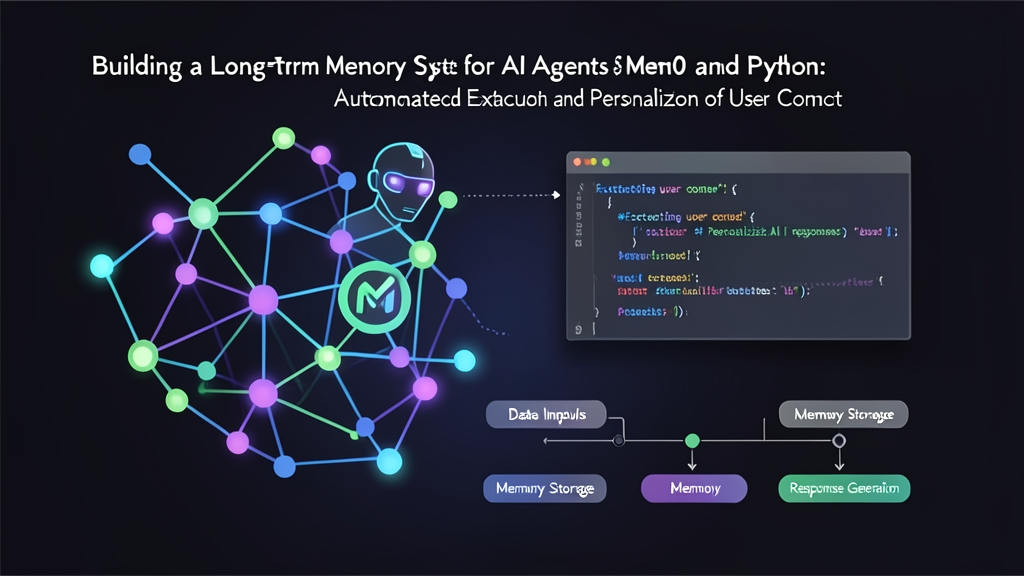
Re-injecting entire chat transcripts is equally inefficient. Stuffer prompts blow through context budgets fast. Passing 12,000 tokens of raw history on every request adds 400ms to 700ms of latency and drives up API bills. Mem0 solves this cleanly by extracting durable facts on the fly, resolving conflicting statements, and updating a compact profile per user. Your agent retrieves only 150 to 300 tokens of relevant context when generating an answer.
Installation
Start with an isolated Python environment to prevent dependency collisions with packages like LangChain, Pydantic, or LlamaIndex.
# Create and activate an isolated virtual environment
python3 -m venv .venv
source .venv/bin/activate

# Install the Mem0 library alongside Qdrant and OpenAI drivers
pip install mem0ai qdrant-client openai
Mem0 splits responsibilities across two layers. An LLM and embedding model handle fact extraction, while a vector database indexes the results for semantic retrieval. We will use OpenAI’s gpt-4o-mini for extraction, text-embedding-3-small for vectors, and an embedded Qdrant instance on local disk.
Set your API key in the shell before executing scripts:
export OPENAI_API_KEY="sk-proj-yourActualKeyHere"Configuration
Production environments demand explicit vector indices and extraction parameters rather than invisible library defaults. Below is a lean local setup that persists vector embeddings directly to a local directory without running a separate Docker daemon.
1. Initializing Custom Memory Configuration
import os
from mem0 import Memory

config = {
    "vector_store": {
        "provider": "qdrant",
        "config": {
            "path": "./mem0_storage",
            "collection_name": "agent_memory"
        }
    },
    "llm": {
        "provider": "openai",
        "config": {
            "model": "gpt-4o-mini",
            "temperature": 0.0
        }
    },
    "embedder": {
        "provider": "openai",
        "config": {
            "model": "text-embedding-3-small"
        }
    }
}

# Initialize the memory manager
memory = Memory.from_config(config)
2. Ingesting Conversations and Extracting Facts
Feed completed conversation turns directly into Mem0. Its pipeline scans the dialogue, isolates long-term preferences, and writes them to the vector store under a persistent user_id.
user_id = "usr_dev_4821"
conversation_turn = [
    {
        "role": "user",
        "content": "I am writing an inventory service in Python. I exclusively use PostgreSQL with SQLAlchemy 2.0 and avoid raw SQL."
    },
    {
        "role": "assistant",
        "content": "Understood. I will ensure all database code uses modern SQLAlchemy 2.0 ORM patterns."
    }
]

# Ingest the turn and extract facts
result = memory.add(conversation_turn, user_id=user_id)
print(result)
Mem0 returns structured objects representing only the durable information extracted from the conversation:
{
  "results": [
    {
      "id": "m0-9b3f4e12",
      "memory": "Uses PostgreSQL with SQLAlchemy 2.0 exclusively and avoids raw SQL",
      "event": "ADD"
    },
    {
      "id": "m0-5a8c2d91",
      "memory": "Building an inventory service in Python",
      "event": "ADD"
    }
  ]
}
Notice the transformation. Mem0 does not store conversational filler like greetings or affirmations. It isolates two concise factual statements and indexes them independently.
Verification & Monitoring
Storing facts accomplishes nothing if the agent cannot pull them back into prompt scope during inference. You also need clear workflows to update or purge stale facts over time.
1. Context Retrieval During Inference
Query Mem0 before routing a new user prompt to your reasoning model. Search matches semantically against stored memory items in 10ms to 25ms on local storage.
# User submits a terse prompt days later
user_query = "Write an endpoint to query all active customer records."

# Retrieve up to 3 relevant facts for this specific developer
search_hits = memory.search(query=user_query, user_id=user_id, limit=3)

# Format extracted facts into prompt context
facts = [hit["memory"] for hit in search_hits.get("results", [])]
memory_context = "\n".join(f"- {fact}" for fact in facts)

system_prompt = f"""You are a principal backend engineer.

User Constraints:
{memory_context}

Write idiomatic, production-ready code complying with the user constraints."""

print(system_prompt)
The resulting prompt injects only 48 tokens of context:
You are a principal backend engineer.

User Constraints:
- Uses PostgreSQL with SQLAlchemy 2.0 exclusively and avoids raw SQL
- Building an inventory service in Python

Write idiomatic, production-ready code complying with the user constraints.
2. Managing the Memory Lifecycle
User preferences change. Frameworks update, tech stacks migrate, and compliance rules require customer data deletion. Mem0 exposes CRUD helpers to handle every state change explicitly.
# Inspect all active facts for audit or debugging
user_profile = memory.get_all(user_id=user_id)
for item in user_profile.get("results", []):
    print(f"[{item['id']}] {item['memory']}")

# Update a record when the user switches libraries
memory.update(
    memory_id="m0-9b3f4e12",
    data="Migrated from SQLAlchemy to SQLModel with AsyncEngine"
)

# Delete records on demand to comply with GDPR Article 17 requests
memory.delete(memory_id="m0-5a8c2d91")

# Purge all user data upon account cancellation
# memory.delete_all(user_id=user_id)
3. Production Checklist
- Enforce strict server-side tenant boundaries: Always derive
user_idfrom verified JWT tokens or session cookies. Accepting an arbitrary user identifier from client payloads risks cross-account memory leakage. - Lock extraction temperature to zero: Set temperature to
0.0on your extraction model. You need deterministic, factual extractions, not hallucinated inferences. - Graduate from embedded storage before scaling: Embedded Qdrant disk storage works well for local runs and single-container deployments. If scaling horizontally across Kubernetes pods, point your configuration to a standalone Qdrant or Milvus cluster to prevent write contention.
Decoupling adaptive memory from raw chat logs keeps context windows lean, cuts downstream inference bills by 60% or more, and gives your assistants genuine cross-session continuity.