Testing LLM Applications: Manual Review vs Custom Scripts vs Dedicated Frameworks
Six months ago, our customer support bot started failing silently in production. A developer had lowered temperature from 0.7 to 0.2 and tweaked three words to sound friendlier. That innocent change stripped the closing bracket off our JSON responses, crashing our Zendesk intake webhook for four hours.
To stop breaking production, we benchmarked three common prompt evaluation strategies:
- Manual Spot-Checking: Engineers paste 5 to 10 sample queries into the OpenAI Playground before opening a pull request. It works fine on day one. But humans miss edge cases, never track token creep, and cannot spot regressions across a 500-case dataset.
- Custom Python Test Harnesses: Teams write internal pytest suites wrapped around the OpenAI or Anthropic SDKs. You get full control over test fixtures. However, maintaining custom rate-limit retries, token cost tracking, and report generators quickly burns dozens of hours every quarter.
- Declarative Evaluation Engines (Promptfoo): A lightweight CLI and library built to treat prompts like compiled code. You declare test inputs, mock variables, and assertion rules in a single YAML file. Promptfoo handles provider routing, runs assertions concurrently across models, and returns standard exit codes inside CI pipelines.
Pros and Cons: Evaluating Promptfoo After 6 Months in Production
Running Promptfoo across 14 customer-facing workflows gave us hard data on where the tool shines and where teams run into friction.
Where Promptfoo Excels
- Zero-Boilerplate Matrixing: Need to test three prompt variants across GPT-4o-mini, Claude 3.5 Haiku, and an internal Ollama endpoint? List them in YAML alongside 40 test rows. Promptfoo executes the 120-run permutation matrix in parallel without glue code.
- Built-In Deterministic Assertions: You get instant checks for JSON schemas, regex patterns, semantic similarity thresholds, response latency (under 1,800ms), and per-call budget caps without writing custom assertion logic.
- Local, Air-Gapped Execution: Unlike SaaS evaluation platforms that ingest production data into external cloud databases, Promptfoo runs inside your terminal or private CI runner. Proprietary customer payloads never touch an evaluation vendor’s servers.
- Actionable CI Output: The tool exits with status code 100 on test failure, tracks token costs down to fractions of a cent, and exports standalone HTML dashboards or pull-request markdown summaries.
Real-World Caveats
- LLM-as-a-Judge Costs Compound: Using
llm-rubricto evaluate tone or open-ended reasoning sends a secondary API call for every test case. In a 100-test suite run across 10 pull requests a day, those judge calls added $45 per week to our OpenAI bill. - Multi-Turn Dialogue Overhead: Single-turn extraction is straightforward to test. Multi-turn conversational flows, by contrast, demand manual state orchestration or custom Python extension hooks to mock session history accurately.
Our Production CI/CD Testing Strategy
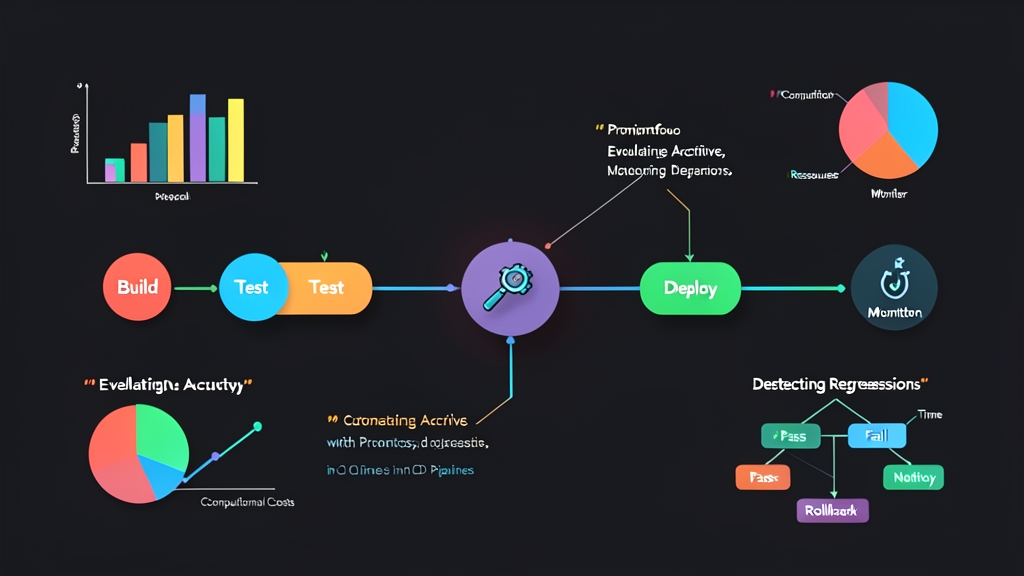
Running an exhaustive 200-test matrix on every git push burns API credits and slows down developer velocity. Instead, we split prompt verification into three distinct gates:
- Local Pre-commit (30 seconds): A tight smoke suite with 5 sanity checks running against
gpt-4o-minior local mock responses. It catches syntax errors and invalid JSON schemas before code leaves the developer’s laptop. - Pull Request Gating (2 to 3 minutes): A suite of 40 to 60 deterministic assertions checking JSON schemas, regex bounds, token limits, and latency thresholds. It runs on every pull request targeting the main branch.
- Nightly Regression Suite (15 minutes): An extensive evaluation across 300+ anonymized production samples. This stage runs model-graded rubrics, toxicity scans, and side-by-side cost comparisons between model upgrades.
Over the past 6 months and 400+ merged pull requests, this tiered pipeline caught 18 breaking schema changes before they ever reached staging.
Implementation Guide: Setting Up Promptfoo with GitHub Actions
Follow these steps to configure automated prompt testing from scratch, enforce hard latency and budget caps, and run checks automatically on every pull request.
1. Installation and Project Initialization
Install Promptfoo as a dev dependency inside your repository:
# Install Promptfoo in your project
npm install --save-dev promptfoo

# Initialize a starter configuration directory
npx promptfoo init
2. Crafting Prompts and Defining Assertions
Save your production prompt template to prompts/support_agent.txt:
You are an IT support assistant for an internal cloud platform.
Convert the user's issue into a structured JSON response with keys: "category", "severity", and "action_required".
Do not include conversational text or markdown formatting outside the JSON.

User issue: {{issue}}
Next, define model providers, baseline thresholds, and test cases in promptfooconfig.yaml:
description: "Support Ticket Prompt Evaluation"

prompts:
  - file://prompts/support_agent.txt

providers:
  - id: openai:gpt-4o-mini
    config:
      temperature: 0.1
  - id: anthropic:messages:claude-3-5-haiku-20241022
    config:
      temperature: 0.1

defaultTest:
  assert:
    # Enforce response latency stays under 1,800 ms
    - type: latency
      threshold: 1800
    # Enforce request cost stays under $0.0015 per call
    - type: cost
      threshold: 0.0015

tests:
  - description: "Database connection issue should classify as high or critical severity"
    vars:
      issue: "Production Postgres cluster replica is failing health checks with connection pool timeouts."
    assert:
      - type: is-json
      - type: javascript
        value: "['critical', 'high'].includes(JSON.parse(output).severity)"
      - type: javascript
        value: "JSON.parse(output).category === 'database'"

  - description: "Password reset should classify as low severity"
    vars:
      issue: "Can someone reset my password for the staging Grafana dashboard?"
    assert:
      - type: is-json
      - type: javascript
        value: "JSON.parse(output).severity === 'low'"
      - type: not-icontains
        value: "sudo"
3. Running Local Evaluations and Reviewing Results
Export your API credentials and trigger the evaluation suite directly in your terminal:
export OPENAI_API_KEY="sk-..."
export ANTHROPIC_API_KEY="sk-ant-..."

# Run assertions against configured providers
npx promptfoo eval

# Launch the local visual comparison interface
npx promptfoo view
The terminal immediately displays an ASCII summary showing token consumption, pass/fail status, and latency for each model. Running npx promptfoo view spins up a local web server (defaults to port 15500) where you can inspect failed assertions and evaluate raw completions side by side.
4. Integrating into GitHub Actions CI Pipeline
To run these tests on every pull request that touches prompt templates or test files, create .github/workflows/prompt-tests.yml:
name: LLM Prompt Evaluation

on:
  pull_request:
    paths:
      - 'prompts/**'
      - 'promptfooconfig.yaml'

jobs:
  evaluate-prompts:
    runs-on: ubuntu-latest
    steps:
      - name: Checkout Repository
        uses: actions/checkout@v4

      - name: Set up Node.js
        uses: actions/setup-node@v4
        with:
          node-version: 20
          cache: 'npm'

      - name: Install Dependencies
        run: npm ci

      - name: Run Promptfoo Evaluation
        env:
          OPENAI_API_KEY: ${{ secrets.OPENAI_API_KEY }}
          ANTHROPIC_API_KEY: ${{ secrets.ANTHROPIC_API_KEY }}
        run: npx promptfoo eval --no-cache
If an engineer edits a prompt that breaks a JSON schema or introduces an expensive 1,000-token hallucination, Promptfoo exits with a non-zero code. GitHub Actions immediately marks the check as failed and blocks the pull request from merging.