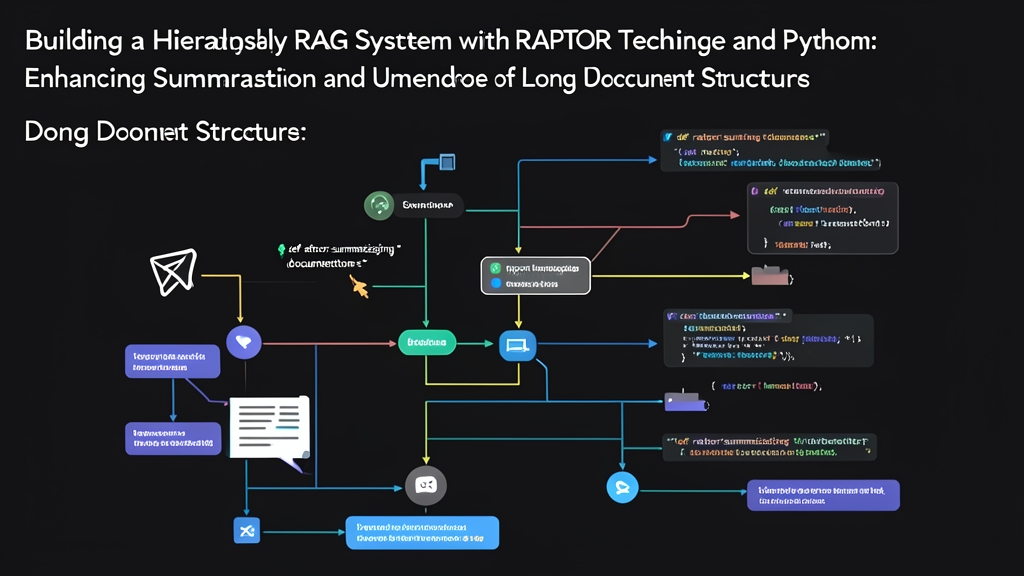
Quick Start: RAPTOR RAG in 5 Minutes
Standard RAG breaks down badly on long documents. You chunk a 200-page PDF, stuff it into a vector store, and when a user asks a high-level question, the retriever pulls back three random paragraphs from page 47. No context. No structure. Just noise.
RAPTOR (Recursive Abstractive Processing for Tree-Organized Retrieval) fixes this by building a tree of progressively more abstract summaries. Your retriever can then grab both the fine-grained detail and the big-picture context — depending on what the question actually needs.
Technical documentation, legal contracts, research papers — these are the document types where flat retrieval collapses in production. If you’ve hit that wall with a 200-page spec and wondered why the answers were garbage, this is the technique you’re missing.
Install the dependencies first:
pip install anthropic sentence-transformers scikit-learn numpy tiktoken umap-learnThen grab a quick sanity check to confirm everything’s working:
import numpy as np
from sentence_transformers import SentenceTransformer
from sklearn.mixture import GaussianMixture

model = SentenceTransformer('all-MiniLM-L6-v2')
test_emb = model.encode(["RAPTOR test"])
print(f"Embedding shape: {test_emb.shape}")  # Should be (1, 384)
If that runs without errors, you’re ready to build the tree.
Deep Dive: How RAPTOR Actually Works
The Problem with Flat Chunking
When you read a 100-page architecture document, you naturally build a mental model at multiple levels — chapter themes, section arguments, paragraph details. Standard RAG only stores paragraph-level chunks, so it misses the chapter-level understanding entirely. Ask “what’s the overall database strategy?”, and you get back a snippet about connection pooling from page 63.
RAPTOR mirrors the way you actually read. It creates a tree where the leaves are your original chunks, and each parent node is a summary of its children. At query time, you search the entire tree — not just the leaves.
The Three-Step Build Loop
The algorithm runs in a loop until the tree collapses to a single root node:
- Embed — encode all chunks at the current level into vectors
- Cluster — group similar chunks using Gaussian Mixture Models
- Summarize — generate one summary per cluster using an LLM
Those summaries become the new “chunks” for the next iteration. Keep looping until you’re down to one node.
import anthropic
from dataclasses import dataclass, field
from typing import List, Optional

@dataclass
class TreeNode:
    text: str
    level: int
    embedding: Optional[np.ndarray] = None
    children: List['TreeNode'] = field(default_factory=list)
    node_id: str = ""

client = anthropic.Anthropic()  # reads ANTHROPIC_API_KEY from env

def summarize_cluster(texts: List[str]) -> str:
    combined = "\n\n---\n\n".join(texts)
    response = client.messages.create(
        model="claude-sonnet-4-6",
        max_tokens=512,
        system="You are a technical summarizer. Produce a concise, information-dense summary that captures the key points from all provided text segments.",
        messages=[{
            "role": "user",
            "content": f"Summarize these related text segments into one coherent paragraph:\n\n{combined}"
        }]
    )
    return response.content[0].text
Clustering with Gaussian Mixture Models
Unlike K-Means, GMM gives soft cluster assignments — a chunk can partially belong to multiple clusters, which matters when a paragraph straddles two topics. K-Means forces a hard assignment and loses that nuance.
def cluster_embeddings(embeddings: np.ndarray, max_clusters: int = 10) -> np.ndarray:
    n_samples = len(embeddings)
    n_clusters = min(max(2, n_samples // 3), max_clusters)

    if n_samples <= 2:
        return np.zeros(n_samples, dtype=int)

    # Reduce dimensions before clustering — GMM struggles in high-dim space
    from sklearn.decomposition import PCA
    n_components = min(10, n_samples - 1, embeddings.shape[1])
    reduced = PCA(n_components=n_components).fit_transform(embeddings)

    gmm = GaussianMixture(n_components=n_clusters, random_state=42)
    gmm.fit(reduced)
    return gmm.predict(reduced)
Advanced Usage: Full RAPTOR Tree Builder
Here’s a complete implementation that takes raw text, builds the tree, and exposes a retrieval function:
import uuid
from collections import defaultdict

class RAPTORIndex:
    def __init__(self, embed_model='all-MiniLM-L6-v2'):
        self.embedder = SentenceTransformer(embed_model)
        self.all_nodes: List[TreeNode] = []

    def _chunk_text(self, text: str, chunk_size: int = 400) -> List[str]:
        words = text.split()
        chunks = []
        for i in range(0, len(words), chunk_size):
            chunk = " ".join(words[i:i + chunk_size])
            if chunk.strip():
                chunks.append(chunk)
        return chunks

    def build(self, document: str, max_levels: int = 3) -> None:
        # Level 0: leaf chunks from the raw document
        chunks = self._chunk_text(document)
        current_nodes = []

        for i, chunk in enumerate(chunks):
            emb = self.embedder.encode([chunk])[0]
            node = TreeNode(
                text=chunk,
                level=0,
                embedding=emb,
                node_id=str(uuid.uuid4())
            )
            current_nodes.append(node)

        self.all_nodes.extend(current_nodes)

        # Iteratively build higher levels
        for level in range(1, max_levels + 1):
            if len(current_nodes) < 2:
                break

            embeddings = np.array([n.embedding for n in current_nodes])
            cluster_labels = cluster_embeddings(embeddings)

            # Group nodes by cluster
            clusters = defaultdict(list)
            for node, label in zip(current_nodes, cluster_labels):
                clusters[label].append(node)

            next_nodes = []
            for label, cluster_nodes in clusters.items():
                # Summarize this cluster
                cluster_texts = [n.text for n in cluster_nodes]
                summary = summarize_cluster(cluster_texts)

                summary_emb = self.embedder.encode([summary])[0]
                parent_node = TreeNode(
                    text=summary,
                    level=level,
                    embedding=summary_emb,
                    children=cluster_nodes,
                    node_id=str(uuid.uuid4())
                )
                next_nodes.append(parent_node)
                self.all_nodes.append(parent_node)

            print(f"Level {level}: {len(current_nodes)} chunks → {len(next_nodes)} summaries")
            current_nodes = next_nodes

    def retrieve(self, query: str, top_k: int = 5) -> List[TreeNode]:
        query_emb = self.embedder.encode([query])[0]

        # Score all nodes across all tree levels
        scores = []
        for node in self.all_nodes:
            if node.embedding is not None:
                similarity = np.dot(query_emb, node.embedding) / (
                    np.linalg.norm(query_emb) * np.linalg.norm(node.embedding) + 1e-9
                )
                scores.append((similarity, node))

        scores.sort(key=lambda x: x[0], reverse=True)
        return [node for _, node in scores[:top_k]]

    def answer(self, query: str, top_k: int = 5) -> str:
        relevant_nodes = self.retrieve(query, top_k=top_k)
        context = "\n\n".join([
            f"[Level {n.level}] {n.text}" for n in relevant_nodes
        ])

        response = client.messages.create(
            model="claude-sonnet-4-6",
            max_tokens=1024,
            system="Answer questions based solely on the provided context. Cite which level (leaf detail vs summary) your answer draws from.",
            messages=[{
                "role": "user",
                "content": f"Context:\n{context}\n\nQuestion: {query}"
            }]
        )
        return response.content[0].text
Test it with a real document:
with open("your_document.txt", "r") as f:
    doc_text = f.read()

index = RAPTORIndex()
index.build(doc_text, max_levels=3)

print(f"Total nodes in tree: {len(index.all_nodes)}")
print(f"  Leaf nodes: {sum(1 for n in index.all_nodes if n.level == 0)}")
print(f"  Summary nodes: {sum(1 for n in index.all_nodes if n.level > 0)}")

answer = index.answer("What is the overall architecture approach?")
print(answer)
Practical Tips for Production
Tune Chunk Size to Your Document Type
400-word chunks work well for technical docs. For legal contracts with dense clause references, drop to 150-200 words so each chunk stays semantically atomic. For narrative text (reports, whitepapers), 600-800 words gives the summarizer more to work with per cluster.
Cache the Tree — Don’t Rebuild Every Request
Building the RAPTOR tree hits the LLM API for every cluster summary at every level. On a 200-page doc, that’s 50-100 API calls. Build once, serialize the tree with pickle or write node text+embeddings to SQLite, and reload on startup.
import pickle

# Save
with open("raptor_index.pkl", "wb") as f:
    pickle.dump(index.all_nodes, f)

# Load
with open("raptor_index.pkl", "rb") as f:
    index.all_nodes = pickle.load(f)
Mix Level Weights During Retrieval
When retrieving, bias slightly toward higher-level summaries for broad questions, and toward leaf nodes for specific fact-finding. A simple heuristic: if the query is under 8 words, boost leaf node scores by 1.1×. If it’s over 15 words, boost summary nodes.
Watch Your Token Budget
The summarization loop compounds fast. Set a hard max_tokens on each summarize call — 512 is usually enough. Use a cheaper model for the intermediate levels. Reserve your best model for the root summary and final QA step. This cuts costs by 60-70% on large documents.
Validate Tree Quality Before Shipping
After building, spot-check a few parent-child pairs. The parent summary should actually capture the key points from all its children — if it reads like a copy of just one child, your clusters are too imbalanced. Bump up max_clusters or add a minimum cluster size check.