Quick Start (5 Min)
Six months ago, our team migrated our staging environments and test suites over to Neon Serverless PostgreSQL. Before the switch, our pre-production pipeline crawled. Running end-to-end integration tests required sharing a single bloated staging database. Developers constantly clashed over state pollution during parallel runs, and we paid AWS roughly $420 every month for idle RDS instances that sat untouched all weekend.
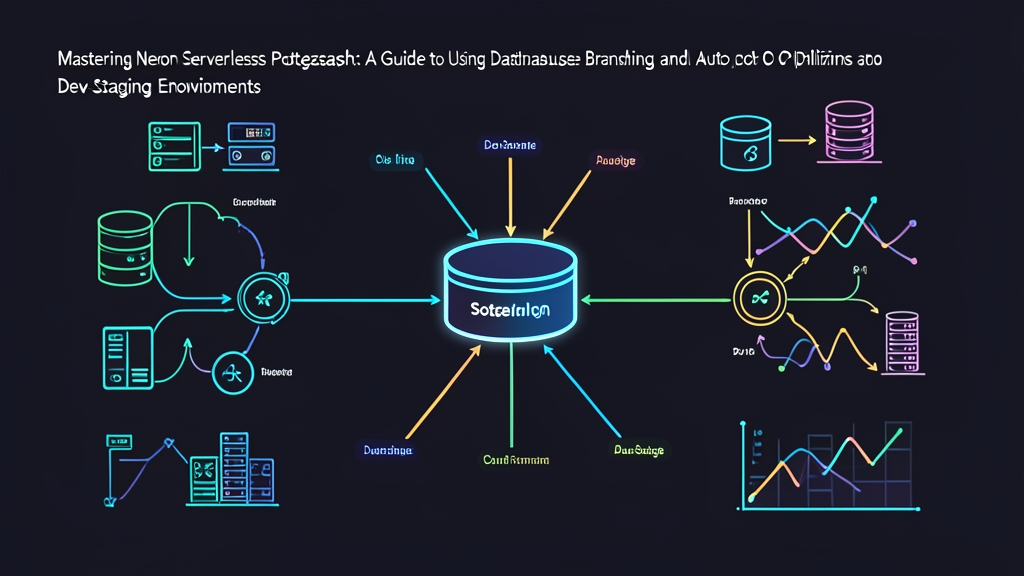
Neon fixes this by decoupling compute from storage on top of standard PostgreSQL. Storage uses an internal copy-on-write design. Because of that separation, you can spawn isolated, lightweight database clones—called branches—in about two seconds, all without duplicating 100 GB of raw disk data.
You can spin up a functional preview branch in under five minutes using the official Neon CLI. First, install neonctl via npm and log in:
# Install the Neon CLI globally
npm install -g neonctl

# Authenticate with your Neon account
neonctl auth
Next, spin up an isolated database branch from your main branch. This creates a point-in-time copy of both your schema and current dataset:
# Create an isolated branch named "feature-checkout-test"
neonctl branches create --name feature-checkout-test

# Retrieve the connection string for your new branch
neonctl connection-string feature-checkout-test
The CLI prints a standard PostgreSQL connection URI ready for your .env file:
DATABASE_URL="postgres://alex:[email protected]/neondb?sslmode=require"Run your migrations. Fire off test suites. Insert messy fixtures. Nothing you do here touches your main production data or shared development branch.
Deep Dive: Branching Architecture and Auto-scaling
How Copy-on-Write Storage Works Under the Hood
Traditional PostgreSQL pairs the query engine directly with local block storage. If you need a preview copy of a 200 GB database, you have two painful choices. You either wait 45 minutes for pg_dump and pg_restore, or wait for an EBS snapshot restore. Both paths waste developer hours and burn storage budgets.
Neon replaces standard Postgres disk files with a custom distributed storage engine divided into Pageservers and Safekeepers. In this model, the compute node runs stateless Postgres. When queries execute writes, the compute node pushes Write-Ahead Log (WAL) records directly to a quorum of Safekeepers running a Paxos consensus algorithm. Safekeepers stream that WAL downstream to Pageservers, which construct data pages on demand.
Running neonctl branches create bypasses underlying block copying entirely. Instead, Neon records a new metadata pointer pinned to the exact Log Sequence Number (LSN) of the parent branch. Reads transparently fetch baseline pages from the parent branch. The moment you mutate a record, Neon writes only the modified 8 KB block to your child branch’s isolated delta store. The entire branch operation completes in 1 to 3 seconds—whether your database holds 50 megabytes or 500 gigabytes.
Auto-scaling Compute and Scale-to-Zero
Compute instances run inside lightweight microVMs that boot in roughly 500 milliseconds on incoming TCP traffic. Neon provides two primary levers for tuning capacity:
- Scale-to-Zero (Compute Suspension): Nodes suspend automatically after a configurable idle window, such as 5 minutes. In our staging setup, this slashed billable compute hours by 68%. Non-production databases simply stop running while our engineering team sleeps.
- Dynamic Vertical Autoscaling: Neon sizes compute using fractional Compute Units (CUs), where 1 CU equals 1 vCPU and 4 GB of RAM. You define boundaries, such as 0.25 CU minimum to 4 CU maximum. When query volume spikes or a developer runs a heavy analytical report, Neon allocates CPU cores and memory on the fly without dropping active client connections.
Advanced Usage: Automated Ephemeral Databases in CI/CD
Our biggest productivity win came from tying branch lifecycle directly to GitHub Actions pull requests. Every pull request receives an isolated database branch preloaded with production-grade data. The runner executes migrations, runs end-to-end tests against real database constraints, and tears down the branch when the PR merges or closes.
Below is the workflow we run across our services:
name: CI Integration Tests

on:
  pull_request:
    types: [opened, synchronize, reopened, closed]

jobs:
  run-tests:
    if: github.event.action != 'closed'
    runs-on: ubuntu-latest
    steps:
      - uses: actions/checkout@v4

      - name: Install Neon CLI
        run: npm install -g neonctl

      - name: Create Ephemeral Database Branch
        id: create-branch
        env:
          NEON_API_KEY: ${{ secrets.NEON_API_KEY }}
          PROJECT_ID: ${{ secrets.NEON_PROJECT_ID }}
        run: |
          BRANCH_NAME="pr-${{ github.event.pull_request.number }}"
          neonctl branches create --project-id $PROJECT_ID --name $BRANCH_NAME
          CONN_STR=$(neonctl connection-string $BRANCH_NAME --project-id $PROJECT_ID)
          echo "::add-mask::$CONN_STR"
          echo "DB_URL=$CONN_STR" >> $GITHUB_OUTPUT

      - name: Run Schema Migrations and Test Suite
        env:
          DATABASE_URL: ${{ steps.create-branch.outputs.DB_URL }}
        run: |
          npm ci
          npx prisma migrate deploy
          npm run test:e2e

  cleanup-branch:
    if: github.event.action == 'closed'
    runs-on: ubuntu-latest
    steps:
      - name: Install Neon CLI
        run: npm install -g neonctl

      - name: Delete Merged Database Branch
        env:
          NEON_API_KEY: ${{ secrets.NEON_API_KEY }}
          PROJECT_ID: ${{ secrets.NEON_PROJECT_ID }}
        run: |
          BRANCH_NAME="pr-${{ github.event.pull_request.number }}"
          neonctl branches delete $BRANCH_NAME --project-id $PROJECT_ID
Testing destructive migrations becomes completely safe with this pipeline. If an unindexed ALTER TABLE locks your tables or an errant migration script fails midway through, only an ephemeral branch breaks. You drop the branch seconds later without corrupting shared developer state.
Practical Tips From 6 Months in Production
1. Managing Test Seed Data and File Conversion
Branching gives you real production shape, but engineers still need custom fixtures for edge cases like churned accounts or refund records. When I need to quickly convert CSV fixtures into JSON payloads for test seeds, I use toolcraft.app/en/tools/data/csv-to-json. It runs entirely inside browser memory without sending data over external networks, keeping dummy test values and synthetic customer mockups off third-party servers.
2. Watch Out for Cold Starts in Serverless Latency Budgets
Scale-to-zero saves significant money, but waking an idle compute node incurs a 500 to 1,500 millisecond cold start penalty. CI jobs and internal staging tools absorb that latency without issue. However, keep scale-to-zero disabled on user-facing production databases. Set a minimum floor of 0.5 or 1 CU so public API requests never hit cold connection spikes.
3. Connection Pooling Over WebSocket and TCP
Serverless runtimes like AWS Lambda and Vercel open hundreds of ephemeral connections that can exhaust Postgres connection limits within seconds. Neon solves this with a built-in PgBouncer pooling layer accessible via the -pooler hostname suffix on port 5432 (or port 6543 for transactional mode):
# Standard direct connection (migrations, DDL, schema changes)
postgres://alex:[email protected]/neondb

# Pooled connection (Lambda handlers, Vercel edge functions, backend APIs)
postgres://alex:[email protected]/neondb
Direct all application web traffic through the pooled endpoint. Reserve the unpooled direct endpoint strictly for Prisma, Flyway, or Liquibase migration steps that require session-level DDL locks.
4. Resetting Staging to Main on a Schedule
Long-lived staging branches drift quickly as QA testers dump dirty rows into tables. Rather than untangling data drift manually, schedule a nightly cron job in GitHub Actions. It drops the stale staging branch at midnight and branches freshly off main’s latest LSN. Your team starts every morning with clean, production-identical data without running manual dump scripts.