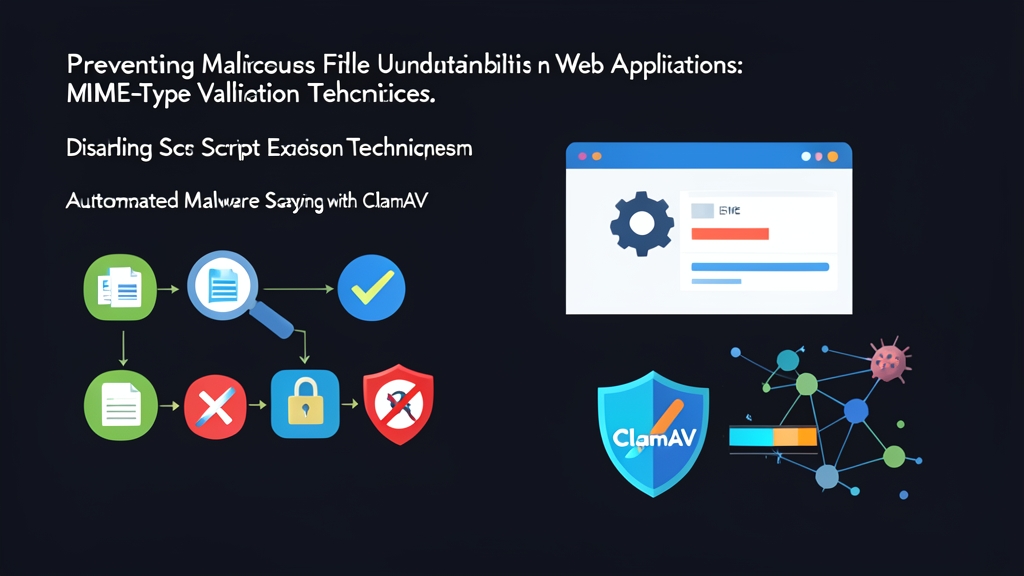
Quick start (5 min)
Treating user uploads as trusted input gives attackers an easy path to an interactive reverse shell. A single unvalidated upload endpoint can compromise your entire backend in seconds. If your upload handler relies on client headers or raw file extensions, you are essentially gambling with remote code execution (RCE).
Start by setting up a local scanning daemon. On Debian or Ubuntu, install the ClamAV daemon alongside its automated signature updater:
sudo apt-get update
sudo apt-get install -y clamav-daemon clamav-freshclam
sudo systemctl stop clamav-freshclam
sudo freshclam
sudo systemctl start clamav-freshclam
sudo systemctl start clamav-daemon
sudo systemctl status clamav-daemon
Give ClamAV permission to read your staging directory. The daemon runs as the clamav user, while web runtimes typically execute under www-data. Add the clamav user to the web server’s group so local scans succeed without permission errors:
sudo usermod -a -G www-data clamavOnce the daemon is active, connect directly to its UNIX domain socket. Here is a Python helper that sends a file path over /var/run/clamav/clamd.ctl and returns a clean or infected status:
import socket

def scan_file_clamd(filepath: str, socket_path: str = "/var/run/clamav/clamd.ctl") -> bool:
    """Sends a file path to the ClamAV daemon over a local UNIX socket.
    Returns True if clean, False if infected or scanning fails.
    """
    try:
        with socket.socket(socket.AF_UNIX, socket.SOCK_STREAM) as client:
            client.settimeout(10.0)
            client.connect(socket_path)
            client.sendall(f"SCAN {filepath}\n".encode("utf-8"))
            response = client.recv(4096).decode("utf-8").strip()

            # Clean files return: "/path/to/file: OK"
            if response.endswith("OK"):
                return True
            print(f"[ALERT] ClamAV threat detected: {response}")
            return False
    except Exception as err:
        print(f"[ERROR] Failed to communicate with ClamAV: {err}")
        return False
This quick socket ping takes roughly 15 to 40 milliseconds for files under 5 MB. Run it before promoting any asset to permanent storage.
Deep dive
Bulletproof file ingestion requires three distinct barriers. You must inspect the actual binary payload, sanitize all metadata, and quarantine incoming bytes away from the web root.
The myth of client-provided MIME types
Browsers determine the Content-Type header by looking at the file extension registered in the user’s OS. That makes it trivial to spoof. An attacker can run a one-line curl command to ship a raw PHP backdoor masquerading as a JPEG image:
curl -X POST https://example.com/api/upload \
  -F "[email protected];type=image/jpeg"
If your application only reads request.files['file'].content_type, that backdoor slips straight through. Treat client-supplied headers as arbitrary user input.
Validating magic bytes with libmagic
Real files contain unique signatures in their first few bytes. JPEGs consistently start with FF D8 FF. PNGs begin with the 8-byte sequence 89 50 4E 47 0D 0A 1A 0A. PDFs declare 25 50 44 46 (%PDF). Use libmagic to read these header signatures directly off disk or from memory.
The following example verifies incoming payloads against a strict whitelist of signatures and matches them to approved extensions:
import magic
import uuid

ALLOWED_MIME_TYPES = {
    "image/jpeg": [".jpg", ".jpeg"],
    "image/png": [".png"],
    "application/pdf": [".pdf"],
}

def validate_and_sanitize(file_stream) -> str:
    # Read the first 2048 bytes to identify binary signatures
    header_sample = file_stream.read(2048)
    file_stream.seek(0)

    # Identify actual MIME type using libmagic
    detected_mime = magic.from_buffer(header_sample, mime=True)

    if detected_mime not in ALLOWED_MIME_TYPES:
        raise ValueError(f"Rejected disallowed MIME type: {detected_mime}")

    # Generate a collision-free UUIDv4 filename
    safe_extension = ALLOWED_MIME_TYPES[detected_mime][0]
    return f"{uuid.uuid4().hex}{safe_extension}"
Neutralizing path traversal and filename injection
User-supplied filenames can harbor directory traversal attacks (../../etc/cron.d/backdoor) or hidden control characters. Storing files using original names is an unnecessary hazard. Discard the client’s filename immediately. Assign a random 32-character hexadecimal string, and save the original filename in PostgreSQL or MySQL if users need it back for downloads.
Advanced usage
Application filters can fail. Infrastructure-level defenses ensure that even if an attacker manages to land a malicious script onto the filesystem, that script can never execute.
Disabling script execution in Nginx
Uploaded scripts cannot hurt you if the web server treats them as passive static files. Configure Nginx to disallow script engines from touching your storage folder.
Place this block inside your Nginx configuration to restrict methods and deny PHP, Python, or shell interpretation:
server {
    listen 80;
    server_name app.example.com;
    root /var/www/app;

    # Secure static uploads directory
    location ^~ /media/uploads/ {
        alias /var/storage/uploads/;

        # Block script interpreters outright
        location ~* \.(php|phar|phtml|py|sh|cgi|pl|jsp)$ {
            deny all;
            return 404;
        }

        # Allow only safe read-only HTTP verbs
        limit_except GET HEAD {
            deny all;
        }

        # Stop browsers from sniffing MIME types away from declarations
        add_header X-Content-Type-Options "nosniff" always;
        add_header Content-Security-Policy "default-src 'none'" always;

        # Force downloads for risky non-image assets
        add_header Content-Disposition "attachment" always;
    }
}
Hardening filesystems with mount flags
Mount your upload storage volume with noexec, nosuid, and nodev. Add this line to /etc/fstab:
/dev/sdb1 /var/storage/uploads ext4 defaults,noexec,nosuid,nodev 0 2The noexec flag forces the Linux kernel to refuse binary execution attempts within that directory. Even if an attacker drops a compiled ELF binary or an executable wrapper onto the volume, attempts to launch it return an immediate Permission denied.
Building an asynchronous quarantine worker
Scanning 50 MB files synchronously inside an HTTP handler ties up worker threads and exposes your app to denial-of-service spikes. Offload the heavy lifting to a background queue using Celery or Redis Streams.
- Save the incoming payload to an isolated staging folder (
/var/storage/quarantine/). - Emit a job containing the temporary file path to your message broker.
- A background worker scans the file against the local ClamAV daemon.
- If clean, the worker relocates the file to
/var/storage/uploads/with0644permissions. If infected, the worker unlinks the file and logs the event to your SIEM.
import shutil
import os

def process_quarantine_item(temp_path: str, public_storage_dir: str) -> None:
    try:
        if scan_file_clamd(temp_path):
            target_name = os.path.basename(temp_path)
            destination = os.path.join(public_storage_dir, target_name)
            shutil.move(temp_path, destination)
            os.chmod(destination, 0o644)
            print(f"File verified clean: {destination}")
        else:
            os.remove(temp_path)
            print(f"[SECURITY INCIDENT] Quarantine file deleted: {temp_path}")
    except Exception as exc:
        print(f"Quarantine job failed: {exc}")
Practical tips
- Re-encode user images: Attackers often hide shellcode in EXIF metadata or construct valid polyglot image files. Strip this entirely by piping profile avatars through Pillow (
image.save(output_buffer, format='JPEG', quality=85)) or pyvips before storing them. - Lock down file permissions: Never save uploads with execute bits. Set files to
0644(read/write for owner, read-only for others) and directory modes to0755. - Enforce request body limits: Reject massive payloads before they exhaust server memory. Set
client_max_body_size 10M;in your Nginx configuration to sever oversized HTTP connections at the proxy edge. - Monitor virus database updates: ClamAV requires active signature sets. Run
journalctl -u clamav-freshclam -n 50 --no-pagerin a daily cron check to verify your daily CVD (ClamAV Virus Database) updates run smoothly without DNS or network timeouts.