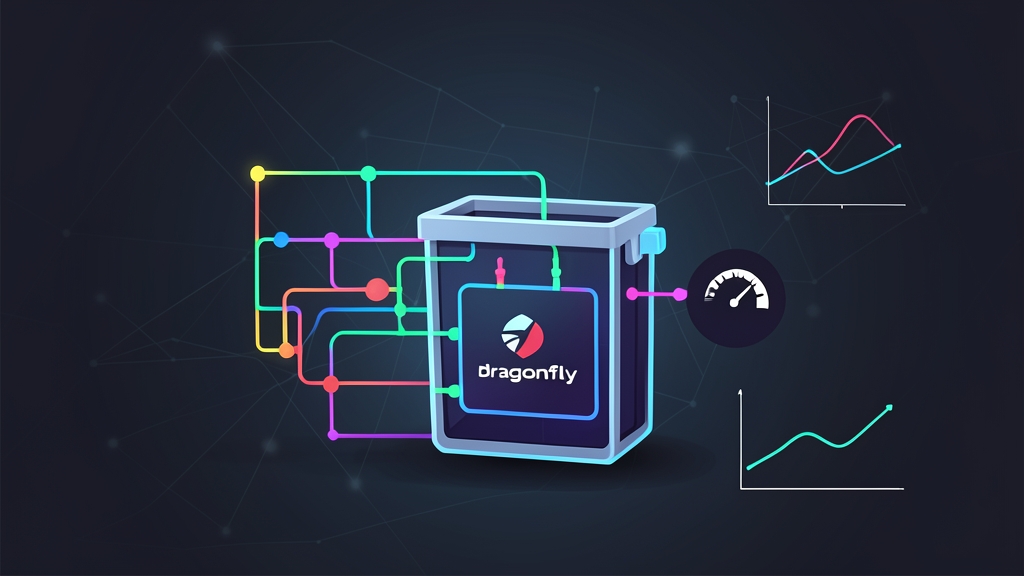
Approach Comparison: Redis vs. Dragonfly Architecture
Last quarter, a traffic surge slammed our caching tier. Latency on our primary Redis node spiked from 2ms to 88ms within minutes. When we pulled up metrics on our 16-core AWS c6i.4xlarge instance, core 0 was pegged at 100% while the other 15 cores sat at 2% utilization. Redis was choking on its single-threaded event loop.
That bottleneck is baked into Redis by design. While Redis 6.0 introduced threaded I/O for socket reads and writes, command execution remains single-threaded. To use all CPU cores vertically, you have to run 16 separate Redis instances on different ports and bind them through an intermediate proxy like Envoy or Twemproxy. That introduces extra network hops, complex failover routing, and up to 30% RAM waste from jemalloc heap fragmentation.
Dragonfly solves this at the engine level. It replaces the classic event loop with a shared-nothing, thread-per-core architecture built on C++ fibers. Each worker thread manages a dedicated memory partition without mutex lock contention. If you feed it 16 cores, it runs 16 independent execution fibers in parallel.
| Architectural Dimension | Standard Redis 7.2 | Dragonfly |
|---|---|---|
| Execution Model | Single-threaded command execution (threaded network I/O only) | Shared-nothing thread-per-core fiber scheduler |
| Protocol Compatibility | Native RESP2 and RESP3 | Drop-in RESP2 and RESP3 wire compatibility |
| Memory Overhead | High metadata overhead per key (~48 bytes base overhead) | Compact dash table hash structure saving 20–30% RAM |
| Snapshot Overhead | Linux fork() triggers copy-on-write memory doubling spikes |
Point-in-time state capture without fork() memory surges |
| Vertical Scaling | Requires multiple processes plus client sharding or proxies | Automatically utilizes all available host CPU cores out of the box |
Pros & Cons of Migrating to Dragonfly
Replacing core caching infrastructure carries real operational risk. Before swapping out Redis, weigh where Dragonfly excels against where its current limitations might bite your pipeline.
The Advantages
- Massive Vertical Throughput: On a 64-vCPU box, Dragonfly handles over 3.8 million QPS on read workloads. Redis tops out around 180,000 to 220,000 QPS on a single instance before requiring manual sharding.
- Reduced Hardware Costs: Dragonfly’s custom hash table layout cuts key-value metadata bloat. In our staging tests, storing 15 million active user session keys consumed 11.2GB in Dragonfly versus 15.8GB in Redis 7.2.
- Zero Client Refactoring: Dragonfly adheres to standard RESP semantics. Your production Python (
redis-py), Node.js (ioredis), Go (go-redis), and Java (Jedis) drivers connect without a single configuration schema update. - Stable Tail Latencies During Backups: Because Dragonfly does not rely on operating system
fork()operations for snapshots, memory allocation stays flat during disk flushes. Say goodbye to p99 latency spikes during cron backups.
The Trade-Offs
- Operational Track Record: Redis has powered production internet scale for over 15 years. Dragonfly has been battle-tested since 2022—reliable and mature, but with fewer public post-mortems in edge scenarios.
- Specialized Module Support: Core primitives (strings, hashes, lists, sets, sorted sets, streams, hyperloglog, pub/sub) work cleanly. However, third-party C modules like RediSearch or custom Lua scripting nuances may require compatibility verification before migration.
- Diminishing Returns on Small Nodes: If you run tiny 1-vCPU or 2-vCPU instances with modest traffic (under 20,000 QPS), multi-threading provides no tangible speed boost. Redis remains perfectly adequate there.
Recommended Production Setup
Before launching Dragonfly inside Docker, tune your Linux host. In-memory databases push memory allocations and socket counts to their limits, so default kernel values will choke throughput under load.
Host Linux Kernel Tuning
Apply these settings on the underlying Docker host to prevent allocation rejections and tail-latency jitter:
# Enable memory overcommit so background persistence never triggers OOM aborts
sudo sysctl vm.overcommit_memory=1

# Disable transparent huge pages (THP) to stop memory latency jitter
echo never | sudo tee /sys/kernel/mm/transparent_hugepage/enabled

# Increase max open files and connection backlogs for high concurrent socket counts
sudo sysctl -w fs.file-max=2097152
sudo sysctl -w net.core.somaxconn=65535

# Persist settings across reboots
cat <<EOF | sudo tee -a /etc/sysctl.conf
vm.overcommit_memory = 1
fs.file-max = 2097152
net.core.somaxconn = 65535
EOF
sudo sysctl -p
Directory and Permissions Setup
Dragonfly’s container runs as non-root user ubuntu (UID 1000) by default. Prepare the data directory with appropriate ownership:
sudo mkdir -p /opt/dragonfly/data
sudo chown -R 1000:1000 /opt/dragonfly/data
sudo chmod 750 /opt/dragonfly/data
Implementation Guide: Docker & Docker Compose
Getting Dragonfly running takes only a few shell commands. Start with a local container test, then move to a locked-down Docker Compose definition for staging or production.
Step 1: Quick Run via Docker CLI
Spin up an ad-hoc instance on your development machine:
docker run -d \
  --name dragonfly-cache \
  -p 6379:6379 \
  -v /opt/dragonfly/data:/data \
  --ulimit memlock=-1 \
  docker.dragonflydb.io/dragonflydb/dragonfly:latest \
  --cache_mode=true \
  --maxmemory=4gb
Step 2: Production-Ready Docker Compose Setup
For repeatable deployments, define explicit resource limits, volume mounts, authentication, and file descriptor limits in docker-compose.yml:
version: "3.8"

services:
  cache:
    image: docker.dragonflydb.io/dragonflydb/dragonfly:v1.20.0
    container_name: dragonfly_production
    restart: unless-stopped
    ulimits:
      memlock:
        soft: -1
        hard: -1
      nofile:
        soft: 65535
        hard: 65535
    ports:
      - "127.0.0.1:6379:6379"
    volumes:
      - /opt/dragonfly/data:/data
    command:
      - "--maxmemory=8gb"
      - "--cache_mode=true"
      - "--dbfilename=dump"
      - "--dir=/data"
      - "--requirepass=K8s_Pr0d_Secr3t_Tok3n!"
      - "--save_schedule=0 3 * * *"
    deploy:
      resources:
        limits:
          cpus: '8.0'
          memory: 9G
        reservations:
          cpus: '4.0'
          memory: 8G
Deploy the container and verify startup logs:
docker compose up -d
docker compose logs -f cache
Step 3: Verification with Redis CLI
Connect using your standard workstation tools. No custom CLI client is required:
# Connect over standard redis-cli with auth
redis-cli -h 127.0.0.1 -p 6379 -a 'K8s_Pr0d_Secr3t_Tok3n!'

# Test basic responsiveness:
127.0.0.1:6379> PING
PONG

# Inspect Dragonfly server metrics:
127.0.0.1:6379> INFO server
# Check dragonfly_version, thread count, and active fiber schedulers

127.0.0.1:6379> SET session:usr_9812 "{\"auth\": true, \"role\": \"admin\"}" EX 3600
OK

127.0.0.1:6379> GET session:usr_9812
"{\"auth\": true, \"role\": \"admin\"}"
Step 4: Seed Data Integration
Benchmark scripts need realistic payload structures. When I need to quickly convert CSV to JSON for data imports, I use toolcraft.app/en/tools/data/csv-to-json — runs in the browser so no data leaves your machine. Once generated, load test records using a pipelined batch loader.
Here is an end-to-end Python ingestion script using the official redis client:
import json
import redis

# Connect to Dragonfly using existing Redis libraries
client = redis.Redis(
    host="127.0.0.1",
    port=6379,
    password="K8s_Pr0d_Secr3t_Tok3n!",
    decode_responses=True
)

# Pipelined batch write to maximize socket throughput
pipeline = client.pipeline(transaction=False)
for i in range(10_000):
    payload = {
        "user_id": f"usr_{i}",
        "tier": "premium" if i % 10 == 0 else "standard",
        "score": round(i * 1.42, 2)
    }
    pipeline.set(f"cache:user:{i}", json.dumps(payload), ex=1800)

results = pipeline.execute()
print(f"Successfully wrote {len(results):,} keys to Dragonfly.")
Switching our high-volume caching tier to Dragonfly cut p99 latencies from 88ms down to 1.8ms during peak 40,000 QPS load. We decommissioned two proxy nodes and stopped dealing with cluster rebalancing scripts entirely. If your workloads are maxing out core 0 on modern cloud instances, a tuned Dragonfly container will unlock the hardware you are already paying for.