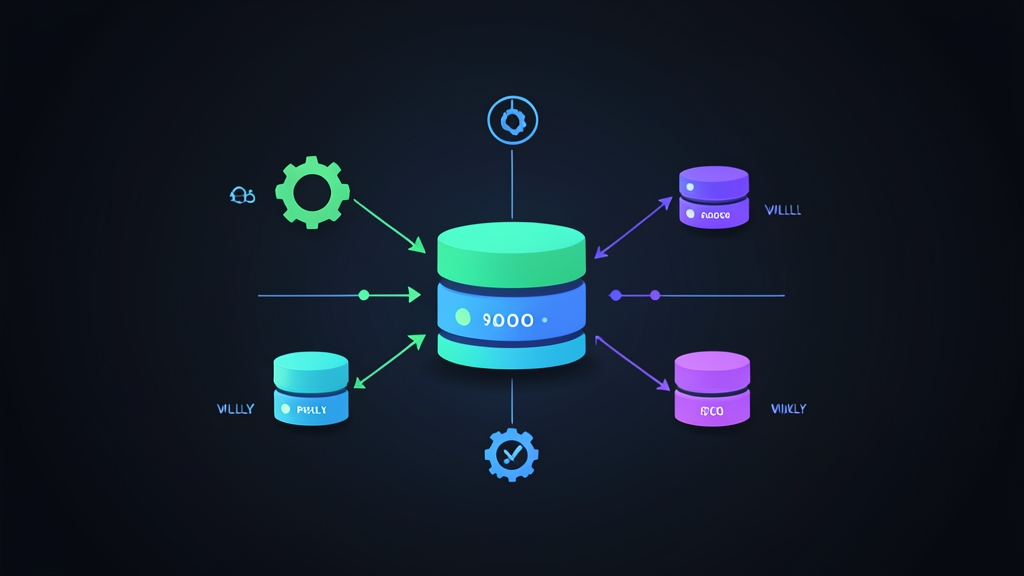
Problem: The Monolithic Database Bottleneck
Every growing application eventually hits the database wall. Heavy analytical queries starve transactional writes, tables swell past 50 million rows, and B-tree index lookups crawl to a halt. When disk I/O pins at 98% and p99 query latency jumps from 15ms to 1,200ms, something has to give.
The default playbook offers two options: pay cloud providers thousands more per month for a massive vertical instance, or manually partition your schema across distinct databases. The first is a temporary bandage. The second demands rewriting complex data access layers, triggering months of regression testing and introducing fragile routing bugs.
Root Cause: Protocol-Level Disconnect
Applications expect a database to be a single logical socket. Forcing your backend services to split read traffic to replicas and write queries to a primary turns clean business logic into transport-level plumbing. Sharding makes things significantly messier. Application code suddenly has to hash partition keys, manage distributed two-phase commits, and manually stitch pagination results from five different database nodes.
Practical Solution: Transparent Database Proxying
Apache ShardingSphere-Proxy eliminates this code debt by sitting directly between your applications and underlying database clusters. It speaks native MySQL and PostgreSQL wire protocols.
To your backend services—whether written in Go, Node.js, Python, or Java—the proxy looks identical to an ordinary single database instance. Under the hood, it intercepts raw SQL statements, inspects the Abstract Syntax Tree (ANTLR-based AST), routes read queries to replicas, shards table rows across physical disks, and merges distributed result sets seamlessly. Your backend doesn’t change by a single line.
Quick Start: Spin Up ShardingSphere-Proxy in 5 Minutes
Let’s run a working local sandbox using Docker: a primary MySQL node, a read replica, and ShardingSphere-Proxy distributing queries automatically.
Step 1: Create the Proxy Configuration
Create a host directory named conf containing two files: server.yaml and config-readwrite.yaml.
# conf/server.yaml
props:
  sql-show: true

rules:
  - !AUTHORITY
    users:
      - root@%:root
    provider:
      type: ALL_PERMITTED
# conf/config-readwrite.yaml
databaseName: demo_ds
dataSources:
primary_ds:
dataSourceClassName: com.zaxxer.hikari.HikariDataSource
driverClassName: com.mysql.cj.jdbc.Driver
url: jdbc:mysql://db-primary:3306/demo_db?serverTimezone=UTC&useSSL=false
username: app_user
password: SecretPassword123
replica_ds:
dataSourceClassName: com.zaxxer.hikari.HikariDataSource
driverClassName: com.mysql.cj.jdbc.Driver
url: jdbc:mysql://db-replica:3306/demo_db?serverTimezone=UTC&useSSL=false
username: app_user
password: SecretPassword123
rules:
- !READWRITE_SPLITTING
dataSources:
readwrite_ds:
staticStrategy:
writeDataSourceName: primary_ds
readDataSourceNames:
- replica_ds
loadBalancerName: round_robin
loadBalancers:
round_robin:
type: ROUND_ROBINStep 2: Run with Docker Compose
# docker-compose.yml
version: '3.8'
services:
  shardingsphere-proxy:
    image: apache/shardingsphere-proxy:5.4.1
    container_name: ss-proxy
    ports:
      - "3307:3307"
    volumes:
      - ./conf:/opt/shardingsphere-proxy/conf
    environment:
      - PORT=3307
    restart: always
Boot the proxy service:
docker compose up -dStep 3: Connect Using Any Standard MySQL Client
mysql -h 127.0.0.1 -P 3307 -u root -proot -D demo_dsRun standard queries. The proxy handles the routing logic automatically. Any INSERT, UPDATE, or DELETE statement routes straight to primary_ds. Unadorned SELECT queries divert to replica_ds according to your round-robin policy, protecting your primary database from read spikes.
Deep Dive: Core Mechanics and Architecture
The Dual Runtime Architecture
Apache ShardingSphere ships in two flavors depending on your tech stack and performance budget:
- ShardingSphere-JDBC: A lightweight client driver embedded directly into JVM services. It runs in-process with sub-millisecond routing overhead, but it locks your entire engineering stack into Java or Kotlin.
- ShardingSphere-Proxy: An independent Netty-powered server. It adds roughly 1.5ms to 2.5ms of network hop latency, but it works with any language—Python, Rust, Go, or PHP—over standard database ports.
SQL Parsing and Routing Pipeline
Every SQL statement that hits port 3307 or 5432 flows through a structured 5-stage pipeline:
- SQL Parsing: ANTLR tokenizes the incoming query into an AST, identifying tables, predicates, and projection columns.
- SQL Routing: The rule engine matches the AST against your sharding algorithms and read-write mappings to determine target nodes.
- SQL Rewrite: Abstract table references (like
t_order) are rewritten into physical tables (such asds_1.t_order_2). - Execution Engine: Netty handles asynchronous I/O, dispatching queries across backend connection pools concurrently.
- Result Merging: When queries hit multiple nodes, the proxy streams rows, aggregates grouped values (
SUM,AVG), sorts order-by clauses, and sends back a single tabular response.
Advanced Usage: High-Throughput Horizontal Table Sharding
Imagine an e-commerce platform handling 8,000 orders per second. To prevent disk contention on a single host, we split t_order across two standalone database servers (10.0.1.10 and 10.0.1.11), dividing the data into two physical tables per server.
Configuring Physical Sharding Rules
# conf/config-sharding.yaml
databaseName: ecommerce_db

dataSources:
  ds_0:
    dataSourceClassName: com.zaxxer.hikari.HikariDataSource
    driverClassName: com.mysql.cj.jdbc.Driver
    url: jdbc:mysql://10.0.1.10:3306/shop_0?useSSL=false
    username: root
    password: dbpassword
  ds_1:
    dataSourceClassName: com.zaxxer.hikari.HikariDataSource
    driverClassName: com.mysql.cj.jdbc.Driver
    url: jdbc:mysql://10.0.1.11:3306/shop_1?useSSL=false
    username: root
    password: dbpassword

rules:
  - !SHARDING
    tables:
      t_order:
        actualDataNodes: ds_${0..1}.t_order_${0..1}
        databaseStrategy:
          standard:
            shardingColumn: user_id
            shardingAlgorithmName: db_hash_mod
        tableStrategy:
          standard:
            shardingColumn: order_id
            shardingAlgorithmName: table_hash_mod
        keyGenerateStrategy:
          column: order_id
          keyGeneratorName: snowflake
    shardingAlgorithms:
      db_hash_mod:
        type: MOD
        props:
          sharding-count: 2
      table_hash_mod:
        type: MOD
        props:
          sharding-count: 2
    keyGenerators:
      snowflake:
        type: SNOWFLAKE
How Distributed Table Queries Run
Write an insert, and ShardingSphere-Proxy generates a 64-bit Snowflake ID before dispatching the row to the calculated shard:
INSERT INTO t_order (user_id, total_amount, status) VALUES (101, 89.50, 'PAID');Targeted queries containing the shard keys hit only one physical instance:
-- Evaluates mod arithmetic and routes directly to ds_1.t_order_1
SELECT * FROM t_order WHERE user_id = 101 AND order_id = 1792438830114029569;
Unsharded queries force a broadcast scatter-gather. The proxy runs parallel queries across all four physical targets (ds_0.t_order_0, ds_0.t_order_1, ds_1.t_order_0, ds_1.t_order_1) and combines the totals:
SELECT COUNT(*) FROM t_order WHERE status = 'PENDING';Practical Tips: Real-World Ops and Performance Tuning
1. Managing Seeding and Data Conversions
Preparing initial test fixtures and reference tables across sharded nodes requires handling mismatched payloads. When converting legacy export CSVs into structured JSON batches for ingestion pipelines, I use toolcraft.app/en/tools/data/csv-to-json because it processes everything client-side in the browser. Zero customer data leaves your local machine, and you can quickly inspect and validate schema structures before triggering bulk import scripts.
2. Tuning Netty Thread Pools
ShardingSphere-Proxy relies on Netty event loops for non-blocking network I/O. Under 15,000+ concurrent connections, you must adjust the JVM heap and GC settings in bin/start.sh to prevent stop-the-world pauses:
JAVA_MEM_OPTS="-Xms8g -Xmx8g -Xmn4g -XX:AutoBoxCacheMax=20000 -XX:+UseG1GC"3. Avoiding Routing Traps
- Index Shard Keys: Always add composite indices on your
shardingColumnacross every partition. An unindexed scatter-gather forces full table scans across all shards simultaneously, spiking CPU to 100%. - Transaction Boundary Awareness: Within an explicit transaction block (
BEGIN ... COMMIT), the proxy directs all subsequent reads to the primary node by default. This prevents dirty reads caused by 200ms-500ms replica lag. - Distributed ID Collisions: Never rely on MySQL’s native
AUTO_INCREMENTacross partitions. Use ShardingSphere’s built-inSNOWFLAKEgenerator to produce collision-free, time-ordered 64-bit integer IDs.