The 404 Problem: Why Your Bookmarks Are Disappearing
Link rot is a silent killer of knowledge. A recent Pew Research study found that 38% of web pages that existed in 2013 are now gone. I felt this reality personally while trying to resolve a server outage; a critical documentation link I’d saved months prior had vanished into a 404 error. Relying on SaaS tools like Raindrop.io or Pocket is convenient, but if you don’t own the archive, you don’t own the information.
Most managers treat a bookmark as a simple text string. If the site changes its URL structure or goes offline, that string becomes useless. Linkwarden solves this by capturing the entire page as a high-fidelity PDF and a screenshot the moment you save it. It’s a self-hosted powerhouse that gives you a permanent, searchable digital library without monthly subscription fees.
The Landscape: Why Linkwarden Stands Out
Choosing a bookmarking tool usually involves trade-offs between aesthetics and utility. Here is how Linkwarden compares to the usual suspects:
- Raindrop.io / Pocket: These offer polished interfaces, but your data lives on their servers. Their “permanent library” features usually cost $3 to $5 per month. If they pivot or shut down, your archive goes with them.
- Wallabag: This is a fantastic “read-it-later” app that extracts text for distraction-free reading. However, it often fails to render complex layouts or interactive dashboards correctly.
- Linkwarden: Think of this as a bridge between a bookmark manager and a digital forensic tool. It organizes links into “Collections,” tags them, and uses a headless browser to snap a visual record of the page. It also supports multi-user collaboration, making it a great fit for small teams or tech-savvy households.
The Reality of Self-Hosting: Pros and Cons
Moving your library in-house offers total control, but it isn’t a free lunch. I’ve run this setup in a production-style HomeLab for over a year, and here is the breakdown of what to expect.
The Benefits
- Data Sovereignty: Every link and attachment stays on your hardware. No third party can track what you’re reading or delete your research.
- True Visual Archives: Seeing exactly what a page looked like on the day you saved it is essential for technical research or legal tracking.
- Granular Collaboration: You can create shared folders with specific permissions. This is perfect for coordinating project resources with a team.
The Trade-offs
- Resource Spikes: Archiving pages is CPU-intensive. While Linkwarden idles at around 150MB of RAM, it can spike to 600MB or more when the browser engine (Playwright) is generating PDFs.
- Storage Demands: Unlike text-only managers, Linkwarden eats disk space. A single archived page (PDF + Screenshot) averages 2MB to 5MB. If you save 1,000 links, plan for at least 5GB of storage.
- Maintenance: You are the sysadmin. You are responsible for backing up the PostgreSQL database and the storage volumes.
Recommended Architecture
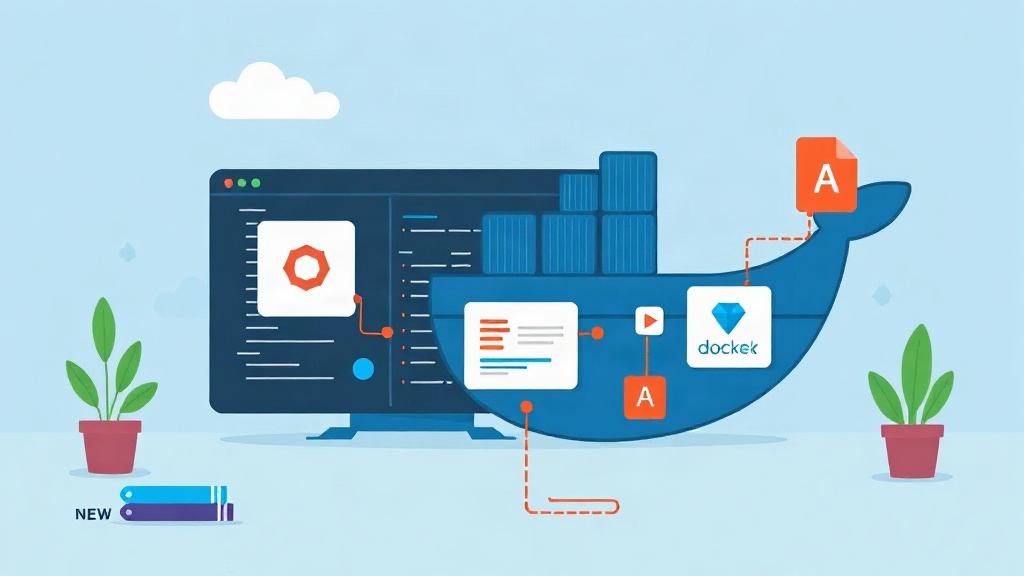
For a stable deployment, I recommend using Docker Compose. We will split the service into three distinct parts: the core Linkwarden engine, a PostgreSQL 16 database, and a persistent storage volume for your media. I suggest placing this stack behind a reverse proxy like Nginx Proxy Manager or Traefik to handle SSL. While Linkwarden has built-in auth, you can layer on an OIDC provider like Authentik for an enterprise-grade setup.
Deployment Guide: Setting Up Linkwarden
To begin, ensure you have Docker and the Compose plugin installed. We will create a dedicated space for the stack to keep our filesystem clean.
mkdir -p ~/homelab/linkwarden
cd ~/homelab/linkwarden
mkdir data storage
1. Environment Configuration
Linkwarden needs specific variables to secure your sessions. Create a .env file in your directory. For the NEXTAUTH_SECRET, you can generate a secure string using openssl rand -base64 32.
# Database credentials
POSTGRES_PASSWORD=use_a_strong_password_here

# Application settings
NEXTAUTH_URL=http://your-server-ip:3000
NEXTAUTH_SECRET=your_generated_random_string

# Registration (Set to true once your admin account is created)
NEXT_PUBLIC_REGISTRATION_DISABLED=false
2. The Docker Compose File
Create a docker-compose.yml file. I have optimized this configuration to ensure the database is fully ready before the application attempts to connect.
services:
  db:
    image: postgres:16-alpine
    restart: always
    environment:
      POSTGRES_PASSWORD: ${POSTGRES_PASSWORD}
      POSTGRES_USER: postgres
      POSTGRES_DB: linkwarden
    volumes:
      - ./data:/var/lib/postgresql/data

  linkwarden:
    image: ghcr.io/linkwarden/linkwarden:latest
    restart: always
    ports:
      - "3000:3000"
    environment:
      - DATABASE_URL=postgresql://postgres:${POSTGRES_PASSWORD}@db:5432/linkwarden
      - NEXTAUTH_URL=${NEXTAUTH_URL}
      - NEXTAUTH_SECRET=${NEXTAUTH_SECRET}
      - STORAGE_FOLDER=/data/storage
    volumes:
      - ./storage:/data/storage
    depends_on:
      db:
        condition: service_healthy

# Note: Add a healthcheck to the DB for better reliability
3. Launching the Stack
Run the following command to pull the images and start the containers in the background.
docker compose up -dGive the database about 20 seconds to initialize its schemas. You can monitor the progress by tailing the logs:
docker compose logs -f linkwardenOptimization and Best Practices
After you log in at http://your-server-ip:3000, the first registered user becomes the admin. From there, a few tweaks will improve your experience significantly.
Browser Extensions
A bookmark manager is only effective if it’s frictionless. Linkwarden offers extensions for Chrome and Firefox that allow you to save links with two clicks. Make sure to input your self-hosted URL into the extension settings immediately after installation.
Managing Large Imports
If you import a massive JSON file from another service, Linkwarden will try to archive every link at once. This can overwhelm a low-powered VPS or a Raspberry Pi. I recommend importing in batches of 50 links to prevent the browser engine from pinning your CPU at 100% for extended periods.
The Backup Strategy
Since this is now your primary knowledge base, backups are non-negotiable. You need to back up the storage folder and perform a pg_dump of the database. A simple cron job that rsyncs these to a NAS or an S3 bucket once a day is usually sufficient for most users.
Closing Thoughts
Migrating away from proprietary link managers is a logical step for anyone serious about digital longevity. Linkwarden offers a modern, clean interface without sacrificing the robust archiving features needed for professional work. You no longer have to worry about a developer deleting a post or a service going bankrupt. Your knowledge remains yours, captured in high-fidelity formats and ready for the next time you’re working late and need that one specific solution.