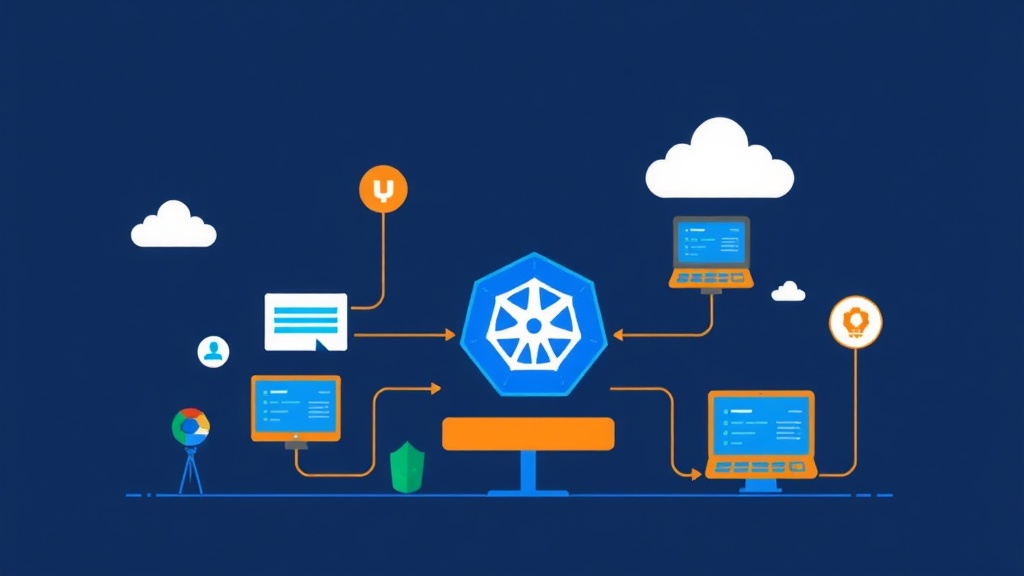
The Problem with Sharing a Single Kubernetes Cluster
If you’ve ever worked on a team where everyone shares the same Kubernetes cluster for development, you know the pain. Someone accidentally deletes a namespace that wasn’t theirs. A misconfigured resource quota breaks another developer’s deployment. A junior dev applies a broken ClusterRole and suddenly half the team can’t deploy anything.
The classic fixes are “just use separate clusters” or “namespace-based isolation.” Both have real costs — and neither works well for every team.
Comparing the Three Approaches
1. Full Separate Clusters (One Per Developer)
Each developer gets their own cluster — either local (kind, minikube) or cloud-provisioned.
- Full isolation: no one can interfere with anyone else
- Complete freedom: install any CRD, change any cluster-level config
- Expensive: cloud clusters cost real money; even local ones can chew through 4–8GB of your laptop’s RAM
- Slow to spin up: provisioning a real cluster takes minutes, not seconds
2. Namespace-Based Isolation (Everyone on One Cluster)
Each developer (or team, or environment) gets their own namespace with RBAC rules limiting what they can touch.
- Resource-efficient: one control plane shared by everyone
- Fast: namespaces are created in seconds
- Poor isolation: cluster-level resources (CRDs, ClusterRoles, nodes) are still shared
- RBAC complexity: getting the permissions right without over-granting is genuinely hard
- No cluster-admin for devs: they can’t install Helm charts that need CRDs or ClusterRoles
3. Virtual Clusters with vcluster
vcluster runs a fully functional Kubernetes API server inside a namespace of your host cluster. The developer sees a real cluster with full admin access. The host cluster sees a handful of pods sitting in a namespace.
- Lightweight: each vcluster uses far fewer resources than a real cluster
- Fast: a new virtual cluster is ready in under 60 seconds
- Full isolation: each vcluster has its own API server, etcd (or SQLite), and control plane
- Cluster-admin access: devs can install CRDs, create ClusterRoles, do anything — without touching the host
- Host-level workloads: actual pods still run on the host cluster’s nodes (vcluster syncs them down)
Pros and Cons of vcluster
What vcluster Does Well
- Dev sandboxes: Spin up an isolated environment in seconds, delete it when done. No cleanup burden on the platform team.
- CI/CD pipelines: Every pipeline run gets its own cluster for integration tests. No state leaks between runs.
- Multi-tenant SaaS: Give customers their own virtual cluster without the cost of provisioning real ones.
- Training environments: Let students experiment with cluster-level configs without putting your infrastructure at risk.
- Testing operators and CRDs: Install and uninstall CRDs freely — changes never touch the host.
Where vcluster Falls Short
- Node-level access: If your app needs DaemonSets that must run on every real node, vcluster’s syncing can get complex.
- Host networking: LoadBalancer services and NodePorts require extra configuration to expose traffic from a vcluster to the outside world.
- Storage: PersistentVolumes are synced to the host, which works well — but depends on your host’s StorageClass support.
- Resource overhead: Each vcluster adds a small control plane overhead (~100–200MB RAM). Fine for 10 clusters. At 100+, you’ll want to plan capacity carefully.
Recommended Setup Before You Start
You need a host Kubernetes cluster. For local development, kind or k3d work great. For production-grade vcluster hosting, any managed cluster (EKS, GKE, AKS) works fine.
You also need:
kubectlconfigured to talk to your host clusterhelmv3+ (vcluster uses Helm under the hood)- The
vclusterCLI (we’ll install this below)
One recommendation worth calling out: use k3s as the virtual control plane (vcluster’s default for lightweight setups) and SQLite instead of etcd. For dev sandbox use cases, this combination is more than enough — and it cuts memory usage by roughly 40% compared to running a full etcd.
Implementation Guide
Step 1: Install the vcluster CLI
# Linux / macOS
curl -L -o vcluster "https://github.com/loft-sh/vcluster/releases/latest/download/vcluster-linux-amd64"
chmod +x vcluster
sudo mv vcluster /usr/local/bin/

# Verify installation
vcluster version
Step 2: Create Your First Virtual Cluster
# Create a vcluster named "dev-sandbox" in namespace "vcluster-dev"
vcluster create dev-sandbox --namespace vcluster-dev

# This command:
# 1. Creates the namespace if it doesn't exist
# 2. Deploys the vcluster control plane (API server + syncer)
# 3. Waits until the vcluster is ready
# 4. Automatically switches your kubectl context to the new vcluster
Once the command finishes, you’re already connected to your virtual cluster. Run kubectl get nodes and you’ll see a node — it’s the vcluster’s synthetic node representation.
kubectl get nodes
# NAME                 STATUS   ROLES    AGE   VERSION
# vcluster-dev-sandbox Ready    <none>   30s   v1.28.0
Step 3: Deploy Something Inside the vcluster
# Deploy nginx inside your virtual cluster
kubectl create deployment nginx --image=nginx:alpine
kubectl expose deployment nginx --port=80 --type=ClusterIP

# Check it's running
kubectl get pods
kubectl get svc
Now switch back to the host cluster and see what vcluster actually created there:
# Switch back to host cluster context
vcluster disconnect

# Check the vcluster namespace on the host
kubectl get pods -n vcluster-dev
# You'll see: the vcluster control plane pod + your nginx pod (synced from vcluster)
Workloads declared inside the vcluster get synced to the host as real pods. The vcluster API server presents them to the developer as native resources — but they’re actually scheduled on the host’s nodes. That’s the whole trick.
Step 4: Give a Developer Access to Their vcluster
# Export a kubeconfig for the vcluster
vcluster connect dev-sandbox --namespace vcluster-dev --print > dev-sandbox-kubeconfig.yaml

# Share this file with the developer
# They use it like any other kubeconfig:
export KUBECONFIG=./dev-sandbox-kubeconfig.yaml
kubectl get pods
Step 5: Create Multiple vClusters for Different Environments
# One per developer
vcluster create dev-alice --namespace vcluster-alice
vcluster create dev-bob --namespace vcluster-bob

# Or one per environment stage
vcluster create staging --namespace vcluster-staging
vcluster create qa --namespace vcluster-qa

# List all running vclusters
vcluster list
# NAME         NAMESPACE          STATUS    CONNECTED
# dev-alice    vcluster-alice     Running
# dev-bob      vcluster-bob       Running
# staging      vcluster-staging   Running
Step 6: Customize the vcluster with a values.yaml
For anything beyond the defaults, use a Helm values file:
# vcluster-values.yaml
controlPlane:
  distro:
    k3s:
      enabled: true
  statefulSet:
    resources:
      requests:
        memory: 128Mi
        cpu: 50m
      limits:
        memory: 512Mi
        cpu: 500m

syncer:
  extraArgs:
    - "--sync-all-nodes"   # sync node labels/taints into the vcluster
# Apply custom values on creation
vcluster create dev-sandbox \
--namespace vcluster-dev \
--values vcluster-values.yamlStep 7: Delete a vcluster When Done
# Deletes the vcluster and cleans up the namespace
vcluster delete dev-sandbox --namespace vcluster-dev
Everything is gone — no leftover CRDs on the host, no stale ClusterRoles. Compare that to namespace isolation, where cleanup often means hunting down cluster-scoped resources that were created outside the namespace boundary.
Real-World Results
In production, I’ve used this pattern specifically for CI/CD integration test environments. Each pipeline job creates a vcluster, runs the full test suite (including Helm charts that install CRDs), then destroys the cluster on completion. After several months and thousands of pipeline runs, there has been zero test-related resource leakage on the host.
Running 8 simultaneous vclusters with k3s + SQLite consumed roughly 1.2GB RAM total across all control planes. A single real cluster’s control plane on most managed providers uses more than that.
Quick Reference
# Most common commands
vcluster create <name> --namespace <ns>    # Create and connect
vcluster list                                # List all vclusters
vcluster connect <name> --namespace <ns>   # Reconnect to an existing one
vcluster disconnect                          # Switch back to host cluster
vcluster delete <name> --namespace <ns>   # Delete permanently
If your team is stuck dealing with shared-cluster chaos, vcluster is worth an afternoon to try. You get real isolation without paying for real clusters — and that trade-off holds up well for dev sandboxes, test pipelines, and multi-tenant scenarios alike.