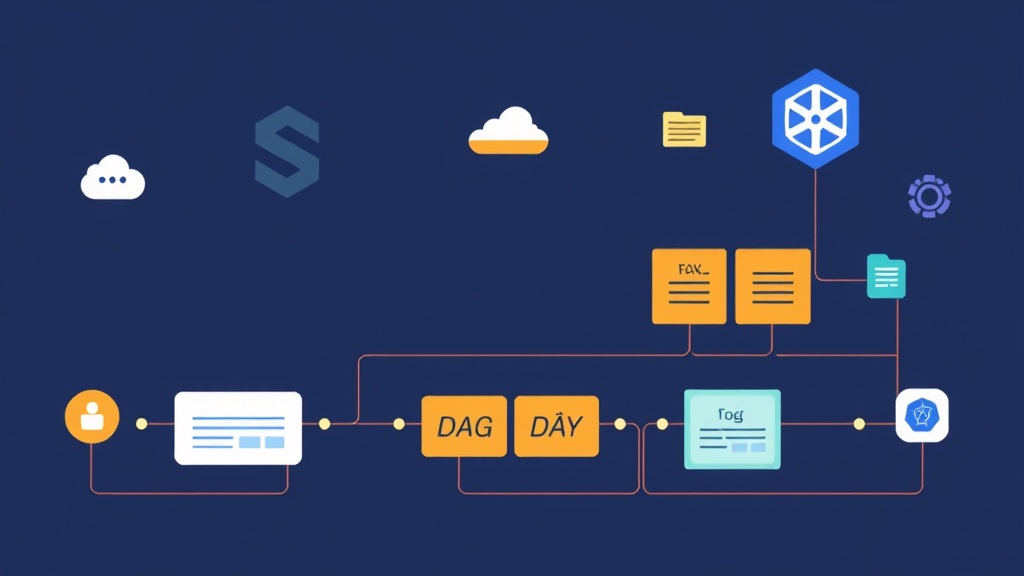
Beyond Basic Kubernetes Jobs
Kubernetes Jobs and CronJobs are excellent for simple, one-off tasks. However, as our data processing needs grew, we hit a wall. Chaining dependencies—running Step A, then triggering B and C in parallel, before finally aggregating results in Step D—turned into a maintenance headache of custom Bash scripts and fragile external triggers.
Argo Workflows bridges this gap. It allows you to define complex logic within a single Kubernetes-native resource. By treating every step as a container, it provides a flexible framework for teams already comfortable with YAML and Docker. Mastering Argo is foundational for moving from manual deployments to managing sophisticated, self-healing infrastructure.
Why Move to Argo?
- Native Integration: Since it is a Kubernetes CRD (Custom Resource Definition), it leverages your existing RBAC, Secrets, and ConfigMaps perfectly.
- DAG Orchestration: Define tasks as a Directed Acyclic Graph (DAG). This allows for complex parallel execution that can reduce ETL runtimes by 50% or more.
- Smart Data Passing: It automates the hand-off of large files (e.g., 5GB CSVs) between pods using S3, GCS, or Minio.
- Real-time Visibility: Debugging a 40-step pipeline is significantly faster when you can visually trace a failure to a specific node in the UI.
Installation in Minutes
I recommend isolating Argo in its own namespace. While Helm charts are available, the quick-start manifest is the fastest way to get a controller and the Server UI running for testing.
# Create a dedicated namespace
kubectl create namespace argo

# Deploy the controller and server
kubectl apply -n argo -f https://github.com/argoproj/argo-workflows/releases/download/v3.5.0/install.yaml
After the pods initialize, verify the controller health by port-forwarding the dashboard. I do this immediately to ensure the environment is ready for its first submission.
kubectl -n argo port-forward deployment/argo-server 2746:2746
Access the dashboard at https://localhost:2746. For production, you will eventually want an Ingress with OIDC authentication, but port-forwarding works perfectly for local development.
Building Your First DAG
The power of Argo lies in Directed Acyclic Graphs (DAGs). Instead of a linear list, you explicitly define which tasks depend on others. In a typical data pipeline, you might have one ‘extract’ step that feeds three parallel ‘transform’ tasks. This structure ensures you only use compute resources when necessary.
Here is a template for a reusable Workflow. Note how the dependencies key handles the orchestration logic.
apiVersion: argoproj.io/v1alpha1
kind: Workflow
metadata:
  generateName: data-pipeline-dag-
spec:
  entrypoint: main-pipeline
  templates:
  - name: main-pipeline
    dag:
      tasks:
      - name: extract-data
        template: job-container
        arguments:
          parameters: [{name: command, value: "echo Fetching 10k records..."}]

      - name: transform-a
        dependencies: [extract-data]
        template: job-container
        arguments:
          parameters: [{name: command, value: "echo Processing Batch A..."}]

      - name: transform-b
        dependencies: [extract-data]
        template: job-container
        arguments:
          parameters: [{name: command, value: "echo Processing Batch B..."}]

      - name: load-data
        dependencies: [transform-a, transform-b]
        template: job-container
        arguments:
          parameters: [{name: command, value: "echo Writing to BigQuery..."}]

  - name: job-container
    inputs:
      parameters:
      - name: command
    container:
      image: alpine:latest
      command: [sh, -c]
      args: ["{{inputs.parameters.command}}"]
      resources:
        limits:
          memory: "512Mi"
          cpu: "500m"
In this example, the load-data task waits until both transforms finish. If transform-a fails, the pipeline stops, preventing corrupted data from reaching your warehouse.
Solving the Shared Storage Problem
Since each pod in a workflow runs on a potentially different node, they cannot share a local disk. This is a common bottleneck for beginners. Argo solves this through **Artifacts**. By configuring an S3 bucket, Step A can output a results.json that Argo automatically uploads. Step B then downloads that file as an input before its container even starts.
Production Best Practices
Running workflows at scale requires more than just valid YAML. You need to protect your cluster from resource exhaustion and network instability.
1. Resilience via Retries
Network hiccups or transient API timeouts (like a 429 error) shouldn’t kill a 2-hour job. Use a retryStrategy with exponential backoff to make your pipelines robust.
retryStrategy:
  limit: "5"
  retryPolicy: "OnFailure"
  backoff:
    duration: "2m"
    factor: "2"
2. Resource Guardrails
If your DAG triggers 200 parallel pods, you might starve other services in your cluster. Always set requests and limits for every template. Furthermore, use the parallelism: 10 field in the workflow spec to cap the number of concurrent pods.
3. Automate Cleanup
Successful workflows leave behind completed pods that clutter the API server. Use ttlStrategy to automatically delete successful workflows after 24 hours, keeping your namespace clean without manual intervention.
4. Pipeline as Code
Manual kubectl apply commands lead to configuration drift. Store your templates in Git and use a GitOps tool like Argo CD to manage them. This ensures that every change to your data transformation logic is peer-reviewed and traceable.
Automating batch jobs on Kubernetes doesn’t need to be a bottleneck. By adopting Argo Workflows, you gain a structured and scalable way to handle complex data logic. Start with a few sequential steps, then leverage the full power of DAGs and artifacts to build a truly automated infrastructure.