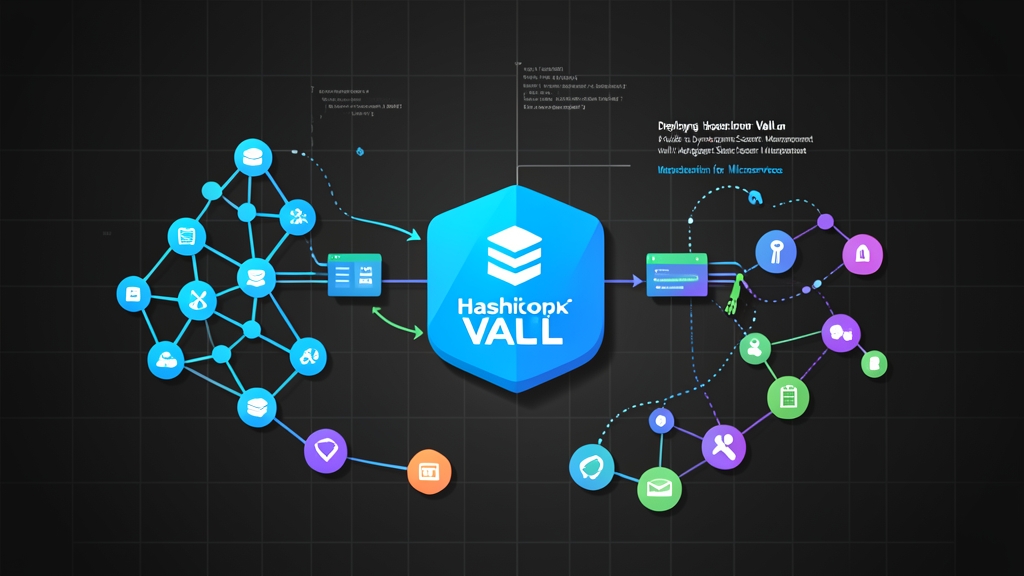
Quick Start (5 min): Standing Up Vault with Sidecar Injector
Storing static database passwords in base64 Kubernetes Secrets invites leaks, complicates audits, and guarantees 2:00 AM outages when someone forgets manual rotations. HashiCorp Vault fixes this. It acts as a central broker that hands microservices short-lived, rotatable tokens on demand. You can spin up a local development cluster in under five minutes with the official Helm chart.
First, register the HashiCorp repository and deploy a dev-mode Vault instance alongside the Agent Injector:
# Add HashiCorp Helm repo
helm repo add hashicorp https://helm.releases.hashicorp.com
helm repo update

# Install Vault with Agent Injector active
helm install vault hashicorp/vault \
  --namespace vault \
  --create-namespace \
  --set "server.dev.enabled=true" \
  --set "injector.enabled=true"
Check that both pods reach the Running state:
kubectl get pods -n vaultLook for vault-0 (1/1) and vault-agent-injector-* (1/1). In dev mode, Vault boots unsealed with an initial root token of root. It is fast, in-memory, and ready for experimentation.
Deep Dive: Kubernetes Authentication and Dynamic Secrets Engine
Static shared passwords should never reach your application containers. Instead, pods present the short-lived JSON Web Token (JWT) mounted automatically by Kubernetes at runtime. Vault reads this token, calls the Kubernetes TokenReview API to verify the pod’s namespace and ServiceAccount, maps that identity to a Vault policy, and returns a time-bound lease.
Let’s configure Vault’s Kubernetes auth backend and connect an ephemeral PostgreSQL database role.
1. Configuring Kubernetes Auth in Vault
Open an interactive shell inside your Vault container:
kubectl exec -it vault-0 -n vault -- /bin/shEnable the engine and point it to the local cluster API:
# Enable Kubernetes auth
vault auth enable kubernetes

# Configure Vault to talk to Kubernetes API
vault write auth/kubernetes/config \
    kubernetes_host="https://kubernetes.default.svc.cluster.local:443"
2. Creating Policies and Roles
Start with a restrictive policy. This snippet gives pods read-only access to ephemeral credentials under database/creds/app-role:
vault policy write app-policy - <<EOF
path "database/creds/app-role" {
  capabilities = ["read"]
}
EOF
Next, tie that policy to the payment-service ServiceAccount inside the default namespace:
vault write auth/kubernetes/role/payment-role \
    bound_service_account_names=payment-service \
    bound_service_account_namespaces=default \
    policies=app-policy \
    ttl=1h
3. Enabling the Dynamic Database Secrets Engine
With dynamic secrets, applications never share credentials. Vault connects to PostgreSQL with admin privileges and provisions unique usernames like v-token-paym-abc123-1718000000 on the fly. Once the 60-minute TTL expires, Vault terminates the database role automatically.
# Mount database secrets engine
vault secrets enable database

# Configure Postgres connection
vault write database/config/my-postgres \
    plugin_name=postgresql-database-plugin \
    allowed_roles="app-role" \
    connection_url="postgresql://{{username}}:{{password}}@postgres.database.svc:5432/orders?sslmode=disable" \
    username="vaultadmin" \
    password="AdminSecretPasswordHere"

# Define the role that creates ephemeral database users
vault write database/roles/app-role \
    db_name=my-postgres \
    creation_statements="CREATE ROLE \"{{name}}\" WITH LOGIN PASSWORD '{{password}}' VALID UNTIL '{{expiration}}'; \
        GRANT SELECT, INSERT, UPDATE ON ALL TABLES IN SCHEMA public TO \"{{name}}\";" \
    default_ttl="1h" \
    max_ttl="24h"
Advanced Usage: Vault Agent Sidecar Injector in Practice
Rewriting your apps to import the Vault SDK is rarely practical. The Vault Agent Injector solves this cleanly. A Kubernetes mutating webhook watches your pods, injects an init container alongside a lightweight background sidecar, and mounts a shared in-memory volume at /vault/secrets. The sidecar handles authentication, pulls credentials, and quietly renews them before expiration.
Deploying an Application with Sidecar Annotations
Below is a production-ready Deployment manifest configured with Consul Template syntax in the annotations:
apiVersion: v1
kind: ServiceAccount
metadata:
  name: payment-service
  namespace: default
---
apiVersion: apps/v1
kind: Deployment
metadata:
  name: payment-service
  namespace: default
  labels:
    app: payment
spec:
  replicas: 2
  selector:
    matchLabels:
      app: payment
  template:
    metadata:
      labels:
        app: payment
      annotations:
        vault.hashicorp.com/agent-inject: "true"
        vault.hashicorp.com/role: "payment-role"
        vault.hashicorp.com/agent-inject-secret-database-creds.txt: "database/creds/app-role"
        vault.hashicorp.com/agent-inject-template-database-creds.txt: |
          {{- with secret "database/creds/app-role" -}}
          DB_USER="{{ .Data.username }}"
          DB_PASSWORD="{{ .Data.password }}"
          {{- end -}}
    spec:
      serviceAccountName: payment-service
      containers:
      - name: payment-api
        image: alpine:3.19
        command: ["/bin/sh", "-c"]
        args:
          - "while true; do if [ -f /vault/secrets/database-creds.txt ]; then cat /vault/secrets/database-creds.txt; fi; sleep 10; done"
        resources:
          limits:
            memory: "128Mi"
            cpu: "100m"
Startup order matters here. The vault-agent-init container runs first, blocking the main container until database-creds.txt exists. Once the pod is up, the secondary vault-agent container runs in the background, refreshing leases at roughly two-thirds of their 60-minute lifetime (around minute 40).
Practical Tips: Day-2 Operations & Troubleshooting
Moving from a proof-of-concept to production brings subtle edge cases. Keep these operational realities in mind:
- Handle connection pool rotation: Most ORMs (such as HikariCP or GORM) hold open connections indefinitely. When Vault drops expired database credentials, active pooled connections may crash with authentication errors. Configure your app to reload secrets on file changes, or add the
vault.hashicorp.com/agent-inject-commandannotation to send aSIGHUPto your process on renewal. - Check mutating webhook networking: If new pods hang indefinitely in
Pendingor crash during admission, inspect port 8080 or 8443 on the injector pod. Firewalls and cloud security groups often block direct API server traffic to worker node overlay networks. - Inspect JWT tokens safely: Debugging Kubernetes auth usually requires decoding the projected ServiceAccount token located at
/var/run/secrets/kubernetes.io/serviceaccount/token. Never paste live tokens into third-party cloud utilities. Use ToolCraft’s JWT Decoder instead. It processes tokens entirely client-side in your browser, keeping your cluster claims and signatures strictly local. - Validate template syntax before applying: Indentation mistakes inside YAML multi-line blocks easily break Consul Template parsers. Sanitize intermediate payloads with the ToolCraft JSON Formatter, or verify manifests using the ToolCraft YAML to JSON Converter before pushing to git.
- Lock down production storage: Never use dev mode in production. Run Vault in high-availability mode with Integrated Raft Storage across an odd number of replicas (at least 3 or 5). Configure cloud auto-unseal (AWS KMS, GCP Cloud KMS, or Azure Key Vault), and revoke all root tokens as soon as team roles are established.