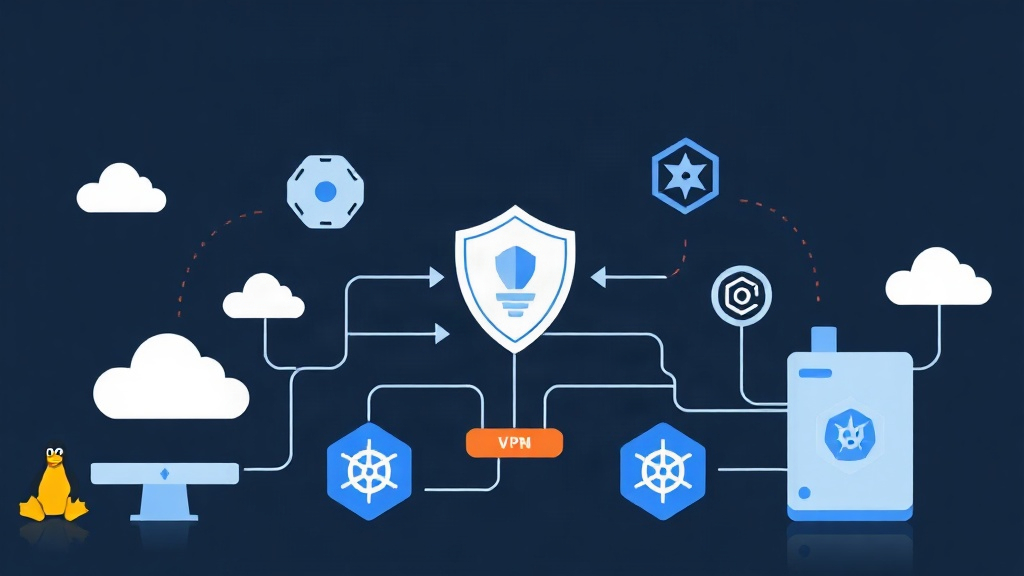
The Multi-Cloud Networking Headache
Connecting servers across multiple hosting providers, bare-metal racks, and remote workstations gets messy fast. On one project, our infrastructure was split between two AWS regions, three cheap Hetzner boxes, and an on-premises test cluster. Provisioning a new machine meant hours of tedious manual work. We were constantly rewriting iptables rules, syncing fragile OpenVPN certificates, troubleshooting broken IPsec handshakes, and poking holes through cloud firewalls just to reach SSH.
Exposing port 22 directly to the internet is asking for trouble. Automated botnets hit our public IPs with thousands of brute-force login attempts every day.
Traditional hub-and-spoke VPNs did not help either. Forcing traffic through a central Frankfurt gateway turned a direct 40ms link between two US nodes into a sluggish 190ms hop, while capping transfer speeds at barely 150 Mbps on a gigabit line. We needed point-to-point mesh connectivity where nodes route directly to each other through authenticated, encrypted tunnels.
Understanding Tailscale and Headscale Architecture
Tailscale made peer-to-peer networking accessible by wrapping WireGuard in automated NAT traversal (STUN/DERP). It just works. However, vanilla Tailscale relies on a proprietary coordination server to distribute encryption keys and network topology. If your team has strict data sovereignty rules, handles HIPAA-regulated payloads, or wants to avoid per-seat SaaS bills that scale with head count, relying on an external vendor for connection coordination is a dealbreaker.
Headscale solves this problem. It is a clean, open-source reimplementation of Tailscale’s control server written in Go. You host the control plane on your own hardware while continuing to use official Tailscale client binaries across your fleet.
The architecture splits into two distinct layers:
- The Control Plane (Headscale): Distributes public keys, tracks machine registrations, applies network ACLs, and assigns static IP addresses from a private CGNAT block (like
100.64.0.0/10). Nodes contact Headscale over HTTPS strictly for coordination metadata. - The Data Plane (WireGuard): Actual application payloads never hit your Headscale server. Once two nodes exchange keys and discovery endpoints through the control plane, they establish a direct, kernel-level WireGuard tunnel. Throughput hits line rate.
Setting Up Your Headscale Control Server
You will need a small Linux instance with a public IPv4 address and a DNS record pointing to it (for instance, vpn.yourdomain.com). Because Headscale handles coordination rather than active traffic forwarding, a basic $4 to $6/month VPS (1 vCPU, 1 GB RAM) can easily manage a fleet of 500+ connected machines.
1. Deploy Headscale with Docker Compose
Create a home directory for your configuration and persistent state:
mkdir -p /opt/headscale/config /opt/headscale/data
cd /opt/headscale
Pull down the official configuration template:
wget -O /opt/headscale/config/config.yaml \
  https://raw.githubusercontent.com/juanfont/headscale/main/config-example.yaml
Edit /opt/headscale/config/config.yaml to configure your domain, ports, and internal IP allocations:
server_url: https://vpn.yourdomain.com
listen_addr: 0.0.0.0:8080
metrics_listen_addr: 127.0.0.1:9090
grpc_listen_addr: 0.0.0.0:50443
ip_prefixes:
  - 100.64.0.0/10
  - fd7a:115c:a1e0::/48
derp:
  server:
    enabled: true
    region_id: 999
    region_code: "headscale"
    region_name: "Headscale Embedded DERP"
    stun_listen_addr: "0.0.0.0:3478"
database:
  type: sqlite
  sqlite:
    path: /var/lib/headscale/db.sqlite
Now write your docker-compose.yml file inside /opt/headscale:
version: "3.8"

services:
  headscale:
    image: headscale/headscale:latest
    container_name: headscale
    restart: unless-stopped
    volumes:
      - ./config:/etc/headscale
      - ./data:/var/lib/headscale
    ports:
      - "8080:8080"
      - "3478:3478/udp"
    command: headscale serve
Spin up the service:
docker compose up -d2. Configure Reverse Proxy and SSL
Headscale needs clean TLS termination on port 443. Here is a battle-tested Nginx virtual host with WebSocket and HTTP/2 support enabled:
server {
    server_name vpn.yourdomain.com;
    listen 443 ssl http2;

    ssl_certificate /etc/letsencrypt/live/vpn.yourdomain.com/fullchain.pem;
    ssl_certificate_key /etc/letsencrypt/live/vpn.yourdomain.com/privkey.pem;

    location / {
        proxy_pass http://127.0.0.1:8080;
        proxy_http_version 1.1;
        proxy_set_header Upgrade $http_upgrade;
        proxy_set_header Connection "upgrade";
        proxy_set_header Host $host;
        proxy_redirect http:// https://;
        proxy_buffering off;
        proxy_set_header X-Real-IP $remote_addr;
        proxy_set_header X-Forwarded-For $proxy_add_x_forwarded_for;
        proxy_set_header X-Forwarded-Proto $scheme;
    }
}
3. Create a User and Pre-Auth Keys
Headscale groups machines under users. Create your initial administrative user with this command:
docker exec -it headscale headscale users create infra-teamTo automate onboarding without clicking through verification screens, generate a reusable pre-authentication key valid for 48 hours:
docker exec -it headscale headscale preauthkeys create \
  --user infra-team \
  --reusable \
  --expiration 48h
Save the generated string. You will supply this token whenever a new node joins your mesh.
Joining Linux Servers to the Mesh
Log in to your target Linux server—Ubuntu, Debian, AlmaLinux, or Fedora—and run the official installation script:
curl -fsSL https://tailscale.com/install.sh | shPoint the daemon to your custom control server using your pre-auth key:
sudo tailscale up \
  --login-server https://vpn.yourdomain.com \
  --authkey <YOUR_PREAUTH_KEY> \
  --accept-routes
Confirm the host registered and grabbed its virtual IP:
tailscale ip -4
tailscale status
Repeat on a second server. Both nodes can now communicate over their internal 100.64.0.x addresses. Packets pass directly between them over UDP, penetrating symmetric NAT configurations without manual port forwards.
Connecting Kubernetes Infrastructure
Accessing private cluster APIs and service endpoints from external machines usually means deploying hefty bastion hosts or costly Cloud LoadBalancers. Running Tailscale as an internal Subnet Router inside your cluster solves this neatly. Any node on your Headscale mesh can communicate with Kubernetes ClusterIPs (like 10.96.0.0/12) and pod networks (like 10.244.0.0/16) as if it were sitting on the pod network itself.
1. Deploy the Subnet Router Manifest
Create a namespace and store your authentication token in a Secret:
kubectl create namespace tailscale
kubectl create secret generic tailscale-auth \
  --namespace=tailscale \
  --from-literal=TS_AUTHKEY=<YOUR_PREAUTH_KEY>
Deploy the router pod. Make sure the --advertise-routes argument reflects your cluster’s actual service and pod CIDRs:
apiVersion: apps/v1
kind: Deployment
metadata:
  name: tailscale-subnet-router
  namespace: tailscale
spec:
  replicas: 1
  selector:
    matchLabels:
      app: tailscale-subnet-router
  template:
    metadata:
      labels:
        app: tailscale-subnet-router
    spec:
      containers:
      - name: tailscale
        image: tailscale/tailscale:latest
        imagePullPolicy: IfNotPresent
        securityContext:
          capabilities:
            add:
            - NET_ADMIN
        env:
        - name: TS_AUTHKEY
          valueFrom:
            secretKeyRef:
              name: tailscale-auth
              key: TS_AUTHKEY
        - name: TS_LOGIN_SERVER
          value: "https://vpn.yourdomain.com"
        - name: TS_KUBE_SECRET
          value: "tailscale-state"
        - name: TS_USERSPACE
          value: "false"
        - name: TS_EXTRA_ARGS
          value: "--advertise-routes=10.96.0.0/12,10.244.0.0/16"
---
apiVersion: rbac.authorization.k8s.io/v1
kind: Role
metadata:
  name: tailscale-subnet-router
  namespace: tailscale
rules:
- apiGroups: [""]
  resources: ["secrets"]
  verbs: ["create", "get", "update", "patch"]
---
apiVersion: rbac.authorization.k8s.io/v1
kind: RoleBinding
metadata:
  name: tailscale-subnet-router
  namespace: tailscale
subjects:
- kind: ServiceAccount
  name: default
  namespace: tailscale
roleRef:
  kind: Role
  name: tailscale-subnet-router
  apiGroup: rbac.authorization.k8s.io
2. Approve Advertised Routes
Headscale blocks route announcements until you explicitly sanction them. List your pending advertisements:
docker exec -it headscale headscale routes listFind the numeric ID assigned to the Kubernetes subnet route and enable it:
docker exec -it headscale headscale routes enable -r <ROUTE_ID>Now query your internal Kubernetes services directly from your laptop or remote servers using curl http://10.96.x.x:8080. No NodePorts. No public cloud load balancer bills.
Operational Takeaways
Self-hosting Headscale replaces brittle VPN topologies with resilient, direct peer connections. You maintain full ownership of private routing tables and machine identity keys while enjoying raw WireGuard throughput—often delivering 800+ Mbps on standard gigabit connections with sub-millisecond overhead.
Before rolling this out across a larger fleet, set up daily cron jobs to back up db.sqlite (or migrate to managed PostgreSQL if you exceed 1,000 nodes). Enable MagicDNS in config.yaml for human-readable hostnames, and write restrictive ACL policies so non-production nodes cannot reach your critical databases.