When Firewalls Choke on Volumetric Floods
Last quarter, our primary API cluster took a hit from an aggressive UDP reflection storm abusing exposed DNS (port 53) and CLDAP (port 389) resolvers. In under fifteen seconds, inbound traffic jumped from a steady 2.4 Gbps baseline to 48 Gbps, peaking at roughly 36 million packets per second (Mpps). Our upstream transit links had ample headroom on their 100 GbE ports. Our Linux edge servers, however, folded almost instantly.
Bandwidth was never the choke point. The real killer was packet per second (PPS) volume. Every incoming packet forced the Linux netfilter framework to traverse stateful connection tracking tables. Within seconds, ksoftirqd pinned every CPU core to 100%, triggering catastrophic ring-buffer drops. Legitimate TLS handshakes stalled, health checks failed across the fleet, and our status page went red.
Standard recovery playbooks only made things worse:
- Remotely Triggered Black Hole (RTBH): Advertising a /32 route tagged with
no-exportor your transit provider’s blackhole community (like65535:666) discards the flood. Unfortunately, it also dumps all valid customer traffic heading to that IP address. The attackers achieved their goal without breaking a sweat. - Throwing hardware at the firewall: Buying larger firewall appliances or building out beefier cluster nodes burns through operational budgets. Worse, stateful appliances still succumb when SYN or UDP floods exhaust connection state tables.
Root Cause: Stateful Server Overhead vs. Router Silicon
Linux software firewalls inspect packets deep inside the host networking stack. Even fast-path bypasses like XDP (eBPF) can struggle once line cards and top-of-rack switch uplinks drown in raw wire-speed floods.
Edge and core routers handle this differently. Platforms like the Juniper MX series, Cisco ASR 9000, and Arista 7280R rely on dedicated Ternary Content-Addressable Memory (TCAM) and custom ASICs. These ASICs evaluate packet headers simultaneously at line rate. Filtering 50 million packets per second costs them zero additional CPU cycles.
The operational headache has always been management. You cannot have engineers manually entering access lists on core routers during a live 3:00 AM incident. Standard BGP doesn’t help here either, as traditional announcements only exchange network reachability prefixes. They cannot specify layer 4 ports, protocols, or packet sizes. Your telemetry and anomaly detection run on Linux servers, but the hardware capable of killing the flood sits upstream.
Evaluating the Options
Bridging host-level detection with upstream routing hardware generally comes down to three techniques:
1. Unicast BGP RTBH (RFC 3882)
RTBH points traffic aimed at the target IP toward a null interface. Setup takes only a few BGP community tags. The downside is its crude /32 destination granularity. A simple DNS amplification flood will knock an entire multi-tenant HTTPS endpoint offline, causing 100% collateral damage.
2. Out-of-Band Automation (NETCONF / RESTCONF / SSH)
Automated scripts can open SSH sessions or push NETCONF payloads to generate router ACLs on demand. While functional, multi-vendor environments turn this brittle fast. Vendor syntax diverges, commit locks can block emergency updates, and an unhandled API error during an attack leaves filtering half-applied.
3. BGP Flowspec (RFC 8955 / RFC 5575)
BGP Flowspec (AFI 1, SAFI 133) solves the granularity problem by treating firewall rules as standard BGP routing updates. You distribute complex match parameters—source/destination subnets, layer 4 protocols, port ranges, ICMP codes, and packet lengths—coupled with direct actions like discard, rate-limit, or VRF redirect. Rules push across your network topology within milliseconds over existing BGP peerings.
Building an Automated Flowspec Controller with ExaBGP
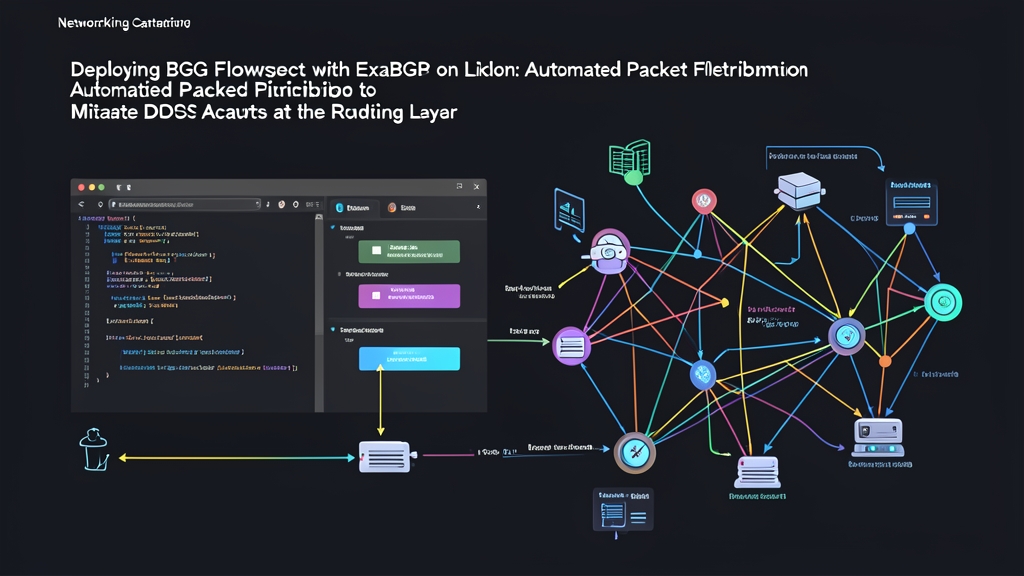
ExaBGP acts as a software engine between Linux applications and BGP-speaking network hardware. It doesn’t modify the Linux kernel’s routing table. Instead, it translates plain-text commands from standard input or FIFOs into BGP updates sent directly to your edge routers.
Step 1: Install ExaBGP
Deploy ExaBGP on your monitoring or traffic analysis box. Ubuntu 22.04 LTS and Debian 12 carry stable builds, or you can grab the current release through pip:
sudo apt-get update
sudo apt-get install -y python3-pip exabgp
# Or install directly via pip
pip3 install exabgp
Step 2: Configure Named Pipes for Dynamic Rule Injection
Named pipes (FIFOs) let background detection scripts send rules into a running ExaBGP process on the fly without session teardowns:
sudo mkdir -p /etc/exabgp/run
sudo mkfifo /etc/exabgp/run/exabgp.in
sudo mkfifo /etc/exabgp/run/exabgp.out
sudo chmod 600 /etc/exabgp/run/exabgp.*
Step 3: Define the Peering Configuration
Save the following configuration as /etc/exabgp/exabgp.conf. In this setup, our Linux controller (192.0.2.10, AS 65001) establishes an internal BGP session with an upstream router (192.0.2.1, AS 65001):
process inject-flowspec {
    run /usr/bin/cat /etc/exabgp/run/exabgp.in;
    encoder text;
}

neighbor 192.0.2.1 {
    router-id 192.0.2.10;
    local-address 192.0.2.10;
    local-as 65001;
    peer-as 65001;

    family {
        ipv4 flow;
    }

    api {
        processes [ inject-flowspec ];
    }
}
Step 4: Establish the BGP Session
Make sure your upstream router allows the Flowspec address family (such as address-family ipv4 flow-spec on Cisco IOS-XR or family inet flow on Juniper Junos). Launch ExaBGP in the foreground to confirm the session initializes cleanly:
exabgp /etc/exabgp/exabgp.confLook for the BGP OPEN negotiation and state transition to ESTABLISHED.
Step 5: Inject Targeted Mitigation Rules
Suppose an automated monitor flags a 25 Mpps DNS amplification attack hammering web cluster IP 198.51.100.50. You can drop only that attack vector by piping a targeted discard rule into the FIFO:
echo "announce flow route destination 198.51.100.50/32 source-port [ =53 ] protocol udp discard" > /etc/exabgp/run/exabgp.inThe router receives the update in less than a second. Its ASICs immediately match incoming UDP packets with source port 53 destined for that host and discard them in hardware. Meanwhile, valid HTTPS traffic on port 443 flows through uninterrupted.
Step 6: Automate Surgical Rate-Limiting
Outright packet dropping isn’t always the safest first move, especially when distinguishing flash crowds from distributed floods. You can throttle suspicious traffic instead. RFC 8955 defines rate-limiting in bytes per second. For example, 125,000 bytes/sec enforces a 1 Mbps bandwidth cap.
Here is an operational Python daemon snippet that interfaces with alerts from tools like FastNetMon, Prometheus Alertmanager, or custom sFlow collectors:
#!/usr/bin/env python3
import sys

def inject_flowspec_ratelimit(victim_ip: str, port: int, rate_bps: int):
    pipe_path = "/etc/exabgp/run/exabgp.in"
    # rate_bps is passed in bytes/second: 125,000 bytes/s ~= 1 Mbps
    rule = (
        f"announce flow route destination {victim_ip}/32 "
        f"port [ ={port} ] protocol tcp "
        f"rate-limit {rate_bps}\n"
    )
    try:
        with open(pipe_path, "w") as fifo:
            fifo.write(rule)
            fifo.flush()
        print(f"[+] Applied {rate_bps} B/s rate-limit on {victim_ip}:{port}")
    except BrokenPipeError:
        print("[-] Error: ExaBGP FIFO listener is not active", file=sys.stderr)

if __name__ == "__main__":
    # Throttle anomalous traffic targeting port 80 down to 1 Mbps
    inject_flowspec_ratelimit("198.51.100.50", 80, 125000)
When telemetry indicates traffic levels have stabilized, withdraw the route to clear the TCAM slot:
echo "withdraw flow route destination 198.51.100.50/32 port [ =80 ] protocol tcp" > /etc/exabgp/run/exabgp.inRouting hardware is purpose-built to discard multi-gigabit junk at line rate. Pushing Flowspec filters through ExaBGP keeps high-volume packet filtering off your servers and stops attack traffic at the perimeter before it touches your infrastructure.