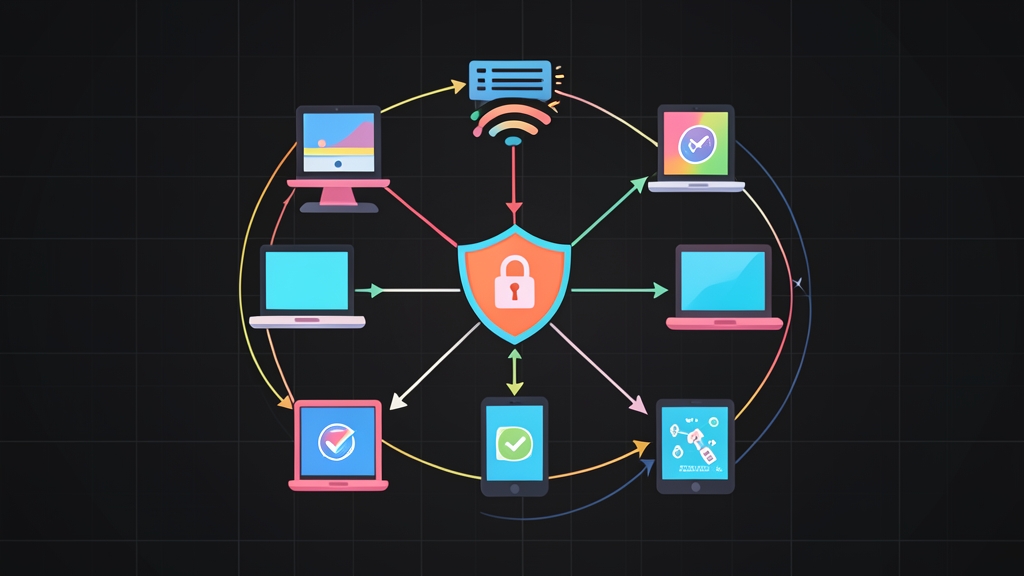
Shared Wi-Fi passwords collapse under their own weight once a company grows past 20 or 30 employees. When a staff member leaves or misplaces a laptop, IT faces an ugly choice. You can touch 80 workstations, handheld scanners, and phones to change the pre-shared key (PSK).
Or you can leave the old secret active and accept the risk. Moving to 802.1X enterprise authentication solves this operational mess. Still, legacy methods like PEAP-MSCHAPv2 rely on Active Directory passwords. That exposes client credentials to rogue access points running tools like hostapd-mana.
EAP-TLS fixes this by removing passwords from the equation. Both the endpoint and the RADIUS server authenticate each other using X.509 digital certificates. When paired with WPA3-Enterprise, you get forward secrecy, tamper-proof management frames, and zero risk of evil-twin credential theft.
Quick Start: FreeRADIUS in 5 Minutes
Here is a working minimal deployment on Ubuntu 22.04 or 24.04 LTS. Use it to verify your FreeRADIUS server and certificate chain before touching production access points.
1. Install FreeRADIUS
sudo apt update
sudo apt install -y freeradius freeradius-utils openssl
2. Generate Bootstrap Certificates
FreeRADIUS includes Makefile utilities in its configuration directory. These bootstrap a test Certificate Authority (CA) alongside sample server and client keypairs:
cd /etc/freeradius/3.0/certs/
sudo ./bootstrap
# Generated files: ca.pem, server.pem, server.key, client.pem, client.p12
3. Register an Access Point Client
Tell FreeRADIUS to accept RADIUS requests from your wireless controller or test access point (AP). Append this block to /etc/freeradius/3.0/clients.conf:
sudo tee -a /etc/freeradius/3.0/clients.conf << 'EOF'
client corporate-ap {
    ipaddr      = 192.168.10.50
    secret      = SuperSecretRadiusSharedKey2026
    shortname   = Office-AP-01
}
EOF
4. Launch FreeRADIUS in Debug Mode
Stop the background systemd service and run the daemon in the foreground with debugging enabled:
sudo systemctl stop freeradius
sudo freeradius -X
Inspect the output. If the ciphers and certificates load without errors, the console concludes with Ready to process requests.
How FreeRADIUS and EAP-TLS Interact
An 802.1X wireless architecture relies on three distinct components:
- Supplicant: The client endpoint (such as a MacBook, ThinkPad, or iPhone) requesting network admission.
- Authenticator: The physical access point or wireless LAN controller (WLC). It acts as a network gatekeeper, passing raw 802.11 EAP packets into UDP RADIUS packets.
- Authentication Server: The FreeRADIUS daemon. It evaluates certificates, verifies validity dates, checks revocation lists, and authorizes network entry.
The Mutual TLS Handshake
Standard HTTPS browsing only requires the web server to prove its identity. In contrast, EAP-TLS mandates bidirectional verification:
- The client associates with the SSID and sends an
EAP-Response/Identity. - FreeRADIUS presents its server certificate. The client validates this certificate against its locally trusted corporate Root CA and checks the server hostname.
- The client sends its own device certificate. FreeRADIUS validates the cryptographic signature against the CA, confirms validity dates, and checks revocation status.
- If both sides pass verification, FreeRADIUS derives the Master Session Key (MSK). It packages this into a Pairwise Master Key (PMK) and transmits it to the AP inside a
RADIUS Access-Acceptpacket. - The AP and client execute the 4-way WPA3 handshake, establishing an encrypted session protected by 802.11w management frames.
Configuring EAP-TLS in FreeRADIUS
Open /etc/freeradius/3.0/mods-available/eap. Locate the tls-config tls-common block and update it with secure defaults:
tls-config tls-common {
    # Leave blank if server.key has no password
    private_key_password = ""
    private_key_file = ${certdir}/server.key
    certificate_file = ${certdir}/server.pem
    ca_file = ${certdir}/ca.pem
    dh_file = ${certdir}/dh

    # Enforce modern TLS standards
    tls_min_version = "1.2"
    tls_max_version = "1.3"

    # Secure cipher selection for TLS 1.2 fallbacks
    cipher_list = "ECDHE-ECDSA-AES256-GCM-SHA384:ECDHE-RSA-AES256-GCM-SHA384:DEFAULT"

    check_cert_issuer = yes
    check_cert_cn = no
}
Next, scroll down to the main eap stanza in the same file. Set the default method to TLS:
eap {
    default_eap_type = tls
    timer_expire     = 60
    ignore_unknown_eap_types = no
}
Production Hardening and Automation
Generating Client Certificates with OpenSSL
Never rely on bootstrap test scripts for actual users. Maintain a dedicated root or intermediate CA, then issue individual ECDSA or RSA certificates for each endpoint:
# 1. Generate an ECDSA private key and CSR
openssl ecparam -name prime256v1 -genkey -noout -out laptop-finance01.key

openssl req -new -key laptop-finance01.key \
    -out laptop-finance01.csr \
    -subj "/C=US/ST=CA/O=Corp/CN=laptop-finance01.internal"

# 2. Sign the CSR with your corporate CA
# Note: ECDSA uses digitalSignature only; omit keyEncipherment
openssl x509 -req -in laptop-finance01.csr \
    -CA ca.pem -CAkey ca.key -CAcreateserial \
    -out laptop-finance01.crt -days 365 \
    -extfile <(printf "extendedKeyUsage = clientAuth\nkeyUsage = digitalSignature")

# 3. Export to a PKCS#12 bundle for client enrollment
openssl pkcs12 -export -in laptop-finance01.crt \
    -inkey laptop-finance01.key -certfile ca.pem \
    -out laptop-finance01.p12 -name "Corp Wi-Fi Client"
Enforcing Certificate Revocation Lists (CRL)
Deleting a user from Active Directory will not terminate active Wi-Fi sessions if your RADIUS server skips revocation checks. Turn on CRL verification inside /etc/freeradius/3.0/mods-available/eap:
tls-config tls-common {
    check_crl = yes
    ca_path = ${cadir}
    crl_file = ${certdir}/crl.pem
}
Schedule a systemd timer or cron job to fetch fresh crl.pem files from your PKI server every 30 minutes, then trigger systemctl reload freeradius.
Simulating an EAP-TLS Handshake via CLI
Skip the hassle of testing Wi-Fi connections by pacing around the floor with a laptop. Use eapol_test (available in the freeradius-utils or wpasupplicant package) to test from the command line:
cat << 'EOF' > test-eap-tls.conf
network={
    ssid="Corp-Secure"
    key_mgmt=WPA-EAP
    eap=TLS
    identity="laptop-finance01.internal"
    ca_cert="/etc/freeradius/3.0/certs/ca.pem"
    client_cert="/etc/freeradius/3.0/certs/laptop-finance01.crt"
    private_key="/etc/freeradius/3.0/certs/laptop-finance01.key"
}
EOF

# Test against localhost (using the default testing123 secret in clients.conf)
eapol_test -c test-eap-tls.conf -a 127.0.0.1 -p 1812 -s testing123
A working handshake outputs EAP-SUCCESS, alongside the generated master session keys.
Battle-Tested Production Traps
Lab tests rarely uncover edge cases. Review these four operational hazards before rolling out 802.1X authentication across your fleet.
1. RADIUS MTU Fragmentation and Dropped UDP Packets
Standard Ethernet limits frames to 1500 bytes. Multi-tiered certificate chains easily exceed 3 KB. When this happens, RADIUS splits payload data across multiple UDP packets on port 1812. If an intermediate firewall or VPN tunnel (like IPsec with a 1400-byte MTU) discards fragmented UDP packets, devices hang at “Connecting…” indefinitely. Avoid this by dropping the EAP fragment size in /etc/freeradius/3.0/mods-available/eap:
tls-config tls-common {
    fragment_size = 1024
}
2. Clock Drift and NTP Discrepancies
Certificate evaluation depends on accurate system clocks. If an endpoint or AP drifts by more than a few seconds past a certificate’s notBefore or notAfter boundary, authentication drops silently. The user receives a generic connection failure. Sync all FreeRADIUS servers, domain controllers, and wireless APs to an internal NTP pool (or external Stratum-1 sources like time.cloudflare.com).
3. Mandatory Protected Management Frames (PMF)
Under WPA2-Enterprise, management frames traveled unencrypted. Attackers could inject spoofed deauthentication packets to boot devices off the network at will. WPA3 fixes this by enforcing Protected Management Frames (802.11w). In your wireless controller or AP dashboard, set your 802.1X SSID security profile to WPA3-Enterprise with PMF Required. Do not use “Optional” unless you must support legacy 802.11n hardware.
4. Automated Enrollment via MDM
Configuring PKCS#12 certificates by hand on 200 laptops is unmanageable. Distribute Root CAs and unique device certificates automatically through SCEP, ACME, or your MDM (such as Microsoft Intune, Jamf Pro, or Kandji). Pre-populate the Wi-Fi profile with your FreeRADIUS server’s Common Name (CN). This prevents users from seeing “Untrusted Server Certificate” warnings, which trains employees to click through security prompts without thinking.