It is 2:15 AM on a Tuesday. PagerDuty fires: your Jenkins controller pod just hit an OOMKill during a major release. It ate through its 16GB JVM heap, leaving 14 microservices stranded mid-deployment and build locks stuck everywhere. If you have ever stared at a frozen monolithic CI server while an on-call engineer sweats on a war room call, you know the drill. Running Jenkins inside a container does not make it cloud-native. Tekton solves this by ditching the monolith entirely.
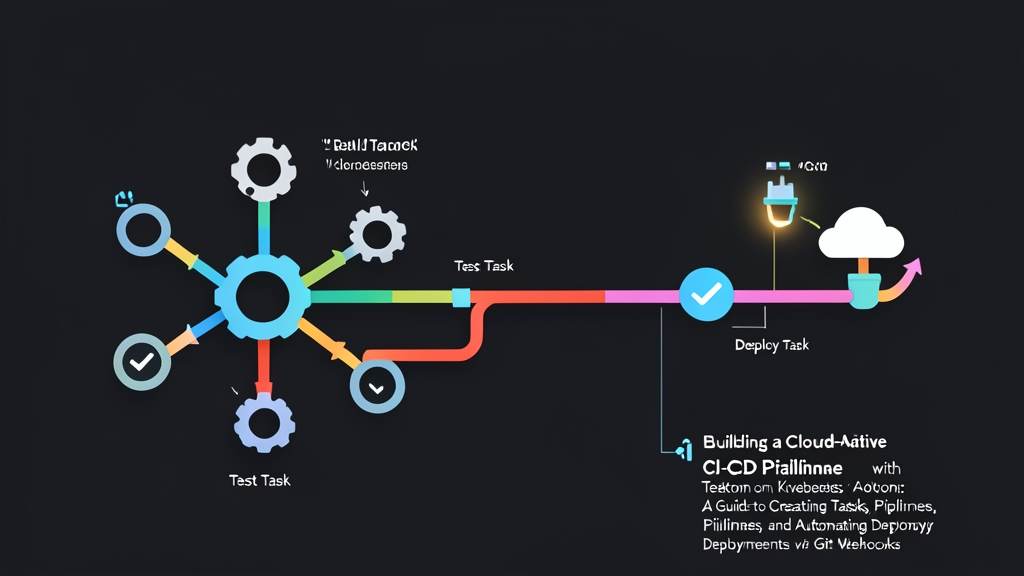
Instead of relying on a centralized controller, Tekton turns Kubernetes itself into the build engine. Each step runs as a standard, disposable container inside an ephemeral Pod. No idle controllers hoarding 32GB of RAM. No custom plugin hell. Here is how to construct a complete pipeline from the ground up—from compiling container images with Kaniko to reacting automatically to GitHub webhooks.
Quick Start: Spin Up Your First Ephemeral Build Pod
Before wiring complex event listeners, make sure your cluster recognizes Tekton resources. Install the core Tekton Pipelines controller directly with kubectl:
# Install Tekton Pipelines CRDs and core controllers (v0.60.0+)
kubectl apply --filename https://storage.googleapis.com/tekton-releases/pipeline/latest/release.yaml

# Watch the controller and webhook pods reach Running status
kubectl get pods -n tekton-pipelines -w
In Tekton, the smallest unit of execution is a Task. A Task defines an ordered sequence of steps, with each step running as an isolated container inside a shared Kubernetes Pod. Save this basic build Task as hello-build.yaml:
apiVersion: tekton.dev/v1
kind: Task
metadata:
  name: hello-build
spec:
  params:
    - name: author
      type: string
      default: "DevOps On-Call"
  steps:
    - name: echo-status
      image: alpine:3.19
      script: |
        #!/bin/sh
        echo "Running hotfix pipeline triggered by $(params.author)"
        echo "Execution node: $(hostname)"
Apply the manifest and run it immediately by creating a TaskRun:
kubectl apply -f hello-build.yaml

# Instantiate the task with an ephemeral TaskRun
cat <<EOF | kubectl create -f -
apiVersion: tekton.dev/v1
kind: TaskRun
metadata:
  generateName: hello-build-run-
spec:
  taskRef:
    name: hello-build
  params:
    - name: author
      value: "NightOps"
EOF
Inspect your cluster events. Tekton generated an on-demand Pod prefixed with hello-build-run-, ran the Alpine container, streamed stdout, and finished cleanly. Once complete, the pod shuts down. Zero compute wasted while waiting for the next commit.
Production Workflow: Daemonless Container Builds with Kaniko
Real-world pipelines require an end-to-end chain: pull source code, run tests, build the image, and push to a remote registry. Crucially, you must do this without mounting /var/run/docker.sock into your cluster nodes—a massive security risk that grants containers root-level host control. Tekton handles this by combining shared Workspace volumes with Kaniko, Google’s userspace container builder.
Step 1: The Git Clone Task
Avoid reinventing standard operations. This checkout task pulls an exact Git commit into a shared workspace volume:
apiVersion: tekton.dev/v1
kind: Task
metadata:
  name: git-checkout
spec:
  workspaces:
    - name: source-code
  params:
    - name: git-url
      type: string
    - name: git-revision
      type: string
      default: "main"
  steps:
    - name: clone
      image: alpine/git:v2.43.0
      workingDir: $(workspaces.source-code.path)
      script: |
        rm -rf ./*
        git clone -b $(params.git-revision) $(params.git-url) .
Step 2: Daemonless Container Builds via Kaniko
Kaniko builds Dockerfiles without a background daemon by unpacking the root filesystem in userspace. This Task consumes files from the shared workspace and pushes the resulting image:
apiVersion: tekton.dev/v1
kind: Task
metadata:
  name: kaniko-build
spec:
  workspaces:
    - name: source-code
    - name: docker-credentials
  params:
    - name: image-tag
      type: string
  steps:
    - name: build-and-push
      image: gcr.io/kaniko-project/executor:v1.20.0-debug
      workingDir: $(workspaces.source-code.path)
      env:
        - name: DOCKER_CONFIG
          value: $(workspaces.docker-credentials.path)
      args:
        - --dockerfile=Dockerfile
        - --context=dir://$(workspaces.source-code.path)
        - --destination=$(params.image-tag)
        - --cache=true
Step 3: Orchestrating the DAG in a Pipeline
A Pipeline stitches discrete Tasks into a directed acyclic graph (DAG). The runAfter block guarantees strict execution order, ensuring code is checked out before Kaniko starts compilation:
apiVersion: tekton.dev/v1
kind: Pipeline
metadata:
  name: app-ci-pipeline
spec:
  workspaces:
    - name: shared-data
    - name: docker-config
  params:
    - name: repo-url
      type: string
    - name: git-branch
      type: string
    - name: image-destination
      type: string
  tasks:
    - name: fetch-repository
      taskRef:
        name: git-checkout
      workspaces:
        - name: source-code
          workspace: shared-data
      params:
        - name: git-url
          value: $(params.repo-url)
        - name: git-revision
          value: $(params.git-branch)

    - name: build-image
      taskRef:
        name: kaniko-build
      runAfter:
        - fetch-repository
      workspaces:
        - name: source-code
          workspace: shared-data
        - name: docker-credentials
          workspace: docker-config
      params:
        - name: image-tag
          value: $(params.image-destination)
Trigger Automation: Processing GitHub Webhooks
Manually dispatching PipelineRuns via the command line works for debugging, but continuous delivery demands automated triggers. Tekton Triggers bridges this gap through three primitives: an EventListener, an Interceptor, and a TriggerBinding.
Install the Triggers subsystem and standard interceptors:
kubectl apply --filename https://storage.googleapis.com/tekton-releases/triggers/latest/release.yaml
kubectl apply --filename https://storage.googleapis.com/tekton-releases/triggers/latest/interceptors.yaml
Now configure each component to securely digest webhook events.
1. TriggerBinding: Extracting Payload Metadata
Pull repository URLs, branch references, and the latest commit SHA directly out of GitHub’s JSON payload:
apiVersion: triggers.tekton.dev/v1beta1
kind: TriggerBinding
metadata:
  name: github-push-binding
spec:
  params:
    - name: gitrevision
      value: $(body.head_commit.id)
    - name: gitrepositoryurl
      value: $(body.repository.clone_url)
    - name: gitbranch
      value: $(body.ref)
2. TriggerTemplate: Declaring the Dynamic PipelineRun
The TriggerTemplate serves as a factory blueprint. Whenever an event lands, it fills parameters and instantiates a brand new PipelineRun:
apiVersion: triggers.tekton.dev/v1beta1
kind: TriggerTemplate
metadata:
  name: github-pipeline-template
spec:
  params:
    - name: gitrevision
    - name: gitrepositoryurl
    - name: gitbranch
  resourcetemplates:
    - apiVersion: tekton.dev/v1
      kind: PipelineRun
      metadata:
        generateName: git-push-run-
      spec:
        pipelineRef:
          name: app-ci-pipeline
        params:
          - name: repo-url
            value: $(tt.params.gitrepositoryurl)
          - name: git-branch
            value: $(tt.params.gitrevision)
          - name: image-destination
            value: "registry.internal/api:$(tt.params.gitrevision)"
        workspaces:
          - name: shared-data
            volumeClaimTemplate:
              spec:
                accessModes: ["ReadWriteOnce"]
                resources:
                  requests:
                    storage: 5Gi
          - name: docker-config
            secret:
              secretName: docker-registry-creds
3. EventListener: Validating HMAC Signatures
Never expose an unsecured webhook endpoint to the public internet. Use the GitHub interceptor to validate SHA-256 HMAC headers before passing payloads to downstream resources:
apiVersion: triggers.tekton.dev/v1beta1
kind: EventListener
metadata:
  name: github-webhook-listener
spec:
  serviceAccountName: tekton-triggers-sa
  triggers:
    - name: git-push-trigger
      interceptors:
        - ref:
            name: "github"
          params:
            - name: "secretRef"
              value:
                secretName: github-webhook-secret
                secretKey: secretToken
            - name: "eventTypes"
              value: ["push"]
      bindings:
        - ref: github-push-binding
      template:
        ref: github-pipeline-template
Expose the generated el-github-webhook-listener service via an Ingress controller or cloud LoadBalancer, add the public endpoint into your GitHub webhook settings, and push a test commit.
Battle-Tested Operational Practices
Migrating to Kubernetes-native pipelines introduces operational trade-offs. Keep these hard-learned rules in mind before scaling to production:
- Isolate workspaces with
volumeClaimTemplate: Avoid binding multiple concurrent builds to a single static PersistentVolumeClaim. You will immediately triggerMulti-Attach error for volumefailures on cloud block storage (like AWS EBS or GCP Persistent Disks). AvolumeClaimTemplateallocates a fresh 5Gi or 10Gi volume for each run and purges it when the run concludes. - Enforce CPU and memory limits on every step: Tekton pods share scheduling priority with your primary node workloads. Unconstrained parallel builds compiling Go or Rust binaries will starve adjacent services of CPU cycles. Define explicit
computeResourcesboundaries on heavy steps (e.g.,requests: {cpu: "500m", memory: "1Gi"}andlimits: {cpu: "2", memory: "4Gi"}). - Prune completed CRDs to protect etcd: Every pipeline execution saves its status as a custom resource. At 250 builds per day across 20 developers, etcd collects over 7,500 TaskRuns and PipelineRuns every month. This bloat slows down control plane reconciliation and spikes latency on
kubectl getcalls. Schedule a daily CronJob to purge completed runs older than 3 days:# Purge successful runs older than 72 hours kubectl delete pipelinerun --all-namespaces \ --field-selector status.conditions[0].status=True \ --selector tekton.dev/pipeline=app-ci-pipeline - Accelerate triage with the Tekton CLI (
tkn): Poring over multi-thousand-line raw JSON or YAML outputs insidekubectl describeduring an outage wastes precious minutes. Install the officialtknCLI to stream live logs and inspect step execution times just like traditional CI consoles:# Follow live build logs for the latest run tkn pipelinerun logs -f --last