Quick Start: Getting Harbor Running on Kubernetes (5 Minutes)
Managing container images across multiple staging and production clusters gets messy fast without a dedicated registry. Harbor solves this problem by wrapping the OCI Distribution Registry with production-grade governance. Using the official Helm chart, you can spin up a functional instance in about five minutes.
First, add Harbor’s Helm repository and create a dedicated namespace:
helm repo add harbor https://helm.goharbor.io
helm repo update
kubectl create namespace harbor
Next, define a minimal values-quickstart.yaml file. This configuration enables ingress with TLS, allocates 50 GB of persistent storage, and activates the Trivy scanner:
expose:
  type: ingress
  tls:
    enabled: true
    certSource: auto
    secret:
      secretName: harbor-tls
  ingress:
    hosts:
      core: registry.internal.example.com

externalURL: https://registry.internal.example.com

persistence:
  enabled: true
  resourcePolicy: keep
  persistentVolumeClaim:
    registry:
      size: 50Gi

trivy:
  enabled: true

harborAdminPassword: "SecureAdminPass123!"
Deploy the chart into your cluster:
helm install harbor harbor/harbor -f values-quickstart.yaml -n harborWatch the rollout until all core pods reach the Running state:
kubectl get pods -n harbor -wOnce ready, open https://registry.internal.example.com in your browser. Log in using the admin username and the password configured above.
Deep Dive: Core Architectural Components
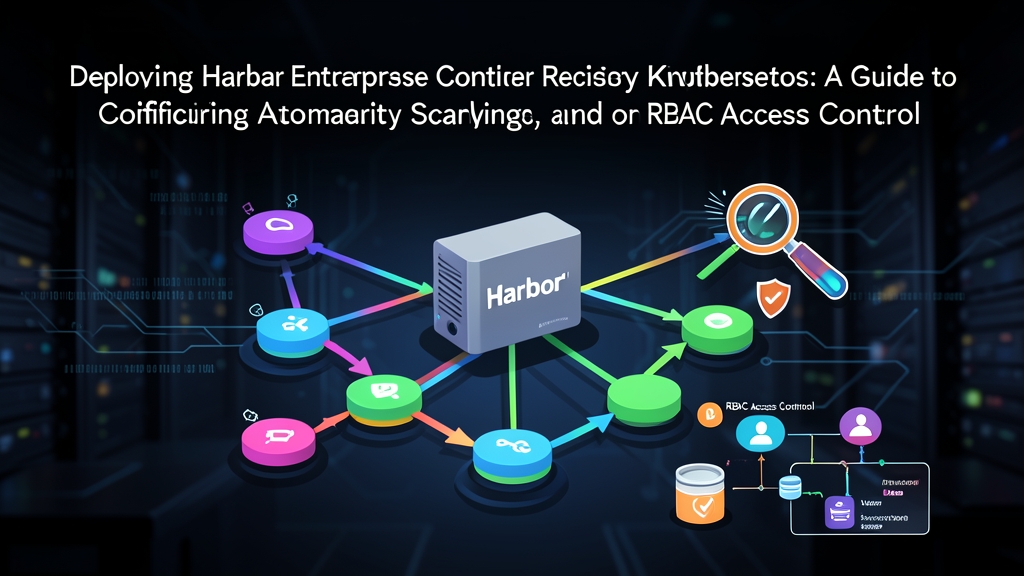
Harbor is not a monolithic container proxy. It runs as a distributed set of microservices behind an API gateway:
- Harbor Core: Manages authentication, RBAC authorization, webhooks, and OIDC token issuance.
- Registry & Controller: Built on the OCI Distribution spec. It handles raw image layer blobs, chunked uploads, and OCI artifact manifests.
- Jobservice: An asynchronous job queue that executes image replication, scheduled garbage collection, and tag retention rules.
- Trivy Security Scanner: Downloads CVE vulnerability feeds to inspect image layers on every push.
- Database (PostgreSQL) & Cache (Redis): Stores project configurations, audit logs, user permissions, and active session states.
Configuring Automated Vulnerability Scanning
Catching vulnerabilities before an image reaches your cluster saves hours of incident response. Development teams frequently push images based on dated base distros containing dozens of critical CVEs. Harbor lets you enforce scan-on-push policies directly through its REST API.
You can configure the policy on a project named core-services with a single API call:
HARBOR_URL="https://registry.internal.example.com"
AUTH="admin:SecureAdminPass123!"

# Configure project "core-services" to scan images automatically on push
curl -u "$AUTH" -X PUT "$HARBOR_URL/api/v2.0/projects/core-services" \
  -H "Content-Type: application/json" \
  -d '{
    "metadata": {
      "auto_scan": "true",
      "prevent_vul": "true",
      "severity": "high"
    }
  }'
With prevent_vul: true and severity: high, Harbor actively blocks pull requests for any image containing unresolved high- or critical-severity CVEs (CVSS score >= 7.0). When kubelet attempts to pull a flagged image, Harbor returns an HTTP 412 (Precondition Failed) error, stopping compromised containers from executing in production.
Advanced Usage: Cross-Registry Replication and Enterprise RBAC
Pulling 1.5 GB images across regions slows down pod autoscaling and racks up high WAN egress fees. For example, pulling images from a central US registry into an EU cluster during a traffic spike adds 30–60 seconds of cold-start delay per node. Harbor fixes this with automated replication rules that mirror images between primary and regional registries.
Setting Up Replication Endpoints and Rules
Start by registering your secondary data center as a remote replication target:
curl -u "$AUTH" -X POST "$HARBOR_URL/api/v2.0/registries" \
  -H "Content-Type: application/json" \
  -d '{
    "name": "edge-us-west",
    "type": "harbor",
    "url": "https://edge-registry.uswest.internal.example.com",
    "credential": {
      "type": "basic",
      "access_key": "robot$sync-agent",
      "access_secret": "SecretTokenValue456!"
    }
  }'
Now create an event-based replication policy. Every new image tag pushed to the central registry triggers an immediate sync to the edge instance:
curl -u "$AUTH" -X POST "$HARBOR_URL/api/v2.0/replication/policies" \
  -H "Content-Type: application/json" \
  -d '{
    "name": "replicate-core-to-edge",
    "src_resource": { "filters": [{ "type": "name", "value": "core-services/**" }] },
    "dest_registry": { "id": 1 },
    "dest_namespace": "core-services",
    "trigger": { "type": "event_based" },
    "enabled": true
  }'
Granular RBAC with OIDC and Robot Accounts
Never share personal credentials or cluster-admin tokens with automated build systems. Harbor provides five tiered RBAC roles: Project Admin, Maintainer, Developer, Guest, and Limited Guest.
For CI/CD runners like GitHub Actions or GitLab CI, issue a scoped robot account with a 90-day expiration window. Restrict its scope solely to push and pull actions within its designated project:
curl -u "$AUTH" -X POST "$HARBOR_URL/api/v2.0/robots" \
  -H "Content-Type: application/json" \
  -d '{
    "name": "ci-builder",
    "description": "Scoped token for release workflows",
    "duration": 90,
    "level": "project",
    "permissions": [
      {
        "kind": "project",
        "namespace": "core-services",
        "access": [
          { "resource": "repository", "action": "push" },
          { "resource": "repository", "action": "pull" }
        ]
      }
    ]
  }'
Inject the generated token as a Kubernetes imagePullSecret or CI secret variable. If compromised, the token expires automatically and cannot modify registry configuration or access other projects.
Practical Tips for Production Operations
Keeping Harbor reliable under heavy build loads requires practical maintenance habits:
- Automate Tag Retention Rules: Active CI pipelines can push hundreds of builds daily, filling up disks with disposable artifacts. Set up a retention policy that keeps only the last 10 tags for feature branches, while preserving release semantic tags (such as
v*.*.*) indefinitely. - Schedule Garbage Collection During Off-Peak Hours: Deleting an image in the UI only removes its manifest reference; the layer blobs stay on disk. In a 50-developer engineering team, running weekly garbage collection (for example, Sundays at 02:00 UTC) routinely reclaims 200 GB to 400 GB of orphaned storage without interrupting active deployment windows.
- Back Storage with S3-Compatible Buckets: Standard Kubernetes PersistentVolumes do not scale well once a registry crosses 2 TB. Instead, route blob storage to AWS S3, Cloudflare R2, or MinIO by adjusting the
persistence.imageChartStoragesection of your Helm values. - Track Jobservice Queue Latency: Harbor exports native Prometheus metrics. Set up an alert for
harbor_jobservice_task_queue_size > 25. A sustained backlog usually indicates that Trivy scan workers or replication jobs are throttled and need horizontal scaling.