The DNS Problem Nobody Talks About
You have a Kubernetes cluster running beautifully. Ingress controllers are deployed, services are up, and pods are healthy. Then you realize — you still have to manually go into Cloudflare or Route53 to create a DNS record every single time you deploy something new. If your LoadBalancer IP changes (and it does, especially in managed clusters), you have to update that record again.
The root cause is that Kubernetes has no native mechanism to talk to external DNS providers. Your cluster knows about IPs and hostnames, but it has no idea that Cloudflare or Route53 even exists. This gap is exactly what ExternalDNS was built to fill.
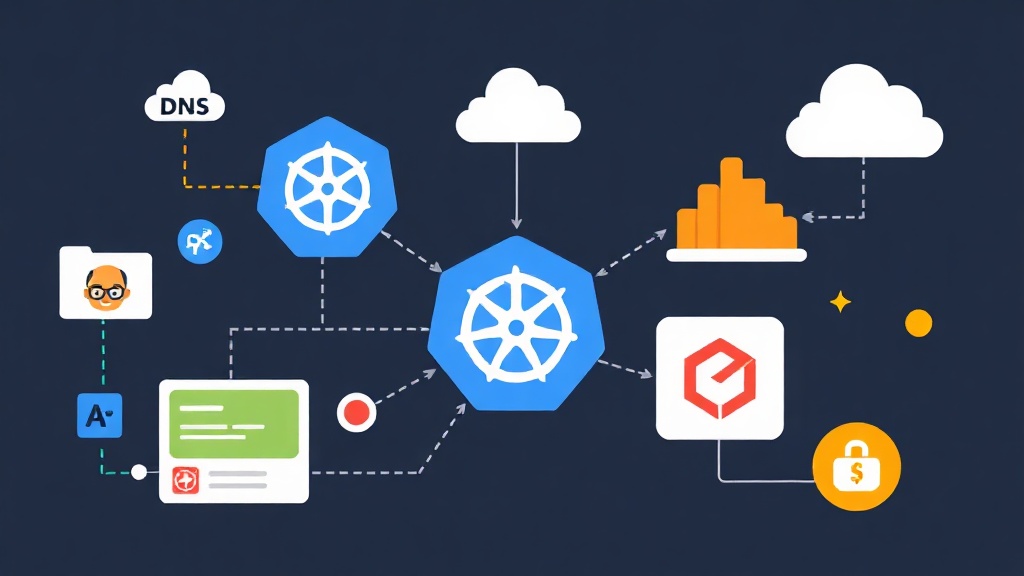
ExternalDNS watches your Kubernetes resources — specifically Ingress objects and Services of type LoadBalancer — and synchronizes the hostnames you define there directly to your DNS provider. Create an Ingress with host app.example.com, and ExternalDNS automatically creates an A record pointing to your load balancer IP. Delete that Ingress, and the DNS record disappears with it.
I have applied this approach in production environments running on both EKS and GKE, and the results have been consistently stable — no more stale DNS records, no manual updates, and significantly less toil for the team.
Installation
Prerequisites
Before installing ExternalDNS, make sure you have:
- A running Kubernetes cluster (1.19+)
- kubectl configured with cluster access
- A DNS provider account — Cloudflare or AWS Route53
- Helm 3 installed (recommended installation method)
Install with Helm
The cleanest way to get ExternalDNS running is via the Bitnami Helm chart. Add the repo and update:
helm repo add bitnami https://charts.bitnami.com/bitnami
helm repo update
You will customize the installation based on your DNS provider. The sections below walk through Cloudflare and Route53 separately — pick the one that applies to you.
Configuration
Option A: Cloudflare
First, generate an API token in your Cloudflare dashboard. Go to My Profile → API Tokens → Create Token and assign these permissions:
- Zone → DNS → Edit
- Zone → Zone → Read
Scope the token to the specific zone (domain) you want ExternalDNS to manage. Avoid using the Global API Key — a scoped token is far safer in production and limits blast radius if credentials leak.
Create a Kubernetes secret with your Cloudflare token:
kubectl create namespace external-dns

kubectl create secret generic cloudflare-api-token \
  --from-literal=apiToken=YOUR_CLOUDFLARE_API_TOKEN \
  -n external-dns
Create a values-cloudflare.yaml file with the ExternalDNS configuration:
provider: cloudflare

cloudflare:
  secretName: cloudflare-api-token
  proxied: false  # Set true if you want Cloudflare proxy (orange cloud)

domainFilters:
  - example.com  # Replace with your actual domain

policy: sync  # "sync" = create + delete, "upsert-only" = only create/update

sources:
  - ingress
  - service

txtOwnerId: k8s-cluster-prod  # Unique identifier for this cluster

logLevel: info
Install ExternalDNS:
helm install external-dns bitnami/external-dns \
  -n external-dns \
  -f values-cloudflare.yaml
Option B: AWS Route53
For Route53, ExternalDNS needs IAM permissions to manage DNS records. On EKS, the preferred approach is IAM Roles for Service Accounts (IRSA). For other setups, a dedicated IAM user with an access key works fine.
Create an IAM policy document and attach it to your IAM user or role:
{
  "Version": "2012-10-17",
  "Statement": [
    {
      "Effect": "Allow",
      "Action": [
        "route53:ChangeResourceRecordSets"
      ],
      "Resource": [
        "arn:aws:route53:::hostedzone/*"
      ]
    },
    {
      "Effect": "Allow",
      "Action": [
        "route53:ListHostedZones",
        "route53:ListResourceRecordSets",
        "route53:ListTagsForResource"
      ],
      "Resource": ["*"]
    }
  ]
}
Store the IAM credentials as a Kubernetes secret:
kubectl create namespace external-dns

kubectl create secret generic aws-credentials \
  --from-literal=access-key-id=YOUR_AWS_ACCESS_KEY \
  --from-literal=secret-access-key=YOUR_AWS_SECRET_KEY \
  -n external-dns
Create values-route53.yaml:
provider: aws

aws:
  credentials:
    secretKey: aws-credentials
    accessKey: access-key-id
    secretAccessKey: secret-access-key
  region: us-east-1  # Your AWS region
  zoneType: public    # "public" or "private"

domainFilters:
  - example.com

policy: sync

sources:
  - ingress
  - service

txtOwnerId: k8s-cluster-prod

logLevel: info
Install ExternalDNS:
helm install external-dns bitnami/external-dns \
  -n external-dns \
  -f values-route53.yaml
Annotating Your Ingress and Services
ExternalDNS reads hostnames from your Kubernetes resources automatically. For Ingress objects, it picks up the spec.rules[].host field without any extra configuration. For LoadBalancer services, add an annotation to declare the DNS name:
# Ingress — ExternalDNS reads the host field automatically
apiVersion: networking.k8s.io/v1
kind: Ingress
metadata:
  name: my-app-ingress
  namespace: default
  annotations:
    kubernetes.io/ingress.class: nginx
spec:
  rules:
    - host: app.example.com
      http:
        paths:
          - path: /
            pathType: Prefix
            backend:
              service:
                name: my-app
                port:
                  number: 80
# LoadBalancer Service with DNS annotation
apiVersion: v1
kind: Service
metadata:
name: my-service
namespace: default
annotations:
external-dns.alpha.kubernetes.io/hostname: service.example.com
spec:
type: LoadBalancer
ports:
- port: 80
targetPort: 8080
selector:
app: my-appOne detail worth understanding: ExternalDNS creates TXT records alongside each DNS entry. These TXT records act as ownership markers — they are how ExternalDNS knows which records it manages versus records created by someone else. The txtOwnerId value is embedded in these TXT records. If you run multiple clusters pointing at the same DNS zone, each cluster must have a unique txtOwnerId to avoid conflicts.
Verification & Monitoring
Check the Deployment
Confirm ExternalDNS is running and healthy:
kubectl get pods -n external-dns
kubectl logs -n external-dns -l app.kubernetes.io/name=external-dns --tail=50
When ExternalDNS processes an Ingress or Service, you will see log entries like this:
level=info msg="Desired change: CREATE app.example.com A [203.0.113.42]"
level=info msg="Desired change: CREATE app.example.com TXT [\"heritage=external-dns,...\"]"
level=info msg="2 record(s) in zone example.com. were successfully updated"
Verify DNS Records
Use dig to confirm records appear in DNS:
# Check A record
dig app.example.com +short

# Check TXT ownership record
dig TXT "externaldns-app.example.com" +short
Changes typically propagate within one to two minutes. ExternalDNS runs a sync loop every 60 seconds by default. You can tune this with the interval setting in your Helm values if you need faster reconciliation during development or slower to reduce API calls in production.
Troubleshooting Common Issues
If records are not being created, check these first:
- Wrong domainFilters: ExternalDNS skips any hostname that does not match the
domainFilterslist. Verify your Ingress host matches the filter exactly. - Missing permissions: For Route53, confirm the IAM policy is attached to the correct user or role. For Cloudflare, verify the API token scope includes the correct zone.
- Policy set to upsert-only: With
policy: upsert-only, ExternalDNS will not delete records when you remove an Ingress. Switch topolicy: syncfor full lifecycle management. - Ingress not assigned an external IP: ExternalDNS waits for an IP in
status.loadBalancer.ingress. If your Ingress controller has not assigned one yet, ExternalDNS has nothing to work with — check your Ingress controller first.
Prometheus Metrics
ExternalDNS exposes Prometheus metrics on port 7979. If Prometheus runs in your cluster, enable scraping by adding pod annotations to the Helm values:
podAnnotations:
  prometheus.io/scrape: "true"
  prometheus.io/port: "7979"
Key metrics to watch are external_dns_controller_last_sync_timestamp_seconds (detect stalled sync loops) and external_dns_registry_endpoints_total (track how many records ExternalDNS is managing). A simple alert rule — firing when the last sync timestamp is more than five minutes old — catches credential issues or DNS provider outages before they affect users.
Running ExternalDNS has removed an entire category of operational toil from my workflow. No more “why is this domain not resolving” incidents caused by someone forgetting to update a DNS record after a deployment. The cluster manages its own DNS, and the team can stay focused on things that actually matter.