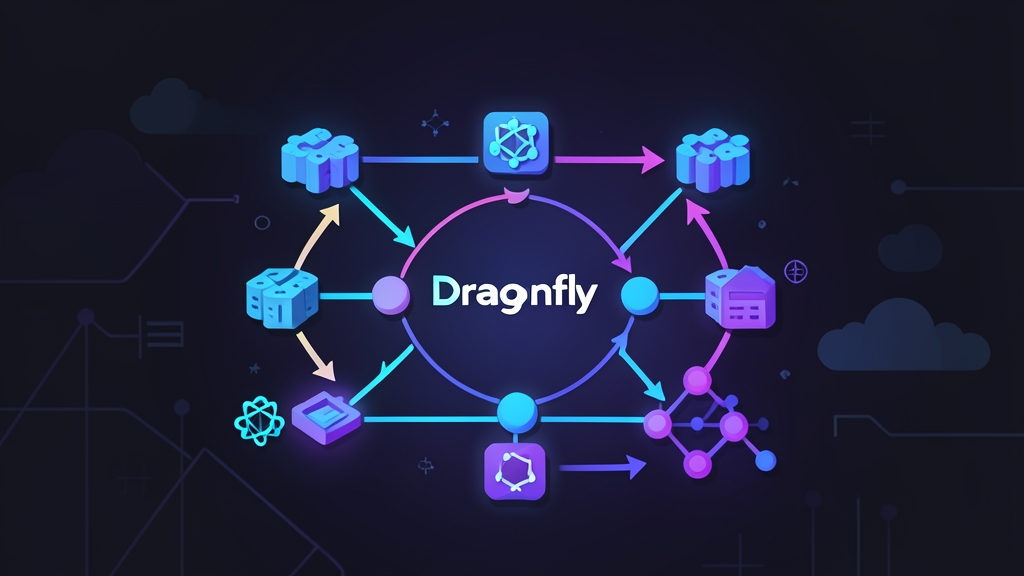
The Problem: Image Pull Storms at Scale
Running a Kubernetes cluster at scale means you eventually hit the same wall: image pull storms. You push a new image tag, trigger a rolling update, and suddenly 40 nodes are hammering your container registry simultaneously. Your registry buckles, nodes time out waiting for layers, and what should be a 5-minute deployment turns into a 25-minute fire drill.
The usual band-aids — increasing registry replica count, bumping instance size, paying for premium artifact registry tiers — work, but they’re expensive and they don’t fix the root cause. Each node independently pulls the same layers from the same source. It’s a fundamentally wasteful pattern that gets worse as your cluster grows.
Dragonfly fixes this at the protocol level. Instead of N nodes each pulling a 500MB layer from your registry, one node pulls it and the rest fetch it peer-to-peer. By the time your registry is done serving the first node, every other node already has the data.
How Dragonfly Works: Core Concepts
Dragonfly started inside Alibaba, built for deployments across tens of thousands of nodes. It’s now a CNCF incubating project. The P2P approach means nodes collaborate to distribute image layers — think BitTorrent applied to your Kubernetes cluster.
Key Components
- Manager: The control plane. Stores peer information, manages scheduler discovery, and handles dynamic configuration across the cluster.
- Scheduler: The brain of the P2P network. When a node needs a layer, the Scheduler figures out which peers already have it (fully or partially) and builds an optimal peer graph.
- Seed Peer: Downloads layers from your registry once, then becomes the initial seeder for the rest of the cluster. Run at least two for redundancy.
- Dfdaemon (Client): Runs as a DaemonSet on every node. Intercepts container runtime layer pulls, redirects them through the P2P network, and seeds data to other nodes once it has it.
The Pull Flow
Your node wants to pull nginx:1.27. Dfdaemon intercepts that request, checks with the Scheduler, and instead of fetching from Docker Hub directly, it pulls chunks from 3–5 peers that already downloaded the layer. The registry only serves data once — to the first seed peer.
One thing that surprised me initially: Dragonfly doesn’t replace your registry or require any changes to your images. It operates as a transparent proxy at the container runtime level. Existing CI pipelines, image references, and deployment manifests need zero changes.
Deploying Dragonfly on Kubernetes
Prerequisites
- Kubernetes 1.20+ cluster
- Helm 3 installed
- containerd as the container runtime (most common after Docker deprecation)
- kubectl configured with cluster access
Step 1: Install with Helm
helm repo add dragonfly https://dragonflyoss.github.io/helm-charts/
helm repo update

helm install --create-namespace --namespace dragonfly-system \
  dragonfly dragonfly/dragonfly \
  --set seedPeer.enable=true \
  --set seedPeer.replicas=2 \
  --set scheduler.replicas=2 \
  --set manager.replicas=2
Wait for all pods to come up:
kubectl -n dragonfly-system get pods -wYou should see Manager, Scheduler, Seed Peer, and Client (DaemonSet) pods all running. The Client DaemonSet deploys one pod per node — that’s the dfdaemon proxy running locally on each worker.
Step 2: Configure containerd to Proxy Through Dragonfly
This is the step most guides gloss over, but it’s the critical part. You need to tell containerd to route image pulls through the local dfdaemon proxy instead of hitting registries directly. Dfdaemon listens on port 65001 by default.
Create a containerd mirror configuration on each node:
# Configure Docker Hub mirroring
mkdir -p /etc/containerd/certs.d/docker.io

cat > /etc/containerd/certs.d/docker.io/hosts.toml <<EOF
server = "https://registry-1.docker.io"

[host."http://127.0.0.1:65001"]
  capabilities = ["pull", "resolve"]
  skip_verify = true
  override_path = true
EOF
For a private registry, repeat the same structure:
# For a private registry at registry.example.com
mkdir -p /etc/containerd/certs.d/registry.example.com

cat > /etc/containerd/certs.d/registry.example.com/hosts.toml <<EOF
server = "https://registry.example.com"

[host."http://127.0.0.1:65001"]
  capabilities = ["pull", "resolve"]
  skip_verify = true
  override_path = true
EOF

systemctl restart containerd
If you manage nodes via cloud provider node groups or Ansible, automate this step across all workers before testing.
Step 3: Verify P2P Distribution Is Working
Force an image pull with a test pod:
kubectl run test-pull --image=nginx:1.27 --restart=Never
kubectl get pod test-pull -w
Then check the dfdaemon logs on the node where the pod was scheduled:
NODE=$(kubectl get pod test-pull -o jsonpath='{.spec.nodeName}')
DAEMON_POD=$(kubectl -n dragonfly-system get pod -o wide \
  | grep "$NODE" | grep client | awk '{print $1}')
kubectl -n dragonfly-system logs $DAEMON_POD | grep -i "p2p\|peer\|task"
Look for log entries showing layers fetched from P2P peers rather than the registry directly. On subsequent nodes pulling the same image, pull times drop significantly — often 5–10x faster once the seed peer has the data cached.
Step 4: Monitor with the Dragonfly Console
Dragonfly Manager ships with a web console. Port-forward to access it:
kubectl -n dragonfly-system port-forward svc/dragonfly-manager 8080:8080Browse to http://localhost:8080. Active tasks, peer counts, and live traffic graphs give you a real-time view of what’s flowing through the P2P network — far more reassuring than guessing whether your registry is still taking every hit.
Tips from Production Use
I’ve run this across several production clusters and it holds up well — but there are a few gotchas that’ll bite you if you’re not ready.
Set Resource Limits on the Dfdaemon DaemonSet
The client daemon runs on every node, so unconstrained memory usage can cause trouble on nodes with tight resources. Add these limits to your Helm values:
client:
  resources:
    limits:
      cpu: "500m"
      memory: "512Mi"
    requests:
      cpu: "100m"
      memory: "128Mi"
Always Run Two Seed Peer Replicas
If your single seed peer pod restarts mid-deployment, nodes fall back to direct registry pulls — which is safe, but you lose the bandwidth savings for that rollout. Two replicas keeps things smooth during pod disruptions.
Check the Registry Allowlist in Dfdaemon Config
Newer Dragonfly versions include a filter list for which registries get proxied. Confirm your private registry hostname is included, otherwise pulls bypass the P2P network entirely:
kubectl -n dragonfly-system get configmap dragonfly-client -o yaml \
  | grep -A 20 "proxy"
Tune the Peer Connection Count for Large Clusters
The default peer connection count works well up to ~50 nodes. For larger clusters, adjust the scheduler’s peer task concurrent limit to allow more simultaneous connections per piece:
scheduler:
  config:
    scheduler:
      peerTaskTTL: 24h
      retryBackToSourceLimit: 3
What You Actually Gain
Dragonfly turns your Kubernetes nodes from N independent registry clients into a cooperative distribution network. The first deployment after enabling it will show you exactly how much bandwidth you were wasting. On clusters with 30+ nodes, I’ve measured 70–80% reduction in registry egress consistently. Deployment times that used to run 15–20 minutes drop to under 60 seconds for most image sizes.
Setup overhead is minimal: a handful of control-plane pods and one DaemonSet pod per node. Containerd mirror config is the only per-node change — a single Ansible play or cloud-init snippet handles it across all workers. Once both pieces are in place, every image pull — across all registries you’ve configured — flows through the P2P network automatically, no ongoing tuning required.
For anyone running Kubernetes at scale with frequent deployments, large base images, or tight registry bandwidth, Dragonfly earns its keep fast.