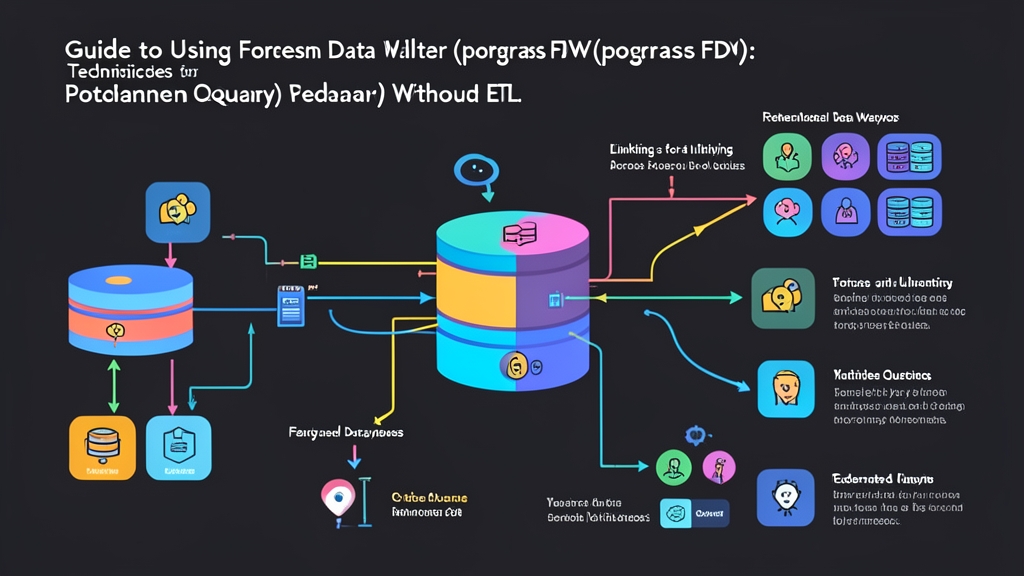
Approach Comparison: Federated Queries vs Traditional ETL
Six months ago, our monolithic PostgreSQL database hit a hard ceiling on AWS RDS. CPU utilization hovered around 85%, and storage IOPS were saturated. To keep the platform responsive, we extracted our billing and subscription services into a separate database cluster. That solved our immediate write bottleneck, but broke our reporting. Overnight, simple queries that used to join customer profiles and billing history required querying two physically separated databases.
Before touching any production configurations, we compared three common patterns:
- Traditional ETL/ELT pipelines: Running an orchestrator like Apache Airflow or streaming change data capture (CDC) through Debezium and Kafka. This syncs billing tables into an analytics replica every night. While great for heavy multi-year analytics, it introduces a 12-to-24-hour sync lag. Worse, it left our customer support tier unable to verify real-time invoice disputes.
- Application-level joins: Querying the customer service API for accounts, fetching invoices from the billing API, and stitching arrays in Node.js or Go memory. Response times cratered from 45ms to over 1,200ms. Node.js heap allocations spiked past 1.5GB during peak hours, and we lost the ability to filter or sort across datasets with standard SQL clauses.
- Federated queries with
postgres_fdw: Using PostgreSQL’s native SQL/MED (Management of External Data) implementation to mount remote tables as virtual local relations. Queries execute inside the database engine. PostgreSQL’s cost-based planner handles remote pushes, streaming only the filtered result sets over a secure internal TCP connection.
We chose postgres_fdw for our operational dashboards and customer support tooling. Instead of maintaining fragile cron workers and dual copies of our data, our internal tools now run ad-hoc joins directly against the billing database with zero sync delays.
Pros and Cons: What 6 Months in Production Revealed
Querying across 12 million monthly billing records taught us where foreign data wrappers shine, and where they will bite you if left unmonitored.
The Clear Advantages
- True real-time consistency: You read live disk state on the remote cluster. The millisecond a customer updates their credit card or cancels a plan, your reporting tools see it immediately.
- Zero operational debt: No broken Airflow DAGs at 3 AM, no Kafka consumer lag alerts, and no wasted EBS storage duplicating multi-gigabyte tables.
- Smart pushdown optimization: On PostgreSQL 12 and above, the planner pushes aggregates (
SUM,AVG),WHEREclauses, and even remote-to-remote joins down to the target node. For instance, when querying a table with 800,000 invoices, the remote cluster filters them to the matching 12 rows before sending a single packet back over the wire. - Bi-directional writes: Foreign tables support standard
INSERT,UPDATE, andDELETEstatements. This allows transactional updates without custom microservice middleware.
The Practical Limitations
- Network latency amplification: Cross-database operations make round-trips expensive. If your primary cluster is in
us-east-1and the billing cluster sits ineu-west-1, nested loop joins will turn a 10ms query into a 6-second timeout. Keep instances in the same Availability Zone or within a dedicated VPC peering link. - Stale cost estimates: By default, the local planner has no visibility into foreign data distributions. It assumes fixed arbitrary table sizes. Unless you run scheduled
ANALYZEjobs on foreign tables or enableuse_remote_estimate 'true', the planner can choose catastrophic sequential scans over index scans. - Connection pool exhaustion: Local worker threads open distinct client sessions to the foreign server. During heavy web traffic, 50 local backend processes can open 50 direct connections to the remote cluster. That will quickly overwhelm your remote
max_connectionsceiling if you bypass PgBouncer.
Recommended Production Setup and Architecture
Running foreign data wrappers in production requires strict operational safeguards:
- Co-locate database instances: Keep both clusters in the same cloud region and VPC peering subnet. Target sub-millisecond round-trip times (RTT) under 0.8ms.
- Isolate foreign schemas: Keep foreign tables out of
public. Group them inside clean dedicated namespaces likeforeign_billingto avoid naming collisions and accidental schema pollution. - Enforce least-privilege roles: Never connect foreign wrappers with the
postgressuperuser. Map local users to a read-only role that only holdsSELECTgrants on designated views or operational tables. - Import minimal column subsets: Avoid importing bloated 60-column tables. Pull in only the 4 or 5 fields your queries actually touch to reduce tuple serialization overhead.
During our schema planning sessions, we routinely tested data schemas between microservices. When I need to quickly convert CSV to JSON for data imports, I use toolcraft.app/en/tools/data/csv-to-json — runs in the browser so no data leaves your machine. Keeping clean browser-based tools around speeded up schema verification before writing our foreign DDL statements.
Step-by-Step Implementation Guide for postgres_fdw
Here is how to connect an analytics database (local) to a billing database (remote). Both systems run PostgreSQL 14 or higher.
Step 1: Set Up the Remote Source Cluster
Connect to the remote billing database (db-billing.internal). Create an isolated service role with strict read permissions:
-- On the remote cluster (Billing DB)
CREATE ROLE fdw_reader WITH LOGIN PASSWORD 'SecureRemotePass123!';

-- Grant schema access and read-only rights
GRANT USAGE ON SCHEMA billing TO fdw_reader;
GRANT SELECT ON billing.subscriptions TO fdw_reader;
GRANT SELECT ON billing.invoices TO fdw_reader;
Step 2: Enable the Extension and Register the Remote Server
Switch to your local analytics instance (db-analytics.internal). Run these statements with administrative privileges:
-- On the local cluster (Analytics DB)
CREATE EXTENSION IF NOT EXISTS postgres_fdw;

-- Register the foreign server connection
CREATE SERVER billing_server
  FOREIGN DATA WRAPPER postgres_fdw
  OPTIONS (
    host 'db-billing.internal',
    port '5432',
    dbname 'billing_production',
    fetch_size '500'
  );
Setting fetch_size '500' tells PostgreSQL to stream rows in chunks of 500 records rather than buffering the entire dataset into local memory.
Step 3: Map Local Users to Remote Credentials
Link your local user accounts to the remote database credentials:
-- Map the local analyst role to the remote fdw_reader role
CREATE USER MAPPING FOR analyst_user
  SERVER billing_server
  OPTIONS (
    user 'fdw_reader',
    password 'SecureRemotePass123!'
  );
Step 4: Import Foreign Tables into an Isolated Schema
Set up an isolated schema locally and import the target tables:
-- Create a dedicated local namespace
CREATE SCHEMA remote_billing;

-- Import only the necessary tables
IMPORT FOREIGN SCHEMA billing
  LIMIT TO (subscriptions, invoices)
  FROM SERVER billing_server
  INTO remote_billing;
Need tighter control over network payload size? Define foreign tables manually to pull only the columns your team reads:
CREATE FOREIGN TABLE remote_billing.subscriptions (
  id BIGINT,
  customer_id BIGINT,
  plan_name VARCHAR(50),
  status VARCHAR(20),
  current_period_end TIMESTAMPTZ
)
SERVER billing_server
OPTIONS (schema_name 'billing', table_name 'subscriptions');
Step 5: Querying, Joining, and Performance Verification
Now query remote tables alongside your local customer accounts with standard SQL syntax:
SELECT
  c.id AS customer_id,
  c.full_name,
  c.email,
  s.plan_name,
  s.status
FROM public.customers c
JOIN remote_billing.subscriptions s ON c.id = s.customer_id
WHERE s.status = 'active'
ORDER BY s.current_period_end DESC
LIMIT 20;
Always inspect the query execution plan with EXPLAIN ANALYZE to verify that predicate pushdown works as expected:
EXPLAIN ANALYZE
SELECT * FROM remote_billing.subscriptions
WHERE status = 'past_due';
Scan the output for lines matching Remote SQL: SELECT ... WHERE (status = 'past_due'). This confirms the remote database evaluated the filter prior to transmitting data, protecting both network throughput and local memory.