The Production Sync Dilemma
Six months ago, our team failed a compliance audit because of our staging pipeline. Like many engineering setups, we ran a cron job that dumped our 45 GB production database nightly and restored it straight into staging. Developers needed realistic data volume, query planner profiles, and gnarly edge cases that synthetic mock generators never catch.
The problem was what hitched a ride with that data. Raw customer billing details, residential addresses, password hashes, and personal emails landed on an environment accessible to twenty engineers. Worse, third-party error monitoring tools like Sentry were quietly ingesting real user identities from uncaught staging exceptions. Under GDPR and SOC 2 guidelines, that practice had to end immediately.
We considered writing an ad-hoc Python script to scrub records after restore. We discarded that idea quickly. Writing Python sanitizers meant maintaining brittle schema dictionaries that constantly broke whenever someone added a migration. PostgreSQL handles in-engine privacy transformations natively through its extension ecosystem, making it the natural place to enforce masking rules.
Core Concepts of PostgreSQL Anonymizer
PostgreSQL Anonymizer (anon) is an open-source extension maintained by Dalibo. Rather than rewriting SQL dump files with regex or running post-restore wipe scripts, it operates directly inside PostgreSQL using security labels and declarative privacy policies.
Three Ways to Mask Data
The extension supports three primary operational strategies:
- Anonymous Dumps: Streams sanitized data via
pg_dump_anon. The source database stays untouched while the output streams already-masked data straight into a dump file or Unix pipe. - In-Place Permanent Masking: Destructively modifies a dedicated restored instance before granting developers access.
- Dynamic Masking: Masks query projections at runtime based on the caller’s database role. This works best for analytics read replicas and customer support consoles.
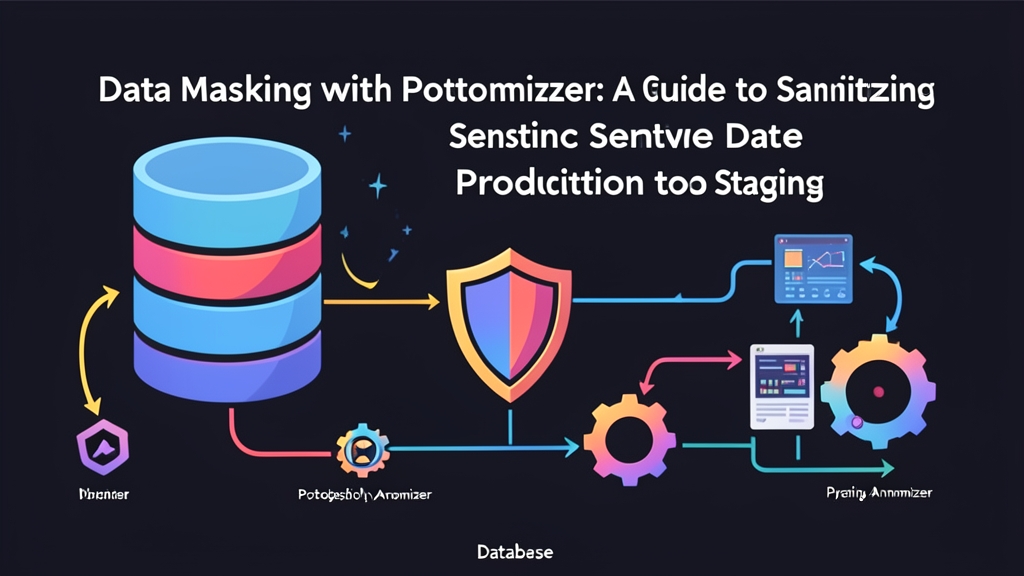
For our sync pipeline, we selected the anonymous dump pattern. It guarantees unmasked PII never leaves the production host’s memory boundary.
Built-in Masking Functions
The extension ships with realistic data generators powered by its internal Faker engine:
anon.fake_first_name()andanon.fake_last_name(): Generates plausible person names.anon.fake_email(): Swaps genuine customer emails for realistic synthetic addresses like[email protected].anon.pseudo_iban()andanon.partial(): Truncates or pads financial identifiers while preserving character length.anon.noise(): Adds bounded percentage variance to numeric columns without distorting broader distribution curves.
Hands-on Implementation
Here is the exact pipeline running in our GitHub Actions sync job, battle-tested across months of multi-gigabyte exports.
Step 1: Installing and Initializing the Extension
Install the package matching your PostgreSQL major version (PostgreSQL 14, 15, or 16). On Debian and Ubuntu systems:
sudo apt-get install postgresql-16-anon
Add anon to your server’s shared libraries in postgresql.conf, then restart the cluster:
shared_preload_libraries = 'anon'
Connect to your source database as a superuser and initialize the extension:
CREATE EXTENSION IF NOT EXISTS anon CASCADE;
SELECT anon.init();
Step 2: Declaring Masking Rules with Security Labels
Rather than managing an external YAML mapping file that goes out of date, PostgreSQL Anonymizer uses native SECURITY LABEL statements. Consider a standard e-commerce customers table:
CREATE TABLE customers (
    id SERIAL PRIMARY KEY,
    first_name VARCHAR(50),
    last_name VARCHAR(50),
    email VARCHAR(100) UNIQUE,
    phone_number VARCHAR(20),
    balance_cents INT
);
Attach privacy declarations directly to the columns inside your migration files:
-- Mask names with realistic fake names
SECURITY LABEL FOR anon ON COLUMN customers.first_name
    IS 'MASKED WITH FUNCTION anon.fake_first_name()';

SECURITY LABEL FOR anon ON COLUMN customers.last_name
    IS 'MASKED WITH FUNCTION anon.fake_last_name()';

-- Replace emails while preserving uniqueness
SECURITY LABEL FOR anon ON COLUMN customers.email
    IS 'MASKED WITH FUNCTION anon.pseudo_email(id::TEXT)';

-- Partial redaction for phone numbers (leaves prefix and suffix visible)
SECURITY LABEL FOR anon ON COLUMN customers.phone_number
    IS 'MASKED WITH FUNCTION anon.partial(phone_number, 2, ''******'', 2)';

-- Add +/- 15% random variance to monetary balances
SECURITY LABEL FOR anon ON COLUMN customers.balance_cents
    IS 'MASKED WITH FUNCTION anon.noise(balance_cents, 0.15)';
These rules live in PostgreSQL’s native system catalog (pg_seclabel). They stick with the schema through migrations and commit cleanly into version control.
Step 3: Exporting the Anonymized Dataset
Export your data using pg_dump_anon. It wraps standard pg_dump and applies masking transformations on the fly as rows stream across the wire:
pg_dump_anon \
    -h prod-replica.internal \
    -U backup_agent \
    -d app_production \
    -F c \
    -b \
    -v \
    -f /tmp/sanitized_export.dump
Restore the sanitized dump file directly onto your staging target:
pg_restore \
    -h staging-db.internal \
    -U postgres \
    -d app_staging \
    --clean \
    /tmp/sanitized_export.dump
When developers connect to app_staging, relational integrity remains untouched. Foreign keys align properly, but every customer email, name, and phone number is completely synthetic.
Step 4: Preserving Foreign Key Integrity
Purely random generators break foreign key relationships. If orders.customer_email references customers.email, assigning independent random strings to both destroys the join.
Use deterministic pseudonymous functions with a consistent salt to protect relational links:
-- Set a shared salt for the export session
SELECT anon.init('a8f9c2d1e0b4a7f6c3d2e1b0');

SECURITY LABEL FOR anon ON COLUMN users.login_handle
    IS 'MASKED WITH FUNCTION anon.pseudo_first_name(login_handle)';

SECURITY LABEL FOR anon ON COLUMN activity_logs.user_handle
    IS 'MASKED WITH FUNCTION anon.pseudo_first_name(user_handle)';
With a stable salt, the same input string always yields the identical replacement string. The join holds, but the underlying identity remains masked.
Six Months of Production Findings
Two operational hurdles cropped up during our rollout.
The first was CPU overhead. Because pg_dump_anon applies cryptographic hashing and string formatting row-by-row, it is thoroughly CPU-bound. On our 45 GB dataset, standard pg_dump took 7 minutes. The masked dump clocked in at 19 minutes—a 2.7x increase. Pointing the dump agent at an isolated read replica prevented CPU spikes on our primary write node.
The second challenge was schema drift. When a developer introduced a new shipping_notes column containing freeform addresses, the database defaulted to unmasked export. We plugged that hole by adding a custom check to our CI pipeline:
-- Fail if unclassified columns exist in sensitive tables
SELECT c.table_name, c.column_name
FROM information_schema.columns c
LEFT JOIN pg_seclabel s
    ON s.objname = c.table_name || '.' || c.column_name
WHERE c.table_schema = 'public'
  AND c.table_name IN ('customers', 'orders', 'users')
  AND s.label IS NULL;
If a migration introduces an unlabelled column in a protected table, the build fails before code reaches production.
Handling data masking inside PostgreSQL eliminated dozens of fragile post-restore bash scripts. Staging gets fresh, production-scale datasets every night, and customer data never leaves the safety of production.