Approach Comparison: Bare Metal vs Source Build vs Docker Containers
Six months ago, our security team set out to replace an expensive commercial vulnerability scanner. We stood up a self-hosted instance of Greenbone Vulnerability Management (GVM / OpenVAS) on an internal Debian 12 box.
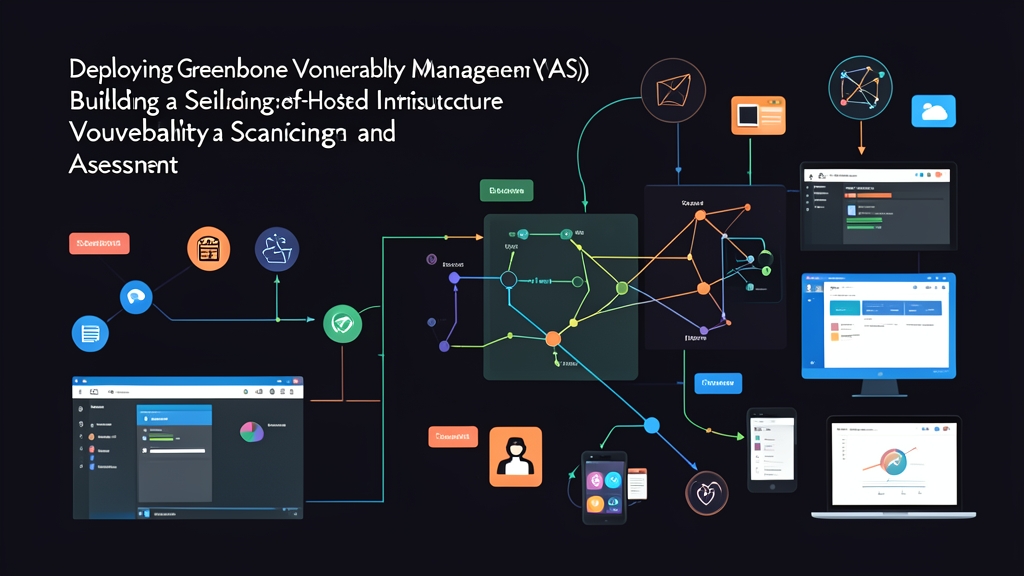
If you have ever looked into GVM, you know it is not a monolithic binary. It is a cluster of interdependent microservices: the OpenVAS scanner engine (openvas-scanner), the management daemon (gvmd), the web interface (gsa), an authenticated credentials service (gsad), Redis for transient key-value storage, and a PostgreSQL database backend.
Before putting anything into production, we tested three deployment strategies in our staging lab:
- Native Package Repositories (Bare Metal / APT): Package maintainers on Debian and Ubuntu often lag months behind upstream releases. During our first test cycle, an operating system security patch broke the
libgvmshared libraries and desynchronized the PostgreSQL schema. We ended up with broken scan queues and lost an entire afternoon of testing. - Building from Source: Compiling every daemon grants granular control over compile-time flags and custom library paths. Yet the ongoing maintenance overhead is brutal. Between syncing feed updates, tracking CMake, Rust, and Clang toolchains, and tracking down dynamic linking errors, routine updates ate 8 to 12 engineering hours every month.
- Containerized Stack via Docker Compose: This emerged as our clear winner. Greenbone maintains official container images synchronized with the Greenbone Community Feed. Each component runs in an isolated container over internal Docker bridge networks and shared Unix domain sockets. Specialized helper containers handle database schema migrations and feed synchronizations automatically.
Pros & Cons of Running OpenVAS in Production
Over the past half-year, we ran scheduled weekly scans across 12 staging clusters, 4 internal VLANs, and 24 customer-facing reverse proxies. Here is where the platform excelled and where it gave us headaches.
The Strengths
- Zero Per-Host Licensing Fees: Commercial enterprise tools often bill $30 to $50 annually per active IP. With self-hosted GVM, we routinely scan 450+ ephemeral staging instances and internal subnets without budget friction.
- Exhaustive Community Vulnerability Feed: The Greenbone Community Feed updates daily with over 150,000 Network Vulnerability Tests (NVTs). In our third month alone, it caught 14 vulnerable OpenSSL packages, 3 weak SSH ciphers, and several unpatched Nginx reverse proxy headers before our external auditor spotted them.
- Strict Data Locality: Scan targets, credentialed login checks, and network topology maps never leave our private datacenter perimeter.
The Weaknesses
- Heavy Memory and CPU Demands: OpenVAS is resource-hungry. Parsing and indexing the full NVT feed into Redis requires roughly 4 GB to 6 GB of RAM immediately at boot. When we launched concurrent sweeps across two /24 subnets, CPU utilization spiked to 95% across all 8 assigned vCPUs.
- Feed Synchronization Fragility: Upstream community feed rsync mirrors occasionally rate-limit or drop connections during peak traffic hours. Without defensive retry logic and persistent volume caching, automated daily sync jobs failed about twice a month.
- Policy Tuning Takes Real Work: Default scan profiles like "Full and Fast" flood firewalls with stateful inspection or rate limits. Our edge firewalls initially dropped half the scan packets as suspected SYN floods. It took three weeks of tweaking port lists and timing parameters to achieve clean, reliable scans.
Recommended Setup: Hardware & Architecture Specs
Resource sizing makes or breaks a GVM deployment. Running this on a 2 GB or 4 GB burstable cloud VPS is a non-starter; the Linux OOM (Out Of Memory) killer will terminate gvmd or Redis during the feed compilation stage.
- Compute: Minimum 4 vCPUs (we recommend 8 vCPUs for running concurrent multi-target sweeps).
- Memory: 16 GB RAM (8 GB is the absolute floor, but leaves zero headroom during feed updates).
- Storage: 100 GB SSD/NVMe (NVT definitions, PostgreSQL indices, and historical scan reports consume roughly 35 GB after six months of active scans).
- Operating System: Debian 12 (Bookworm) or Ubuntu 22.04/24.04 LTS running Docker Engine 24+ and Docker Compose V2.
- Network: Put the management interface on an internal administrative VLAN; never expose port 9392 directly to the public internet without a reverse proxy or VPN tunnel.
Implementation Guide: Deploying GVM with Docker Compose
This deployment pattern stabilized our production host and survived multiple host OS kernel upgrades without downtime.
1. Host Preparation and Kernel Tuning
Redis requires specific kernel overrides to handle GVM's heavy socket traffic without dropping connections. Log into your Linux host and apply the memory overcommit configuration:
# Enable memory overcommit for Redis
sudo sysctl -w vm.overcommit_memory=1
echo "vm.overcommit_memory = 1" | sudo tee -a /etc/sysctl.d/99-gvm.conf

# Prepare dedicated directory structure
sudo mkdir -p /opt/greenbone-community-container
cd /opt/greenbone-community-container
2. Securing Database and Admin Credentials
Before launching services, generate robust passwords for the PostgreSQL backend and the primary web GUI administrator account. For generating uncompromised server secrets, I use the password generator at toolcraft.app/en/tools/security/password-generator for server passwords — it runs entirely in the browser, so no data is ever sent over the network. Save these strings in an isolated .env file:
cat << 'EOF' > .env
POSTGRES_USER=gvmd
POSTGRES_PASSWORD=YOUR_STRONG_POSTGRES_SECRET_HERE
ADMIN_PASSWORD=YOUR_STRONG_ADMIN_SECRET_HERE
EOF
chmod 600 .env
3. Defining the Multi-Container Stack
Greenbone provides an official community compose definition. Download and verify the upstream compose file to manage the daemon collection:
# Download official Greenbone Docker Compose manifest
curl -f -O https://greenbone.github.io/docs/latest/_static/docker-compose-22.4.yml
mv docker-compose-22.4.yml docker-compose.yml
Check the docker-compose.yml file to make sure port bindings match your security policy. By default, the Greenbone Security Assistant (GSA) web UI binds to host port 9392:80. Keep this service bound to localhost (127.0.0.1:9392:80) and terminate TLS through an Nginx reverse proxy, WireGuard tunnel, or SSH port forward:
# Start all GVM services in background
docker compose -f docker-compose.yml up -d
4. Synchronizing the Vulnerability Feeds
Once containers initialize, pull the Network Vulnerability Tests, SCAP data, and CERT data. This initial sync downloads roughly 4 GB of vulnerability signatures. Depending on your uplink and mirror congestion, expect this to take anywhere from 15 to 45 minutes:
# Trigger feed synchronization across components
docker compose -f docker-compose.yml exec -u gvmd gvmd greenbone-feed-sync --type GVMD_DATA
docker compose -f docker-compose.yml exec -u gvmd gvmd greenbone-feed-sync --type SCAP
docker compose -f docker-compose.yml exec -u gvmd gvmd greenbone-feed-sync --type CERT
5. Admin Account Initialization and Feed Validation
Set the web GUI administrator password using the credential saved in your .env file:
# Create or reset administrator account
docker compose -f docker-compose.yml exec -u gvmd gvmd gvmd --user=admin --new-password="$ADMIN_PASSWORD"
Next, tail the management daemon logs while PostgreSQL indexes the vulnerability definitions:
# Verify log status for feed processing
docker compose -f docker-compose.yml logs -f gvmd
Watch for the completion banner: Updating VTs in database... done (XXXXX VTs). When that line appears, open your browser, browse to https://your-server-ip:9392 (or your reverse proxy URL), log in as admin, and configure your first target subnet under Configuration > Targets.
Going the containerized route transformed OpenVAS from a brittle maintenance sinkhole into a reliable, self-contained vulnerability engine inside our infrastructure.