Context & Why
It is 2:15 AM. Your pager shrieks with an alert: Critical: Database cluster split-brain across rack 3 and rack 7. You log into the jump host, rub your eyes, and spot the culprit. A legacy database cluster relies on hardcoded IP addresses that must reside in the exact same Layer 2 broadcast domain. An engineer migrated two replica VMs to different top-of-rack leaf switches, and the routed Layer 3 boundary between the racks silently severed the cluster heartbeat.
Traditional VLANs collapse under modern scale. Trunking 802.1Q across 40 switches creates spanning-tree instability, caps your topology at 4,094 network segments, and floods broadcast frames across spine links. Static VXLAN point-to-point tunnels bypass that 4k limit. However, maintaining static flood lists and mapping remote MACs by hand across 50 hypervisors turns every host migration into an operational hazard.
Ethernet VPN (EVPN) with Border Gateway Protocol (BGP) solves this cleanly. Here, BGP EVPN acts as the control plane for the underlying VXLAN data plane. Rather than relying on broadcast flooding to locate endpoints, Linux hosts proactively exchange MAC and IP bindings using BGP Type-2 routes. If you operate bare-metal Kubernetes nodes, multi-tenant Proxmox environments, or private clouds, mastering this architecture will save your on-call rotations.
Installation
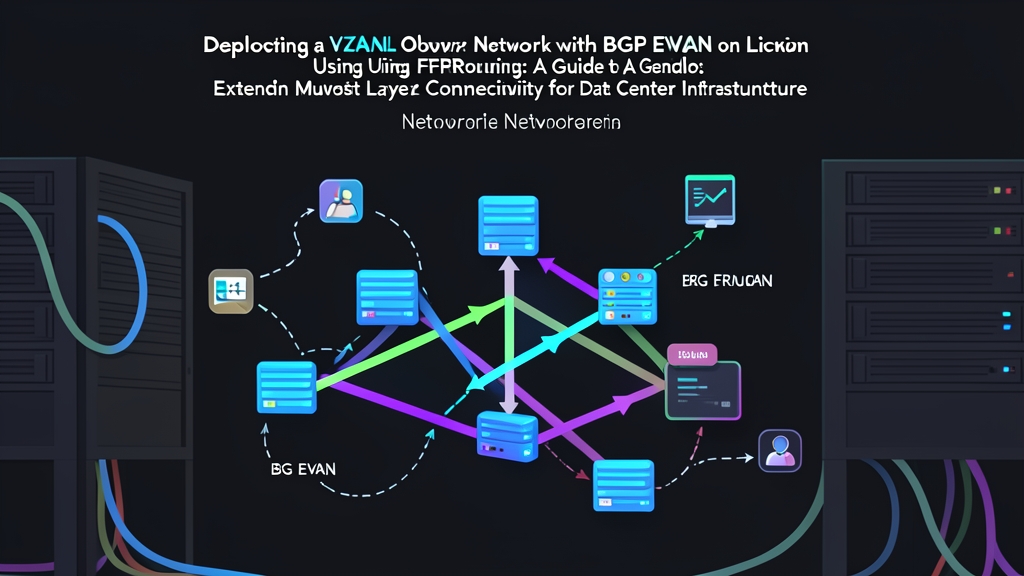
We will configure two Ubuntu 22.04 LTS hosts: Leaf-01 and Leaf-02. Each node functions as a Virtual Tunnel Endpoint (VTEP). The underlay network connects them over standard routed IPv4 paths, while FRRouting (FRR) distributes the EVPN reachability data.
Start by confirming that the kernel has the VXLAN module loaded:
modprobe vxlan
lsmod | grep vxlan
Install FRRouting from the official upstream repository. Upstream packages provide current EVPN address-family features that distro defaults often lack:
sudo apt-get update && sudo apt-get install -y curl gnupg2 lsb-release

# Add FRR GPG key and repo
curl -s https://deb.frrouting.org/frr/keys.asc | sudo gpg --dearmor -o /etc/apt/trusted.gpg.d/frr.gpg
FRRVER="frr-stable"
echo "deb https://deb.frrouting.org/frr $(lsb_release -s -c) $FRRVER" | sudo tee /etc/apt/sources.list.d/frr.list

sudo apt-get update && sudo apt-get install -y frr frr-pythontools
Next, enable the BGP daemon by editing /etc/frr/daemons:
sudo sed -i 's/bgpd=no/bgpd=yes/' /etc/frr/daemons
sudo systemctl restart frr
Configuration
1. Host Networking and Underlay Setup
Here is our lab setup: Leaf-01 uses underlay loopback IP 10.0.0.1/32, while Leaf-02 uses 10.0.0.2/32. Both hosts reach each other over physical interfaces (eth0). We will create a local bridge (br10) and bind it to a VXLAN interface with VNI 10010.
On Leaf-01, create the bridge and the tunnel interface:
# Create L2 bridge
sudo ip link add br10 type bridge
sudo ip link set br10 up

# Create VXLAN device (VNI 10010) mapped to underlay source 10.0.0.1
sudo ip link add vxlan10 type vxlan \
    id 10010 \
    local 10.0.0.1 \
    dstport 4789 \
    nolearning

# Attach VXLAN to bridge and bring it up
sudo ip link set vxlan10 master br10
sudo ip link set vxlan10 up
Pay close attention to the nolearning flag. This flag tells the Linux kernel to suppress traditional flood-and-learn data path snooping. FRRouting handles MAC population by programming the forwarding database (FDB) directly.
On Leaf-02, run the equivalent commands with its local loopback IP:
sudo ip link add br10 type bridge
sudo ip link set br10 up

sudo ip link add vxlan10 type vxlan \
    id 10010 \
    local 10.0.0.2 \
    dstport 4789 \
    nolearning

sudo ip link set vxlan10 master br10
sudo ip link set vxlan10 up
2. FRRouting BGP EVPN Configuration
Launch the FRR interactive management shell on Leaf-01:
sudo vtyshEnter configuration mode (conf t) and define the BGP peering:
router bgp 65001
 bgp router-id 10.0.0.1
 no bgp default ipv4-unicast
 neighbor 10.0.0.2 remote-as 65002
 neighbor 10.0.0.2 description Leaf-02
 neighbor 10.0.0.2 update-source 10.0.0.1

 address-family l2vpn evpn
  neighbor 10.0.0.2 activate
  advertise-all-vni
 exit-address-family
exit
Switch to Leaf-02, enter vtysh, and configure the counterpart session:
router bgp 65002
 bgp router-id 10.0.0.2
 no bgp default ipv4-unicast
 neighbor 10.0.0.1 remote-as 65001
 neighbor 10.0.0.1 description Leaf-01
 neighbor 10.0.0.1 update-source 10.0.0.2

 address-family l2vpn evpn
  neighbor 10.0.0.1 activate
  advertise-all-vni
 exit-address-family
exit
Persist the changes across reboots by executing write memory on both machines.
Verification & Monitoring
During an incident, structured verification saves critical minutes. Walk through this three-tier check to validate control plane and data plane states.
1. Check the BGP EVPN Control Plane
Run show bgp summary inside vtysh to confirm session state:
show bgp summaryThe output must show an established session with active EVPN prefixes under the State/PfxRcd column:
Neighbor        V         AS   MsgRcvd   MsgSent   TblVer  InQ OutQ  Up/Down State/PfxRcd   PfxSnt
10.0.0.2        4      65002        42        45        0    0    0 00:18:12            2        2
Now check which EVPN Type-2 (MAC/IP) routes the local host has discovered:
show bgp l2vpn evpnVNI 10010 #
Route Distinguisher: 10.0.0.1:2
*> [2]:[0]:[48]:[52:54:00:12:34:56]
10.0.0.2 0 32768 ?
*> [2]:[0]:[48]:[52:54:00:12:34:56]:[32]:[192.168.10.20]
10.0.0.2 0 32768 ?2. Inspect the Linux Kernel FDB
FRR parses these BGP routes and programs them straight into the Linux kernel forwarding database. Exit vtysh and inspect the FDB entries on Leaf-01:
bridge fdb show dev vxlan10Look for the target MAC mapped directly to the remote VTEP IP:
52:54:00:12:34:56 dst 10.0.0.2 self permanent
00:00:00:00:00:00 dst 10.0.0.2 self permanent
3. Run an End-to-End Connectivity Test
Attach a test network namespace or veth interface to br10 on both nodes. Assign 192.168.10.10/24 on Leaf-01 and 192.168.10.20/24 on Leaf-02. Start an ICMP ping, then capture wire traffic on the transit interface:
sudo tcpdump -ni eth0 udp port 4789 -vvYou will see standard UDP packets on port 4789 encapsulating the inner Layer 2 frames. The payload carries the VNI 10010 tag wrapping ICMP request and reply packets. Both hosts now communicate across a unified L2 broadcast domain, fully decoupled from physical rack boundaries and spine routing constraints.