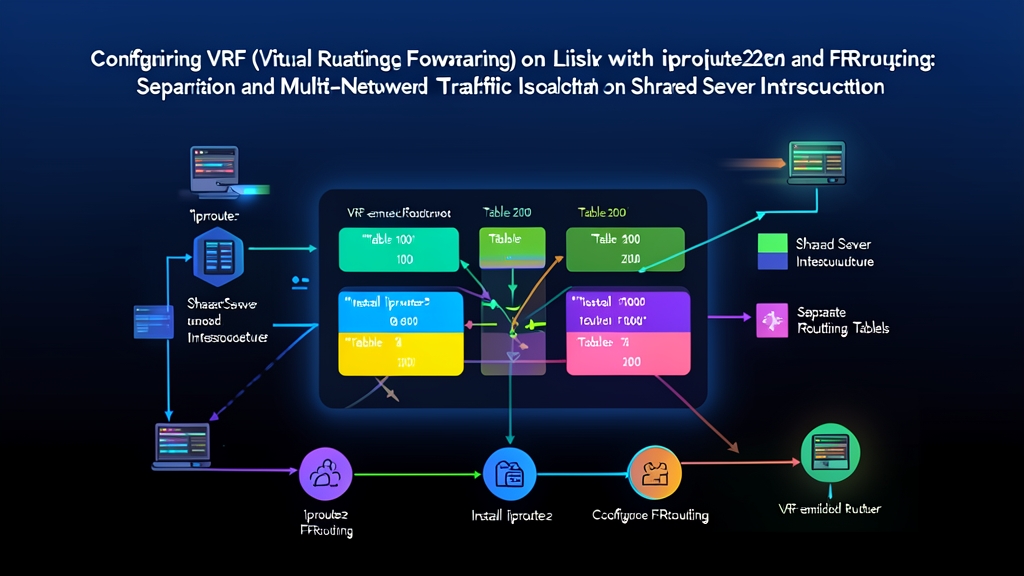
The Real-World Problem: Overlapping Subnets and Multi-Tenant Collisions
Picture a typical edge router or VPN concentrator on Ubuntu 22.04 or Debian 12. You need to terminate connections for two independent customers: Client A and Client B. Both hand off traffic across dedicated 802.1Q VLANs (VLAN 100 and VLAN 200). The catch? Both customers insist on using the identical RFC 1918 private subnet: 10.50.0.0/24, with their upstream gateways sitting at 10.50.0.1.
Assigning both interfaces under standard Linux breaks routing immediately. The kernel cannot decide which interface owns 10.50.0.1. Packets aimed at Client B bleed onto Client A’s physical link. Inbound replies drop silently. If both links push a default route (0.0.0.0/0), the kernel picks one by interface metric. The other tenant simply goes dark. You face asymmetric routing, cross-tenant security leaks, and broken sessions.
Root Cause Analysis: The Monolithic Global Routing Table
Standard Linux networking relies on a single Forwarding Information Base (FIB). When evaluating outbound packets, the kernel checks the local table (ID 255) first, then falls back to the main table (ID 254). This model introduces three architectural bottlenecks:
- Prefix conflicts: If two interfaces declare
10.50.0.0/24, the kernel cannot store distinct next-hops without conflict. It routes solely based on route insertion order or metric weights. - Single default gateway: The network stack expects one primary egress path. Running multiple internet or MPLS handoffs requires complex source-based policy rules.
- Broad socket exposure: Daemons bound to
0.0.0.0listen across every physical port by default, risking unauthorized access between isolated networks.
Without routing-level separation, hosting overlapping client subnets on one operating system instance is impossible.
Solutions Compared: Namespaces vs. Policy Routing vs. VRF
Network engineers typically evaluate three options on Linux:
- Network Namespaces (netns): Namespaces clone the entire networking subsystem. They duplicate interfaces, loopback devices, netfilter chains, and routing tables. While great for Docker containers, netns forces you to spawn separate SSH daemons, SNMP agents, and syslog processes for each namespace. Managing 10 distinct tenants means running 10 copies of every monitoring tool.
- Policy-Based Routing (PBR / ip rule): Custom routing tables match packets using source IPs or firewall marks. Yet PBR remains fragile. Dynamic routing daemons struggle to update custom tables cleanly, and complex iptables marks turn debugging into a maintenance headache.
- Virtual Routing and Forwarding (VRF): VRF creates virtual routing tables attached directly to master network devices inside the main namespace. You manage one user space. Services bind to individual VRFs, and routing suites like FRRouting (FRR) handle VRF tables natively.
The Production Approach: Kernel VRF with iproute2 and FRRouting
Running VRF directly in the kernel gives you switch-grade routing isolation on standard x86 hardware. It saves between 1 GB and 2 GB of RAM per tenant compared to running dedicated virtual machines, while maintaining wire-speed packet forwarding.
Step 1: Enable VRF Modules and Kernel Parameters
Linux kernels 4.14 and later fully support strict VRF isolation out of the box. First, load the VRF kernel module and configure L3 master device behavior:
sudo modprobe vrf

# Enforce strict FIB lookups and allow global services (like SSH) to answer on VRF ports
sudo sysctl -w net.vrf.strict_mode=1
sudo sysctl -w net.ipv4.tcp_l3mdev_accept=1
sudo sysctl -w net.ipv4.udp_l3mdev_accept=1
Now create two VRF master devices, mapping each to a distinct routing table ID:
# Create VRF master devices mapped to custom tables 1001 and 1002
sudo ip link add dev vrf-tenant-a type vrf table 1001
sudo ip link add dev vrf-tenant-b type vrf table 1002

# Bring the master interfaces up
sudo ip link set dev vrf-tenant-a up
sudo ip link set dev vrf-tenant-b up
Step 2: Bind Interfaces and Overlapping IP Subnets
Attach the customer interfaces—here, VLAN interfaces eth1.100 and eth1.200—to their respective VRF masters. Both interfaces use the identical IP 10.50.0.2/24 without causing any routing conflict:
# Enslave VLAN 100 to Tenant A
sudo ip link set dev eth1.100 master vrf-tenant-a
sudo ip addr add 10.50.0.2/24 dev eth1.100
sudo ip link set dev eth1.100 up

# Enslave VLAN 200 to Tenant B
sudo ip link set dev eth1.200 master vrf-tenant-b
sudo ip addr add 10.50.0.2/24 dev eth1.200
sudo ip link set dev eth1.200 up
Define independent default routes within each table:
sudo ip route add default via 10.50.0.1 dev eth1.100 vrf vrf-tenant-a
sudo ip route add default via 10.50.0.1 dev eth1.200 vrf vrf-tenant-b
Step 3: Verify and Test Network Isolation
Diagnostic tools like ping, mtr, or curl query the global table by default. Use ip vrf exec to run operations inside a tenant’s routing context:
# Review isolated routes for Tenant A
ip route show vrf vrf-tenant-a

# Review isolated routes for Tenant B
ip route show vrf vrf-tenant-b

# Ping the gateway inside Tenant A
sudo ip vrf exec vrf-tenant-a ping -c 3 10.50.0.1

# Ping the gateway inside Tenant B
sudo ip vrf exec vrf-tenant-b ping -c 3 10.50.0.1
Each command directs ICMP probes through the appropriate VLAN tag. Packet counters increment independently on each sub-interface.
Step 4: Configure Dynamic BGP Peering in FRRouting
Production environments demand dynamic routing. FRRouting (FRR) binds BGP sessions directly to Linux VRF domains.
Install FRR and enable the BGP daemon:
sudo apt update && sudo apt install -y frr
sudo sed -i 's/bgpd=no/bgpd=yes/' /etc/frr/daemons
sudo systemctl restart frr
Launch the FRR command console with sudo vtysh and configure BGP for both tenants under autonomous system 65001:
configure terminal

# Tenant A BGP Instance
router bgp 65001 vrf vrf-tenant-a
  neighbor 10.50.0.1 remote-as 65100
  neighbor 10.50.0.1 description PEERING-TENANT-A
  address-family ipv4 unicast
    redistribute connected
  exit-address-family
exit

# Tenant B BGP Instance
router bgp 65001 vrf vrf-tenant-b
  neighbor 10.50.0.1 remote-as 65200
  neighbor 10.50.0.1 description PEERING-TENANT-B
  address-family ipv4 unicast
    redistribute connected
  exit-address-family
exit

end
write memory
Check neighbor states per VRF:
vtysh -c "show bgp vrf vrf-tenant-a summary"
vtysh -c "show ip route vrf vrf-tenant-a"
vtysh -c "show ip route vrf vrf-tenant-b"
Step 5: Make the VRF Configuration Persistent
Ephemeral ip link commands vanish upon reboot. Use Netplan to guarantee your configuration persists across reboots. Save the following block into /etc/netplan/60-vrf.yaml:
network:
  version: 2
  vlans:
    eth1.100:
      id: 100
      link: eth1
      dhcp4: false
    eth1.200:
      id: 200
      link: eth1
      dhcp4: false
  vrfs:
    vrf-tenant-a:
      table: 1001
      interfaces:
        - eth1.100
      routes:
        - to: default
          via: 10.50.0.1
    vrf-tenant-b:
      table: 1002
      interfaces:
        - eth1.200
      routes:
        - to: default
          via: 10.50.0.1
Test and apply the changes:
sudo netplan applyThe Linux kernel cleanly isolates routing decisions across independent FIB tables. You achieve carrier-grade traffic isolation on cheap hardware while keeping server operations under one roof.