Problem Statement: The Pain of Static IPv6 Subnetting
Six months ago, our team redesigned the edge routing for 12 regional branch offices. Each site runs two Ubuntu-based gateways handling three customer VLANs, an IoT network, and an internal lab segment. To keep initial deployment simple, we hardcoded static /64 prefixes on every downstream interface. We assumed our upstream ISP rarely changed allocated blocks.
We were wrong. During an unannounced midnight maintenance window, the ISP rotated our allocated /48 blocks. Instantly, all 12 branch locations lost IPv6 connectivity.
Over 60 individual VLAN interfaces went dark, triggering nearly four hours of emergency maintenance as engineers updated configs box-by-box. Manual tracking broke under real-world churn. We needed our Linux routers to request upstream blocks, carve them into /64 subnets, and re-advertise new ranges automatically. That brought us to DHCPv6 Prefix Delegation (DHCPv6-PD).
Core Concepts of DHCPv6 Prefix Delegation
Defined in RFC 3633 and updated in RFC 8415, DHCPv6-PD handles addressing differently from traditional stateful DHCPv4 or DHCPv6 IA_NA. Rather than granting a single IP address to one interface, the upstream server delegates an entire routing prefix—usually a /56 (256 subnets) or /48 (65,536 subnets)—to your border router.
Key Roles and Identifiers
- Delegating Router (DR): The upstream ISP router or core switch that manages the parent IPv6 address pool.
- Requesting Router (RR): Your Linux edge system. It pulls an allocated block over its WAN link and assigns carved /64 subnets to local interfaces.
- Identity Association for Prefix Delegation (IA_PD): The DHCPv6 container holding the delegated prefix, valid lifetimes (typically 30 days), and preferred lifetimes (typically 7 days).
- SLAAC and Router Advertisements (RA): Endpoints never speak DHCPv6-PD directly. Once your Linux box binds a carved /64 to a LAN port, it announces that prefix using ICMPv6 RAs so client devices auto-assign their own addresses.
The Four-Way Handshake
Negotiation uses UDP port 546 on the client and port 547 on the server:
- SOLICIT: The Linux router sends a multicast message to
ff02::1:2requesting an IA_PD. - ADVERTISE: The ISP router offers candidate blocks (for example,
2001:db8:1a00::/56). - REQUEST: The Linux router formally requests the offered pool.
- REPLY: The ISP router commits the lease and confirms preferred and valid expiration timers.
Hands-on Practice: Building a Linux DHCPv6-PD Gateway
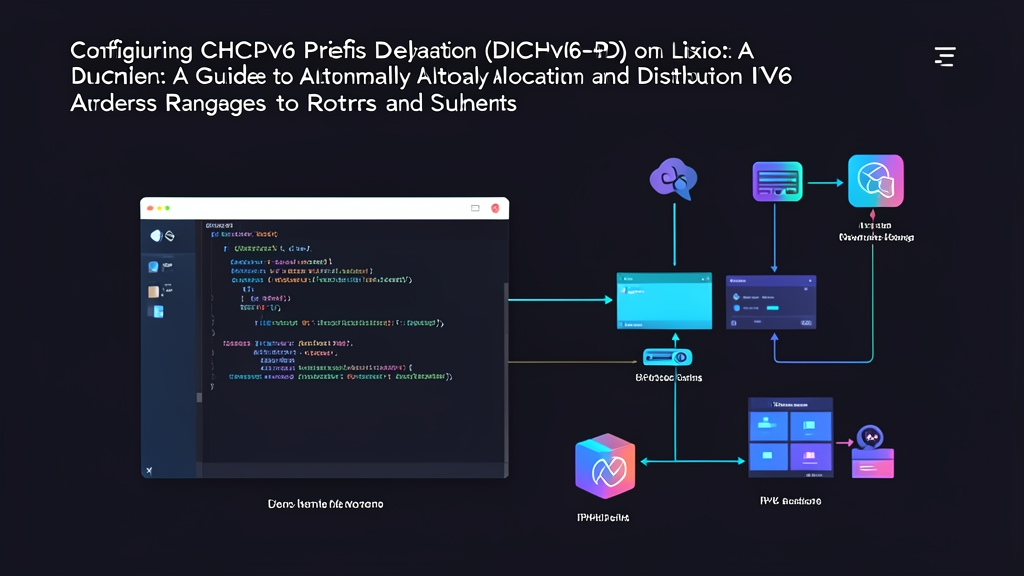
Consider this reference topology. A dedicated gateway runs Ubuntu 24.04 LTS across three physical NICs:
eth0: WAN uplink to ISP.eth1: Corporate LAN (Subnet ID0x01).eth2: Guest and IoT network (Subnet ID0x02).
Step 1: Kernel Preparation and IPv6 Forwarding
Linux ignores Router Advertisements once packet forwarding is enabled. Because a router must forward transit packets yet still learn its default upstream route via WAN RAs, set accept_ra = 2 on the uplink.
# /etc/sysctl.d/90-ipv6-routing.conf
net.ipv6.conf.all.forwarding = 1
net.ipv6.conf.default.forwarding = 1

# Accept RAs on WAN even when forwarding packets
net.ipv6.conf.eth0.accept_ra = 2

# Disable temporary privacy addresses on the router interfaces
net.ipv6.conf.all.use_tempaddr = 0
Load these settings into the running kernel:
sudo sysctl --systemStep 2: Configuring systemd-networkd for DHCPv6-PD
Modern Linux distributions handle prefix slicing natively through systemd-networkd. You do not need standalone daemons like dhcp6c or radvd.
Configure the uplink on eth0 to request an IA_PD:
# /etc/systemd/network/10-wan.network
[Match]
Name=eth0

[Network]
DHCP=ipv6
IPv6AcceptRA=yes
LinkLocalAddressing=ipv6

[DHCPv6]
PrefixDelegation=yes
WithoutRA=solicit
Assign the first sliced /64 (Subnet 1) to the office LAN on eth1:
# /etc/systemd/network/20-lan.network
[Match]
Name=eth1

[Network]
LinkLocalAddressing=ipv6
IPv6SendRA=yes
DHCPPrefixDelegation=yes

[DHCPPrefixDelegation]
SubnetId=1

[IPv6SendRA]
Managed=no
OtherInformation=no
RouterLifetimeSec=1800
Carve the second /64 (Subnet 2) for guest devices on eth2:
# /etc/systemd/network/30-guest.network
[Match]
Name=eth2

[Network]
LinkLocalAddressing=ipv6
IPv6SendRA=yes
DHCPPrefixDelegation=yes

[DHCPPrefixDelegation]
SubnetId=2

[IPv6SendRA]
Managed=no
OtherInformation=no
RouterLifetimeSec=1800
Apply the configuration:
sudo systemctl restart systemd-networkdStep 3: Alternative Setup with WIDE-DHCPv6 (dhcp6c) and radvd
If you run Debian 11, Alpine, or custom OpenWrt images without systemd, use the classic wide-dhcpv6-client and radvd stack.
Install both utilities:
sudo apt-get update && sudo apt-get install -y wide-dhcpv6-client radvdConfigure the delegation client in /etc/wide-dhcpv6/dhcp6c.conf:
interface eth0 {
    send ia-pd 0;
    request domain-name-servers;
};

id-assoc pd 0 {
    prefix-interface eth1 {
        sla-id 1;
        sla-len 8; # Adds 8 bits: 56 + 8 = /64
        ifid 1;    # Router gets ::1 on this interface
    };

    prefix-interface eth2 {
        sla-id 2;
        sla-len 8;
        ifid 1;
    };
};
Start the client daemon:
sudo systemctl restart wide-dhcpv6-client
sudo systemctl restart radvd
Step 4: Verification and Traffic Inspection
Check whether eth1 and eth2 derived routable global unicast addresses (GUA):
ip -6 addr show dev eth1
ip -6 addr show dev eth2
You should see addresses matching your upstream block, such as 2001:db8:1a00:1::1/64 on eth1. Next, inspect the kernel routing table for the default gateway learned from WAN advertisements:
ip -6 route show defaultCapture the raw lease exchange on the WAN interface to verify timer negotiation:
sudo tcpdump -vvn -i eth0 port 546 or port 547Inspect the output for the IA_PD block. You will find the assigned prefix, preferred lifetime (e.g., preferred-lifetime 604800), and valid lifetime (e.g., valid-lifetime 2592000).
Step 5: Firewall Rules for DHCPv6-PD
A strict drop policy often blocks DHCPv6 before the handshake finishes. Update nftables to allow link-local negotiation on your WAN interface:
# /etc/nftables.conf
table inet filter {
    chain input {
        type filter hook input priority filter; policy drop;

        # Permit established flows and loopback
        ct state established,related accept
        iifname "lo" accept

        # Allow DHCPv6 replies from link-local upstream routers
        iifname "eth0" ip6 saddr fe80::/10 udp sport 547 udp dport 546 accept

        # Allow vital ICMPv6 neighbor and router discovery
        ip6 nexthdr icmpv6 icmpv6 type { nd-neighbor-solicit, nd-neighbor-advert, nd-router-advert } accept
    }
}
Field Notes from Six Months in Production
Automating DHCPv6-PD eliminated manual address management across our branch offices. During an upstream renumbering test last month, the ISP switched our prefix allocation from 2001:db8:1a00::/56 to 2001:db8:2b00::/56. Gateways picked up the change, bound new addresses to downstream interfaces, and broadcasted updated RAs in under 30 seconds without dropping a single TCP connection.
Three operational rules we follow:
- Lock down your DUID: Preserve
/etc/systemd/networkd.confor/var/lib/dhcpv6/dhcp6c_duidacross machine rebuilds. If your DUID changes, the ISP treats the gateway as a new device and hands you a completely different prefix. - Always request a /56: Some upstream providers default to a single /64 if unprompted. A /56 provides 256 subnets, giving you plenty of space for Docker networks, hypervisors, and guest VLANs.
- Inspect multicast snooping upstream: If your WAN port connects to an intermediate managed switch, make sure MLD snooping does not drop
ff02::1:2multicast frames before they reach the provider handoff.