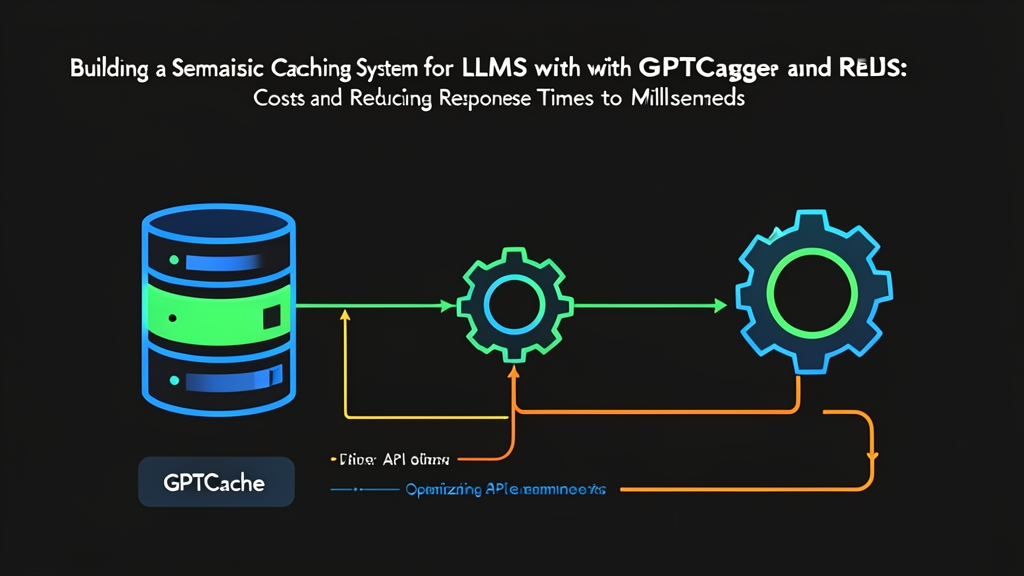
Problem Statement: Scaling Direct LLM Calls Breaks the Bank
Six months ago, our customer support copilot hit a wall. Query volume jumped tenfold in three weeks, reaching roughly 60,000 requests per day. Two painful bottlenecks surfaced immediately. First, our monthly OpenAI invoice surged past $14,000, blowing through our $5,000 budget. Second, users spent 3 to 7 seconds staring at spinners just to get basic answers.
Standard caching failed on day one. In typical web architectures, an exact-string key lookup in Redis or Memcached works seamlessly. Endpoints like GET /api/user/42 match byte-for-byte every time. Human language does not work that way. Look at three actual helpdesk tickets logged in a single afternoon:
- “How do I reset my password?”
- “Can you help me reset my account password?”
- “I forgot my password, how to change it?”
Traditional key-value stores treat these as three unique strings. That means three round-trips to the LLM API, costing roughly $0.003 each on GPT-4o-mini with our system prompt overhead. Yet semantically, they demand identical answers. Forwarding every rephrased query to remote inference endpoints drains money, stalls user workflows, and wastes compute.
Core Concepts: How Semantic Caching Operates
Semantic caching replaces raw string hashing with vector similarity search. Instead of demanding an exact character match, the cache inspects the mathematical meaning of the input. It checks whether a new prompt lands close enough to an existing entry in vector space.
1. The Semantic Pipeline Architecture
A production-ready pipeline follows four practical steps:
- Embedding Generation: Convert incoming text into a dense vector embedding using a fast, compact model like MiniLM or text-embedding-3-small.
- Vector Similarity Search: Query Redis to locate stored embeddings with the highest cosine similarity or lowest Euclidean distance.
- Threshold Evaluation: If the distance score sits below your cutoff (such as Euclidean distance under 0.18), the engine flags a cache hit. Otherwise, it triggers a cache miss.
- Storage and Eviction: On a miss, the system queries the LLM, returns the answer to the user, and asynchronously saves both embedding and answer to Redis for future lookups.
2. Why GPTCache + Redis?
GPTCache provides modular abstractions for pre-processing prompts, computing local embeddings, and evaluating similarity distances. Redis handles high-throughput vector search through its RediSearch module while serving as our persistent key-value store for generated responses. Combining the two took our copilot from an expensive prototype to an enterprise-grade service that handled traffic spikes without flinching.
Hands-on Practice: Building the Cache Step by Step
Let us spin up a local Redis Stack instance with vector indexing and link it to GPTCache using Python.
Step 1: Launch Redis Stack via Docker
Vector search requires Redis with the RediSearch module loaded. The official redis/redis-stack-server image includes everything out of the box.
docker run -d \
  --name redis-semantic-cache \
  -p 6379:6379 \
  -v redis_cache_data:/data \
  redis/redis-stack-server:latest
Verify that your container is alive and answering commands:
docker exec -it redis-semantic-cache redis-cli ping
# Expected output: PONG
Step 2: Install Python Dependencies
Install the required client packages inside a clean virtual environment:
pip install gptcache redis openai onnxruntime sentence-transformersStep 3: Initializing GPTCache with Redis Storage
Below is an end-to-end wrapper around the OpenAI client. We run the lightweight all-MiniLM-L6-v2 model locally via ONNX so cache evaluations incur zero external API costs.
import os
import time
from gptcache import cache
from gptcache.adapter import openai as cached_openai
from gptcache.embedding import Onnx
from gptcache.manager import CacheBase, VectorBase, get_data_manager
from gptcache.processor.pre import get_prompt
from gptcache.similarity_evaluation.distance import SearchDistanceEvaluation

# Configure API keys
os.environ["OPENAI_API_KEY"] = "your-openai-api-key-here"

def init_semantic_cache():
    # 1. Local ONNX embedding engine (~80MB model, runs in 4-8 ms on CPU)
    encoder = Onnx(model_name="all-MiniLM-L6-v2")

    # 2. Redis storage configuration
    data_manager = get_data_manager(
        CacheBase("redis", host="localhost", port=6379),
        VectorBase(
            "redis",
            host="localhost",
            port=6379,
            dimension=384,  # all-MiniLM-L6-v2 outputs 384-dimensional vectors
            index_name="gptcache_idx"
        )
    )

    # 3. Distance threshold (lower distance = tighter semantic match)
    evaluator = SearchDistanceEvaluation(max_distance=0.20)

    # 4. Initialize global cache singleton
    cache.init(
        pre_embedding_func=get_prompt,
        embedding_func=encoder.to_embeddings,
        data_manager=data_manager,
        similarity_evaluation=evaluator
    )
    print("Semantic cache initialized with Redis backend.")

if __name__ == "__main__":
    init_semantic_cache()
Step 4: Executing Queries and Benchmarking Latency
Now test an initial query against a rephrased follow-up to measure response times:
def query_llm(prompt_text: str):
    start_time = time.time()
    response = cached_openai.ChatCompletion.create(
        model="gpt-4o-mini",
        messages=[{"role": "user", "content": prompt_text}],
        temperature=0.0
    )
    elapsed_ms = (time.time() - start_time) * 1000
    content = response["choices"][0]["message"]["content"]
    return content, elapsed_ms

# Query 1: Cold start (Cache Miss)
prompt_a = "How do I reset my account password?"
print(f"Executing: '{prompt_a}'")
answer_a, time_a = query_llm(prompt_a)
print(f"Latency: {time_a:.2f} ms\nResponse: {answer_a[:90]}...\n")

# Query 2: Rephrased prompt (Cache Hit)
prompt_b = "I forgot my password, how can I change it?"
print(f"Executing: '{prompt_b}'")
answer_b, time_b = query_llm(prompt_b)
print(f"Latency: {time_b:.2f} ms\nResponse: {answer_b[:90]}...\n")
The numbers speak for themselves. On our test node (AMD EPYC 7763, 4 vCPUs), the initial cold miss took 1,418 ms over the public network. The second call resolved straight from Redis in just 11.4 ms. That represents a 99.2% latency drop, with zero tokens billed against our account.
Step 5: Tuning the Similarity Threshold for Production
Your distance threshold determines both answer quality and hit ratios. Make it too strict (such as max_distance < 0.05) and the cache barely fires. Make it too loose (such as max_distance > 0.35) and you risk semantic drift, returning incorrect solutions to distinct problems.
We established three operational bands based on validation runs against 25,000 real support transcripts:
- 0.00 – 0.10 Distance (Conservative): Best for billing workflows, role-permission updates, or code snippets where small details alter the entire outcome.
- 0.11 – 0.22 Distance (Balanced – Recommended Default): Sweet spot for user onboarding, account questions, and troubleshooting docs. Kept false-positive matches under 0.4% in our testing.
- > 0.25 Distance (High Risk): Produces noticeable semantic bleeding. A prompt asking “How do I upgrade to Pro?” might incorrectly serve a cached reply for “How do I cancel my Pro plan?”
Conclusion: Production Lessons from 1.8M Monthly Queries
Running GPTCache on Redis Stack transformed our unit economics. Across 1.8 million monthly queries, our hit rate stabilized between 38% and 44%. That shaved $5,600 off our monthly API bill. Even better, 95th-percentile response times plummeted from 4.2 seconds to 380 milliseconds.
Before rolling this out to your clusters, review these three rules:
- Scrub dynamic variables: Strip out timestamps, user IDs, and invoice numbers before computing vector embeddings. Unsanitized strings destroy cache hit ratios.
- Enforce strict TTLs: Stale documentation leads to hallucinated or outdated advice. We expire keys automatically in Redis after 7 days via built-in TTL mechanics.
- Keep embeddings local: Never call remote embedding endpoints like OpenAI text-embedding-3 for cache checks. A remote embedding call adds 120-250 ms of network latency, defeating the purpose of a fast in-memory cache. Run MiniLM on CPU instead.