Quick Start (5 Min): Drop Volumetric DDoS Traffic with FRRouting
It is 2:00 AM when PagerDuty rings. A 40 Gbps DNS amplification attack is slamming a single public IP in your data center, generating over 6 million packets per second. Your host firewall is crippled. CPU softirq loads sit at 100%, and the 10 Gbps uplink is totally saturated. Legitimate customer traffic across the entire subnet is stalling.
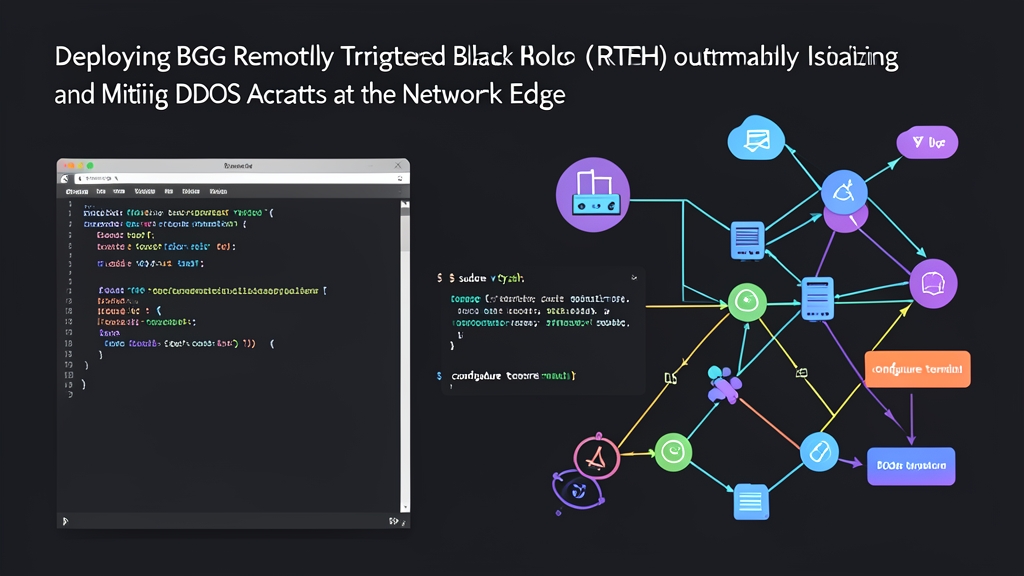
Dropping malicious traffic at the host level fails by design. Once packets reach the host network card, your transit bandwidth and PCIe bus capacity are already gone. Remotely Triggered Black Hole (RTBH) routing fixes this. By announcing a single BGP route tagged with a community string, you tell edge routers and transit carriers to bin all packets bound for the targeted IP before they hit your internal switches.
Here is a verified 5-minute setup using FRRouting (FRR) on Linux to configure an edge router as an RTBH discard node and trigger your first blackhole route.
1. Configure the Discard Next-Hop and Edge Policy
Start the integrated FRR configuration shell on your edge Linux router:
vtysh
Add a static blackhole route for the reserved RFC 5737 test address (192.0.2.1). Next, create a route-map that rewrites incoming RTBH routes to point at this discard destination:
configure terminal

! 1. Anchor route: tell the Linux kernel to drop traffic sent here
ip route 192.0.2.1/32 blackhole

! 2. Match our internal RTBH community string (AS 65001, Tag 666)
bgp community-list standard CL-RTBH permit 65001:666

! 3. Rewrite next-hop and stop route re-export
route-map RM-APPLY-BLACKHOLE permit 10
 match community CL-RTBH
 set ip next-hop 192.0.2.1
 set local-preference 500
 set community no-export additive
exit

route-map RM-APPLY-BLACKHOLE permit 20
exit
2. Trigger the Blackhole from a Controller Node
Switch to your management node or route injector. Announce the victim IP (e.g., 203.0.113.75/32) over an internal BGP session to your edge router:
configure terminal

router bgp 65001
 bgp router-id 10.0.0.10
 neighbor 10.0.0.1 remote-as 65001
 neighbor 10.0.0.1 send-community
 !
 address-family ipv4 unicast
  network 203.0.113.75/32 route-map RM-SET-RTBH
 exit-address-family
exit

route-map RM-SET-RTBH permit 10
 set community 65001:666
exit
Inspect the kernel routing table on the edge router with ip route:
ip route show 203.0.113.75
The Linux FIB confirms the route drops quietly in hardware/kernel space:
blackhole 203.0.113.75 proto bgp metric 20
Deep Dive: How Destination RTBH Interacts with the Linux Kernel
Production RTBH relies on recursive next-hop resolution across two layers: FRR control plane routing and the Linux kernel Forwarding Information Base (FIB).
Standard routing looks for physical neighbor IPs. RTBH, however, deliberately redirects the target next-hop into a dead end:
- The Trigger Source: A network management host or automated collector detects an anomaly (e.g., incoming traffic exceeding 50,000 pps). It originates an iBGP
/32prefix (or/128for IPv6) marked with community65001:666. - The Border Router: FRR’s
bgpdprocesses the update. TheRM-APPLY-BLACKHOLEpolicy rewrites the next-hop attribute to dummy IP192.0.2.1and sets local preference to 500 so this path wins over standard tables. - Zebra and Netlink Sync:
bgpdpasses the chosen path tozebra. Because zebra holdsip route 192.0.2.1/32 blackhole, it recognizes the target as a discard sink. Zebra dispatches anRTM_NEWROUTENetlink message, programmingblackhole 203.0.113.75directly into the kernel FIB.
Without hardware or kernel drops at the perimeter, high-volume floods cause severe damage. Transit carriers apply 95th-percentile burst billing fees that can reach thousands of dollars per incident. Hardware switch queues overflow, and Linux connection trackers (nf_conntrack) exhaust their memory limits, dropping stateful connections globally.
Enforce Strict Prefix-Length Filters
Accidents happen under pressure. If someone accidentally advertises a customer /24 subnet with an RTBH community, 254 active hosts vanish from the Internet instantly. Lock down your BGP policies by accepting only exact host routes:
! Permit strictly /32 single host routes
ip prefix-list PL-ONLY-HOST-ROUTES permit 0.0.0.0/0 ge 32

! Apply strict matching to the incoming iBGP neighbor policy
route-map RM-TRIGGER-IN permit 10
 match ip address prefix-list PL-ONLY-HOST-ROUTES
 match community CL-RTBH
 set ip next-hop 192.0.2.1
 set local-preference 500
 set community no-export additive
exit

route-map RM-TRIGGER-IN deny 20
exit

router bgp 65001
 neighbor 10.0.0.10 route-map RM-TRIGGER-IN in
exit
Advanced Setup: Automated Mitigation and Upstream Carriers
Typing commands in vtysh during an active attack costs precious uptime. Automated detection engines such as FastNetMon, pmacct, or Kentik can trigger FRR routes via shell hooks in less than two seconds.
1. Automating Route Injection with vtysh
You can execute changes directly through non-interactive vtysh -c calls. This approach integrates easily into incident handling scripts:
#!/usr/bin/env bash
set -euo pipefail

VICTIM_IP="${1:-}"
ACTION="${2:-add}"
AS_NUM="65001"

if [[ ! "$VICTIM_IP" =~ ^[0-9]+\.[0-9]+\.[0-9]+\.[0-9]+$ ]]; then
  echo "Usage: $0 <ipv4_address> [add|remove]" >&2
  exit 1
fi

case "$ACTION" in
  add)
    vtysh -c "configure terminal" \
          -c "router bgp ${AS_NUM}" \
          -c "address-family ipv4 unicast" \
          -c "network ${VICTIM_IP}/32 route-map RM-SET-RTBH" \
          -c "exit-address-family"
    logger -t rtbh "[SECURITY] Activated RTBH route for ${VICTIM_IP}"
    ;;
  remove)
    vtysh -c "configure terminal" \
          -c "router bgp ${AS_NUM}" \
          -c "address-family ipv4 unicast" \
          -c "no network ${VICTIM_IP}/32 route-map RM-SET-RTBH" \
          -c "exit-address-family"
    logger -t rtbh "[SECURITY] Cleared RTBH route for ${VICTIM_IP}"
    ;;
  *)
    echo "Action must be add or remove" >&2
    exit 1
    ;;
esac
Install the script into your path and test route injection:
chmod 750 /usr/local/bin/rtbh-trigger.sh
/usr/local/bin/rtbh-trigger.sh 203.0.113.88 add
2. Pushing the Blackhole to Upstream Transit (eBGP)
Local blackholing spares your internal servers, but it does nothing to unclog an upstream transit pipe if the attack saturates your physical fiber uplink. Upstream providers offer dedicated BGP blackhole communities. You can signal RFC 7999’s standard community (65535:666) or vendor-specific tags like Lumen/Level3 (3356:9999), Cogent (174:9999), or Arelion/Telia (1299:999).
Translate your internal trigger tag to your upstream carrier’s community on outbound eBGP sessions:
! Map internal RTBH tag to RFC 7999 well-known blackhole community
route-map RM-EBGP-OUT permit 10
 match community CL-RTBH
 set community 65535:666 additive
exit

route-map RM-EBGP-OUT permit 20
 ! Allow regular outbound announcements to pass through
exit

router bgp 65001
 neighbor 198.51.100.1 remote-as 64496
 neighbor 198.51.100.1 send-community
 neighbor 198.51.100.1 route-map RM-EBGP-OUT out
exit
Operational Best Practices and Verification
- Whitelist Critical Infrastructure: Hardcode an explicit blocklist in your trigger automation. Default gateways, Anycast DNS resolvers (e.g., BIND/PowerDNS endpoints), and reverse proxy VIPs must never be blackholed. If attackers realize an IP is automatically dropped at 100,000 pps, they will target your DNS servers to shut down your entire domain.
- Inspect Propagation Across Both Tables: Confirm that the route lives in both the BGP control plane and the operating system FIB:
# Verify BGP path and community attributes
vtysh -c "show ip bgp 203.0.113.88/32"

# Confirm Zebra installed the recursive next-hop
vtysh -c "show ip route 203.0.113.88"

# Query the Linux kernel forwarding path
ip route get 203.0.113.88
The kernel should immediately return
RTNETLINK answers: Network is unreachableor display an activeblackholeroute. - Enforce an Automatic Cooldown Window: Modern volumetric attacks rarely run continuously; they pulse for 10 to 20 minutes and rotate IP targets. Schedule a systemd timer or Redis-backed Celery job to withdraw blackholes after 45 to 60 minutes. This restores victim service without requiring manual cleanup tickets.
- Always Use Silent Discards: A Linux
blackholeroute drops packets silently in kernel memory. Never substitute anunreachableorprohibittarget for DDoS mitigation. Those actions force the network stack to generate ICMP Type 3 unreachable packets, which will quickly choke your outbound pipes during a multi-gigabit attack.