The Bottleneck in Traditional Network Control Planes
Managing network devices box by box has hit a hard wall. When orchestrating dynamic pods or micro-VMs across dozens of compute nodes, relying on manual trunk configuration or waiting 30 to 50 seconds for legacy Spanning Tree Protocol (STP) convergence simply does not work.
Traditional switches tightly couple two responsibilities inside proprietary ASIC silicon: the control plane that calculates paths, and the data plane that pushes packets. If you want custom routing based on HTTP headers, dynamic traffic mirroring, or automated zero-trust segmentation, vendor firmware stands in your way. Engineers often resort to fragile SSH scraping scripts, which introduce configuration drift and slow down deployment pipelines.
Software-Defined Networking (SDN) breaks this tight coupling. It pulls network intelligence out of hardware boxes and places it into an external, centralized software process. Combine Open vSwitch (OVS) inside the Linux kernel with a Python controller like Ryu, and you can transform bare-metal Linux servers into a fully programmable switching fabric.
How SDN Actually Works: Core Architecture
Before writing Python code, let us trace how packets move between the software layers.
Decoupling the Control and Data Planes
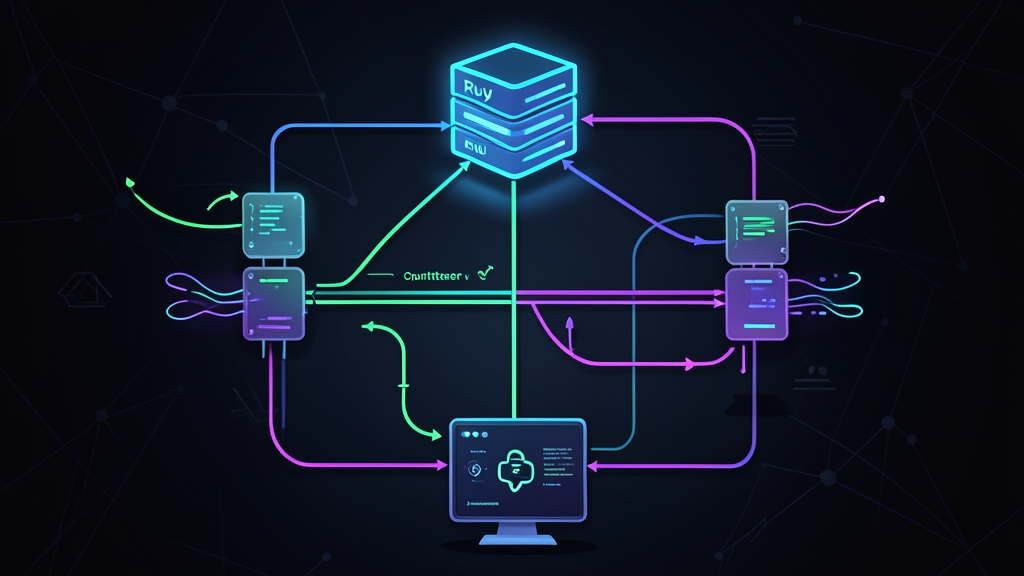
In an SDN design, switches become fast, dumb forwarding engines. The central controller handles the heavy thinking. It maintains an end-to-end topology graph, computes forwarding paths, and programs flow tables directly on switches over the network.
- Data Plane (Open vSwitch): A production-grade software switch running inside the Linux kernel. OVS inspects packets, matches header fields against flow tables, and applies forwarding decisions. In-kernel packet caching keeps forwarding overhead minimal, often handling packets in single-digit microseconds.
- Control Plane (Ryu Controller): A lightweight, asynchronous Python framework. Ryu handles OpenFlow connection handshakes, listens for switch event notifications, and dynamically inserts forwarding logic.
- OpenFlow Protocol (v1.3): The standard Southbound protocol. Communication runs over TCP port 6653 (or port 6633 for legacy systems), secured optionally with TLS mutual authentication.
OpenFlow Mechanics: Tables, Matches, and Actions
An OpenFlow switch processes incoming frames through prioritized flow tables. Every flow entry contains four key parts:
- Match Fields: Headers to inspect, such as ingress port, source/destination MAC, IP addresses, or TCP/UDP ports.
- Priority: An evaluation index between 0 and 65535. Higher priority rules evaluate first.
- Counters: Real-time statistics tracking matched packets and total byte counts.
- Actions: Instructions executed upon a match, such as forwarding out a specific port (
OFPActionOutput), dropping the frame, or rewriting IP/VLAN tags.
What happens when a packet hits an empty switch? It triggers a Table-Miss. The switch encapsulates the frame header inside an OpenFlow OFPPacketIn message and streams it to the Ryu controller.
Ryu inspects the payload. It responds with an OFPPacketOut message to deliver the immediate packet, then issues an OFPFlowMod message to write a concrete flow entry onto the switch. Subsequent frames hit the local kernel flow table directly. They skip user-space controller trips altogether, dropping transit latency from ~2 ms down to ~0.05 ms.
Hands-on Lab: Building an OpenFlow Network on Linux
We will construct an isolated SDN lab on Ubuntu 22.04 or Debian 12. We will use native Linux network namespaces, Open vSwitch, and a custom Ryu Python application.
Step 1: Install Open vSwitch and Setup Ryu
First, install Open vSwitch and setup the required Python build packages:
# Install Open vSwitch and virtualenv tools
sudo apt-get update
sudo apt-get install -y openvswitch-switch python3-pip python3-venv

# Start the OVS daemon and confirm installation
sudo systemctl enable --now openvswitch-switch
sudo ovs-vsctl show
Ryu relies on older versions of eventlet and oslo.config, so always isolate it within a dedicated virtual environment:
# Create and activate a clean Python virtual environment
python3 -m venv ~/ryu-venv
source ~/ryu-venv/bin/activate

# Ensure tooling is current before installing Ryu
pip install --upgrade pip "setuptools<65.0.0" wheel
pip install ryu
Step 2: Provision Namespaces and the OVS Bridge
Instead of juggling physical cables, we simulate two hosts using Linux network namespaces linked to an OVS bridge with virtual Ethernet (veth) pairs:
# Create our target OVS bridge
sudo ovs-vsctl add-br sdn-br0

# Add two network namespaces: host1 and host2
sudo ip netns add host1
sudo ip netns add host2

# Link host1 to sdn-br0 via a veth pair
sudo ip link add veth-h1 type veth peer name ovs-p1
sudo ip link set veth-h1 netns host1
sudo ovs-vsctl add-port sdn-br0 ovs-p1

# Link host2 to sdn-br0 via a second veth pair
sudo ip link add veth-h2 type veth peer name ovs-p2
sudo ip link set veth-h2 netns host2
sudo ovs-vsctl add-port sdn-br0 ovs-p2

# Assign IP addresses and bring host interfaces online
sudo ip netns exec host1 ip addr add 10.0.0.1/24 dev veth-h1
sudo ip netns exec host1 ip link set veth-h1 up
sudo ip netns exec host1 ip link set lo up

sudo ip netns exec host2 ip addr add 10.0.0.2/24 dev veth-h2
sudo ip netns exec host2 ip link set veth-h2 up
sudo ip netns exec host2 ip link set lo up

# Bring up the bridge endpoints
sudo ip link set ovs-p1 up
sudo ip link set ovs-p2 up
Step 3: Write the Custom L2 Learning Switch
Create a script named learning_switch.py. This application handles the switch handshake, sets an initial fallback rule, learns MAC-to-port bindings, and programs reactive flow entries with a 30-second idle timeout.
from ryu.base import app_manager
from ryu.controller import ofp_event
from ryu.controller.handler import CONFIG_DISPATCHER, MAIN_DISPATCHER, set_ev_cls
from ryu.ofproto import ofproto_v1_3
from ryu.lib.packet import packet, ethernet, ether_types


class OpenFlowLearningSwitch(app_manager.RyuApp):
    OFP_VERSIONS = [ofproto_v1_3.OFP_VERSION]

    def __init__(self, *args, **kwargs):
        super(OpenFlowLearningSwitch, self).__init__(*args, **kwargs)
        # MAC table schema: self.mac_to_port[dpid][mac] = port
        self.mac_to_port = {}

    @set_ev_cls(ofp_event.EventOFPSwitchFeatures, CONFIG_DISPATCHER)
    def switch_features_handler(self, ev):
        """Fires once the switch establishes an OpenFlow 1.3 session."""
        datapath = ev.msg.datapath
        ofproto = datapath.ofproto
        parser = datapath.ofproto_parser

        # Wildcard match catches all unmatched packets
        match = parser.OFPMatch()
        actions = [parser.OFPActionOutput(ofproto.OFPP_CONTROLLER,
                                          ofproto.OFPCML_NO_BUFFER)]

        # Install Table-Miss flow with lowest priority (0)
        self.add_flow(datapath, priority=0, match=match, actions=actions)
        self.logger.info("Switch connected and initialized: DPID=%s", datapath.id)

    def add_flow(self, datapath, priority, match, actions, idle_timeout=0):
        """Helper to send an OFPFlowMod entry to switch hardware/kernel."""
        ofproto = datapath.ofproto
        parser = datapath.ofproto_parser

        inst = [parser.OFPInstructionActions(ofproto.OFPIT_APPLY_ACTIONS, actions)]
        mod = parser.OFPFlowMod(
            datapath=datapath,
            priority=priority,
            match=match,
            instructions=inst,
            idle_timeout=idle_timeout
        )
        datapath.send_msg(mod)

    @set_ev_cls(ofp_event.EventOFPPacketIn, MAIN_DISPATCHER)
    def packet_in_handler(self, ev):
        """Processes packets forwarded to the controller."""
        msg = ev.msg
        datapath = msg.datapath
        ofproto = datapath.ofproto
        parser = datapath.ofproto_parser
        in_port = msg.match['in_port']

        pkt = packet.Packet(msg.data)
        eth = pkt.get_protocols(ethernet.ethernet)[0]

        # Ignore Link Layer Discovery Protocol frames
        if eth.ethertype == ether_types.ETH_TYPE_LLDP:
            return

        dst = eth.dst
        src = eth.src
        dpid = datapath.id

        self.mac_to_port.setdefault(dpid, {})
        # Map source MAC address to the ingress port
        self.mac_to_port[dpid][src] = in_port

        # Output to destination port if known; flood otherwise
        if dst in self.mac_to_port[dpid]:
            out_port = self.mac_to_port[dpid][dst]
        else:
            out_port = ofproto.OFPP_FLOOD

        actions = [parser.OFPActionOutput(out_port)]

        # When target port is known, write a flow entry with a 30s timeout
        if out_port != ofproto.OFPP_FLOOD:
            match = parser.OFPMatch(in_port=in_port, eth_dst=dst, eth_src=src)
            self.add_flow(datapath, priority=1, match=match, actions=actions, idle_timeout=30)
            self.logger.info("Flow installed on DPID %s: %s -> %s via port %s", dpid, src, dst, out_port)

        # Send the original buffered packet onward
        data = None
        if msg.buffer_id == ofproto.OFP_NO_BUFFER:
            data = msg.data

        out = parser.OFPPacketOut(
            datapath=datapath,
            buffer_id=msg.buffer_id,
            in_port=in_port,
            actions=actions,
            data=data
        )
        datapath.send_msg(out)
Step 4: Attach OVS to Ryu and Test Traffic
Start your controller in your primary terminal:
source ~/ryu-venv/bin/activate
ryu-manager --verbose learning_switch.py
Open a second terminal. Configure the OVS bridge to talk to Ryu using OpenFlow 1.3 over standard port 6653:
# Enforce OpenFlow 1.3
sudo ovs-vsctl set bridge sdn-br0 protocols=OpenFlow13

# Connect bridge to local Ryu controller on TCP port 6653
sudo ovs-vsctl set-controller sdn-br0 tcp:127.0.0.1:6653

# Confirm that is_connected evaluates to true
sudo ovs-vsctl show
Now initiate an ICMP ping from host1 to host2:
sudo ip netns exec host1 ping -c 3 10.0.0.2Notice the timing output. The first ping round-trip typically takes 1.2 to 2.5 ms due to ARP resolution and the OpenFlow Packet-In exchange. The following packets drop below 0.08 ms because the kernel switch handles them locally.
Verify the generated rules in the kernel datapath:
sudo ovs-ofctl -O OpenFlow13 dump-flows sdn-br0You will see your priority 0 fallback rule pointing to CONTROLLER, along with priority 1 bi-directional entries showing matched packet counts, byte counters, and an active idle_timeout countdown.
Next Steps with Programmable Forwarding
Decoupling packet forwarding from routing logic removes the operational friction of static switches. Open vSwitch handles line-rate switching inside the kernel, while Ryu gives you a clean Python interface to dictate network behavior.
A simple L2 learning switch is only the foundation. Using the same event-driven architecture, you can build dynamic layer-4 server load balancers, real-time DDoS mitigation filters, or automated traffic mirrors for network intrusion detection—all implemented in concise Python code.