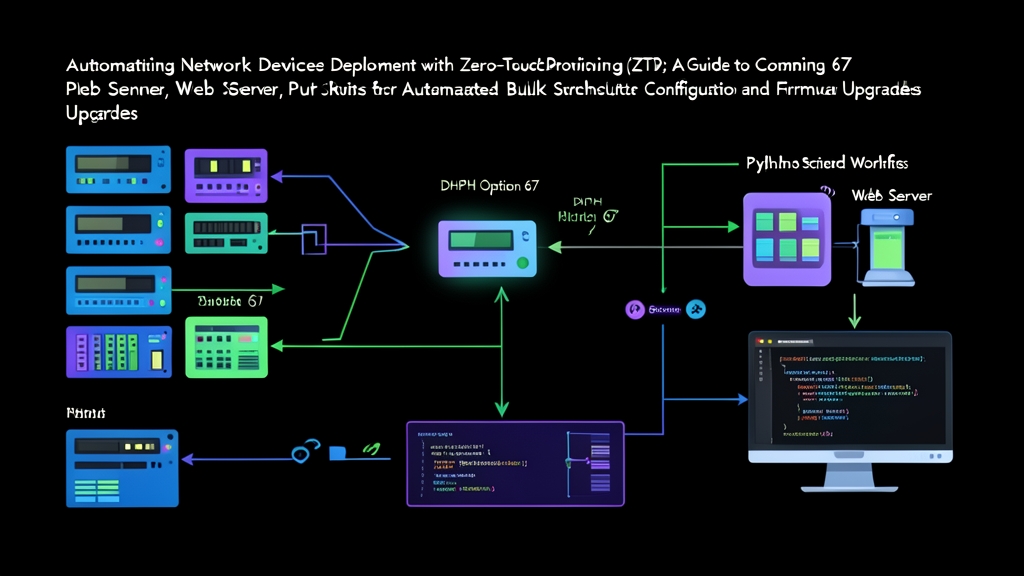
Quick Start (5 min): A Minimal Working ZTP Server
Unboxing twenty switches and console-cabling each one by hand eats up an entire afternoon. Zero-Touch Provisioning (ZTP) eliminates that grind. Rack the hardware, plug in the out-of-band management cable, and flip the power switch. The device boots up, grabs an IP lease, downloads a bootstrap script over HTTP, flashes your target firmware, and applies its base config without human intervention.
You can spin up a working proof-of-concept in minutes. All you need is an existing Linux VM running ISC-DHCP and Nginx.
1. Set Up the DHCP Scope with Option 67
DHCP Option 67 (bootfile-name) tells newly unboxed switches where to fetch their bootstrap script. Open /etc/dhcp/dhcpd.conf and add your staging subnet:
subnet 192.168.100.0 netmask 255.255.255.0 {
    range 192.168.100.50 192.168.100.150;
    option routers 192.168.100.1;
    option domain-name-servers 1.1.1.1, 8.8.8.8;

    # Direct the switch to your bootstrap script via HTTP
    option bootfile-name "http://192.168.100.10/ztp/bootstrap.py";
}
Restart the daemon to reload the configuration:
sudo systemctl restart isc-dhcp-server2. Expose the Bootstrap Script via Nginx
Create a staging directory under your web root at /var/www/html/ztp/ and save a minimal entry script as bootstrap.py:
#!/usr/bin/env python3
import urllib.request
import sys

print("[*] ZTP Bootstrap Initiated...")

# Validate connectivity back to provisioning host
try:
    with urllib.request.urlopen("http://192.168.100.10/ztp/healthcheck", timeout=5) as resp:
        if resp.status == 200:
            print("[*] Server reachable. Proceeding to base configuration stage.")
except Exception as e:
    print(f"[!] Failed to reach provisioner: {e}", file=sys.stderr)
    sys.exit(1)
Make the script executable with chmod +x /var/www/html/ztp/bootstrap.py. Create an empty healthcheck file with touch /var/www/html/ztp/healthcheck. Connect a factory-default switch to the staging VLAN and boot it up. Within roughly 90 seconds, your Nginx access logs will show the switch requesting bootstrap.py.
Deep Dive: Under the Hood of ZTP Workflows
Modern network operating systems—including Arista EOS, Cisco IOS-XE, Juniper Junos, and SONiC—run an automated provisioning client on every clean boot. Here is how the sequence plays out:
- Broadcast & Discovery: Finding no valid startup config in flash, the switch brings up its management port and active front-panel interfaces. It broadcasts a
DHCPDISCOVERframe containing its Vendor Class Identifier (Option 60), such asArista;DCS-7050SX3-48YC8. - Option Resolution: Your DHCP server responds with an IP lease, default gateway, and Option 67. Most vendors also support Option 66 (TFTP or HTTP server address) paired with a relative filename, or custom Option 43 sub-options.
- Bootstrap Execution: The switch downloads the Option 67 script into a temporary RAM disk and executes it with root privileges.
- State Enforcement: The script reads local hardware attributes like serial number and base MAC address. It matches them against your inventory records, downloads and validates the target firmware, writes the production config, and triggers a clean reboot.
Dynamic Provisioning Backend
Serving static text files quickly falls apart once you deploy dozens of switches with different VLANs, BGP ASNs, and hostnames. Instead, point Option 67 to an API endpoint built with FastAPI or Flask to generate configurations on the fly.
from fastapi import FastAPI, Request, Response
from jinja2 import Template

app = FastAPI()

# Device mapping keyed by base chassis MAC address
DEVICE_INVENTORY = {
    "44:4c:a8:11:22:33": {"hostname": "leaf01-pod1", "mgmt_vlan": 10, "role": "leaf"},
    "44:4c:a8:aa:bb:cc": {"hostname": "spine01-pod1", "mgmt_vlan": 20, "role": "spine"}
}

CONFIG_TEMPLATE = """
hostname {{ hostname }}
!
vlan {{ mgmt_vlan }}
   name MANAGEMENT_NET
!
interface Management1
   description OOB-MGMT
   no shutdown
!
"""

@app.get("/ztp/generate")
def generate_config(request: Request):
    # Extract client MAC from vendor custom headers or fallback query param
    client_mac = request.headers.get("X-Arista-Mac", request.query_params.get("mac", "")).lower().strip()
    device_data = DEVICE_INVENTORY.get(client_mac)

    if not device_data:
        return Response(content="# Device MAC not recognized\n", media_type="text/plain", status_code=404)

    rendered = Template(CONFIG_TEMPLATE).render(device_data)
    return Response(content=rendered, media_type="text/plain")
Advanced Usage: Automated Firmware Upgrades and Config Injection
Hardware delivered directly from distributor warehouses often runs whatever stock firmware was current when the factory boxed it. Firmware drift will break your automation templates. You can automate both the image upgrade and the config write inside a single unified script.
#!/usr/bin/env python3
"""
Production ZTP Worker for Arista EOS / Linux-based Network OS
"""
import os
import sys
import hashlib
import subprocess
import urllib.request

EXPECTED_IMAGE = "EOS-4.28.3M.swi"
EXPECTED_SHA256 = "a6c5e21971168f188e63f587d55f0b5d92df99db88b9015949d8bc39b9643d92"
SERVER_URL = "http://192.168.100.10/ztp"
FLASH_PATH = "/mnt/flash"

def run_cmd(cmd):
    res = subprocess.run(cmd, shell=True, capture_output=True, text=True)
    return res.stdout.strip()

def get_current_image():
    boot_cfg = os.path.join(FLASH_PATH, "boot-config")
    if not os.path.exists(boot_cfg):
        return ""
    for line in open(boot_cfg):
        if line.startswith("SWI="):
            return line.split("=")[1].replace("flash:", "").strip()
    return ""

def verify_sha256(filepath, target_hash):
    hasher = hashlib.sha256()
    with open(filepath, "rb") as f:
        while chunk := f.read(65536):
            hasher.update(chunk)
    return hasher.hexdigest() == target_hash

def main():
    print("[*] Verifying platform firmware...")
    current_img = get_current_image()

    # Stage 1: Upgrade operating system if version differs
    if current_img != EXPECTED_IMAGE:
        target_path = os.path.join(FLASH_PATH, EXPECTED_IMAGE)
        print(f"[*] Downloading {EXPECTED_IMAGE} (~1.2 GB)...")
        urllib.request.urlretrieve(f"{SERVER_URL}/images/{EXPECTED_IMAGE}", target_path)

        if not verify_sha256(target_path, EXPECTED_SHA256):
            print("[!] Checksum mismatch! Corrupt payload. Aborting to prevent bricking.", file=sys.stderr)
            sys.exit(1)

        # Update boot pointer and reboot
        with open(os.path.join(FLASH_PATH, "boot-config"), "w") as f:
            f.write(f"SWI=flash:{EXPECTED_IMAGE}\n")

        print("[*] Firmware upgraded. Rebooting switch...")
        run_cmd("reboot")
        return

    # Stage 2: Pull host configuration using DMI chassis serial
    serial = run_cmd("cat /sys/class/dmi/id/product_serial")
    print(f"[*] Running target firmware. Fetching config for serial: {serial}")
    cfg_dest = os.path.join(FLASH_PATH, "startup-config")
    urllib.request.urlretrieve(f"{SERVER_URL}/configs/{serial}.cfg", cfg_dest)

    # Cancel the ZTP boot-loop mechanism
    run_cmd("touch /mnt/flash/zerotouch-config")
    print("[+] Switch provisioning complete. Ready for production.")

if __name__ == "__main__":
    main()
Practical Tips: Hard-Won Lessons from Production
1. Enforce SHA256 Checksums on Large Payloads
Switch images average between 800 MB and 1.5 GB. If an HTTP transfer drops packets or truncates mid-download, a switch booting into that corrupt binary drops straight into an unbootable ROMMON state. Recovering it requires dispatching a technician with a console cable and a USB flash drive. Always verify SHA256 hashes before modifying boot variables.
2. Safeguard Your Environment Against DHCP Leaks
A rogue DHCP server answering requests on an office subnet can knock hundreds of end-users offline. Never bridge your ZTP provisioning VLAN into corporate access segments. Keep your staging gear isolated inside a dedicated out-of-band VLAN or a standalone staging bench with DHCP snooping enabled on uplink ports.
3. Push Real-Time Webhooks to Slack or Teams
Watching twenty switches boot up in silence leaves you guessing which units succeeded and which stalled. Have your Python bootstrap send an HTTP POST to an incoming webhook at each milestone: BOOTSTRAP_START, IMAGE_FLASHED, and CONFIG_APPLIED. You can track deployment progress from your phone without opening a single terminal.
This workflow shaved our datacenter leaf-spine staging time down from roughly 45 minutes per switch to just 6 minutes of unattended boot time. Get the DHCP scope and HTTP backend right, and rollouts become as simple as rack, patch, and walk away.