Context & Why: The Hidden Cost of Client-Side Data Fetching
Single Page Applications made page-to-page transitions feel instant. That speed, however, brought two persistent architectural headaches: bloated client bundles and cascading request waterfalls.
Picture a standard dashboard loading user profiles and activity feeds. First, the browser downloads a blank HTML shell. Next, it pulls down a 350 kB JavaScript bundle packed with formatters and client-side utilities.
Once that script parses and runs, it fires an API request for account details. Only after that request resolves does a child component mount, firing yet another round-trip for recent comments. On a typical 4G connection with 120ms round-trip latency, chaining three sequential queries easily wastes 800ms before showing meaningful content. Users end up staring at blank screens and nested loading spinners.
The core issue is the execution boundary. When data fetching lives inside useEffect or custom client hooks, the browser acts as a bottlenecked middleman. It downloads the fetching logic, parses it, waits on back-and-forth network hops across the open internet, and triggers successive re-renders.
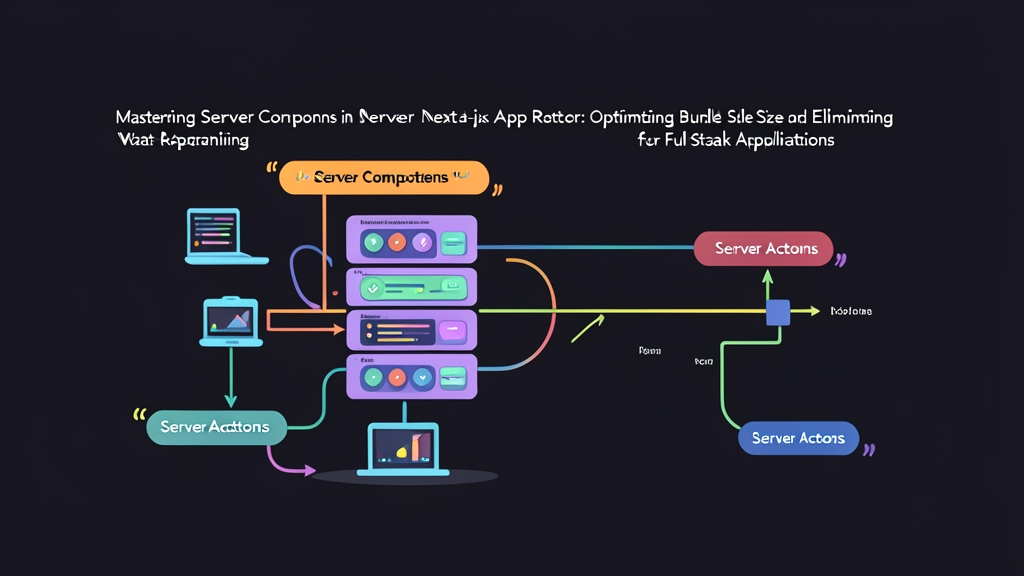
Next.js App Router flips this model by moving data orchestration back to the server using React Server Components (RSC) and Server Actions. Server Components execute exclusively on the backend, streaming a compact virtual representation down to the browser. Their dependencies never ship to the client.
Heavy packages like date-fns (approx. 30 kB minified) or full database drivers contribute zero bytes to your client bundle. Alongside them, Server Actions handle data mutations directly without requiring boilerplate API routes.
Installation: Setting Up an App Router Sandbox
To see these performance gains firsthand, set up a fresh Next.js project configured with TypeScript and Tailwind CSS.
Bootstrap the sandbox in your terminal:
npx create-next-app@latest next-rsc-demo \
  --typescript \
  --tailwind \
  --eslint \
  --app \
  --src-dir \
  --import-alias "@/*"
Switch into the new folder and install Prisma alongside Lucide icons:
cd next-rsc-demo
npm install @prisma/client
npm install -D prisma
npm install lucide-react
Initialize a local SQLite database for rapid prototyping without external database setup:
npx prisma init --datasource-provider sqliteNext, open prisma/schema.prisma and define two relational models:
model Post {
  id        Int       @id @default(autoincrement())
  title     String
  content   String
  createdAt DateTime  @default(now())
  comments  Comment[]
}

model Comment {
  id        Int      @id @default(autoincrement())
  body      String
  postId    Int
  post      Post     @relation(fields: [postId], references: [id], onDelete: Cascade)
  createdAt DateTime @default(now())
}
Run the initial migration to create your local database file and generate the typed client:
npx prisma migrate dev --name initConfiguration: Implementing Server Components and Server Actions
With the database ready, configure queries to run on the server. This lets you fetch relational data right next to your database engine, cutting query latency down to sub-5ms local calls.
1. Database Client Setup
Prevent connection pool exhaustion during development hot-reloads by setting up a Prisma singleton in src/lib/db.ts:
import { PrismaClient } from '@prisma/client';

const globalForPrisma = globalThis as unknown as {
  prisma: PrismaClient | undefined;
};

export const db =
  globalForPrisma.prisma ??
  new PrismaClient({
    log: ['query'],
  });

if (process.env.NODE_ENV !== 'production') globalForPrisma.prisma = db;
2. Parallel Data Fetching with Async Server Components
Every page inside the app folder defaults to a Server Component unless you explicitly add 'use client' at the top. Because they run on the server, you can turn them into async functions and query database tables directly.
Add src/app/posts/[id]/page.tsx to fetch post data and comments in parallel:
import { notFound } from 'next/navigation';
import { db } from '@/lib/db';
import CommentForm from './comment-form';

interface PageProps {
  params: Promise<{ id: string }>;
}

async function getPost(postId: number) {
  return db.post.findUnique({
    where: { id: postId },
  });
}

async function getComments(postId: number) {
  return db.comment.findMany({
    where: { postId },
    orderBy: { createdAt: 'desc' },
  });
}

export default async function PostDetailPage({ params }: PageProps) {
  const resolvedParams = await params;
  const postId = parseInt(resolvedParams.id, 10);

  if (isNaN(postId)) {
    notFound();
  }

  // Run queries concurrently on the server to prevent waterfalls
  const [post, comments] = await Promise.all([
    getPost(postId),
    getComments(postId),
  ]);

  if (!post) {
    notFound();
  }

  return (
    <main className="max-w-2xl mx-auto py-10 px-4">
      <article className="border-b pb-6 mb-6">
        <h1 className="text-3xl font-bold tracking-tight">{post.title}</h1>
        <p className="text-gray-500 text-sm mt-1">
          Published on {post.createdAt.toLocaleDateString()}
        </p>
        <p className="mt-4 text-gray-800 leading-relaxed">{post.content}</p>
      </article>

      <section className="space-y-6">
        <h2 className="text-xl font-semibold">Comments ({comments.length})</h2>
        <CommentForm postId={postId} />
        <ul className="space-y-3">
          {comments.map((comment) => (
            <li key={comment.id} className="p-3 bg-gray-50 rounded border text-sm text-gray-700">
              {comment.body}
            </li>
          ))}
        </ul>
      </section>
    </main>
  );
}
3. Server Action for Direct Mutations
Traditional React setups required manual API routes, custom fetch wrappers, and local state synchronization. Server Actions replace this entire pipeline with server-side functions that plug straight into native HTML forms.
Create src/app/actions/comments.ts to handle comment submissions:
'use server';

import { revalidatePath } from 'next/cache';
import { db } from '@/lib/db';

export async function addComment(formData: FormData) {
  const postIdRaw = formData.get('postId');
  const bodyRaw = formData.get('body');

  if (!postIdRaw || !bodyRaw || typeof bodyRaw !== 'string') {
    throw new Error('Invalid input data');
  }

  const postId = parseInt(postIdRaw.toString(), 10);
  const body = bodyRaw.trim();

  if (body.length === 0) {
    return;
  }

  await db.comment.create({
    data: {
      postId,
      body,
    },
  });

  // Invalidate route cache and trigger a server re-render
  revalidatePath(`/posts/${postId}`);
}
4. Thin Client Boundary for Interactivity
Keep your client footprint tiny. Only push components into the client bundle when they require browser event listeners, interactive state, or DOM APIs.
Build the comment submission component in src/app/posts/[id]/comment-form.tsx:
'use client';

import { useRef } from 'react';
import { addComment } from '@/app/actions/comments';

interface CommentFormProps {
  postId: number;
}

export default function CommentForm({ postId }: CommentFormProps) {
  const formRef = useRef<HTMLFormElement>(null);

  return (
    <form
      ref={formRef}
      action={async (formData: FormData) => {
        await addComment(formData);
        formRef.current?.reset();
      }}
      className="flex flex-col gap-2"
    >
      <input type="hidden" name="postId" value={postId} />
      <textarea
        name="body"
        required
        placeholder="Leave a constructive comment..."
        className="w-full p-2 border rounded resize-none focus:outline-blue-500"
        rows={3}
      />
      <button
        type="submit"
        className="self-end px-4 py-2 bg-blue-600 text-white rounded hover:bg-blue-700 transition-colors text-sm font-medium"
      >
        Post Comment
      </button>
    </form>
  );
}
Verification & Monitoring: Benchmarking Bundle Size and Request Cascades
Does this shift actually move the needle? Inspect your production build artifacts and browser network profiles to verify.
1. Build Inspection and Route Breakdown
Generate production assets and review route sizes:
npm run buildExamine the generated build report:
Route (app)                              Size     First Load JS
┌ ○ /                                    142 B          87.2 kB
├ λ /posts/[id]                          165 B          87.3 kB
└ ○ /_not-found                          871 B          88.0 kB
+ First Load JS shared by all            87.1 kB
  ├ chunks/main-app.js                   54.2 kB
  ├ chunks/webpack.js                    1.8 kB
  └ other shared chunks (total)          31.1 kB

λ  (Server)  server-rendered on demand
○  (Static)  prerendered as static content
Notice that /posts/[id] adds just 165 bytes of route-specific JavaScript. The Prisma client (which would normally add over 1.5 MB unbundled), database query logic, and validation rules stay completely on the server. None of it ever hits the user’s device.
2. Verifying Waterfalls in Chrome DevTools
Spin up the production build locally:
npm run start- Open Chrome DevTools and switch to the Network tab.
- Set network throttling to Fast 3G to simulate mobile network conditions.
- Navigate to
http://localhost:3000/posts/1.
Check the document request timing. In a traditional client-side React app, the browser receives an empty shell and must make two or three sequential API round-trips before rendering text. Here, the initial document response arrives pre-populated with full post copy and existing comments. A single HTTP round trip returns the whole UI ready for display.
3. Server Action Performance
Submit a new comment through the form while keeping DevTools open. Filter the Network panel by Fetch/XHR. You will spot a single POST request targeted directly at the current URL. Next.js runs the action on the server, writes to the SQLite database, executes revalidatePath, and streams back the fresh RSC payload in that single response. The UI updates instantly. You get optimistic mutation behavior without writing custom cache reducers or juggling client-side refetch logic.