Quick start (5 min)
Last year, our team needed to track versioned audit logs across 120 internal microservices. Standard Git CLI subprocesses added noticeable overhead—spawning a new process for every log write capped throughput at roughly 45 writes per second.
We replaced those shell calls with a lightweight, in-house Python engine that talks directly to the object database. Stripping away the CLI porcelain reveals an elegant, content-addressable key-value store. You can build a working object writer in under thirty lines of code.
Every Git object begins with a simple header: [type] [size]\0[content]. Git hashes this combination with SHA-1 and compresses it using DEFLATE via zlib. Here is how to write a valid Git blob using only Python’s standard library:
import hashlib
import os
import zlib

def write_blob(data: bytes, repo_root: str = ".git") -> str:
    # Git object format: "blob <size>\0<payload>"
    header = f"blob {len(data)}\x00".encode("ascii")
    store = header + data
    sha = hashlib.sha1(store).hexdigest()

    # Objects are stored at .git/objects/<first-2-hex>/<remaining-38-hex>
    obj_dir = os.path.join(repo_root, "objects", sha[:2])
    obj_path = os.path.join(obj_dir, sha[2:])

    os.makedirs(obj_dir, exist_ok=True)
    if not os.path.exists(obj_path):
        with open(obj_path, "wb") as f:
            f.write(zlib.compress(store))
    return sha

if __name__ == "__main__":
    payload = b"Hello, reproducible storage!\n"
    sha = write_blob(payload)
    print(f"Created blob: {sha}")
To test this, initialize a blank repository and run the script:
git init test-repo
cd test-repo
python3 ../write_blob.py
# Output: Created blob: 7421375fdca039b5fae5ffeb68ad65190a4dfb67

git cat-file -p 7421375fdca039b5fae5ffeb68ad65190a4dfb67
# Output: Hello, reproducible storage!
The native git command inspects the object seamlessly. It works because our script conforms exactly to Git’s on-disk binary format.
Deep dive: Blobs, Trees, and Commits
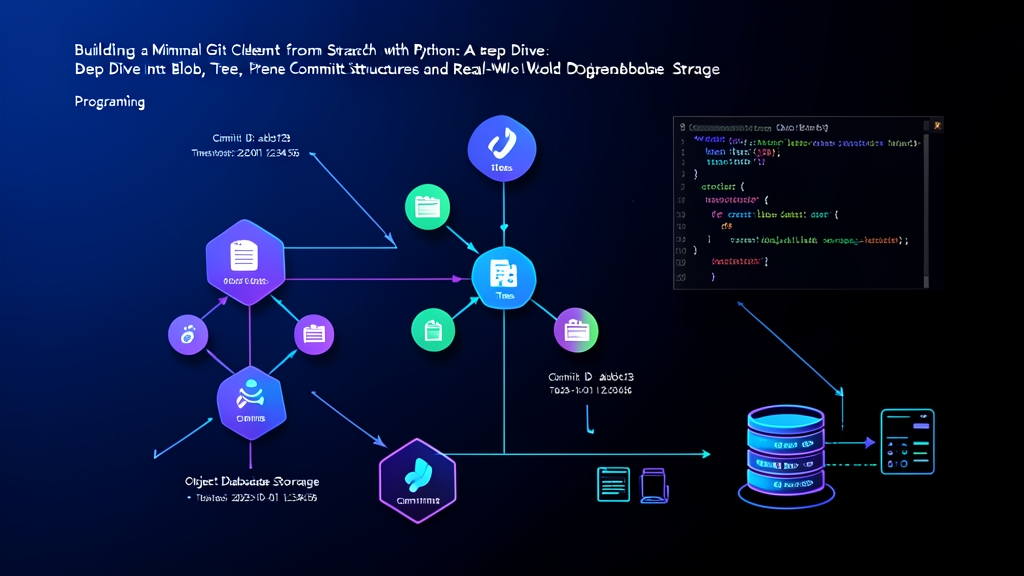
Git manages revision histories using a directed acyclic graph (DAG). The foundation relies on four core object types: blob, tree, commit, and tag. The core storage mechanism depends almost entirely on the first three.
1. Blobs: Pure Data Payloads
A blob stores raw file content, entirely divorced from metadata. It knows nothing about directory names, modification timestamps, or execution permissions. Suppose you copy an identical 12 MB binary file across five different directories. Git writes that file payload to disk exactly once. Content deduplication happens automatically because identical payloads share the exact same SHA-1 hash.
2. Trees: Directory Structures and Permissions
Trees map directory hierarchies and file modes to their corresponding hashes. Each tree record follows a binary structure:
[mode in octal, ascii] [single space] [filename]\0[20-byte binary SHA-1]Notice an important difference: tree records store hashes as raw 20-byte binary slices instead of 40-character hex strings. Also note that directory modes are stored as 40000 without a leading zero. Here is a Python function to assemble tree objects:
def create_tree_entry(mode: str, path: str, sha_hex: str) -> bytes:
    # Canonical modes: "100644" (normal file), "100755" (executable), "40000" (tree/dir)
    sha_bytes = bytes.fromhex(sha_hex)
    return f"{mode} {path}\x00".encode("utf-8") + sha_bytes

def write_tree(entries: list[tuple[str, str, str]], repo_root: str = ".git") -> str:
    # Git requires entries sorted by name; directories sort as if ending in '/'
    def sort_key(entry):
        mode, path, _ = entry
        return path + "/" if mode == "40000" else path

    sorted_entries = sorted(entries, key=sort_key)
    payload = b"".join(create_tree_entry(m, p, s) for m, p, s in sorted_entries)
    header = f"tree {len(payload)}\x00".encode("ascii")
    store = header + payload
    sha = hashlib.sha1(store).hexdigest()

    obj_dir = os.path.join(repo_root, "objects", sha[:2])
    obj_path = os.path.join(obj_dir, sha[2:])
    os.makedirs(obj_dir, exist_ok=True)
    if not os.path.exists(obj_path):
        with open(obj_path, "wb") as f:
            f.write(zlib.compress(store))
    return sha
3. Commits: The Metadata Wrapper
A commit binds a snapshot tree to an author, a committer timestamp, an optional parent commit, and a message. The payload is structured plain text:
import time

def write_commit(tree_sha: str, parent_sha: str | None, message: str, repo_root: str = ".git") -> str:
    timestamp = int(time.time())
    timezone = "+0000"
    author_str = f"Engineer <[email protected]> {timestamp} {timezone}"

    lines = [f"tree {tree_sha}"]
    if parent_sha:
        lines.append(f"parent {parent_sha}")
    lines.append(f"author {author_str}")
    lines.append(f"committer {author_str}")
    lines.append("")
    lines.append(message.strip() + "\n")

    payload = "\n".join(lines).encode("utf-8")
    header = f"commit {len(payload)}\x00".encode("ascii")
    store = header + payload
    sha = hashlib.sha1(store).hexdigest()

    obj_dir = os.path.join(repo_root, "objects", sha[:2])
    os.makedirs(obj_dir, exist_ok=True)
    obj_path = os.path.join(obj_dir, sha[2:])
    if not os.path.exists(obj_path):
        with open(obj_path, "wb") as f:
            f.write(zlib.compress(store))
    return sha
Advanced usage: Managing References and Traversal
Immutable objects give you data integrity. Moving through them, however, requires mutable pointers: branches and HEAD.
Updating HEAD and Branch References
Branches are not complex data structures. They are simple text files containing a 40-character commit hash followed by a newline. The HEAD file usually contains a symbolic reference pointing to the active branch file:
def update_branch(branch_name: str, commit_sha: str, repo_root: str = ".git"):
    ref_path = os.path.join(repo_root, "refs", "heads", branch_name)
    os.makedirs(os.path.dirname(ref_path), exist_ok=True)
    with open(ref_path, "w") as f:
        f.write(f"{commit_sha}\n")

def set_symbolic_head(branch_name: str, repo_root: str = ".git"):
    head_path = os.path.join(repo_root, "HEAD")
    with open(head_path, "w") as f:
        f.write(f"ref: refs/heads/{branch_name}\n")
Commit Graph Traversal
You can walk the revision history without running external Git binaries. Read the starting commit, extract its parent field, and iterate backwards:
def read_object(sha: str, repo_root: str = ".git") -> tuple[str, bytes]:
    path = os.path.join(repo_root, "objects", sha[:2], sha[2:])
    with open(path, "rb") as f:
        decompressed = zlib.decompress(f.read())
    header_end = decompressed.index(b"\x00")
    header = decompressed[:header_end].decode("ascii")
    obj_type, _ = header.split(" ")
    return obj_type, decompressed[header_end + 1:]

def log_history(start_commit_sha: str, repo_root: str = ".git"):
    curr = start_commit_sha
    while curr:
        _, payload = read_object(curr, repo_root)
        lines = payload.decode("utf-8", errors="replace").splitlines()
        parent = None
        message = []
        in_msg = False

        for line in lines:
            if in_msg:
                message.append(line)
            elif line.startswith("parent "):
                parent = line.split(" ", 1)[1]
            elif line == "":
                in_msg = True

        print(f"commit {curr}")
        print(f"    {chr(10).join(message)}\n")
        curr = parent
Practical tips
Writing directly to Git repositories under concurrent conditions reveals quirks rarely mentioned in tutorials:
- Use Atomic Renames: Never stream writes straight into
.git/objects/xx/yy. A concurrent read will hit a partially written file and crash withcorrupt loose object. Write to a temporary file in.git/objects/first, then swap it in place usingos.replace(). - Respect Canonical Tree Modes: Standard files use
100644and executables use100755. Directories require40000without a leading zero. Passing040000causesgit fsck --strictto reject the tree. - Watch Directory Inodes: Every loose object claims one inode on Linux filesystems (ext4/xfs). If you write 500,000 objects during bulk imports without packing, you can run out of disk inodes before running out of disk space. Run
git repack -dorgit gc --prune=nowperiodically during large batch ingestion runs. - Sort Tree Entries Carefully: Git tree comparison requires strict sorting. Subtree entries must be sorted as if their path carried an explicit trailing slash (
foo/vsfoo.txt). Sorting names with standard Python string comparisons can produce corrupted tree orders that fail Git validation checks.