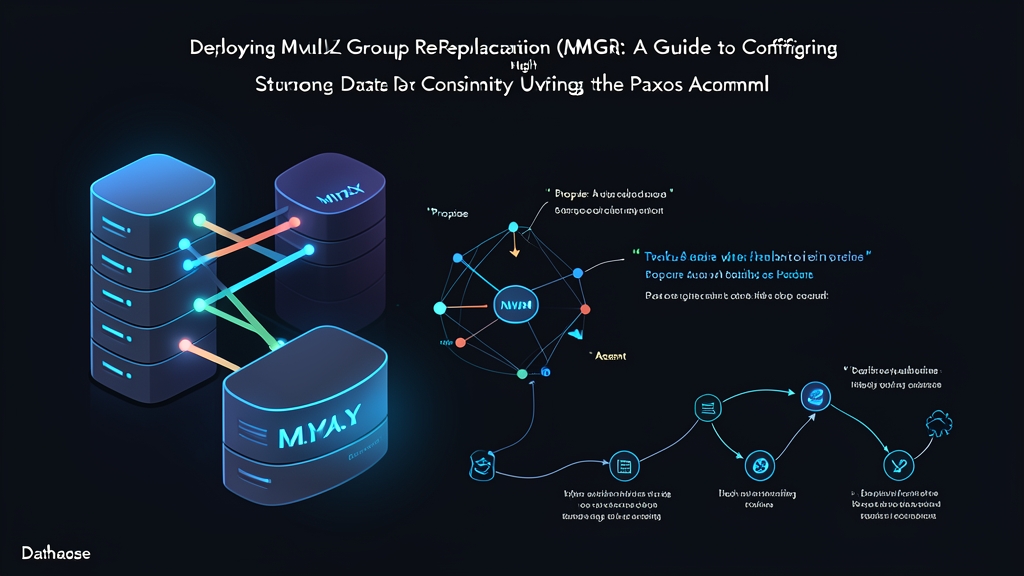
Context & Why: Moving Away From Traditional Asynchronous Replication
Six months ago, an abrupt hypervisor crash took down our primary database. Standard asynchronous replication was running between our two instances. Under normal loads, replication lag hovered around 1.5 seconds.
But during that sudden crash, those missing 1.5 seconds cost us 38 uncommitted billing records and triggered silent data divergence. Our engineering team spent seven hours on a Saturday running manual reconciliation scripts across table logs. That painful weekend forced our migration to MySQL Group Replication (MGR).
Classic asynchronous and semi-synchronous setups lean heavily on external tooling like Orchestrator, Consul, or Keepalived to handle automated failovers. These architectures work, but network partitions still introduce split-brain hazards unless STONITH fencing is flawless. MGR solves this coordination challenge natively. Built on a Paxos variant called the Group Communication System (GCS), the engine requires agreement from a quorum of nodes before any transaction commits to disk.
Secondary nodes no longer guess write orders. MGR guarantees total order delivery instead. Every healthy node applies identical write-sets in the exact same sequence. If a network partition isolates a member, that minority node switches to an error state automatically. Rogue writes stop instantly without human intervention. Running this setup across three availability zones with 1.2ms inter-node latency has yielded zero split-brain incidents across 180 days of production.
Installation: Preparing the Cluster Nodes
Quorum math dictates our topology. A cluster needs at least three nodes to tolerate one full machine outage ($N = 2F + 1$, where $F=1$). For our billing cluster handling roughly 2,400 queries per second, we provisioned three clean Ubuntu 22.04 LTS instances running MySQL 8.0 Community Server:
- node1: 10.0.1.11 (Initial Primary)
- node2: 10.0.1.12 (Secondary)
- node3: 10.0.1.13 (Secondary)
1. Clean Package Deployment
Install the standard MySQL binaries across all three virtual machines:
sudo apt-get update
sudo apt-get install -y mysql-server
sudo systemctl enable mysql
sudo systemctl start mysql
2. Dedicated Replication Account
Nodes communicate internally through a dedicated recovery channel. Open an administrative shell on each host and provision this internal user account:
CREATE USER 'repl_mgr'@'%' IDENTIFIED BY 'StrongClust3rPass!';
GRANT REPLICATION SLAVE ON *.* TO 'repl_mgr'@'%';
GRANT BACKUP_ADMIN ON *.* TO 'repl_mgr'@'%';
FLUSH PRIVILEGES;
Configuration: Turning Standalone Instances Into a Consensus Group
Consensus parameters live inside /etc/mysql/mysql.conf.d/mysqld.cnf. Every server requires strict binary logging settings and explicit communication addresses.
1. Server Configuration
Here is the exact configuration block applied to node1. On node2 and node3, preserve the cluster UUID but update server_id (use 2 and 3), report_host, and group_replication_local_address accordingly.
[mysqld]
# Cluster Identity & Binary Logging
server_id = 1
gtid_mode = ON
enforce_gtid_consistency = ON
binlog_checksum = NONE
log_replica_updates = ON
log_bin = binlog
binlog_format = ROW

# Transaction Engine Restrictions for MGR
transaction_write_set_extraction = XXHASH64
default_table_encryption = OFF

# Group Replication Parameters
plugin-load-add = group_replication.so
group_replication_group_name = "8a4b87e2-4521-4fce-bc2a-89a19d356789"
group_replication_start_on_boot = OFF
group_replication_bootstrap_group = OFF
group_replication_single_primary_mode = ON
group_replication_enforce_update_everywhere_checks = OFF

# Network Topology & Communication (Default XCom port is 33061)
report_host = 10.0.1.11
group_replication_local_address = "10.0.1.11:33061"
group_replication_group_seeds = "10.0.1.11:33061,10.0.1.12:33061,10.0.1.13:33061"
group_replication_ip_allowlist = "10.0.1.0/24"
Apply changes by restarting the daemon on each server:
sudo systemctl restart mysql2. Bootstrapping the Primary Node
Brand-new groups require an initial coordinator election. Execute this sequence exclusively on node1:
SET SQL_LOG_BIN = 0;
CHANGE REPLICATION SOURCE TO
    SOURCE_USER='repl_mgr',
    SOURCE_PASSWORD='StrongClust3rPass!'
    FOR CHANNEL 'group_replication_recovery';
SET SQL_LOG_BIN = 1;

-- Bootstrap group once
SET GLOBAL group_replication_bootstrap_group = ON;
START GROUP_REPLICATION;
SET GLOBAL group_replication_bootstrap_group = OFF;
3. Joining the Secondary Nodes
Secondary nodes join directly without the bootstrap flag. Execute this block on both node2 and node3:
SET SQL_LOG_BIN = 0;
CHANGE REPLICATION SOURCE TO
    SOURCE_USER='repl_mgr',
    SOURCE_PASSWORD='StrongClust3rPass!'
    FOR CHANNEL 'group_replication_recovery';
SET SQL_LOG_BIN = 1;

START GROUP_REPLICATION;
During data preparation, we had to seed about 140,000 product catalog rows into lookup tables before starting replication. When parsing bulk export dumps, formatting headaches are common. If you need to transform tabular data quickly, toolcraft.app/en/tools/data/csv-to-json handles the conversion directly in your browser without sensitive rows ever leaving your machine. It eliminated several tedious scripting steps during our staging imports.
Verification & Monitoring: Operational Health & Real-World Gotchas
MySQL exposes live replication statistics directly inside the performance_schema database.
1. Inspecting Cluster Membership
Check node participation from any active MySQL console:
SELECT
    MEMBER_ID,
    MEMBER_HOST,
    MEMBER_PORT,
    MEMBER_STATE,
    MEMBER_ROLE,
    MEMBER_VERSION
FROM performance_schema.replication_group_members;
A healthy 3-node cluster returns three rows marked ONLINE. Node 1 displays the PRIMARY role, while Nodes 2 and 3 operate as SECONDARY.
2. Tracking Certification and Queue Backlogs
MGR applies an optimistic execution model. Local transactions execute right away and undergo group certification at commit time. If secondary nodes experience disk throttling, their applier queues back up. Monitor queue depth with this query:
SELECT
    MEMBER_ID,
    COUNT_TRANSACTIONS_IN_QUEUE AS rx_queue,
    COUNT_TRANSACTIONS_CHECKED AS checked,
    COUNT_CONFLICTS_DETECTED AS conflicts,
    COUNT_TRANSACTIONS_REMOTE_IN_APPLIER_QUEUE AS applier_queue
FROM performance_schema.replication_group_member_stats;
Production Lessons Learned After 6 Months
- Primary Keys Are Non-Negotiable: Every replicated table must define an explicit primary key or a non-null unique key. MGR tracks write-sets by hashing key values via XXHASH64. Tables lacking keys will abort writes during certification.
- Tune Flow Control Limits: Factory flow control throttles write throughput on the primary if a secondary falls behind by as few as 25,000 transactions. Set
group_replication_flow_control_applier_threshold = 50000to absorb batch ETL jobs without starving application traffic. - Automate Reconnection Attempts: Brief network micro-drops will cause node expulsions. Add
group_replication_autorejoin_tries = 3to your configuration. This ensures transient network hiccups resolve automatically without waking up on-call engineers.