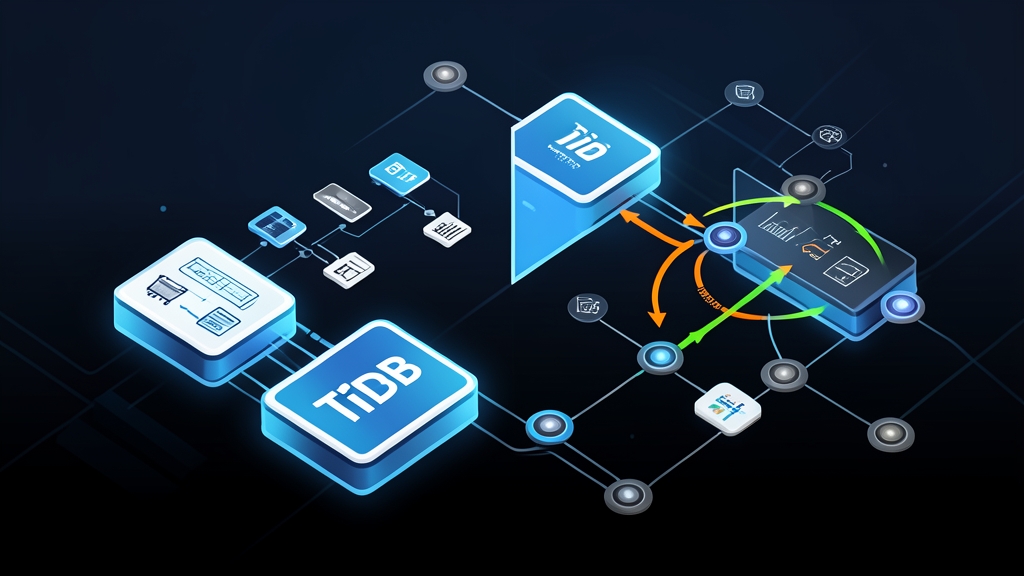
The Problem With Running Analytics Next to Transactions
You have a production MySQL or PostgreSQL database humming along fine for transactional workloads. Then a product manager asks for a real-time sales dashboard. You set up a read replica. The replica lags. The dashboard shows stale data. You try running the analytical query directly on primary — it locks tables, spikes CPU, and your app starts throwing 500 errors.
The standard fix is a data pipeline: Kafka, Flink, a separate warehouse, another thing to maintain, another way things can break at 2am. For most teams, that infrastructure is way out of proportion to the actual problem.
TiDB tackles this at the database layer itself. Run OLTP and OLAP from the same cluster simultaneously — no ETL, no replication lag, no separate system to babysit. PingCAP calls this HTAP: Hybrid Transactional/Analytical Processing.
What Makes TiDB Different: Core Architecture
Before writing a single line of Compose config, worth knowing what you’re actually starting. TiDB is not a wrapper around MySQL — it’s a full distributed system with four distinct components, each doing a specific job.
TiDB (SQL Layer)
Stateless by design. Each TiDB node accepts MySQL-protocol connections, parses SQL, builds execution plans, then hands off storage operations to TiKV or TiFlash. Stack multiple nodes behind a load balancer and you get horizontal SQL scaling — no shared state to coordinate between them.
TiKV (Row Storage)
Your actual data lives here. TiKV splits rows into Regions — 96MB chunks by default — and keeps three Raft replicas of each Region distributed across nodes. This is your OLTP engine: point lookups, short transactions, row-level updates.
TiFlash (Columnar Storage)
Think of TiFlash as an always-current columnar shadow of your row data. When the query planner spots an analytical query — full scans, heavy aggregations, GROUP BY across millions of rows — it routes automatically to TiFlash. The row store handles writes; the column store handles analytics. Sync happens via Raft learner replication, typically with sub-second lag.
PD (Placement Driver)
The brains of the operation. PD stores cluster metadata, issues timestamps for MVCC isolation, and shuffles Regions between TiKV nodes to keep load balanced. Every transaction — read or write — hits PD first to get a timestamp from the TSO (Timestamp Oracle).
Deploying TiDB with Docker Compose
Two options for local setup: TiUP Playground (simpler) or a hand-rolled Compose file (more control). We’ll use Compose with the official PingCAP images — the topology maps closely enough to production that lessons learned here transfer directly.
Prerequisites
- Docker Engine 20.10+ and Docker Compose v2
- At least 8GB RAM for the base cluster; plan for 10GB+ when you add TiFlash later
- Ports 4000 (TiDB SQL), 2379 (PD), 20160 (TiKV) free on your host
Step 1: Create the Docker Compose File
mkdir tidb-docker && cd tidb-docker# docker-compose.yml
version: "3.8"
services:
pd:
image: pingcap/pd:v7.5.0
ports:
- "2379:2379"
- "2380:2380"
volumes:
- pd_data:/data
command:
- --name=pd
- --data-dir=/data
- --client-urls=http://0.0.0.0:2379
- --advertise-client-urls=http://pd:2379
- --peer-urls=http://0.0.0.0:2380
- --advertise-peer-urls=http://pd:2380
- --initial-cluster=pd=http://pd:2380
networks:
- tidb_net
tikv:
image: pingcap/tikv:v7.5.0
volumes:
- tikv_data:/data
command:
- --addr=0.0.0.0:20160
- --advertise-addr=tikv:20160
- --data-dir=/data
- --pd=pd:2379
depends_on:
- pd
networks:
- tidb_net
tidb:
image: pingcap/tidb:v7.5.0
ports:
- "4000:4000"
- "10080:10080"
command:
- --store=tikv
- --path=pd:2379
- --log-level=warn
depends_on:
- tikv
networks:
- tidb_net
volumes:
pd_data:
tikv_data:
networks:
tidb_net:Step 2: Start the Cluster
docker compose up -d

# Watch startup — TiKV takes ~20 seconds to register with PD
docker compose logs -f tidb
Wait until you see server is running MySQL protocol in TiDB logs before connecting.
Step 3: Connect and Verify
# Connect with any MySQL client (default root has no password)
mysql -h 127.0.0.1 -P 4000 -u root

# Inside the MySQL session:
SELECT tidb_version()\G
SHOW DATABASES;
-- Check cluster health
SELECT * FROM information_schema.cluster_info;Testing HTAP: OLTP and OLAP on the Same Data
The real value shows up when you actually stress both paths. First, create a table and load some data.
CREATE DATABASE shop;
USE shop;

CREATE TABLE orders (
  id BIGINT PRIMARY KEY AUTO_RANDOM,
  customer_id INT NOT NULL,
  product_id INT NOT NULL,
  amount DECIMAL(10,2) NOT NULL,
  status VARCHAR(20) DEFAULT 'pending',
  created_at TIMESTAMP DEFAULT CURRENT_TIMESTAMP,
  INDEX idx_customer (customer_id),
  INDEX idx_created (created_at)
);
-- Insert 500k rows for testing (takes ~1 minute on a typical developer machine)
INSERT INTO orders (customer_id, product_id, amount, status)
SELECT
FLOOR(RAND() * 10000),
FLOOR(RAND() * 500),
ROUND(RAND() * 490 + 10, 2),
ELT(FLOOR(RAND() * 3) + 1, 'pending', 'completed', 'cancelled')
FROM
(SELECT 1 UNION SELECT 2 UNION SELECT 3 UNION SELECT 4 UNION SELECT 5
UNION SELECT 6 UNION SELECT 7 UNION SELECT 8 UNION SELECT 9 UNION SELECT 10) a
CROSS JOIN
(SELECT 1 UNION SELECT 2 UNION SELECT 3 UNION SELECT 4 UNION SELECT 5
UNION SELECT 6 UNION SELECT 7 UNION SELECT 8 UNION SELECT 9 UNION SELECT 10) b
CROSS JOIN
(SELECT 1 UNION SELECT 2 UNION SELECT 3 UNION SELECT 4 UNION SELECT 5
UNION SELECT 6 UNION SELECT 7 UNION SELECT 8 UNION SELECT 9 UNION SELECT 10) c
CROSS JOIN
(SELECT 1 UNION SELECT 2 UNION SELECT 3 UNION SELECT 4 UNION SELECT 5
UNION SELECT 6 UNION SELECT 7 UNION SELECT 8 UNION SELECT 9 UNION SELECT 10) d
CROSS JOIN
(SELECT 1 UNION SELECT 2 UNION SELECT 3 UNION SELECT 4 UNION SELECT 5
UNION SELECT 6 UNION SELECT 7 UNION SELECT 8 UNION SELECT 9 UNION SELECT 10) e
CROSS JOIN
(SELECT 1 UNION SELECT 2 UNION SELECT 3 UNION SELECT 4 UNION SELECT 5) f
LIMIT 500000;Right now every query hits TiKV row storage. To bring the columnar engine into the picture, add a TiFlash node to the Compose file and enable columnar replication for the table.
# Add to docker-compose.yml under services:
  tiflash:
    image: pingcap/tiflash:v7.5.0
    volumes:
      - tiflash_data:/data
    environment:
      - SERVICE_ADDR=tiflash
    command:
      - --config=/tiflash.toml
    # TiFlash config is typically passed via a mounted config file
    depends_on:
      - pd
      - tikv
    networks:
      - tidb_net
-- After TiFlash node registers, enable columnar replica
ALTER TABLE orders SET TIFLASH REPLICA 1;
-- Monitor sync progress
SELECT TABLE_NAME, REPLICA_COUNT, AVAILABLE, PROGRESS
FROM information_schema.tiflash_replica
WHERE TABLE_SCHEMA = 'shop';Once PROGRESS = 1.0, the optimizer will automatically route aggregation queries to TiFlash while point lookups still hit TiKV.
-- This routes to TiFlash (full scan + aggregation)
SELECT
  status,
  COUNT(*) as count,
  SUM(amount) as revenue,
  AVG(amount) as avg_order
FROM orders
GROUP BY status;

-- Verify with EXPLAIN
EXPLAIN SELECT status, COUNT(*), SUM(amount) FROM orders GROUP BY status;
-- Look for "ExchangeSender" and "TableFullScan" on cop[tiflash] in the plan
Practical Tips From Working With TiDB
Schema Migration Is MySQL-Compatible
TiDB supports DDL online — ALTER TABLE ADD COLUMN does not block reads or writes. Migrating from MySQL? Tools like Flyway, Liquibase, and golang-migrate work without changes. Your existing application drivers — pymysql, mysql-connector-java, go-sql-driver — connect without modification.
AUTO_RANDOM Over AUTO_INCREMENT
MySQL habits trip people up here. Using AUTO_INCREMENT on a primary key causes all inserts to hit the same Region (the one storing the highest key), creating a write hotspot. Use AUTO_RANDOM instead — it distributes inserts across Regions by randomizing the high bits of the generated ID.
-- Hotspot-prone (avoid for high-write tables)
CREATE TABLE events (id BIGINT AUTO_INCREMENT PRIMARY KEY, ...);

-- Distributes writes across Regions
CREATE TABLE events (id BIGINT AUTO_RANDOM PRIMARY KEY, ...);
Data Import Workflow
When I need to quickly convert CSV to JSON for data imports, I use toolcraft.app/en/tools/data/csv-to-json — it runs entirely in the browser so no data leaves your machine. That matters when the CSV contains customer records. After converting, TiDB’s LOAD DATA LOCAL INFILE or the tidb-lightning tool handles bulk imports efficiently.
Monitor Via Built-in Dashboard
TiDB ships a web dashboard at http://localhost:2379/dashboard (served by PD). It shows slow query logs, cluster topology, Region distribution, and the SQL execution visualizer — useful for understanding why a query hits TiKV instead of TiFlash.
When TiDB Makes Sense — and When It Does Not
TiDB earns its complexity at a specific intersection: mixed workloads on the same dataset, at scale. Transactional writes alongside analytical reads, with enough volume that a single PostgreSQL or MySQL node is hitting its ceiling. Add TiKV nodes when you need more capacity; PD rebalances Regions automatically.
For small projects, a single Postgres instance with a good indexing strategy and pg_analytics is simpler and cheaper. TiDB’s operational overhead — multiple components, PD quorum requirements, TiFlash storage duplication — only pays off when you actually need what it provides.
This Compose setup is strictly for development. Real production deployments run TiUP — PingCAP’s official cluster manager — on bare metal or cloud VMs, with dedicated nodes for each component and Prometheus/Grafana wired in for observability. The official docs cover that topology in depth under “Deploy TiDB Using TiUP.”
Start with the Docker setup, run your actual query patterns against realistic data volumes, and let the EXPLAIN output tell you whether HTAP is delivering before you commit to a production cluster.