Why Built-in Streaming Replication Falls Short
Every DBA dreads the 3:00 AM emergency page. A primary database host drops off the network, writes back up, and checkout transactions stall across your entire platform. PostgreSQL physical streaming replication ships WAL segments reliably. However, it cannot manage cluster consensus, spot network partitions, or reroute client queries on its own.
When an outage hits, you face stressful manual triage. You run pg_ctl promote on a standby, patch application connection strings, and pray the old primary stays down. If that partitioned primary wakes back up and takes writes, you hit a split-brain condition. At that point, timelines diverge and transaction logs corrupt—a nightmare that takes hours of manual WAL surgery to repair.
Production high availability requires three explicit guarantees:
- Reliable consensus: A distributed quorum engine that grants a temporary, exclusive lease to exactly one primary node.
- Automated lifecycle orchestration: A daemon that safely demotes severed primaries, runs
pg_basebackupto re-clone broken nodes, and promotes candidates with the lowest replication lag. - Dynamic query routing: A smart reverse proxy that tracks database roles via health checks, removing the need for connection string updates or service restarts.
Architecture: How the Components Work Together
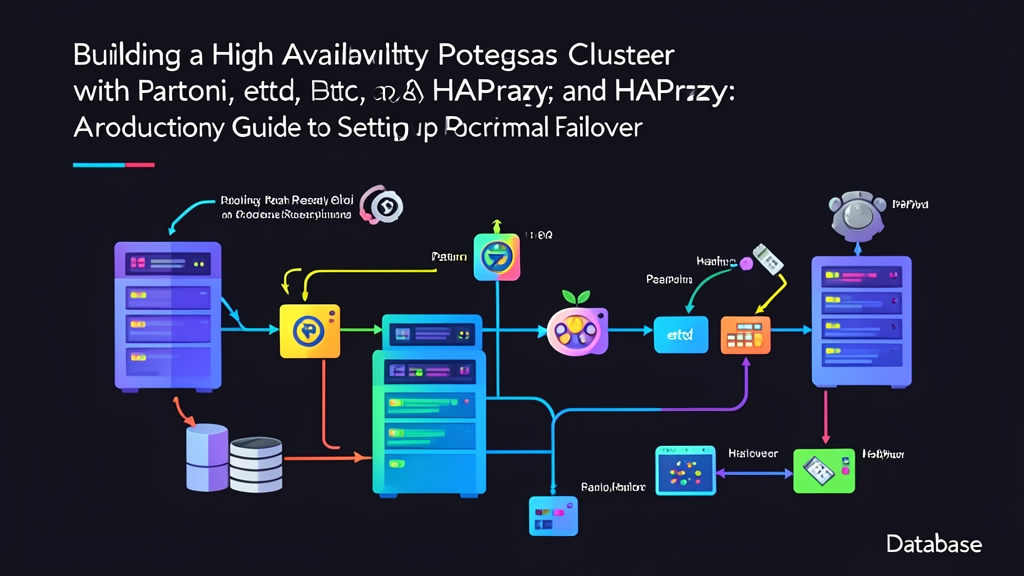
To eliminate single points of failure, our reference topology separates consensus, process management, and connection routing into three distinct tiers:
1. Distributed Consensus Store (etcd)
At the center sits etcd, a distributed key-value store powered by the Raft algorithm. A three-node etcd cluster tolerates the failure of one node while preserving majority quorum. Patroni maintains a distributed leader lock inside etcd with a 30-second Time-To-Live (TTL). Only the node that holds this active key accepts read-write traffic.
2. Cluster Orchestrator (Patroni)
Patroni is a Python management daemon that directly controls PostgreSQL. Instead of delegating process supervision to systemd, Patroni supervises the database process lifecycle. Every 10 seconds, the active Patroni leader renews its etcd lease. If the host freezes or drops off the network, the lease expires. Surviving standbys detect the open lock, hold an election, and automatically promote the replica with the most advanced WAL LSN position.
3. Dynamic Proxy (HAProxy)
Applications should never keep track of changing database topologies. HAProxy handles this by polling Patroni’s REST engine on port 8008. The active primary responds with HTTP 200 OK to /primary, while standbys return HTTP 503 Service Unavailable. For read replicas, Patroni answers HTTP 200 on /replica. HAProxy inspects these endpoints every 3 seconds, directing writes to port 5000 and load-balancing reads across port 5001.
Building the Cluster: Step-by-Step Implementation
We deploy this architecture across four private subnet instances:
- pg-node1: 10.0.0.11 (etcd + Patroni + PostgreSQL 16)
- pg-node2: 10.0.0.12 (etcd + Patroni + PostgreSQL 16)
- pg-node3: 10.0.0.13 (etcd + Patroni + PostgreSQL 16)
- haproxy-lb: 10.0.0.10 (HAProxy load balancer)
Step 1: Deploy the etcd Quorum
Install etcd across all three database instances:
sudo apt-get update
sudo apt-get install -y etcd-server etcd-client
Configure etcd on pg-node1 (10.0.0.11) by editing /etc/default/etcd:
ETCD_NAME="node1"
ETCD_DATA_DIR="/var/lib/etcd/cluster.etcd"
ETCD_LISTEN_PEER_URLS="http://10.0.0.11:2380"
ETCD_LISTEN_CLIENT_URLS="http://10.0.0.11:2379,http://127.0.0.1:2379"
ETCD_INITIAL_ADVERTISE_PEER_URLS="http://10.0.0.11:2380"
ETCD_ADVERTISE_CLIENT_URLS="http://10.0.0.11:2379"
ETCD_INITIAL_CLUSTER="node1=http://10.0.0.11:2380,node2=http://10.0.0.12:2380,node3=http://10.0.0.13:2380"
ETCD_INITIAL_CLUSTER_TOKEN="pg-ha-token"
ETCD_INITIAL_CLUSTER_STATE="new"
Apply matching configurations on node2 and node3, updating IP addresses and host labels accordingly. Start and verify the consensus cluster:
sudo systemctl restart etcd
sudo systemctl enable etcd

# Check cluster membership and health
ETCDCTL_API=3 etcdctl --endpoints=http://127.0.0.1:2379 endpoint health
ETCDCTL_API=3 etcdctl --endpoints=http://127.0.0.1:2379 member list
Step 2: Install and Configure Patroni
Install PostgreSQL 16, Patroni, and the Python etcd3 client:
sudo apt-get install -y postgresql-16 patroni python3-psycopg2 python3-etcd3Disable default systemd management for PostgreSQL so Patroni maintains exclusive control over startup and shutdown sequences:
sudo systemctl stop postgresql
sudo systemctl disable postgresql
Create Patroni’s configuration at /etc/patroni/patroni.yml on pg-node1:
scope: postgres-prod
namespace: /service
name: pg-node1

restapi:
  listen: 10.0.0.11:8008
  connect_address: 10.0.0.11:8008

etcd3:
  hosts:
    - 10.0.0.11:2379
    - 10.0.0.12:2379
    - 10.0.0.13:2379

bootstrap:
  dcs:
    ttl: 30
    loop_wait: 10
    retry_timeout: 10
    maximum_lag_on_failover: 1048576  # Max 1MB WAL lag for promotion eligibility
    postgresql:
      use_pg_rewind: true
      parameters:
        wal_level: replica
        max_wal_senders: 10
        max_replication_slots: 10
        hot_standby: "on"

  initdb:
    - encoding: UTF8
    - data-checksums

  pg_hba:
    - host replication replicator 10.0.0.0/24 md5
    - host all all 0.0.0.0/0 md5

postgresql:
  listen: 10.0.0.11:5432
  connect_address: 10.0.0.11:5432
  data_dir: /var/lib/postgresql/16/patroni
  bin_dir: /usr/lib/postgresql/16/bin
  pgpass: /var/lib/postgresql/.pgpass
  authentication:
    replication:
      username: replicator
      password: RepSecretPassword123
    superuser:
      username: postgres
      password: PostgresSuperSecret123

tags:
  nofailover: false
  noloadbalance: false
  clonefrom: false
Replicate this configuration to pg-node2 and pg-node3. Ensure you match each node’s local IP address for name, restapi.listen, and postgresql.listen. Start Patroni:
sudo systemctl start patroni
sudo systemctl enable patroni
Patroni automatically bootstraps the database on the first node to grab the leader key. Standbys clone the leader’s data directory using pg_basebackup. Run this check on any node:
sudo patronictl -c /etc/patroni/patroni.yml listYour output will show a healthy three-node cluster with one elected Leader and two streaming Replicas:
+ Cluster: postgres-prod (73491823901) ---+----+-----------+
| Member   | Host       | Role    | State   | TL | Lag in MB |
+----------+------------+---------+---------+----+-----------+
| pg-node1 | 10.0.0.11  | Leader  | running |  1 |           |
| pg-node2 | 10.0.0.12  | Replica | running |  1 |         0 |
| pg-node3 | 10.0.0.13  | Replica | running |  1 |         0 |
+----------+------------+---------+---------+----+-----------+
Step 3: Configure HAProxy for Transparent Traffic Routing
Install HAProxy on your dedicated balancer node (10.0.0.10):
sudo apt-get install -y haproxyAdd the write and read backends to /etc/haproxy/haproxy.cfg:
global
    log /dev/log local0
    maxconn 4096

defaults
    log global
    mode tcp
    option tcplog
    timeout connect 3000ms
    timeout client 50000ms
    timeout server 50000ms

frontend pg_cluster_write
    bind 10.0.0.10:5000
    default_backend pg_cluster_primary_backend

backend pg_cluster_primary_backend
    mode tcp
    option httpchk GET /primary
    http-check expect status 200
    default-server inter 2s fall 2 rise 2 on-marked-down shutdown-sessions
    server pg-node1 10.0.0.11:5432 maxconn 250 check port 8008
    server pg-node2 10.0.0.12:5432 maxconn 250 check port 8008
    server pg-node3 10.0.0.13:5432 maxconn 250 check port 8008

frontend pg_cluster_read
    bind 10.0.0.10:5001
    default_backend pg_cluster_replica_backend

backend pg_cluster_replica_backend
    mode tcp
    balance roundrobin
    option httpchk GET /replica
    http-check expect status 200
    default-server inter 3s fall 3 rise 2
    server pg-node1 10.0.0.11:5432 maxconn 250 check port 8008
    server pg-node2 10.0.0.12:5432 maxconn 250 check port 8008
    server pg-node3 10.0.0.13:5432 maxconn 250 check port 8008
Apply the configuration:
sudo systemctl restart haproxyPort 5000 targets only the active primary node. Port 5001 splits read requests across available standbys, keeping analytical workloads from swamping your write leader.
Step 4: Seed Data and Test Failover
Verify write paths through the proxy endpoint before simulating a production failure:
psql -h 10.0.0.10 -p 5000 -U postgres -d postgres -c "CREATE TABLE ha_test (id serial primary key, inserted_at timestamp default now());"
psql -h 10.0.0.10 -p 5000 -U postgres -d postgres -c "INSERT INTO ha_test SELECT generate_series(1, 1000);"
Simulate an abrupt kernel panic by force-terminating Patroni and PostgreSQL on pg-node1:
# Run directly on the active leader
sudo killall -9 patroni postgres
Watch the cluster fail over from pg-node2:
watch -n 1 sudo patronictl -c /etc/patroni/patroni.yml listThe failover completes in about 20 to 25 seconds. Here is the operational chain of events:
- Second 0: pg-node1 stops sending heartbeats to etcd.
- Second 10: Patroni misses its regular lease renewal window.
- Second 30: The etcd leader key expires. Node 2 and Node 3 compete for the lock; Node 2 claims it because of its matching WAL position.
- Second 31: Node 2 advances timeline 1 to timeline 2 and promotes to Leader.
- Second 33: HAProxy’s HTTP health check to node1 fails twice, evicting it from pool 5000. It spots
HTTP 200on node 2 and swings write connections to 10.0.0.12.
Query the write port from a client machine:
psql -h 10.0.0.10 -p 5000 -U postgres -d postgres -c "INSERT INTO ha_test (inserted_at) VALUES (now()) RETURNING *;"The write succeeds without altering application connection settings.
Now restart Patroni on the failed node (pg-node1):
sudo systemctl start patroniBecause we set use_pg_rewind: true, Patroni does not require a full cluster rebuild. Instead, it runs pg_rewind to discard local uncommitted transactions, syncs WAL to timeline 2, and rejoins as a healthy standby.
Wrap Up
High availability isn’t about hoping servers never crash. It’s about designing systems that heal themselves quickly and reliably when hardware fails. etcd maintains strict quorum consensus. Patroni supervises database lifecycles and handles WAL rewinds. HAProxy routes queries based on live health checks. Combined, these tools yield a rock-solid, production-grade cluster that survives node outages in under 30 seconds—leaving your data intact and your weekend undisturbed.