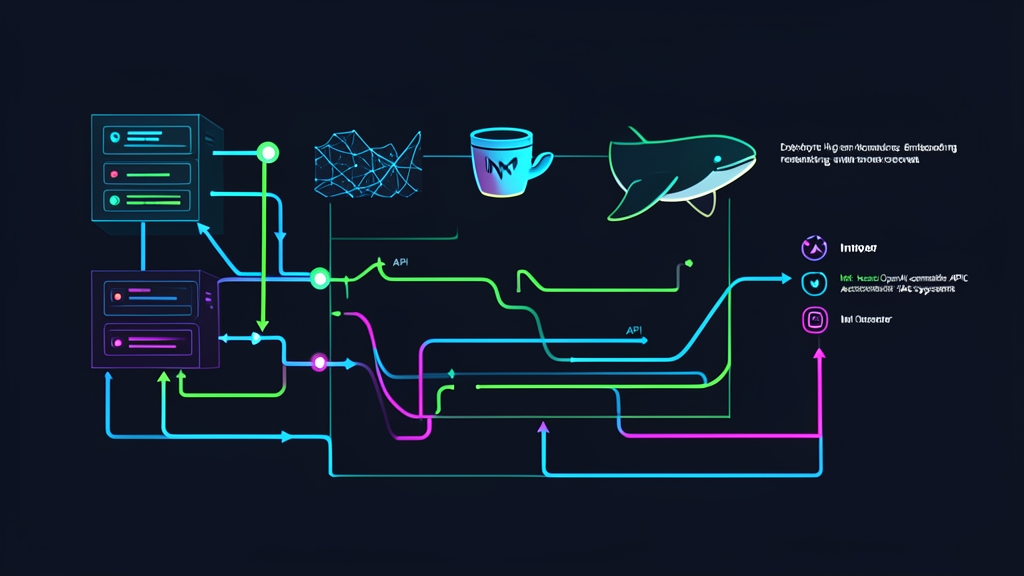
The Latency Bottleneck in Production RAG Pipelines
Retrieval latency is the silent killer of user experience in Retrieval-Augmented Generation (RAG) systems. Consider a standard query lifecycle: your backend sends text to a remote embedding API, queries a vector database, forwards top chunks to a cloud reranker, and prompts an LLM. Each hop incurs an internet round-trip. Before the LLM generates a single token, users wait anywhere from 1.5 to 3 seconds.
Third-party APIs create compounding bottlenecks. Running embeddings and rerankers through endpoints like OpenAI or Cohere introduces variable network jitter, strict rate limits, and per-token costs.
Reranking 50 documents per query across 100,000 daily searches can quickly add over $1,500 each month to your cloud bill. More importantly, piping internal documents and customer queries over the public internet exposes your data to third-party processors. Running inference locally eliminates these risks entirely.
That is where Infinity fits in. Infinity is a specialized inference engine built with Rust and Python for transformer encoders. It provides native dynamic batching, FP16 and INT8 quantization, and a drop-in OpenAI-compatible REST API for embeddings and cross-encoder rerankers.
Approach Comparison: Embedding & Reranking Strategies
Choosing the right inference engine depends directly on your traffic patterns and hardware footprint.
| Approach | Throughput & Latency | Infrastructure Overhead | OpenAI API Compatibility | Cross-Encoder Reranking |
|---|---|---|---|---|
| Cloud APIs (OpenAI, Cohere) | 180–450ms p95 latency; network-bound | None (fully managed) | Native standard | Requires separate Cohere, Voyage, or Jina endpoints |
| In-Process SentenceTransformers | Fast single-thread (~25ms), but saturates GIL under concurrent traffic | Shared application CPU and memory | None; requires custom wrappers | Manual batch loops; high CPU starvation risk |
| vLLM / TGI | High throughput, but demands 16GB–24GB+ VRAM | Heavy; designed for autoregressive decoder models | Partial | Poor or unsupported cross-encoder integration |
| Infinity Inference Server | 8–15ms p95 latency; 1,200+ sentences/sec on a single GPU | Low; runs on 4 vCPUs or a modest 8GB GPU | Full /v1/embeddings and /v1/rerank |
Native continuous batching for cross-encoders |
Evaluating Infinity for Self-Hosting
Bringing inference in-house offers massive speedups, but it shifts operational duties to your team.
The Advantages
- Sub-15ms Latency: Local containers communicate over Unix sockets or Docker bridge networks. You eliminate public internet handshakes entirely.
- Predictable Compute Costs: Hardware costs remain flat. You can embed 500 million tokens without triggering surge fees or tier upgrades.
- Zero Data Leakage: Sensitive data stays inside your private subnet or VPC. You satisfy strict SOC 2, HIPAA, and GDPR isolation rules effortlessly.
- Drop-in Integration: Swap your API endpoint in LangChain, LlamaIndex, or raw HTTP clients by changing just two lines of code: the base URL and API key.
- Multi-Model Collocation: Host a dense embedder like
BAAI/bge-small-en-v1.5and a reranker likeBAAI/bge-reranker-baseinside a single container under 4 GB of VRAM.
The Trade-offs
- GPU Capacity Planning: While Infinity runs on CPU via ONNX Runtime, high concurrency (50+ RPS) requires a GPU with at least 8 GB VRAM.
- Maintenance Overhead: You must monitor container health, track VRAM consumption, and handle restarts during server updates.
- Disk Storage: Embedding and reranking model checkpoints need 2 GB to 6 GB of fast NVMe storage for weights and tokenizers.
Recommended Architecture & Hardware Sizing
For an environment handling roughly 100 to 250 requests per second, target these minimum specs:
- GPU Deployment (Recommended): 1x NVIDIA GPU with 8 GB+ VRAM (RTX 3060, RTX 4060 Ti, or cloud T4/L4), 4 CPU cores, and 16 GB system memory.
- CPU Alternative: 8 vCPU cores (Intel Xeon Ice Lake or AMD EPYC with AVX-512 extensions) and 16 GB RAM using INT8 quantization.
- Host OS: Ubuntu 22.04 LTS or 24.04 LTS with Docker Engine and Docker Compose v2.
- Driver Stack: NVIDIA Driver 535+ and NVIDIA Container Toolkit.
- Model Pairing:
- Embedding:
BAAI/bge-small-en-v1.5(384 dimensions, ~133MB weights) for lightning-fast vector search. UseBAAI/bge-m3(1024 dimensions) if multilingual support is mandatory. - Reranker:
BAAI/bge-reranker-base(~1.1GB weights) ormixedbread-ai/mxbai-rerank-base-v1.
- Embedding:
Step-by-Step Deployment with Docker Compose
Step 1: Configure the NVIDIA Container Toolkit
Skip this step if you run strictly on CPU. For GPU acceleration, register the NVIDIA repository and set Docker’s default runtime:
# Add the NVIDIA Container Toolkit repository
curl -fsSL https://nvidia.github.io/libnvidia-container/gpgkey | sudo gpg --dearmor -o /usr/share/keyrings/nvidia-container-toolkit-keyring.gpg \
  && curl -s -L https://nvidia.github.io/libnvidia-container/stable/deb/nvidia-container-toolkit.list | \
    sed 's#deb https://#deb [signed-by=/usr/share/keyrings/nvidia-container-toolkit-keyring.gpg] https://#g' | \
    sudo tee /etc/apt/sources.list.d/nvidia-container-toolkit.list

sudo apt-get update
sudo apt-get install -y nvidia-container-toolkit
sudo nvidia-ctk runtime configure --runtime=docker
sudo systemctl restart docker
Step 2: Define the Docker Compose Stack
Create a working directory for Infinity and open a new compose configuration file:
mkdir -p ~/infinity-stack && cd ~/infinity-stack
nano docker-compose.yml
Paste the following service definition. It loads both the embedding and cross-encoder models into a shared engine using half-precision (FP16):
services:
  infinity:
    image: michaelf34/infinity:latest
    container_name: infinity-inference
    restart: unless-stopped
    ports:
      - "7997:7997"
    environment:
      - INFINITY_MODEL_ID=BAAI/bge-small-en-v1.5;BAAI/bge-reranker-base
      - INFINITY_BATCH_SIZE=64
      - INFINITY_API_KEY=sk-inf-local-secret-key-9923
      - INFINITY_DTYPE=float16
    volumes:
      - ./cache:/root/.cache/huggingface
    deploy:
      resources:
        reservations:
          devices:
            - driver: nvidia
              count: all
              capabilities: [gpu]
Running on CPU? Remove the entire deploy block. Then switch INFINITY_DTYPE to int8 or float32.
Step 3: Start the Service and Verify Health
Launch the container in the background and monitor the download progress:
docker compose up -d
docker compose logs -f infinity
On first run, Infinity pulls the model weights from Hugging Face into ./cache. After the weights compile and warm up, the logs confirm ready status:
INFO: Started server process on http://0.0.0.0:7997
INFO: Application startup complete. Ready for requests.
Step 4: Query the Local Endpoints
First, verify vector generation using the standard OpenAI payload structure:
curl http://localhost:7997/v1/embeddings \
  -H "Content-Type: application/json" \
  -H "Authorization: Bearer sk-inf-local-secret-key-9923" \
  -d '{
    "model": "BAAI/bge-small-en-v1.5",
    "input": ["Self-hosted embeddings drop network latency to near zero."]
  }'
Next, pass a batch of retrieved candidates to the reranker. The endpoint scores relevance and returns sorted indices:
curl http://localhost:7997/v1/rerank \
  -H "Content-Type: application/json" \
  -H "Authorization: Bearer sk-inf-local-secret-key-9923" \
  -d '{
    "model": "BAAI/bge-reranker-base",
    "query": "How do I reduce vector search response times?",
    "documents": [
      "Continuous dynamic batching inside Infinity optimizes GPU utilization.",
      "Cold brew coffee requires a sixteen hour steep at room temperature.",
      "HNSW indexes accelerate approximate nearest neighbor lookups."
    ],
    "top_n": 2
  }'
Step 5: Connect Your Python Application
Because Infinity follows OpenAI’s exact schema, the standard openai package works immediately. No custom adapter code is required.
from openai import OpenAI

# Direct your client to the local Infinity server
client = OpenAI(
    base_url="http://localhost:7997/v1",
    api_key="sk-inf-local-secret-key-9923"
)

def embed_documents(texts: list[str]) -> list[list[float]]:
    response = client.embeddings.create(
        model="BAAI/bge-small-en-v1.5",
        input=texts
    )
    return [record.embedding for record in response.data]

sample_chunks = [
    "Self-hosted inference cuts p95 retrieval time down to 12ms.",
    "Cross-encoders accurately filter out false-positive vector matches."
]

vectors = embed_documents(sample_chunks)
print(f"Created {len(vectors)} embeddings | Vector size: {len(vectors[0])} dimensions")
Running Infinity next to your database cuts retrieval times down to 10–15ms. You eliminate third-party API dependencies, protect sensitive data, and retain complete control over your RAG performance.