The Sprawl Problem in Growing Engineering Teams
Once an engineering organization scales past 50 engineers, microservice architectures tend to get messy. At our company, crossing the 80-microservice threshold triggered real operational friction.
Developers lost hours every sprint hunting down simple answers: Who owns the auth-billing service? Which Slack channel handles payment webhooks? Where are the gRPC contracts? Onboarding a new hire took two full weeks, mostly spent configuring local environments, requesting IAM permissions, and cloning scattered repositories.
DevOps engineers bore the brunt of this toil. Instead of improving infrastructure reliability, our platform team spent roughly 30% of their sprints acting as helpdesk dispatchers. They manually created GitHub repositories, wired up Terraform boilerplate, and copy-pasted Kubernetes deployment manifests across staging and production clusters. Meanwhile, documentation lived in three conflicting places: neglected Confluence spaces, outdated READMEs, and private Notion workspaces.
We needed a single pane of glass to reduce that cognitive drag. That is where Spotify Backstage proved valuable. Originally developed by Spotify in 2016 and donated to the CNCF in 2020, Backstage is an open-source framework designed to construct an Internal Developer Portal (IDP). It unifies service ownership, docs-as-code, and project scaffolding into a centralized hub.
Core Concepts of Spotify Backstage
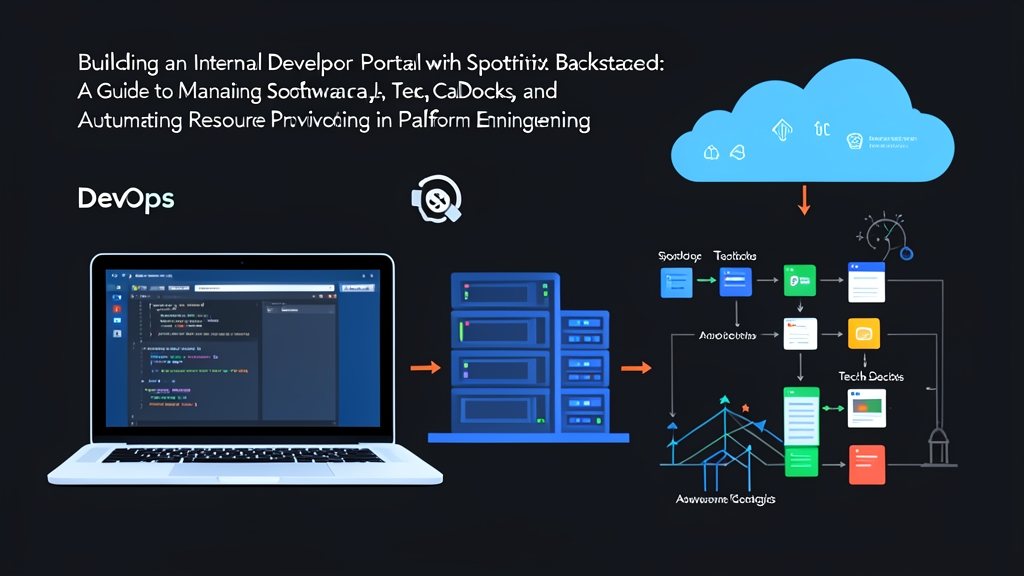
Backstage couples a React frontend with a Node.js backend running on Express. Rather than replacing your infrastructure tools, it integrates with them—tying into GitHub, GitLab, Kubernetes, SonarQube, and ArgoCD through modular plugins. Three foundational pillars drive the system:
- Software Catalog: A centralized inventory tracking services, libraries, databases, and pipelines. Ownership, system boundaries, and API relationships are declared right in source code using lightweight YAML files.
- TechDocs: Spotify’s docs-as-code solution. Engineers write Markdown directly alongside their source code under a
/docsdirectory. Backstage uses MkDocs to build and render searchable HTML pages within the portal UI. - Software Templates (The Scaffolder): An automation engine that turns architectural standards into self-service forms. Developers fill in a few inputs, and the engine generates a battle-tested repository with CI/CD pipelines, linters, and monitoring pre-configured.
Hands-on Practice: Deploying and Configuring Backstage
Step 1: Initialize Your Backstage Instance
Ensure you have Node.js (Active LTS version 18 or 20) and Yarn installed. Backstage relies on Yarn workspaces, so npm is not recommended for managing its monorepo structure. Run the official bootstrapper:
npx @backstage/create-app@latest --skip-install
cd my-developer-portal
yarn install
yarn dev
The frontend runs on http://localhost:3000, while the backend API serves requests on port 7007. For local development, Backstage uses an in-memory SQLite database, though production deployments typically connect to PostgreSQL 14+.
Step 2: Define Components in the Software Catalog
Every service exposes its metadata through code. Add a catalog-info.yaml file to the root of your service repository:
apiVersion: backstage.io/v1alpha1
kind: Component
metadata:
  name: payments-api
  description: Core payment orchestration service handling Stripe webhooks
  annotations:
    github.com/project-slug: itfromzero/payments-api
    backstage.io/techdocs-ref: dir:.
  tags:
    - payments
    - go
    - grpc
spec:
  type: service
  lifecycle: production
  owner: group:payment-platform-team
  system: core-finance
  providesApis:
    - payments-grpc-api
Register this entity inside your portal’s global configuration file (app-config.yaml):
catalog:
  locations:
    - type: url
      target: https://github.com/itfromzero/payments-api/blob/main/catalog-info.yaml
      rules:
        - allow: [Component, System, API]
Backstage regularly crawls this location, registers the entity, and maps out service dependency graphs across teams automatically.
Step 3: Enable TechDocs (Docs-as-Code)
Centralized wikis rot because they live far away from daily pull requests. TechDocs fixes this by keeping technical documentation right next to the code it describes. Place an mkdocs.yml file in your repository root:
site_name: Payments API Documentation
plugins:
  - techdocs-core
nav:
  - Overview: index.md
  - Architecture: architecture.md
  - Troubleshooting: troubleshooting.md
Draft your guides inside a docs/ directory with an index.md file:
# Payments API

Welcome to the developer documentation for the Payments service.

## Quick Start
Run local dependencies via Docker Compose:
```bash
docker-compose up -d redis postgres
go run cmd/server/main.go
```
When an engineer opens the component in Backstage, the platform detects the backstage.io/techdocs-ref annotation, runs the MkDocs compiler in a background container or build worker, and displays searchable documentation directly inside the portal.
Step 4: Automate Golden Path Scaffolding with Software Templates
Self-service templates are where Backstage delivers its quickest return on investment. Instead of waiting days for DevOps to review an infrastructure ticket, product developers complete a web form. The template engine validates the parameters, clones a skeleton repository, substitutes variables, creates the remote Git repository, and injects default CI/CD workflows.
Here is an operational template definition (template.yaml):
apiVersion: scaffolder.backstage.io/v1beta3
kind: Template
metadata:
  name: create-standard-microservice
  title: Standard Node.js Service
  description: Scaffolds a production-ready Node.js REST API with Docker and GitHub Actions
spec:
  owner: group:platform-core
  type: service
  parameters:
    - title: Service Details
      required:
        - component_id
        - description
        - owner
      properties:
        component_id:
          title: Service Name
          type: string
          description: Unique kebab-case name of the component
        description:
          title: Description
          type: string
        owner:
          title: Owner Team
          type: string
          ui:field: OwnerPicker
          ui:options:
            catalogFilter:
              kind: Group
    - title: Repository Settings
      required:
        - repoUrl
      properties:
        repoUrl:
          title: Repository Location
          type: string
          ui:field: RepoUrlPicker
          ui:options:
            allowedHosts:
              - github.com
  steps:
    - id: fetch-base
      name: Fetch Skeleton
      action: fetch:template
      input:
        url: ./skeleton
        values:
          component_id: ${{ parameters.component_id }}
          description: ${{ parameters.description }}
          owner: ${{ parameters.owner }}

    - id: publish-github
      name: Publish to GitHub
      action: publish:github
      input:
        allowedHosts: ['github.com']
        description: ${{ parameters.description }}
        repoUrl: ${{ parameters.repoUrl }}
        defaultBranch: main

    - id: register-catalog
      name: Register in Software Catalog
      action: catalog:register
      input:
        repoContentsUrl: ${{ steps['publish-github'].output.repoContentsUrl }}
        catalogInfoPath: '/catalog-info.yaml'
  output:
    links:
      - title: Open in GitHub
        url: ${{ steps['publish-github'].output.remoteUrl }}
      - title: View in Catalog
        icon: catalog
        entityRef: ${{ steps['register-catalog'].output.entityRef }}
Inside a companion skeleton/ directory, store boilerplate source code containing cookiecutter variables such as ${{ values.component_id }}. When invoked, Backstage processes these actions in sequence, initialises the GitHub repo, and immediately registers the new service into your Software Catalog.
In our production setup, this workflow cut service provisioning time from roughly 36 hours of cross-team coordination down to 8 minutes. Even better, it stopped configuration drift at the source: every new repo ships with health-check endpoints, Datadog tracing, and vulnerability scanners enabled by default.
Building a Sustainable Platform Mindset
Rolling out an Internal Developer Portal is an organizational shift, not just a software installation. Treat Backstage like an internal product with its own roadmap. Gather feedback from product teams, assign clear catalog ownership rules, and design golden paths that make the secure, compliant choice the easiest path forward.