Quick Start (5 Minutes)
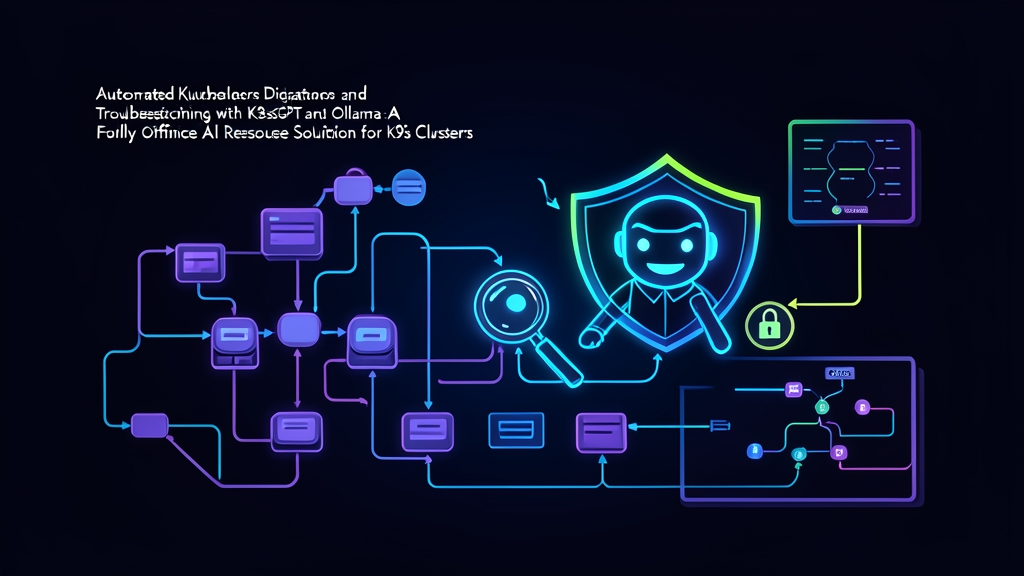
Debugging Kubernetes workloads often means digging through endless log streams, cryptic Events, and obscure exit codes. Doing that at 2 AM is miserable. Pairing K8sGPT with Ollama lets you run fast, automated triage right on your machine. You get clear diagnostic summaries without sending cluster secrets, manifests, or internal IPs to external cloud APIs.
Here is how to set up an offline diagnostic pipeline on your management workstation in five minutes.
1. Install Ollama and Pull a Lightweight Model
Start by grabbing Ollama and downloading a compact model. For cluster diagnostics, mistral (7B) or llama3.2 (3B) handles YAML structures and error traces well without eating up excessive memory:
# Install Ollama on Linux
curl -fsSL https://ollama.com/install.sh | sh

# Start the Ollama background daemon
ollama serve &

# Pull the Mistral 7B weights (~4.1 GB)
ollama pull mistral
Verify that Ollama responds on port 11434:
curl http://localhost:11434/api/version
# Expected output: {"version":"0.5.4"}
2. Install the K8sGPT CLI
Download the K8sGPT binary for your architecture:
# Fetch and install the Debian package for AMD64
curl -LO https://github.com/k8sgpt-ai/k8sgpt/releases/download/v0.3.40/k8sgpt_amd64.deb
sudo dpkg -i k8sgpt_amd64.deb

# Check the installed version
k8sgpt version
3. Connect K8sGPT to Your Local Ollama Engine
Ollama provides an OpenAI-compatible /v1 endpoint. Because you are querying a local daemon, K8sGPT does not need a real API key. Pass a placeholder string to satisfy the CLI parser:
k8sgpt auth add --backend localai --model mistral --baseurl http://localhost:11434/v1 --password dummy

# Set LocalAI as the active backend
k8sgpt auth default -b localai
4. Run Your First Diagnostic Scan
Point your kubectl context to a test cluster and execute an analysis:
k8sgpt analyze --explain --backend localai
K8sGPT inspects your active namespaces, finds broken objects, and passes sanitized error snippets to Ollama. Within 2 to 4 seconds, you receive plain-English root-cause explanations and specific kubectl fix commands.
Architecture: How K8sGPT Analyzes Clusters Locally
Knowing what happens during an analysis run keeps your setup reliable and helps you avoid data leaks.
The Filtered Analyzer Pipeline
K8sGPT never dumps raw cluster manifests into an LLM prompt. Pumping full object trees would quickly exceed token limits and drive up latency. Instead, specialized Go analyzers query the Kubernetes API directly for anomalies:
- PodAnalyzer: Flags CrashLoopBackOff states, image pull backoffs, failed liveness probes, and exit code 137 (OOMKilled) events.
- ServiceAnalyzer: Detects misconfigured endpoints where labels fail to match running pods.
- IngressAnalyzer: Catches missing TLS secrets, routing conflicts, and broken backend service references.
- PV/PVC Analyzers: Flags unbound PVCs, missing storage classes, and provisioner timeout errors.
These analyzers run targeted health checks against cluster objects. When a resource fails, the analyzer trims away noise. It keeps only the relevant error message, container exit code, and recent Events. Then it feeds that condensed payload into Ollama using a focused prompt template.
Why Offline LLM Inference Matters for Cluster Security
Finance, defense, and healthcare environments must follow strict data boundaries. Pushing live manifests or container logs to external SaaS models creates real security risks. Prompts can accidentally expose private endpoints, internal CIDR blocks, or unmasked database credentials stored in environment variables.
Running Ollama locally eliminates external data transfers. All prompt tokens remain inside your VPC or workstation boundary. Triage runs in under 3 seconds per issue, and your security team never has to worry about compliance violations.
Production Automation: In-Cluster Operator Setup
Ad-hoc CLI commands work well during triage calls. However, platform engineering teams running multiple clusters get more value from continuous background analysis.
Deploying Ollama with Persistent Storage
To avoid redownloading multi-gigabyte models whenever a pod restarts, attach a persistent volume to Ollama at /root/.ollama:
apiVersion: apps/v1
kind: Deployment
metadata:
  name: ollama
  namespace: k8sgpt-system
spec:
  replicas: 1
  selector:
    matchLabels:
      app: ollama
  template:
    metadata:
      labels:
        app: ollama
    spec:
      containers:
      - name: ollama
        image: ollama/ollama:latest
        ports:
        - containerPort: 11434
        resources:
          requests:
            memory: "4Gi"
            cpu: "2"
          limits:
            memory: "8Gi"
            cpu: "4"
        volumeMounts:
        - name: model-cache
          mountPath: /root/.ollama
      volumes:
      - name: model-cache
        persistentVolumeClaim:
          claimName: ollama-models-pvc
---
apiVersion: v1
kind: Service
metadata:
  name: ollama-service
  namespace: k8sgpt-system
spec:
  type: ClusterIP
  ports:
  - port: 11434
    targetPort: 11434
  selector:
    app: ollama
Pull your chosen model directly into the volume after the pod starts:
kubectl exec -it -n k8sgpt-system deploy/ollama -- ollama pull mistral
Deploying the K8sGPT Operator
Install the official operator via Helm into your monitoring namespace:
helm repo add k8sgpt https://charts.k8sgpt.ai/
helm repo update

helm install k8sgpt-operator k8sgpt/k8sgpt-operator \
  --namespace k8sgpt-system \
  --create-namespace
Configuring the In-Cluster Custom Resource
Create a secret with the placeholder password, then declare your K8sGPT resource pointing to the cluster-local Ollama service:
kubectl create secret generic k8sgpt-ollama-secret \
  --namespace k8sgpt-system \
  --from-literal=password=dummy
apiVersion: core.k8sgpt.ai/v1alpha1
kind: K8sGPT
metadata:
  name: k8sgpt-ollama
  namespace: k8sgpt-system
spec:
  ai:
    enabled: true
    model: mistral
    backend: localai
    baseUrl: http://ollama-service.k8sgpt-system.svc.cluster.local:11434/v1
    secret:
      name: k8sgpt-ollama-secret
      key: password
  noCache: false
  repository: ghcr.io/k8sgpt-ai/k8sgpt
  version: v0.3.40
Reviewing Results via Custom Resources
The operator scans your resources on a regular reconciliation loop and publishes findings as Result custom resources:
kubectl get results -n k8sgpt-system -o wide
To inspect why a pod failed, describe its corresponding result resource:
kubectl describe result default-payment-service-crashloop -n k8sgpt-system
The output shows the exact error message, like Back-off restarting failed container payment-api, followed by clear advice explaining that a missing secret key caused the crash.
Production Sizing and Operational Guidelines
1. Match Model Parameters to Available Compute
Never run a 70B parameter model on shared CPU nodes. Fast answers beat literary descriptions during an outage:
- Llama-3.2 (3B) or Phi-3 Mini (3.8B): Needs around 2.2 GB of RAM. Responses return in 1 to 3 seconds on standard 4-core CPU worker nodes without GPU passthrough.
- Mistral (7B) or Llama-3.1 (8B): Requires roughly 5.5 GB of VRAM. An Nvidia T4 (16 GB) or A10G delivers inference times under 800 ms with superior parsing of network policies and multi-container specs.
2. Narrow Scan Scope to Protect Cluster Resources
Running full scans across 50 namespaces strains both API servers and the inference engine. Limit your scans to critical namespaces and problematic resources:
# Scan only the production payment namespace
k8sgpt analyze --namespace payments --explain

# Filter exclusively for failing pods and services
k8sgpt analyze --filter Pod,Service --explain
3. Enable Client-Side Anonymization
Masking identifiers is good practice even when using an internal inference engine. K8sGPT can sanitize pod names, namespace labels, and numerical IDs before constructing prompts:
k8sgpt analyze --explain --anonymize
4. Route Alerts through Prometheus
The K8sGPT operator exports a Prometheus metric called k8sgpt_number_of_failures. Add an alert rule that triggers when this count exceeds zero for more than five minutes on tier-1 workloads. On-call engineers can check the pre-generated Result CRDs immediately instead of manually sifting through raw container logs.