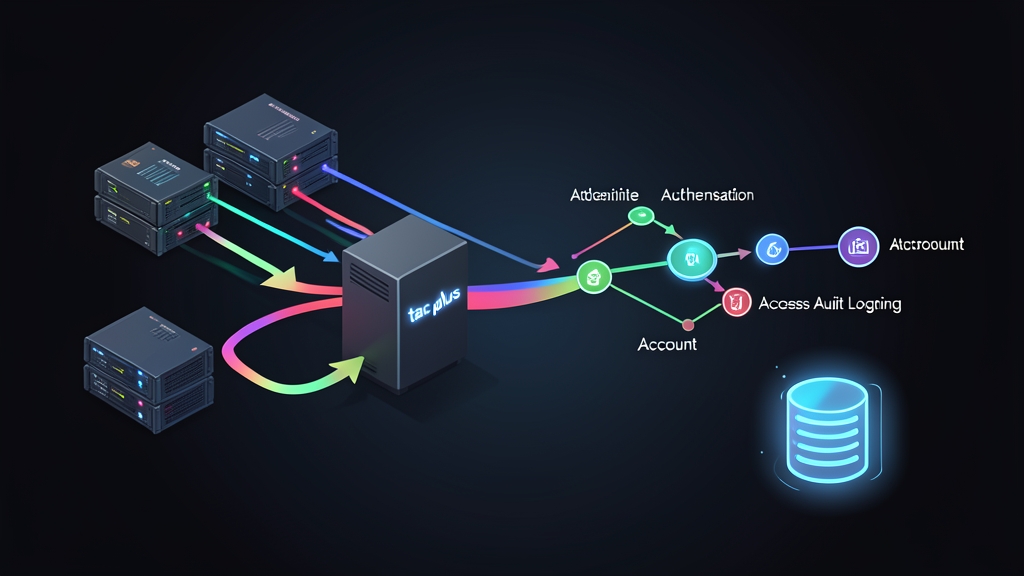
The Problem with Decentralized Network Management
Picture this scenario: you manage twenty enterprise access switches and five edge routers across two office sites. Every time an engineer joins or leaves the team, you have to log into all twenty-five appliances individually to create or revoke user accounts.
When someone mistakenly modifies an interface configuration or initiates an unexpected device reboot during business hours, tracking down who did it is painful. You are stuck digging through local console ring buffers before the 100-line history overwrites itself.
Storing local accounts directly on individual network appliances creates severe security blind spots:
- Credential drift: Stale accounts linger on secondary switches for months or years after an employee leaves.
- Blunt access tiers: Cisco IOS privilege levels (0, 1, and 15) lack nuance. Engineers often end up with full privilege 15 access just to run basic interface diagnostics.
- Zero auditability: If an unauthorized VLAN change drops core traffic, circular syslog buffers rarely capture the exact sequence of commands entered before the link died.
Centralized AAA changes that dynamic completely. It turns your network fleet into AAA clients that validate every session against a single identity authority.
Core Concepts: Why TACACS+ and tac_plus?
When securing network hardware, two protocols dominate: RADIUS and TACACS+ (Terminal Access Controller Access-Control System Plus). While both handle AAA, their internal architecture differs significantly.
TACACS+ vs. RADIUS
- Transport & Encryption: RADIUS relies on UDP (ports 1812/1813) and encrypts only the user password inside the payload. TACACS+ uses reliable TCP port 49 and encrypts the entire payload body, exposing only a minimalist 12-byte header on the wire.
- Separation of AAA: RADIUS bundles authentication and authorization together during initial access. TACACS+ separates authentication, authorization, and accounting into distinct transactions. This decoupling lets the server enforce authorization checks dynamically while an active session runs.
- Per-Command Authorization: When a junior operator types
reloadorconfigure terminal, the switch freezes execution for a few milliseconds. It sends an authorization query to the TACACS+ daemon, waits for a permit or deny response, and blocks unauthorized syntax on the spot.
Command-level filtering is a lifesaver in production. Junior staff get the read-only access they need for day-to-day troubleshooting, while dangerous config changes remain locked down.
Understanding the tac_plus Daemon
On Linux, tac_plus (originally built by Cisco and maintained by Shrubbery Networks) remains the standard open-source daemon. It parses an intuitive configuration file, checks local or PAM/LDAP credentials, applies regex-based authorization rules, and streams accounting logs to a clean text audit trail.
Hands-on Practice: Building the TACACS+ Server
Follow these steps to set up tac_plus on Ubuntu 22.04/24.04 or Debian 12, then link it to a Cisco IOS switch.
Step 1: Install tac_plus
Fetch the package from the official distro repository:
sudo apt update
sudo apt install -y tacacs+
The installer drops the main config file into /etc/tacacs+/tac_plus.conf and registers the service as tacacs_plus.
Step 2: Generate an Encrypted Password
Never store cleartext credentials in plain configuration files. Generate a salted MD5 or SHA-512 password hash via OpenSSL:
openssl passwd -1 "JuniorSecretPass123"OpenSSL outputs an MD5 crypt string like $1$v3rY$s0m3h4sh3dv4lu3h3r3. Copy that hash for your user block.
Step 3: Define the Server Configuration
Open /etc/tacacs+/tac_plus.conf in your preferred editor:
sudo nano /etc/tacacs+/tac_plus.confReplace the boiler-plate template with this production configuration. It establishes two distinct privilege tiers: netadmin (full privileges) and operator (limited to ping, traceroute, and show):
# Global encryption key shared between Linux and network devices
key = "SuperSecretTacacsKey2026"

# Accounting log destination
accounting file = /var/log/tac_plus.acct

# Group: Senior Administrators (Full access)
group = netadmin {
    default service = permit
    service = exec {
        priv-lvl = 15
    }
}

# Group: Junior Operators (Read-only / limited diagnostics)
group = operator {
    default service = deny
    service = exec {
        priv-lvl = 1
    }
    # Allow safe read-only and diagnostic commands
    cmd = show {
        permit .*
    }
    cmd = ping {
        permit .*
    }
    cmd = traceroute {
        permit .*
    }
    cmd = exit {
        permit .*
    }
    # Explicitly block configuration and system operations
    cmd = reload {
        deny .*
    }
    cmd = configure {
        deny .*
    }
}

# User Accounts
user = alex {
    member = netadmin
    login = des $1$v3rY$adminHashExampleString123
}

user = sam {
    member = operator
    login = des $1$v3rY$s0m3h4sh3dv4lu3h3r3
}
Step 4: Verify Syntax and Start the Service
Catch typos before running the daemon in production:
sudo tac_plus -P /etc/tacacs+/tac_plus.confIf the command exits silently without syntax errors, start and enable the systemd unit:
sudo systemctl restart tacacs_plus
sudo systemctl enable tacacs_plus
sudo systemctl status tacacs_plus
If your host runs UFW, permit inbound TCP port 49 traffic strictly from your management subnet (for example, 10.10.0.0/24):
sudo ufw allow from 10.10.0.0/24 to any port 49 proto tcp
sudo ufw reload
Step 5: Configure the Network Switch / Router (Cisco IOS)
Connect to your Cisco switch or router and jump into configuration mode. We will assume the Linux server IP is 10.10.0.50:
Switch# configure terminal

! Define the TACACS+ server endpoint
tacacs server TACACS-LINUX
 address ipv4 10.10.0.50
 key SuperSecretTacacsKey2026
 timeout 5
exit

! Assign the server to a server group
aaa group server tacacs+ TAC-GROUP
 server name TACACS-LINUX
exit

! Enable AAA subsystem
aaa new-model

! Authentication: Fallback to local database if TACACS+ goes down
aaa authentication login default group TAC-GROUP local
aaa authentication enable default group TAC-GROUP enable

! Authorization: Validate shell exec and privilege 1 and 15 commands
aaa authorization exec default group TAC-GROUP local
aaa authorization commands 1 default group TAC-GROUP local
aaa authorization commands 15 default group TAC-GROUP local

! Accounting: Capture session connect/disconnect and every executed command
aaa accounting exec default start-stop group TAC-GROUP
aaa accounting commands 1 default start-stop group TAC-GROUP
aaa accounting commands 15 default start-stop group TAC-GROUP

! Emergency local backdoor in case the server is unreachable
username emergency privilege 15 secret BackupLocalPassword!@#
end
write memory
Step 6: Test Permissions and Review Accounting Logs
Keep your current admin session open so you do not accidentally lock yourself out. Next, open a separate terminal and SSH into the switch using the restricted operator account:
ssh [email protected]Test your permission boundaries from the switch prompt:
Switch> show ip interface brief    # <-- Succeeds
Switch> ping 8.8.8.8                # <-- Succeeds
Switch> configure terminal          # <-- Fails: % Command authorization failed
Switch> reload                      # <-- Fails: % Command authorization failed
Head back to the Linux server and tail the accounting file:
sudo tail -f /var/log/tac_plus.acctWhenever an engineer executes a command, tac_plus appends a tab-delimited audit record:
Mon Oct 20 10:14:22 2026 10.10.0.1 sam tty2 10.10.0.100 stop task_id=42 cmd=show ip interface brief <cr>Each entry shows the exact timestamp, switch IP (10.10.0.1), username (sam), client terminal (tty2), workstation IP (10.10.0.100), and the exact CLI string passed.
Conclusion
Centralized AAA eliminates credential chaos. With tac_plus, you can onboard new engineers in seconds, enforce least privilege, and maintain a tamper-resistant command audit trail across your entire topology. From here, you can integrate PAM to back authentication against Active Directory or FreeIPA, or deploy a secondary standby daemon to keep authentication resilient during network maintenance.