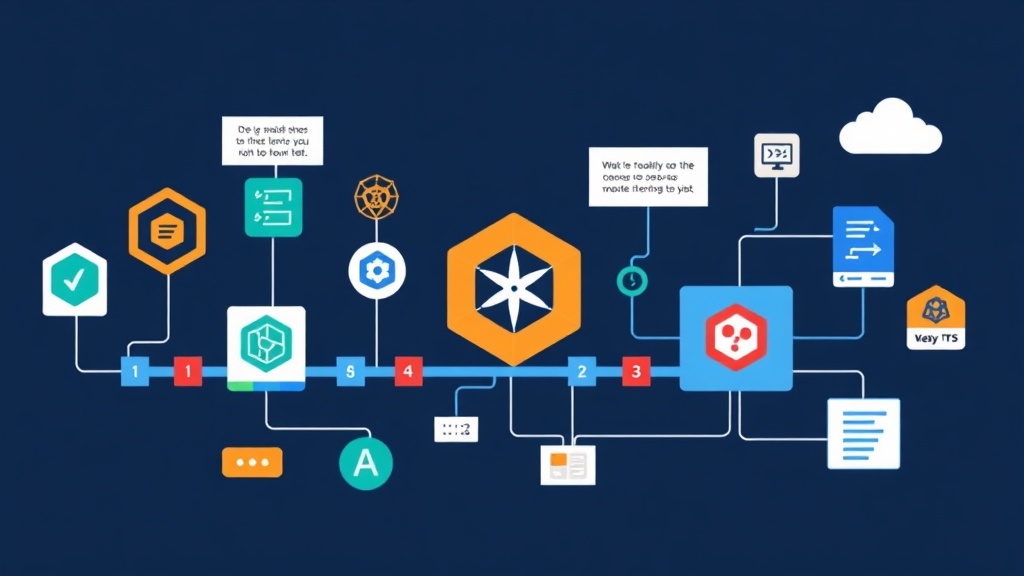
The Shift Toward Kubernetes-Native Pipelines
Managing CI/CD often feels like paying a “shadow infrastructure” tax. I’ve spent far too many weekends patching standalone Jenkins nodes or debugging external runners that couldn’t see my cluster’s internal services. The friction is real: your application lives in Kubernetes, but the engine building it is a stranger looking in from the outside. This mismatch creates authentication hurdles, networking lag, and expensive resource idling.
Traditional CI/CD tools treat Kubernetes as a dumb deployment target. They don’t “speak” the same language. When your traffic spikes and you scale to 50 nodes, a static runner often becomes a massive bottleneck. You end up managing two different worlds with two different scaling logics.
Tekton fixes this by making the pipeline part of the cluster itself. It isn’t just an integration; it’s a collection of Custom Resource Definitions (CRDs). In my experience, moving to Tekton reduced our configuration overhead by roughly 40% because we stopped managing separate runner VMs. Every build step is a container. Every pipeline is a native object. It’s a cleaner stack that uses the same YAML patterns you already use for your apps.
Deploying the Tekton Engine
Tekton is modular. You don’t have to install a massive, bloated suite. You only grab the components your workflow actually requires.
1. Installing Tekton Pipelines
Start with the core pipeline component. This sets up the controller that watches for your build instructions and executes them as Pods.
kubectl apply --filename https://storage.googleapis.com/tekton-releases/pipeline/latest/release.yamlCheck the status to ensure the controller is ready:
kubectl get pods -n tekton-pipelines2. Adding Tekton Triggers
If you want your cluster to react when someone pushes code to GitHub, you need the Triggers component.
kubectl apply --filename https://storage.googleapis.com/tekton-releases/triggers/latest/release.yaml
kubectl apply --filename https://storage.googleapis.com/tekton-releases/triggers/latest/interceptors.yaml
3. Mastering the CLI (tkn)
You can use kubectl, but it’s like eating soup with a fork. The tkn CLI is built specifically for this workflow. It handles log streaming across multiple containers much better than standard tools.
curl -LO https://github.com/tektoncd/cli/releases/download/v0.32.0/tkn_0.32.0_Linux_x86_64.tar.gz
tar xvzf tkn_0.32.0_Linux_x86_64.tar.gz -C /usr/local/bin tkn
Building Blocks: Tasks and Pipelines
Tekton works like LEGO. A Task is your smallest brick—a sequence of steps running in one Pod. A Pipeline is the blueprint that snaps them together in order.
Defining a Build Task
Let’s look at a task that clones a repo and audits the files. Each step here runs as a container in the same Pod. This is efficient because they share a local filesystem by default.
apiVersion: tekton.dev/v1beta1
kind: Task
metadata:
  name: source-check
spec:
  steps:
    - name: list-files
      image: alpine
      script: |
        #!/bin/sh
        ls -R $(workspaces.source.path)
The workspaces field is the bridge. It connects your steps to a Persistent Volume so that your clone step can hand off data to your build or test steps without data loss.
Wiring the Pipeline
The Pipeline dictates the flow. You can run tasks in parallel or set strict dependencies.
apiVersion: tekton.dev/v1beta1
kind: Pipeline
metadata:
  name: simple-deploy-pipeline
spec:
  workspaces:
    - name: shared-data
  tasks:
    - name: fetch-source
      taskRef:
        name: git-clone
      params:
        - name: url
          value: $(params.repo-url)
      workspaces:
        - name: output
          workspace: shared-data
    - name: verify-source
      runAfter: ["fetch-source"]
      taskRef:
        name: source-check
      workspaces:
        - name: source
          workspace: shared-data
Automating with Triggers
Running pipelines manually is fine for debugging, but automation is the goal. Tekton Triggers use a three-part system: TriggerBinding to grab the webhook data, TriggerTemplate to define the run, and EventListener to catch the traffic.
The TriggerTemplate
Think of this as a reusable template for a build. When a webhook lands, Tekton injects the commit ID and repo URL into this blueprint.
apiVersion: triggers.tekton.dev/v1beta1
kind: TriggerTemplate
metadata:
  name: app-trigger-template
spec:
  params:
    - name: git-repo-url
    - name: git-revision
  resourcetemplates:
    - apiVersion: tekton.dev/v1beta1
      kind: PipelineRun
      metadata:
        generateName: app-run-
      spec:
        pipelineRef:
          name: simple-deploy-pipeline
        params:
          - name: repo-url
            value: $(tt.params.git-repo-url)
        workspaces:
          - name: shared-data
            volumeClaimTemplate:
              spec:
                accessModes: ["ReadWriteOnce"]
                resources:
                  requests:
                    storage: 1Gi
While 1Gi is standard for small microservices, I usually bump this to 50Gi for massive monorepos to avoid disk pressure during heavy builds.
Visibility and Monitoring
How do you know it’s working? This is where tkn proves its worth. You don’t have to hunt for ephemeral Pod names just to see why a build failed.
Streaming Logs
Check your latest runs with one command:
tkn pipelinerun listTo watch a build live, use the logs command. It automatically follows the execution through every container and step:
tkn pipelinerun logs <name> -fThe Dashboard GUI
If you prefer a visual graph of your tasks, the Tekton Dashboard is excellent for debugging complex triggers.
kubectl apply --filename https://storage.googleapis.com/tekton-releases/dashboard/latest/tekton-dashboard-release.yaml
kubectl port-forward svc/tekton-dashboard 9097:9097 -n tekton-pipelines
Point your browser to localhost:9097. It gives you a clean history of every build and real-time container logs. It’s the fastest way to spot why a TriggerBinding might be failing to pass a specific GitHub secret.
Building CI/CD this way feels native because it is. You aren’t fighting the platform; you’re using it. When a build finishes, the Pods vanish. Your cluster stays lean. Your resources stay focused on your users, not on idle build runners.