
The Single-Node Bottleneck: When Vertical Scaling Hits the Ceiling
Last year, our team watched our primary PostgreSQL instance buckle under sustained write traffic. Our event tracking table crossed 820 million rows, disk I/O hovered around 95%, and memory pressure tanked buffer cache hit rates below 80%.
We started with the usual emergency playbook: we bumped the AWS RDS instance from db.r6g.4xlarge (16 vCPUs, 128 GB RAM) to db.r6g.16xlarge (64 vCPUs, 512 GB RAM), and tuned WAL buffers up to 64 MB. But vertical scaling merely kicks the can down the road. Hardware upgrades hit diminishing returns fast: you face physical CPU socket saturation, four-figure monthly cloud bills, and autovacuum cycles that hold maintenance locks for 6 to 8 hours on multi-terabyte tables.
Building manual sharding at the application layer was tempting at first. However, scattering connection pools across microservices and re-implementing 2-phase commits in application code creates a maintenance nightmare. We needed an architecture that keeps native PostgreSQL semantics—complex joins, composite indexes, transactions, and foreign keys—while spreading writes and queries horizontally across commodity hardware.
Core Concepts: How Citus Shards PostgreSQL Transparently
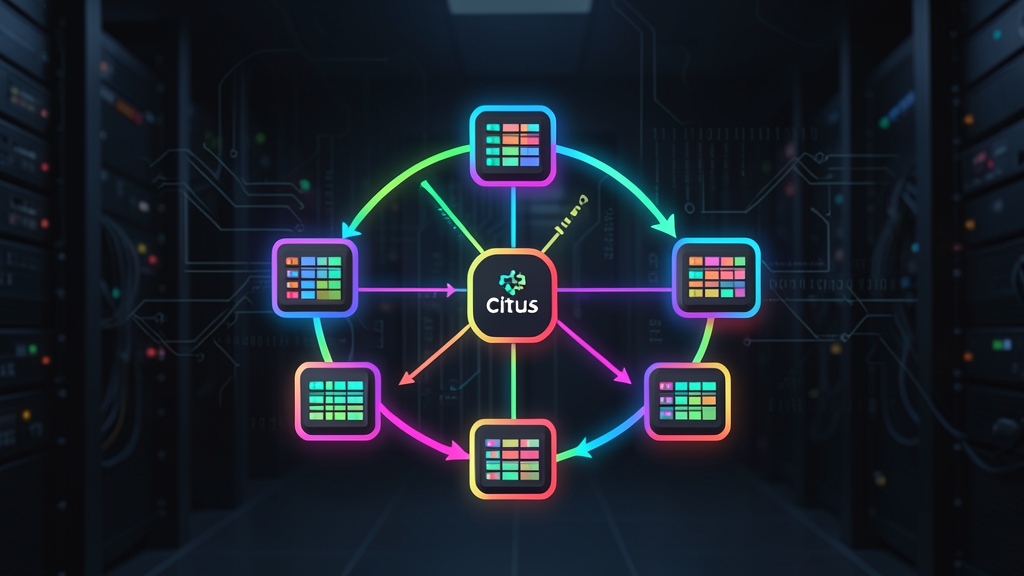
Citus is an open-source extension that turns standard PostgreSQL into a distributed database engine. Instead of forcing you to build manual routing logic, Citus groups multiple independent PostgreSQL instances into a coordinated cluster.
Cluster Architecture: Coordinator vs. Worker Nodes
A Citus cluster divides responsibilities across two roles:
- Coordinator Node: Serves as the single client gateway. It stores cluster metadata in system catalogs, parses queries, builds distributed execution plans, delegates subqueries to workers, and stitches results back together. Applications connect directly to this node using standard PostgreSQL drivers (like
pgx,psycopg2, or JDBC) with zero custom protocol tweaks. - Worker Nodes: Hold physical shards and crunch queries in parallel. Each worker runs a native PostgreSQL engine alongside Citus, utilizing dedicated CPU cores, RAM, and NVMe disks to execute subqueries concurrently.
Table Topologies in Citus
Tables in Citus fall into three distinct categories:
- Distributed Tables: Sliced into shards based on a distribution column (shard key). Citus places these shards across workers using consistent hashing across 32 or 64 logical partitions.
- Reference Tables: Mirrored completely across all worker nodes. These shine for small lookup dictionaries (under 50,000 rows—such as subscription tiers, countries, or permission roles) that frequently join against distributed event tables.
- Local Tables: Ordinary PostgreSQL tables residing strictly on the coordinator. They work well for admin schemas, metadata, or migration audit tables.
Hands-on Practice: Building a Multi-Node Cluster and Sharding Data
Let’s build a functional 3-node Citus cluster on Docker, partition an event stream table, and measure how query routing works.
Step 1: Spin Up the Cluster Using Docker Compose
We’ll spin up one coordinator and two worker nodes using the official Citus Docker images on a shared bridge network.
# Create a project directory and compose manifest
mkdir citus-cluster && cd citus-cluster
cat << 'EOF' > docker-compose.yml
services:
  coordinator:
    image: citusdata/citus:12.1
    container_name: citus_coordinator
    environment:
      POSTGRES_USER: postgres
      POSTGRES_PASSWORD: secretpassword
      POSTGRES_DB: analytics
    ports:
      - "5432:5432"

  worker1:
    image: citusdata/citus:12.1
    container_name: citus_worker_1
    environment:
      POSTGRES_USER: postgres
      POSTGRES_PASSWORD: secretpassword
      POSTGRES_DB: analytics

  worker2:
    image: citusdata/citus:12.1
    container_name: citus_worker_2
    environment:
      POSTGRES_USER: postgres
      POSTGRES_PASSWORD: secretpassword
      POSTGRES_DB: analytics
EOF

docker compose up -d
Step 2: Register Worker Nodes with the Coordinator
Next, jump into the coordinator container via psql and link the two worker instances:
docker exec -it citus_coordinator psql -U postgres -d analytics
-- Verify the Citus extension is loaded
CREATE EXTENSION IF NOT EXISTS citus;

-- Register worker nodes using their container DNS names
SELECT citus_add_node('worker1', 5432);
SELECT citus_add_node('worker2', 5432);

-- Check node health and cluster status
SELECT nodename, nodeport, isactive, nodecluster FROM pg_dist_node;
Step 3: Define Schemas and Distribute Tables
Picking your distribution column is the single most critical architectural choice. In multi-tenant systems, choosing tenant_id or company_id keeps 95% of tenant queries localized to a single shard, bypassing costly inter-node network hops.
-- Create a reference table for account tiers
CREATE TABLE account_tiers (
    tier_id INT PRIMARY KEY,
    tier_name VARCHAR(50) NOT NULL,
    rate_limit INT NOT NULL
);

-- Replicate the reference table across all worker nodes
SELECT create_reference_table('account_tiers');

-- Populate reference tiers
INSERT INTO account_tiers VALUES
(1, 'Free', 1000),
(2, 'Pro', 10000),
(3, 'Enterprise', 100000);

-- Create the partitioned events table
CREATE TABLE tenant_events (
    event_id BIGSERIAL,
    tenant_id INT NOT NULL,
    event_type VARCHAR(100) NOT NULL,
    payload JSONB DEFAULT '{}'::jsonb,
    created_at TIMESTAMPTZ DEFAULT NOW(),
    PRIMARY KEY (tenant_id, event_id)
);

-- Shard tenant_events across workers using tenant_id as the hash key
SELECT create_distributed_table('tenant_events', 'tenant_id');
Pay close attention to the primary key on tenant_events: it combines both tenant_id and event_id. Citus enforces this rule deliberately. Because each worker validates constraints locally within its assigned shard, compound keys guarantee uniqueness without forcing cross-node consensus checks on every write.
Step 4: Loading and Seeding Data
If you’re converting raw CSV files into JSON payloads for testing, lightweight browser-based utilities like toolcraft.app/en/tools/data/csv-to-json keep sensitive data off remote third-party servers. With your target schema established, bulk-insert synthetic test records directly via the coordinator:
-- Generate 500,000 synthetic records distributed across 50 tenants
INSERT INTO tenant_events (tenant_id, event_type, payload, created_at)
SELECT
    (g % 50) + 1 AS tenant_id,
    CASE (g % 3)
        WHEN 0 THEN 'page_view'
        WHEN 1 THEN 'item_purchased'
        ELSE 'session_start'
    END AS event_type,
    json_build_object('metric_val', (random() * 100)::int, 'source', 'web')::jsonb,
    NOW() - (random() * interval '30 days')
FROM generate_series(1, 500000) AS g;
Step 5: Inspecting Shard Placement and Routing
Let’s verify how Citus distributed the 500,000 rows across physical tables on worker1 and worker2:
-- Inspect generated shards and their host nodes
SELECT
    logicalrelid::regclass AS table_name,
    shardid,
    nodename,
    nodeport
FROM pg_dist_placement
JOIN pg_dist_node USING (groupid)
ORDER BY shardid
LIMIT 10;
By default, Citus creates 32 logical shards. It splits them evenly across available workers (16 shards per worker in our 2-node cluster), giving each node its own independent table partitions and index structures.
Step 6: Executing and Optimizing Distributed Queries
Under the hood, Citus plans queries through two paths: single-shard routing and distributed map-reduce parallel execution.
-- Mode 1: Targeted point query (Single-shard routing)
EXPLAIN ANALYZE
SELECT count(*)
FROM tenant_events
WHERE tenant_id = 12;
Look for Custom Scan (Citus Adaptive) in the query output. Because tenant_id = 12 evaluates to a specific hash bucket, the coordinator routes the query straight to the owning worker. Response times typically sit under 3 ms because zero cross-node chatter occurs.
-- Mode 2: Multi-shard aggregation joined with a reference table
EXPLAIN ANALYZE
SELECT
    t.tier_name,
    e.event_type,
    count(*)
FROM tenant_events e
JOIN account_tiers t ON ((e.tenant_id % 3) + 1) = t.tier_id
WHERE e.created_at >= NOW() - interval '7 days'
GROUP BY t.tier_name, e.event_type
ORDER BY count(*) DESC;
Here, the coordinator dispatches parallel subqueries to all workers at once. Since a full copy of account_tiers lives on every node, each worker runs the join locally against its local shards before shipping compact partial counts back to the coordinator for final aggregation.
Key Takeaways for Operating Citus in Production
Scaling PostgreSQL with Citus sidesteps single-node hardware walls without throwing away familiar tooling like psql, standard migrations, or PG index types. Keep three rules in mind before rolling into staging.
First, pick a distribution key shared by your most performance-sensitive joins; co-locating data avoids disastrous cross-network shuffles. Second, use reference tables liberally for low-cardinality dimension tables. Finally, make EXPLAIN ANALYZE a standard step in your code reviews to catch distributed subplans before they hit production traffic.