
When Pandas Starts Costing You Sleep
Last year, I was handed a pipeline that parsed 15 GB of event logs every night. The script ran fine for months — until the data volume doubled. Suddenly we were OOM-killing on a 32 GB machine, restarts at 2 AM, and the classic band-aid of chunked read_csv calls that turned a 20-minute job into a 90-minute mess.
Pandas is brilliant for exploratory work and small-to-medium datasets, but it was never designed for this. It loads everything eagerly into memory, copies data between operations, and uses a single CPU core by default. That design made sense in 2008. It does not make sense when you’re dealing with hundreds of millions of rows.
Polars changed how I think about data processing entirely. After migrating that pipeline, peak memory dropped by 70%, runtime went from 90 minutes to under 8, and I haven’t had a 2 AM alert since. This isn’t magic — it’s a different execution model, and once you understand it, you’ll reach for Polars first on any task beyond toy datasets.
The Core Ideas That Make Polars Different
Lazy Execution and Query Planning
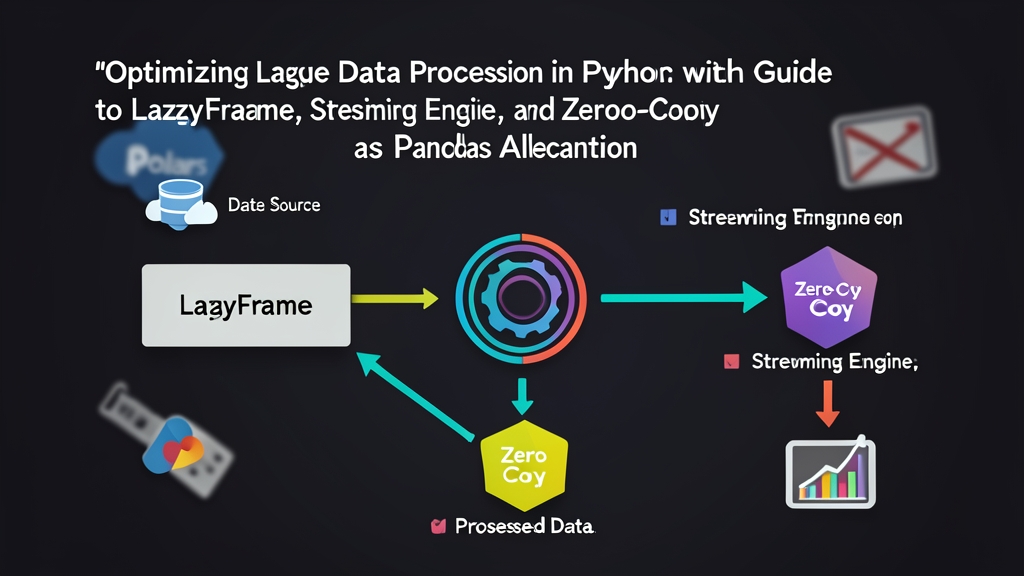
When you write a Polars LazyFrame, nothing actually runs. You’re building a query plan — a description of what you want. Polars collects the whole plan, optimizes it (predicate pushdown, projection pushdown, CSE elimination), and only executes when you call .collect().
Compare this to Pandas, where every chained method materializes a full intermediate DataFrame. With Polars LazyFrame, if you filter to 5% of rows early in the plan, every subsequent step works on 5% of the data — not 100%.
Streaming Engine for Out-of-Core Processing
The streaming engine is what makes truly large files tractable. Instead of loading a dataset into memory at once, Polars processes it in chunks internally — but unlike Pandas chunking, you don’t write the chunking logic. Just add streaming=True to .collect() and Polars handles the rest. The query plan is preserved; Polars figures out how to split work across chunks.
Zero-Copy and Apache Arrow Under the Hood
Polars is built on Apache Arrow as its memory format. Arrow is a columnar, zero-copy data format. When you slice a column or pass data between Arrow-native libraries — DuckDB, PyArrow, Pandas 2.x with dtype_backend="pyarrow" — no data is copied. You hand over a pointer, not a clone.
Sounds abstract until you trace it in a profiler. I first noticed the difference composing a DuckDB→Polars→scikit-learn pipeline: zero bytes copied across those handoffs. That’s the biggest silent cost in multi-library workflows, and Arrow eliminates it entirely.
SIMD and Multi-Core by Default
Polars is written in Rust and uses Rayon for thread-based parallelism. Aggregations, joins, and transformations automatically fan out across all available CPU cores. You don’t opt in — you opt out if you need to.
Hands-On: Rebuilding a Real Pipeline
Installation
pip install polars pyarrowLazyFrame Basics
Start by scanning a large CSV without loading it:
import polars as pl

# scan_csv reads only the schema — no data loaded yet
lf = pl.scan_csv("events.csv")

# Build the query plan
result = (
    lf
    .filter(pl.col("status") == "error")
    .filter(pl.col("response_ms") > 500)
    .select(["timestamp", "endpoint", "user_id", "response_ms"])
    .group_by("endpoint")
    .agg(
        pl.col("user_id").count().alias("error_count"),
        pl.mean("response_ms").alias("avg_response_ms"),
        pl.max("response_ms").alias("p100_response_ms"),
    )
    .sort("error_count", descending=True)
)

# Nothing has run yet. Execute now:
df = result.collect()
print(df.head(10))
The filter calls push down to the scan level — Polars skips non-matching rows before they ever touch memory. The select ensures only 4 columns are read from disk rather than the full file. That’s predicate and projection pushdown working for free.
Streaming Engine for Files That Don’t Fit in RAM
Got a 50 GB Parquet file on a 16 GB machine? Streaming mode handles it:
import polars as pl

lf = pl.scan_parquet("huge_dataset/*.parquet")  # glob works too

daily_summary = (
    lf
    .filter(pl.col("event_type").is_in(["purchase", "refund"]))
    .with_columns(
        pl.col("created_at").str.to_datetime().dt.date().alias("date")
    )
    .group_by(["date", "event_type"])
    .agg(
        pl.sum("amount").alias("total_amount"),
        pl.len().alias("event_count"),
    )
)

# streaming=True: Polars processes in chunks, keeps memory flat
df = daily_summary.collect(streaming=True)
df.write_parquet("daily_summary.parquet")
One constraint worth knowing: not all operations are streamable yet. Some complex joins require a full materialization pass. Polars falls back to in-memory for those steps and emits a warning. Run pl.Config.set_verbose(True) during development to see exactly where streaming kicks in.
Zero-Copy Handoff to Other Tools
Cross-library handoffs are where Arrow earns its keep. Here’s the pattern for libraries that share the Arrow format:
import polars as pl
import pyarrow as pa
import pandas as pd

# Polars → PyArrow: zero copy
polars_df = pl.read_parquet("data.parquet")
arrow_table = polars_df.to_arrow()  # no data copied

# PyArrow → Polars: zero copy
polars_back = pl.from_arrow(arrow_table)

# Polars → Pandas (with Arrow backend, Pandas 2.x+): minimal copy
pandas_df = polars_df.to_pandas(use_pyarrow_extension_array=True)

# If you must go through numpy (older Pandas): one copy happens here
pandas_legacy = polars_df.to_pandas()  # numpy copy, unavoidable
When I need to hand off to a library that only understands Pandas (some sklearn estimators, matplotlib), I keep the Polars pipeline until the last possible moment and convert just the slice I need:
# Don't convert the full 10M-row dataset
# Convert only the aggregated result (maybe 1000 rows)
small_result = (
    pl.scan_csv("10M_rows.csv")
    .filter(pl.col("region") == "JP")
    .group_by("product_id")
    .agg(pl.sum("revenue"))
    .collect()
)

# Now convert the small result to Pandas for plotting
small_result.to_pandas().plot.bar(x="product_id", y="revenue")
Expression API: Writing Reusable Transformations
Polars expressions are first-class Python objects — something Pandas never quite managed cleanly. You build transformation logic as reusable variables:
import polars as pl

# Define reusable expressions
revenue_per_visit = (pl.col("revenue") / pl.col("visits")).alias("revenue_per_visit")
bounce_rate = (pl.col("single_page_sessions") / pl.col("sessions")).alias("bounce_rate")
high_value = pl.col("revenue_per_visit") > 50

# Apply them anywhere
df = (
    pl.scan_csv("analytics.csv")
    .with_columns([revenue_per_visit, bounce_rate])
    .filter(high_value)
    .collect()
)
These are plain Expr objects. Store them in a list, loop over them, pass them between functions — no monkey-patching DataFrames, no string column references scattered across your codebase.
Benchmarking Against Pandas
Head-to-head on a 5M-row CSV:
import time
import polars as pl
import pandas as pd

# Pandas
start = time.perf_counter()
df_pd = pd.read_csv("5M_rows.csv")
result_pd = (
    df_pd[df_pd["status"] == "active"]
    .groupby("region")["revenue"]
    .agg(["sum", "mean", "count"])
)
print(f"Pandas: {time.perf_counter() - start:.2f}s")

# Polars
start = time.perf_counter()
result_pl = (
    pl.scan_csv("5M_rows.csv")
    .filter(pl.col("status") == "active")
    .group_by("region")
    .agg([
        pl.sum("revenue"),
        pl.mean("revenue"),
        pl.len(),
    ])
    .collect()
)
print(f"Polars: {time.perf_counter() - start:.2f}s")
On my machine (8-core, 16 GB RAM), Pandas takes ~4.2s, Polars takes ~0.7s — a 6× speedup on a dataset that still fits comfortably in RAM. Push to 50M rows and the spread gets uglier: Pandas struggles past 2 minutes; Polars typically stays under 5 seconds.
When to Keep Pandas (and When to Switch)
Polars isn’t a drop-in replacement for every Pandas use case. The tradeoffs worth knowing:
- Keep Pandas for: ML library integration (scikit-learn, statsmodels), financial libraries like QuantLib, quick interactive EDA in Jupyter where you’re doing a lot of ad-hoc index-based operations.
- Switch to Polars for: ETL pipelines, log processing, any file over ~1 GB, production data transformations, pipelines you’re refactoring for performance, anything that runs on a schedule.
- The best of both: Use Polars for heavy lifting, convert with
to_pandas()at the last step for ML/visualization. The Arrow-backed conversion is fast enough that this hybrid approach works well in practice.
What Changed After the Migration
Going back to that overnight pipeline: the rewrite took about two days, mostly spent learning the Polars expression API and debugging a few streaming edge cases. The payoff was immediate — peak memory from 28 GB down to 8 GB, runtime from 90 minutes to 7 minutes, zero OOM crashes in the months since.
The mental shift that matters most is accepting lazy evaluation as the default rather than the exception. Write your full transformation, let Polars plan it, then collect. That discipline — building the whole query before executing any of it — is what enables the optimizer to do its job. Once that clicks, the API stops fighting you.
If you’re running any Python data pipeline in production today and haven’t looked at Polars, it’s worth an afternoon. Start with one slow script, rewrite it with scan_csv and LazyFrame, and measure. The numbers will make the case for you.