The Problem: The Hidden Latency and Cost of LLM Intent Routing
Every conversational AI agent faces a critical fork in the road the moment a user submits a prompt. What should happen next? Does the query require a SQL lookup, a vector search across documentation, a Python code execution sandbox, or a simple canned greeting?
Most teams solve this by piping the prompt into a lightweight model like GPT-4o-mini or Claude 3.5 Haiku. The LLM parses the text, extracts an intent label, and returns a JSON payload.
It works, but it creates two massive bottlenecks in production:
- Crippling latency: Even snappy hosted models take 300ms to 800ms just to return a single routing token. That delay hits before your core retrieval or agent logic even begins.
- Compounding API expenses: Running 200,000 queries daily through an LLM classifier burns cash. At ~150 prompt tokens per request, classifying basic greetings like "Hello" or "Where is my invoice?" wastes over $180 a month on mini models. On premium models like GPT-4o, that bill jumps past $1,500.
Generating text to make a binary routing decision is unnecessary. You do not need a multi-billion-parameter autoregressive decoder to pick a branch. You only need geometric similarity.
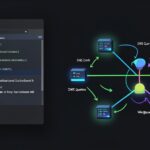
Semantic Router replaces that entire LLM call with vector math. By comparing query embeddings against predefined route clusters using cosine similarity, your application makes routing decisions locally in 5ms to 20ms—without hitting external API quotas.
Quick Start (5 Min): Setting Up Semantic Router
Let’s build a working prototype in Python. We will sort incoming user requests into three distinct paths: billing, technical support, and general chitchat.
1. Install Dependencies
First, install the semantic-router package alongside sentence-transformers. We will use a compact local embedding model so routing runs entirely in-memory inside your application container.
pip install semantic-router sentence-transformers2. Define Routes and Utterance Samples
Create a script named router_demo.py. We define each route with a handful of representative phrases (utterances) that capture the underlying user intent:
from semantic_router import Route
from semantic_router.encoders import HuggingFaceEncoder
from semantic_router.layer import RouteLayer

# Define routes by providing sample phrases
billing_route = Route(
    name="billing",
    utterances=[
        "I need my latest invoice",
        "Can you update my credit card on file?",
        "Why was I charged twice this month?",
        "Cancel my subscription immediately",
        "Where can I download my billing receipts?"
    ]
)

chitchat_route = Route(
    name="chitchat",
    utterances=[
        "Hello there!",
        "How are you doing today?",
        "Tell me a joke",
        "Good morning bot",
        "Who created you?"
    ]
)

tech_support_route = Route(
    name="tech_support",
    utterances=[
        "The API returns a 500 status code",
        "My webhook payload is failing verification",
        "Docker container crashes on startup",
        "Database connection timed out",
        "I keep getting unauthorized errors from the endpoint"
    ]
)

routes = [billing_route, chitchat_route, tech_support_route]
3. Initialize the Route Layer
Next, load the encoder and construct your RouteLayer. We’ll use all-MiniLM-L6-v2, an 80MB model that runs comfortably on modest CPU hardware:
# Using a lightweight, fast local embedding model
encoder = HuggingFaceEncoder(name="sentence-transformers/all-MiniLM-L6-v2")

# Build the routing layer
router = RouteLayer(encoder=encoder, routes=routes)

# Test with queries
queries = [
    "Can I get a PDF of last week's payment?",
    "My server refuses to connect to port 5432",
    "Hey buddy, what's up?",
    "What is the average wingspan of an eagle?"
]

for query in queries:
    decision = router(query)
    print(f"Query: '{query}' -> Route: {decision.name}")
Running the script produces immediate, deterministic classifications:
Query: 'Can I get a PDF of last week's payment?' -> Route: billing
Query: 'My server refuses to connect to port 5432' -> Route: tech_support
Query: 'Hey buddy, what's up?' -> Route: chitchat
Query: 'What is the average wingspan of an eagle?' -> Route: None
The eagle query evaluated to None. Because the question missed our similarity threshold across all three routes, the router safely flagged it for open-domain fallback.
Deep Dive: How Vector Embeddings Route Intents Without LLMs
Understanding the mechanics under the hood makes it much easier to tune confidence thresholds and scale your routing layer.
The Geometric Mechanics
Semantic Router skips the text-generation pipeline completely. Instead, it relies on dense representation spaces. Here is the path a request takes:
- Pre-computation: During application startup, the router encodes all sample utterances into 384-dimensional vector embeddings and caches them in memory.
- Query Vectorization: When a user message arrives, the local model maps the text into the exact same vector space. On a standard 2-core cloud instance, this step takes between 4ms and 12ms.
- Similarity Scoring: The engine computes the cosine similarity between the incoming query vector and every cached route vector.
- Threshold Filtering: If the top match exceeds the route’s score threshold (e.g., 0.75), the router returns that route name immediately. If every score falls short, it defaults to
None.
LLM Classifier vs. Semantic Router
Putting the two approaches side by side highlights why vector routing is rapidly replacing LLM triage prompts:
- Latency: LLM prompt classification averages 350ms–800ms. Semantic Router clocks in at 5ms–20ms.
- Operating Cost: LLM routing costs $0.15 to $5.00 per million tokens. Semantic Router costs $0 in API fees because it runs locally in process memory.
- Determinism: LLMs suffer from schema drift, unexpected formatting changes, and JSON parsing failures. Vector distance calculations are mathematically deterministic.
- Throughput: A single $10/month cloud container (2 vCPU, 4GB RAM) can easily process over 1,200 routing evaluations per second without hitting rate limits.
Advanced Usage: Dynamic Thresholds and Hybrid Routing
Production workloads require granular control. High-impact operations need strict matching criteria, while conversational routes can afford wider latitude.
1. Fine-Tuning Route Sensitivity
Destructive actions (like account deletions or refund requests) demand higher confidence thresholds to eliminate false positives. General inquiries, on the other hand, benefit from lower barriers. You can configure sensitivity directly on each route:
from semantic_router import Route

refund_route = Route(
    name="critical_refund",
    utterances=[
        "I want a full chargeback",
        "Refund my purchase immediately",
        "I need my money back for this invoice"
    ],
    score_threshold=0.82  # Strict: avoids accidental triggers
)

faq_route = Route(
    name="general_faq",
    utterances=[
        "What are your operating hours?",
        "Where is your office located?",
        "How do I contact sales?"
    ],
    score_threshold=0.68  # Relaxed: catches broader variations
)
2. Building an Agent Dispatcher with Fallbacks
Here is a complete dispatcher that resolves structured tasks locally and reserves expensive LLM calls exclusively for ambiguous queries:
import time
from semantic_router.layer import RouteLayer
from semantic_router.encoders import HuggingFaceEncoder

class IntelligentAgentDispatcher:
    def __init__(self, routes):
        self.encoder = HuggingFaceEncoder(name="sentence-transformers/all-MiniLM-L6-v2")
        self.router = RouteLayer(encoder=self.encoder, routes=routes)

    def dispatch(self, user_prompt: str):
        start_time = time.perf_counter()
        match = self.router(user_prompt)
        latency_ms = (time.perf_counter() - start_time) * 1000

        if match.name == "billing":
            return self.handle_billing(user_prompt, latency_ms)
        elif match.name == "tech_support":
            return self.handle_support_ticket(user_prompt, latency_ms)
        elif match.name == "chitchat":
            return {"handler": "static_cache", "response": "Hi! How can I assist you?", "latency": f"{latency_ms:.2f}ms"}
        else:
            return self.delegate_to_llm(user_prompt, latency_ms)

    def handle_billing(self, prompt, latency):
        return {"handler": "sql_billing_service", "action": "query_invoices", "latency": f"{latency:.2f}ms"}

    def handle_support_ticket(self, prompt, latency):
        return {"handler": "jira_integration", "action": "open_ticket", "latency": f"{latency:.2f}ms"}

    def delegate_to_llm(self, prompt, latency):
        # Only fall back to expensive generation when semantic route has no match
        return {"handler": "heavy_llm_agent", "action": "generate_response", "routing_latency": f"{latency:.2f}ms"}
Practical Tips: Lessons from Real-World Deployments
Running vector-based routing in production delivers tangible returns. Across several high-traffic client deployments, replacing prompt-based classification shaved an average of 420ms off our p95 response times. It also eliminated roughly $240 in monthly classification tokens per bot.
Keep these operational guidelines in mind when rolling out Semantic Router:
- Stick to 10 to 15 utterances per route: More is not always better. Adding hundreds of utterances increases initialization time and can dilute cluster boundaries. Focus on distinct, high-signal phrasing.
- Select the right embedding model: For English workloads,
sentence-transformers/all-MiniLM-L6-v2delivers an ideal mix of speed (sub-10ms on CPU) and accuracy. If you need multilingual coverage, considerBAAI/bge-m3orparaphrase-multilingual-MiniLM-L12-v2. - Inspect unrouted queries systematically: Build a simple dashboard to review queries returning
None. These logs reveal emerging user intents and uncover vocabulary blind spots in your existing route definitions. - Calibrate thresholds in staging: Start with a baseline threshold of
0.70. If staging logs reveal false positives, bump the threshold by0.03increments until matches are precise and dependable.