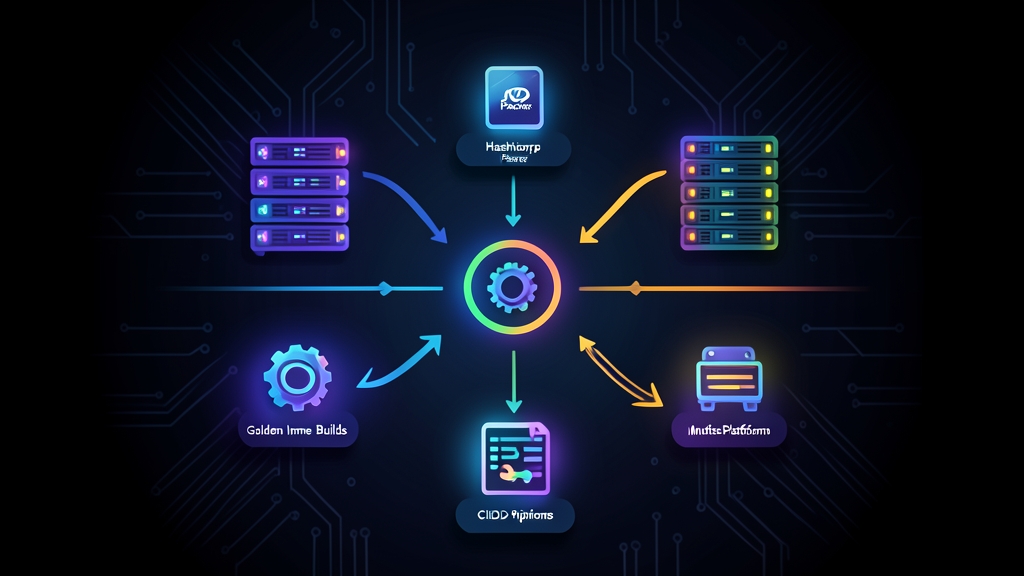
Approaches to Server Provisioning: Bake vs. Fry
When launching virtual machines across AWS, Azure, or on-prem hypervisors, platform teams usually choose between two workflows: Just-in-Time Provisioning (“Fry”) and Pre-Baked Images (“Bake”).
The “Fry” model starts from a stock, vanilla OS image like Ubuntu 22.04 LTS or Amazon Linux 2023. At boot time, tools like cloud-init, Ansible, or Chef run sequentially.
They install packages, fetch application binaries, configure monitoring agents, and apply security baselines. While this model keeps image storage minimal, it turns instance boot into a fragile bottleneck. A single transient apt mirror timeout or an upstream GitHub rate limit will kill an autoscaling event right during a Friday traffic surge.
The “Bake” model solves this with HashiCorp Packer. All OS patches, kernel tweaks, runtimes, and log agents are baked directly into an immutable snapshot before deployment. When your Auto Scaling Group (ASG) demands twenty new instances, each VM boots in under 45 seconds with every dependency already on disk.
Pros and Cons of Building Golden Images with Packer
Treating VM images as build artifacts introduces distinct trade-offs worth planning around:
The Advantages
- Blazing, Predictable Autoscaling: Pre-compiling runtimes cuts VM launch duration from 15–20 minutes of runtime bootstrapping down to 35–50 seconds.
- Zero Configuration Drift: Engineers cannot patch production boxes with ad-hoc SSH edits. If an agent needs updating, you ship a new image version.
- Unified Multi-Cloud Templates: With Packer HCL2, one shared configuration file can output AWS AMIs, Azure Managed Images, and GCP disk images in a single CI run.
- Shift-Left Security: Vulnerability scanners like Trivy or OpenSCAP inspect the image snapshot inside the build pipeline before any workload touches production.
The Trade-Offs
- Image Storage Sprawl: Retaining unpruned EBS snapshots across 5 AWS regions at $0.05 per GB-month adds up fast. You need automated lifecycle policies to deregister obsolete AMIs.
- Pipeline Overhead: While instance boot is almost instant, upfront CI builds take 8 to 15 minutes to launch builder VMs, execute provisioners, write snapshots, and clean up resources.
Recommended Setup: Packer HCL2 & CI/CD Architecture
Avoid deprecated JSON templates and stick entirely to Packer’s modern HCL2 syntax. Organize your repository into modular builders and decoupled bash provisioners:
packer-golden-images/
├── .github/
│   └── workflows/
│       └── build-ami.yml
├── config/
│   ├── common-variables.pkrvars.hcl
│   └── security-baseline.sh
├── scripts/
│   └── install-telemetry.sh
└── templates/
    └── ubuntu-base.pkr.hcl
Building CI/CD validation pipelines involves repetitive developer tasks like verifying binary checksums, translating manifests, and sizing build VPC subnets. I frequently use ToolCraft for these quick operational checks. Because its utilities run entirely client-side in the browser, private network configs and keys never touch a remote server.
Before curling a third-party binary into a template, I drop the vendor’s release string into the Hash Generator to verify SHA-256 sums immediately. When converting legacy JSON Packer configurations into modern HCL blocks, the YAML ↔ JSON Converter speeds up syntax cleanup. Similarly, planning builder subnets without overlapping corporate CIDR blocks is straightforward with the Subnet Calculator.
Step-by-Step Implementation Guide
Here is an end-to-end setup that compiles an Ubuntu 22.04 LTS AMI on AWS and hooks into GitHub Actions.
1. Define the Packer Template (`ubuntu-base.pkr.hcl`)
This template pins the AWS plugin, queries Canonical’s official AMI registry, and strips instance-specific state before snapshotting:
packer {
  required_plugins {
    amazon = {
      version = ">= 1.2.8"
      source  = "github.com/hashicorp/amazon"
    }
  }
}

variable "aws_region" {
  type    = string
  default = "us-east-1"
}

variable "environment" {
  type    = string
  default = "production"
}

data "amazon-ami" "ubuntu_lts" {
  filters = {
    name                = "ubuntu/images/hvm-ssd/ubuntu-jammy-22.04-amd64-server-*"
    root-device-type    = "ebs"
    virtualization-type = "hvm"
  }
  most_recent = true
  owners      = ["099720109477"] # Canonical official account ID
}

source "amazon-ebs" "base_linux" {
  ami_name      = "golden-linux-${var.environment}-{{timestamp}}"
  instance_type = "t3.micro"
  region        = var.aws_region
  source_ami    = data.amazon-ami.ubuntu_lts.id
  ssh_username  = "ubuntu"

  tags = {
    Name        = "Golden-Linux-Image"
    Environment = var.environment
    BuiltBy     = "Packer-CI"
  }
}

build {
  name    = "hardened-ubuntu"
  sources = ["source.amazon-ebs.base_linux"]

  # 1. Update OS packages and install core security utilities
  provisioner "shell" {
    inline = [
      "export DEBIAN_FRONTEND=noninteractive",
      "sudo apt-get update -y",
      "sudo apt-get upgrade -y",
      "sudo apt-get install -y fail2ban curl jq unattended-upgrades ufw"
    ]
  }

  # 2. Run telemetry and daemon hardening script
  provisioner "shell" {
    script = "./scripts/install-telemetry.sh"
  }

  # 3. Clean up build artifacts and zero out machine-id to prevent cloned host conflicts
  provisioner "shell" {
    inline = [
      "sudo truncate -s 0 /etc/machine-id",
      "sudo rm -f /var/lib/dbus/machine-id",
      "sudo apt-get clean",
      "sudo rm -rf /var/lib/apt/lists/* /tmp/* /var/tmp/*"
    ]
  }
}
2. Add the System Hardening and Telemetry Script
Save this script as scripts/install-telemetry.sh. It deploys Prometheus Node Exporter v1.7.0 and disables SSH root logins and password auth:
#!/usr/bin/env bash
set -euo pipefail

echo "Installing Prometheus Node Exporter..."
NODE_EXPORTER_VERSION="1.7.0"
curl -fsSL "https://github.com/prometheus/node_exporter/releases/download/v${NODE_EXPORTER_VERSION}/node_exporter-${NODE_EXPORTER_VERSION}.linux-amd64.tar.gz" \
  -o /tmp/node_exporter.tar.gz

tar -xzf /tmp/node_exporter.tar.gz -C /tmp/
sudo mv "/tmp/node_exporter-${NODE_EXPORTER_VERSION}.linux-amd64/node_exporter" /usr/local/bin/
rm -rf /tmp/node_exporter*

sudo useradd --system --no-create-home --shell /bin/false node_exporter 2>/dev/null || true

echo "Hardening SSH daemon..."
sudo mkdir -p /etc/ssh/sshd_config.d
cat <<'EOF' | sudo tee /etc/ssh/sshd_config.d/99-golden-hardening.conf
PermitRootLogin no
PasswordAuthentication no
X11Forwarding no
MaxAuthTries 3
EOF

sudo chmod 600 /etc/ssh/sshd_config.d/99-golden-hardening.conf
echo "Hardening complete."
3. Automate the Build with GitHub Actions
Trigger builds on pushes to main or run them on a weekly cron schedule to absorb OS security patches:
name: Build Golden AMI

on:
  push:
    branches:
      - main
    paths:
      - 'templates/**'
      - 'scripts/**'
  schedule:
    - cron: '0 3 * * 0' # Weekly run every Sunday at 03:00 UTC
  workflow_dispatch:

jobs:
  packer-build:
    name: Run Packer Validation & Build
    runs-on: ubuntu-latest
    permissions:
      id-token: write
      contents: read

    steps:
      - name: Checkout Source Code
        uses: actions/checkout@v4

      - name: Setup HashiCorp Packer
        uses: hashicorp/setup-packer@main
        with:
          version: "1.10.0"

      - name: Configure AWS Credentials (OIDC)
        uses: aws-actions/configure-aws-credentials@v4
        with:
          role-to-assume: arn:aws:iam::123456789012:role/packer-build-role
          aws-region: us-east-1

      - name: Initialize Packer Plugins
        run: packer init templates/ubuntu-base.pkr.hcl

      - name: Validate Syntax
        run: packer validate templates/ubuntu-base.pkr.hcl

      - name: Build AMI
        run: packer build -color=false templates/ubuntu-base.pkr.hcl
4. Consume Golden Images in Terraform or OpenTofu
Point your IaC configurations to the latest vetted image using AWS provider data filters:
data "aws_ami" "latest_golden_image" {
  most_recent = true
  owners      = ["self"]

  filter {
    name   = "name"
    values = ["golden-linux-production-*"]
  }

  filter {
    name   = "tag:BuiltBy"
    values = ["Packer-CI"]
  }
}
Automating your base images transforms VM provisioning from an unpredictable bottleneck into a stable, 40-second routine. Pair weekly image rebuilds with automated CI vulnerability testing, and your cloud fleet will stay consistently patched without disrupting live workloads.