Why We Ditched Dual-Stack in Staging
Six months ago, our infrastructure team ripped dual-stack networking out of our staging environment. Running two parallel protocol stacks was burning engineering hours: firewall rules doubled, DHCP scopes fragmented, and scarce public IPv4 subnets went to waste. We set a firm target: strip IPv4 off all 85 developer machines and CI/CD runners, but keep outbound access alive for legacy IPv4 package mirrors, vendor APIs, and Docker registries.
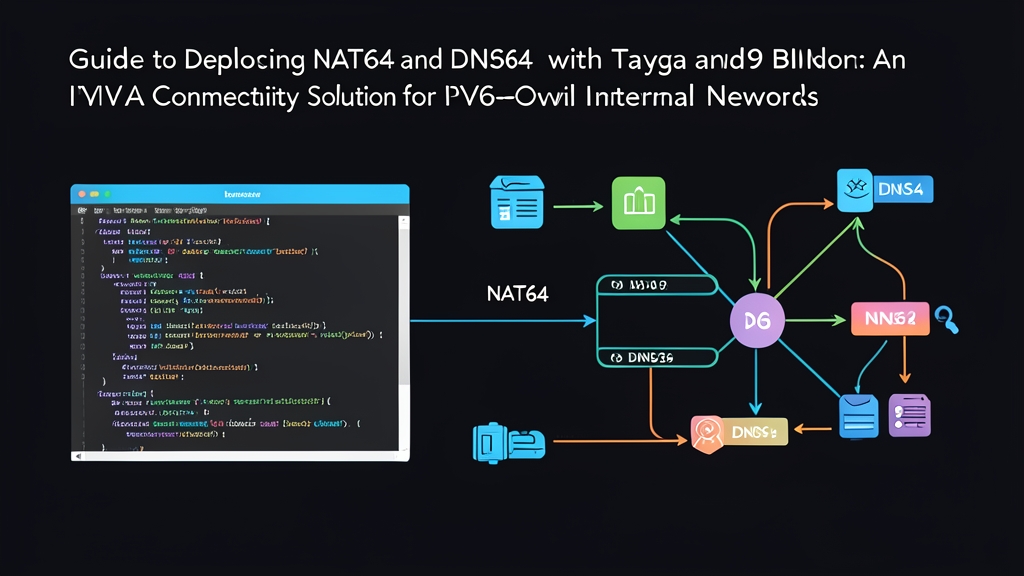
Two open-source tools made this possible: DNS64 and NAT64.
- DNS64 (via BIND9): When an IPv6-only host requests an AAAA record for an external domain with only an A record, the resolver synthesizes one on the fly. It embeds the remote host’s 32-bit IPv4 address into a designated prefix—most commonly the well-known
64:ff9b::/96prefix defined in RFC 6052. - NAT64 (via Tayga): When the client dispatches packets to that synthesized address, local routes hand them to Tayga. Tayga is a stateless, user-space translation daemon. It strips the 40-byte IPv6 header, maps the packet to a private IPv4 address pool, and hands it to Linux netfilter. From there, standard iptables masquerading pushes the traffic onto the IPv4 internet.
The result? A lean, quiet edge router that has shuffled roughly 45 GB of outbound traffic daily across 180 days with zero panics and minimal maintenance.
Prerequisites & Environment Topology
We tested and deployed this setup on a two-core virtual machine with 2 GB RAM running Ubuntu 22.04 LTS. The host bridges two network interfaces:
eth0: Upstream WAN interface holding a routable public IPv4 address and a delegated IPv6 prefix (2001:db8:1::2/64).eth1: Downstream LAN interface acting as the default gateway (2001:db8:100::1/64) for pure IPv6 developer workstations.
Install the required translation daemons, DNS tooling, and firewall helpers:
sudo apt update
sudo apt install -y bind9 bind9utils tayga iptables iptables-persistent
If you run RHEL 9 or Rocky Linux 9 instead, pull the packages from EPEL and native repositories:
sudo dnf install -y epel-release
sudo dnf install -y bind tayga iptables-services
Step-by-Step Configuration
1. Enable Linux Kernel Packet Forwarding
Your gateway must forward packets across protocols and interfaces. Turn on IP forwarding in sysctl:
sudo bash -c 'cat >> /etc/sysctl.d/99-nat64.conf <<EOF
net.ipv4.ip_forward=1
net.ipv6.conf.all.forwarding=1
EOF'

sudo sysctl --system
2. Configure Tayga for Stateless NAT64
Tayga handles stateless conversion between IPv6 and an internal IPv4 staging pool. Edit /etc/tayga.conf to declare your translation tun interface, dynamic pool, and target prefix:
sudo bash -c 'cat > /etc/tayga.conf <<EOF
tun-device nat64
ipv4-addr 192.168.255.1
prefix 64:ff9b::/96
dynamic-pool 192.168.255.0/24
data-dir /var/spool/tayga
EOF'
Bring up the tun interface and bind routing tables to it. To keep routes intact across reboots, drop these commands into a network dispatcher script or systemd override:
# Initialize the virtual tun device
sudo tayga --mktun

# Bring the device up with local endpoints
sudo ip link set nat64 up
sudo ip addr add 192.168.255.1 dev nat64
sudo ip addr add 2001:db8:100::ffff dev nat64

# Direct translated prefixes into Tayga
sudo ip route add 192.168.255.0/24 dev nat64
sudo ip route add 64:ff9b::/96 dev nat64
3. Mask Outbound IPv4 Packets via iptables
Tayga maps incoming IPv6 traffic into the private 192.168.255.0/24 subnet. Because these addresses cannot traverse the public internet, use iptables to masquerade them behind your WAN interface (eth0):
# NAT translation for the dynamic Tayga pool
sudo iptables -t nat -A POSTROUTING -s 192.168.255.0/24 -o eth0 -j MASQUERADE

# Forwarding rules between interfaces
sudo iptables -A FORWARD -i nat64 -o eth0 -j ACCEPT
sudo iptables -A FORWARD -i eth0 -o nat64 -m state --state RELATED,ESTABLISHED -j ACCEPT

# Persist rules across reboots
sudo netfilter-persistent save
4. Configure BIND9 as the DNS64 Synthesizer
When an internal workstation queries an external service that lacks an IPv6 record, BIND9 synthesizes one. Update /etc/bind/named.conf.options with your access control list and DNS64 block:
acl "trusted_clients" {
    127.0.0.1;
    ::1;
    2001:db8:100::/64;
};

options {
    directory "/var/cache/bind";

    recursion yes;
    allow-query { trusted_clients; };
    allow-recursion { trusted_clients; };

    listen-on { any; };
    listen-on-v6 { any; };

    forwarders {
        1.1.1.1;
        8.8.8.8;
    };

    dnssec-validation auto;

    dns64 64:ff9b::/96 {
        clients { trusted_clients; };
        mapped { any; };
        exclude { 64:ff9b::/96; };
        suffix ::;
    };
};
Validate your syntax and launch both services:
sudo named-checkconf
sudo systemctl restart bind9 tayga
sudo systemctl enable bind9 tayga
Testing and Operational Gotchas
1. Inspecting Synthetic DNS Responses
Log into an IPv6-only workstation with its resolver pointing to the gateway (2001:db8:100::1). Query an IPv4-only destination such as ipv4.google.com:
dig AAAA ipv4.google.com +shortBIND returns a synthetic AAAA response: 64:ff9b::d83a:ce6e. Notice the trailing hexadecimal values (d8.3a.ce.6e). Converted to decimal, they equal 216.58.206.110—Google’s target IPv4 address.
2. Testing Throughput and Connectivity
Run end-to-end ICMP and HTTPS handshakes over pure IPv6:
ping -6 -c 3 64:ff9b::d83a:ce6e
curl -6 -I https://ipv4.google.com
Your client completes TLS negotiation over IPv6, completely unaware that the destination server runs on IPv4.
3. Hard-Won Production Insights
Operating this stack in production revealed three crucial details:
- TCP MSS Clamping is Mandatory: IPv6 packet headers take 40 bytes, whereas IPv4 headers use only 20. Some external CDNs drop ICMP Packet Too Big messages, creating Path MTU blackholes. Our
npm installruns stalled at 99% until we clamped MSS in iptables:
sudo iptables -t mangle -A FORWARD -p tcp --tcp-flags SYN,RST SYN -j TCPMSS --clamp-mss-to-pmtu - Stateless Translators Scale Cheaply: Tayga stays fast because it does not maintain session tables. It offloads connection tracking entirely to the kernel conntrack module. In our environment, Tayga consumed under 18 MB of RAM under an artificial load of 12,000 active sockets.
- Raw IPv4 Literals Will Break: DNS64 requires a DNS lookup. If a developer uses a tool with hardcoded IPv4 literals (for example,
curl http://198.51.100.4), the request bypasses BIND and fails. For those legacy edge cases, run a client-side CLAT daemon (such as clatd) or point them to an internal SOCKS5 proxy.