The Green Pipeline Illusion
Picture this: your GitHub Actions pipeline turns bright green, all 420 unit tests pass, and you merge to main with total confidence. Six minutes later, the staging deployment crashes. Last year, our team hit this wall hard. Our payments service had 92% code coverage, yet a query containing PostgreSQL DISTINCT ON syntax failed instantly in staging. Why? Our unit tests ran against an in-memory SQLite runner that quietly accepted the query, while the production database rejected it.
We lost dozens of developer hours tracking down environmental drift. On local laptops, tests passed because engineers ran long-lived Docker containers packed with uncommitted schema patches. In CI, tests relied on mocks that never simulated network timeouts, real constraint violations, or Redis cluster topology. Our feedback loop was a mess.
Why Traditional Integration Approaches Break Down in CI
Most integration test headaches stem from two common traps:
1. The In-Memory Database Trap
Lightweight substitutes like H2, SQLite, or mock HTTP servers verify your application logic against assumptions, not actual infrastructure. SQLite cannot validate PostgreSQL JSONB path operators, partial indexes, stored procedures, or row-level locking behavior. A mock will confirm that your repository calls an execute method. It will never warn you that a deadlocked transaction fails to roll back under strict serialization.
2. The Shared Staging Database Bottleneck
When mocks fail, teams often point CI runners at a shared remote database. This immediately introduces race conditions. Imagine two PR builds running at the same time: Branch A runs a migration that drops a column, right while Branch B attempts an insertion query. Tests fail intermittently, developers rerun jobs out of habit, and cleaning corrupted state turns into a daily chore.
Comparing Dependency Strategies
Before standardizing our test infrastructure, we benchmarked three common strategies across 50 concurrent pipeline runs:
- Static Docker Compose in CI: Better than mocks, but rigid. Hardcoded port bindings (such as
5432:5432) cause collisions during parallel job execution on self-hosted runners. Furthermore, leftover containers from killed jobs poison subsequent builds. - In-Memory Fakes (H2, SQLite, embedded-redis): Incredibly fast, averaging under 15ms per test. However, the fidelity gap forces teams to write conditional application code just to keep tests green on foreign SQL dialects.
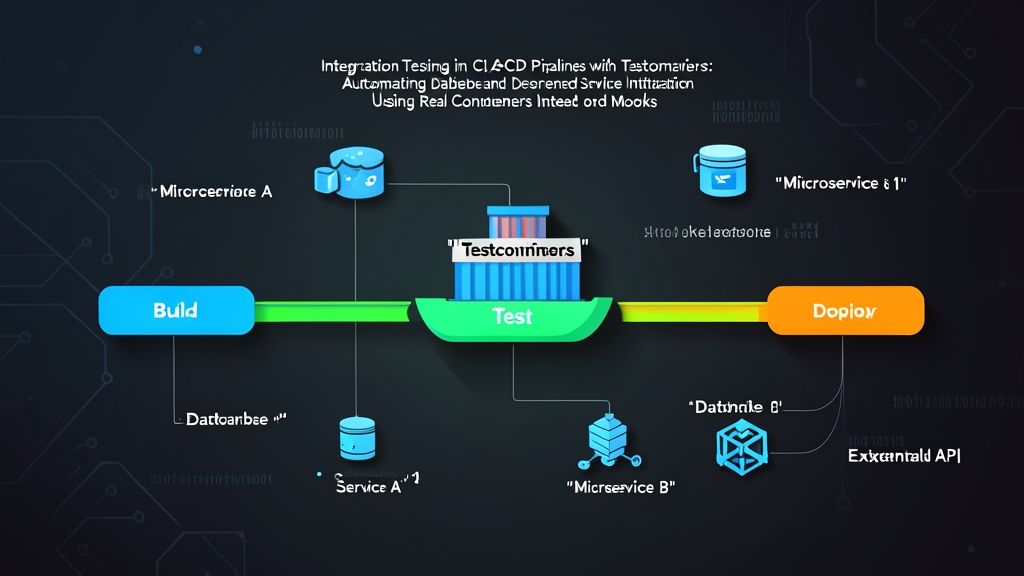
- Programmatic Ephemeral Containers (Testcontainers): Your test runner instantiates, networks, and tears down fresh, real service instances on demand. Every test suite receives an isolated instance on a random ephemeral port. If a runner crashes abruptly, automatic cleanup daemons take care of the garbage.
Hands-On Guide: Running Testcontainers in CI/CD
Testcontainers moves infrastructure definitions straight into your application code. Rather than wrestling with complex shell scripts before running tests, you manage your dependencies through native language bindings.
Switching our checkout service to this approach dropped our staging regression rate from roughly 14% to zero across 300+ daily builds.
Step 1: Writing an Isolated Integration Test
The Python example below uses pytest and testcontainers-python to boot a real PostgreSQL 16.2 instance, run a migration, and exercise native JSONB query operators:
import pytest
import psycopg2
from testcontainers.postgres import PostgresContainer

@pytest.fixture(scope="session")
def postgres_connection_string():
    # Spin up an isolated PostgreSQL 16 container on a random host port
    with PostgresContainer("postgres:16.2-alpine") as postgres:
        # Ensure we use psycopg2 driver URL format directly
        yield postgres.get_connection_url(driver=None)

@pytest.fixture(scope="function")
def db_session(postgres_connection_string):
    conn = psycopg2.connect(postgres_connection_string)
    cursor = conn.cursor()
    cursor.execute("""
        CREATE TABLE IF NOT EXISTS customer_profiles (
            id SERIAL PRIMARY KEY,
            username VARCHAR(50) NOT NULL UNIQUE,
            preferences JSONB NOT NULL
        );
    """)
    conn.commit()
    yield conn
    # Fast cleanup between test cases
    cursor.execute("TRUNCATE TABLE customer_profiles RESTART IDENTITY CASCADE;")
    conn.commit()
    conn.close()

def test_jsonb_indexing_and_extraction(db_session):
    cursor = db_session.cursor()
    cursor.execute(
        """INSERT INTO customer_profiles (username, preferences)
           VALUES (%s, %s) RETURNING id;""",
        ("sarah_tech", '{"notifications": {"email": true, "sms": false}}')
    )
    user_id = cursor.fetchone()[0]
    db_session.commit()

    # Query nested JSON path with native PostgreSQL ->> operator
    cursor.execute(
        "SELECT preferences->'notifications'->>'email' FROM customer_profiles WHERE id = %s;",
        (user_id,)
    )
    email_enabled = cursor.fetchone()[0]
    assert email_enabled == "true"
Step 2: Configuring GitHub Actions
Testcontainers communicates with the local host engine through /var/run/docker.sock. Standard Linux runners (like ubuntu-latest) come with Docker pre-installed, so your workflow needs no extra daemon setup:
name: Integration Tests

on:
  push:
    branches: [ main ]
  pull_request:
    branches: [ main ]

jobs:
  test:
    runs-on: ubuntu-latest
    timeout-minutes: 15

    steps:
      - name: Check out repository
        uses: actions/checkout@v4

      - name: Set up Python 3.11
        uses: actions/setup-python@v5
        with:
          python-version: '3.11'
          cache: 'pip'

      - name: Install dependencies
        run: |
          python -m pip install --upgrade pip
          pip install pytest psycopg2-binary "testcontainers[postgres]"

      - name: Run integration tests
        run: pytest tests/integration -v --tb=short
Field-Tested Practices for CI at Scale
1. Reuse Containers Across the Test Session
Spinning up an individual PostgreSQL container takes roughly 2.5 to 3.5 seconds. If you have 60 test functions, launching fresh containers for each one inflates your build time by over three minutes. Instead, scope container fixtures to session. Clean data between tests using fast TRUNCATE statements or transaction rollbacks, reserving fresh container boots for schema-altering migrations.
2. Pin Specific Image Digests
Floating tags like postgres:16 or redis:alpine introduce silent breaking changes when base images update upstream. Pin exact minor releases or SHA digests (for example, postgres:16.2-alpine3.19). This protects your pipelines from sudden authentication shifts, memory defaults, or binary mismatches.
3. Warm Runner Caches with Parallel Pulls
Heavy images like Kafka (~450MB) or LocalStack (~900MB) can burn two minutes just downloading on fresh runner instances. Add an explicit warm-up step to download images in parallel before running your test suite:
docker pull postgres:16.2-alpine &
docker pull redis:7.2-alpine &
wait
4. Leave Ryuk Enabled
Testcontainers ships with a lightweight reaper container called Ryuk (testcontainers/ryuk). Ryuk maintains an active socket connection to the runner engine. If your test runner crashes or gets cancelled midway through execution, Ryuk immediately reaps orphan containers, networks, and volumes. Disabling it to shave 100ms often leaves self-hosted CI nodes out of disk space within days.
The Bottom Line
Mocks test what you hope will happen; Testcontainers tests what will actually happen in production. By putting real, disposable dependencies directly under your test runner’s control, you eliminate environmental drift and make a green checkmark mean what it should: code ready to ship.