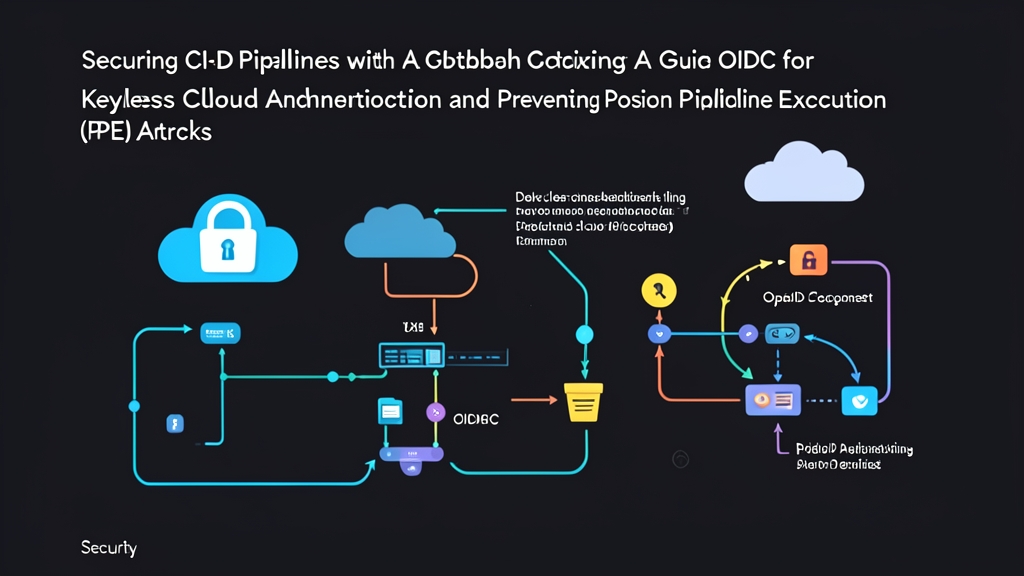
Approach Comparison: Long-Lived Cloud Keys vs. GitHub OIDC
Six months ago, our team overhauled 42 microservice deployment pipelines. Before this migration, our CI/CD workflows relied on 84 static AWS IAM access keys stored as GitHub repository secrets. Every deployment workflow picked up a static key ID and secret, authenticated against AWS STS, and pushed container builds directly to our Amazon EKS clusters.
Static credentials are an accident waiting to happen. An engineer accidentally prints environment variables in a debug run, or a malicious dependency exfiltrates runner memory. Suddenly, an attacker possesses persistent credentials into your staging or production VPC. Once compromised, these keys remain valid until someone manually rotates them.
We weighed two distinct architectures for workflow authentication and runner isolation:
- Static IAM Secrets with Standard Triggers: Storing
AWS_ACCESS_KEY_IDandAWS_SECRET_ACCESS_KEYdirectly in GitHub Secrets. Pipeline jobs run arbitrary pull request code with access to those secrets. - Keyless OIDC Federation with PPE Hardening: GitHub acts as an OpenID Connect identity provider. The Actions runner mints an ephemeral JSON Web Token (JWT) during job execution. AWS validates the JWT against an IAM role trust policy and issues temporary STS credentials valid for 15 to 60 minutes. Simultaneously, workflow triggers restrict untrusted code execution to prevent Poison Pipeline Execution (PPE).
PPE attacks are straightforward. An attacker opens a pull request containing a modified workflow file or a weaponized test script. If your pipeline runs that PR in a privileged context, the attacker’s script steals environment secrets or tampers with build artifacts. Keyless OIDC removes static targets. Hardened pipeline triggers close the execution loophole.
Pros & Cons: Evaluating Both Approaches
Running both setups across 15 engineers and hundreds of daily builds revealed practical operational trade-offs.
Long-Lived GitHub Secrets
Pros:
- Fast initial setup: copy an access key pair from the AWS IAM console directly into repository settings in two minutes.
- Universal compatibility: works across legacy build servers and older cloud platforms without configuring OpenID identity providers.
Cons:
- High operational toil: rotating 80+ keys every 90 days across multiple repositories regularly broke active deployments.
- Unbounded blast radius: a leaked key works indefinitely from any IP address until someone discovers the breach and deletes it.
- No contextual scoping: every workflow job with access to the secret shares identical permissions, regardless of branch or environment.
OpenID Connect (OIDC) with PPE Protections
Pros:
- Zero static credentials in GitHub: tokens expire automatically after a set window (typically 15 minutes in our workflows).
- Granular claim validation: IAM trust policies restrict access to exact repository names, environments, or git refs (e.g., only
refs/heads/main). - Detailed audit logs: AWS CloudTrail records the exact GitHub workflow run ID, actor, commit SHA, and repository name for every API call.
- Runner compromise resilience: if an attacker inspects runner memory after a job finishes, the temporary credentials have already expired.
Cons:
- Strict configuration requirements: a single typo in the OIDC subject claim (
sub) causes authentication to fail with generic 403 errors. - Requires strict workflow discipline: careless use of
pull_request_targettriggers can still expose temporary OIDC tokens to untrusted code.
Recommended Setup for Production Environments
Here is the architectural baseline running across all our production repositories today:
- Exact Subject Constraints: Never use wildcards like
repo:my-org/*in production IAM trust policies. Bind the policy to specific repositories and branches (e.g.,repo:itfromzero/production-service:ref:refs/heads/main). - Explicit Workflow Permissions: Define top-level
permissionsas read-only across all workflow files. Grantid-token: writeandcontents: readonly to specific deployment jobs. - Strict Trigger Separation: Run pull request tests via standard
pull_requesttriggers. Reservepull_request_targetonly for zero-permission labeler bots that never check out PR code. - Immutable Action Pinning: Pin all third-party GitHub Actions to full 40-character commit SHAs instead of mutable tags like
@v4. This prevents upstream supply chain hijacking.
Implementation Guide: Setting Up OIDC and Hardening Against PPE
Step 1: Configure the AWS IAM Identity Provider
Register GitHub’s OIDC endpoint in your AWS account. You only need to run this command once per AWS account:
aws iam create-open-id-connect-provider \
    --url "https://token.actions.githubusercontent.com" \
    --client-id-list "sts.amazonaws.com" \
    --thumbprint-list "6938fd4d98bab03faadb97b34396831e3780aea1" "1c58a3a8518e8759bf075b76b750d4f8d264fcd9"
Step 2: Create the IAM Role and Trust Policy
Save the following trust policy as github-oidc-trust-policy.json. This policy guarantees that only workflows running on the main branch of itfromzero/production-service can assume the role:
{
  "Version": "2012-10-17",
  "Statement": [
    {
      "Effect": "Allow",
      "Principal": {
        "Federated": "arn:aws:iam::123456789012:oidc-provider/token.actions.githubusercontent.com"
      },
      "Action": "sts:AssumeRoleWithWebIdentity",
      "Condition": {
        "StringEquals": {
          "token.actions.githubusercontent.com:aud": "sts.amazonaws.com",
          "token.actions.githubusercontent.com:sub": "repo:itfromzero/production-service:ref:refs/heads/main"
        }
      }
    }
  ]
}
Provision the IAM role and attach your required least-privilege deployment policy:
aws iam create-role \
    --role-name "GitHubActionsDeploymentRole" \
    --assume-role-policy-document file://github-oidc-trust-policy.json

# Attach a scoped deployment policy
aws iam attach-role-policy \
    --role-name "GitHubActionsDeploymentRole" \
    --policy-arn "arn:aws:iam::123456789012:policy/AppDeploymentPolicy"
Step 3: Build the Hardened Deployment Workflow
Create .github/workflows/deploy.yml. Notice that external actions are pinned to complete commit SHAs, and default repository token scopes are revoked:
name: Production Deployment

on:
  push:
    branches:
      - main

# Revoke default permissions; allow only token minting and code checkout
permissions:
  contents: read
  id-token: write

jobs:
  deploy:
    runs-on: ubuntu-22.04
    steps:
      # Pin actions to full commit SHAs (actions/checkout v4.2.2)
      - name: Checkout Code
        uses: actions/checkout@11bd71901bbe5b1630ceea73d27597364c9af683

      # Pin aws-actions/configure-aws-credentials v4.1.0
      - name: Configure AWS Credentials via OIDC
        uses: aws-actions/configure-aws-credentials@ececac1a45f3b08a01d2dd070d4b3b11c32ab21a
        with:
          role-to-assume: arn:aws:iam::123456789012:role/GitHubActionsDeploymentRole
          aws-region: us-east-1
          role-session-name: GitHubActionsDeploymentSession
          duration-seconds: 900

      - name: Deploy Application Artifacts
        run: |
          aws s3 sync ./dist s3://itfromzero-production-assets --delete
Step 4: Block Poison Pipeline Execution (PPE) in Pull Requests
The most dangerous PPE vulnerability occurs when workflows use pull_request_target while checking out untrusted code from a fork. Because pull_request_target runs in the context of the base repository, it carries repository secrets and write tokens. An attacker who modifies package.json or a test script can dump those secrets during npm test.
Isolate untrusted pull requests by using standard pull_request triggers in .github/workflows/pr-test.yml. Set id-token: none to prevent PR jobs from requesting cloud credentials altogether:
name: PR Safety Check

on:
  pull_request:
    branches:
      - main

# Explicit read-only permissions prevent PR code from acquiring cloud tokens
permissions:
  contents: read
  id-token: none

jobs:
  test:
    runs-on: ubuntu-22.04
    steps:
      - name: Checkout Code
        uses: actions/checkout@11bd71901bbe5b1630ceea73d27597364c9af683

      - name: Run Unit Tests
        run: |
          npm ci
          npm test
This isolation ensures complete separation. Production deployments run exclusively on pushed commits to main with OIDC credentials. Pull request checks run untrusted code in an unprivileged sandbox without access to cloud roles. Even if an attacker injects malicious commands into your test suite, they cannot reach your AWS infrastructure.
Over six months and roughly 1,800 production runs, this setup has eliminated credential rotation overhead without slowing down our deployments. Ditching static keys and locking down PR boundaries yields a pipeline that is both fast and secure.