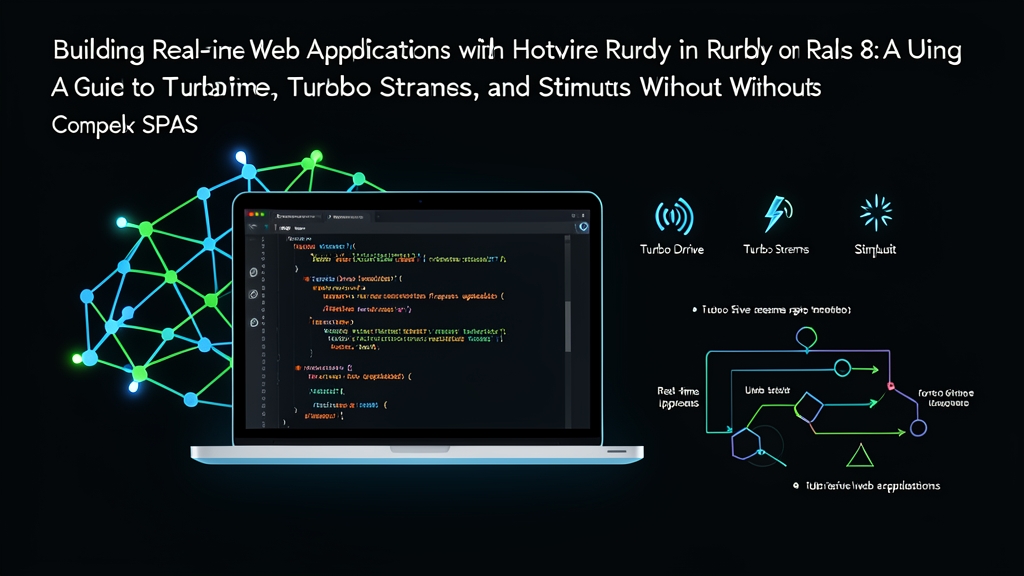
Architecture Face-Off: Heavy SPAs vs. The Hotwire Approach
For over a decade, frontend dogma dictated splitting web projects into two distinct codebases: a backend JSON API and a client-side Single-Page Application (SPA) built on React, Vue, or Angular. That architecture makes sense for 50-person engineering organizations with dedicated platform teams.
For smaller teams, it creates brutal overhead. You duplicate models, maintain dual validation layers, debug cross-origin token exchanges, and manage build pipelines that break whenever Webpack or Vite shifts versions.
Hotwire (HTML Over The Wire) takes the opposite route. Instead of shipping raw JSON payloads for client-side JavaScript engines to compile into the Document Object Model (DOM), the server sends pre-rendered HTML fragments straight down the wire. Rails 8 adopts Hotwire as its native baseline across four core layers:
- Turbo Drive: Intercepts link clicks and form submissions, swapping the
<body>without full document reloads. - Turbo Frames: Deconstructs pages into isolated contexts, updating targeted regions without touching surrounding markup.
- Turbo Streams: Delivers precise DOM mutations (append, prepend, update, replace, remove) over WebSockets or HTTP responses using standard HTML partials.
- Stimulus: A lightweight JavaScript framework that attaches scoped behavior directly to HTML attributes, bypassing client-side state trees.
Rails 8 makes real-time delivery even simpler by introducing Solid Cable. This database-backed Action Cable adapter handles pub/sub messaging via SQLite, PostgreSQL, or MySQL, removing the historical requirement for a dedicated Redis server.
Evaluating Hotwire: Strengths and Real-World Trade-Offs
Hotwire is not a universal cure. Understanding its sweet spots and technical boundaries will save you from painful mid-project rewrites.
Where Hotwire Excels
- Unified Mental Model: Business logic, domain models, validations, and routes live in one place. You write markup once in standard ERB templates.
- Leaner Payloads: Shipping pre-rendered HTML trims initial asset bundles from a typical 1.2 MB React runtime down to less than 45 kB of compressed Hotwire JavaScript. Browsers spend less time parsing scripts on lower-powered mobile devices.
- Low-Boilerplate WebSockets: A single model callback broadcasts record updates to hundreds of concurrent browser tabs.
- Faster Feature Delivery: Shipping an administrative CRUD screen or an activity feed takes hours rather than days because you avoid writing dual TypeScript interfaces and Redux slices.
Where Client-Side SPAs Still Win
- Offline-First Workflows: If your product requires full functionality without network access—such as an in-field inspection app or a vector illustration tool—a client-side framework with IndexedDB caching is the right call.
- High-Frequency Interaction: Interfaces requiring 60 fps drag-and-drop operations, canvas manipulation, or audio timeline scrubbing still demand dedicated client-side state managers.
- Server Compute Under Heavy Load: Rendering HTML partials consumes more server CPU cycles than dumping raw JSON strings. At tens of thousands of requests per second, expect to allocate more server capacity.
Configuring Rails 8 for Real-Time Hotwire
Fresh Rails 8 installations bundle Hotwire and configure Solid Cable automatically. You do not need to install Redis or manage sidecar background services just to run WebSockets locally.
Step 1: Create the Application
rails new live_pulse --database=sqlite3
cd live_pulse
Rails 8 runs SQLite in Write-Ahead Logging (WAL) mode by default, which supports concurrent reads and writes out of the box. Check your config/cable.yml file to confirm the adapter configuration:
development:
  adapter: solid_cable
  connect_path: "/cable"

test:
  adapter: test

production:
  adapter: solid_cable
  connect_path: "/cable"
Step 2: Verify Dependencies
Inspect your Gemfile. Hotwire relies on three gems that Rails 8 includes by default:
gem "turbo-rails"
gem "stimulus-rails"
gem "solid_cable"
If you are upgrading an older Rails app, run the install script to bundle dependencies and wire up import maps:
bin/rails hotwire:install
Step-by-Step Implementation: Building a Live Feed
Let’s construct a collaborative notice board. When an engineer posts an announcement, it will instantly pop up on every connected screen without a manual page refresh.
Step 1: Generate the Notice Resource
Run the scaffold generator to create the database table, model, controller actions, and views:
bin/rails generate scaffold Notice title:string content:text
bin/rails db:migrate
Route visitors straight to the notices index by editing config/routes.rb:
Rails.application.routes.draw do
  resources :notices
  root "notices#index"
end
Step 2: Configure Model Broadcasts
Open app/models/notice.rb. Hotwire lets you link ActiveRecord lifecycle events directly to Action Cable transmissions:
class Notice < ApplicationRecord
  validates :title, presence: true
  validates :content, presence: true

  broadcasts_to ->(notice) { "notices" }, inserts_by: :prepend
end
This single broadcasts_to declaration automates three distinct operations:
- Create: When a record is inserted, Rails renders
_notice.html.erband prepends the markup to the container matchingid="notices"across all active subscribers. - Update: When a notice is saved with changes, Rails re-renders the partial and swaps out the existing element matching its DOM ID.
- Destroy: When a record is deleted, Rails broadcasts an instruction to strip that specific node from the DOM.
Step 3: Subscribe to the Live Stream in the View
Open app/views/notices/index.html.erb and replace its contents with the following layout:
<%= turbo_stream_from "notices" %>

<div class="header">
  <h1>Live Announcements</h1>
</div>

<%= turbo_frame_tag "new_notice_frame" do %>
  <div class="form-container">
    <h3>Post an Announcement</h3>
    <%= render "form", notice: Notice.new %>
  </div>
<% end %>

<div id="notices" class="notices-list">
  <%= render @notices %>
</div>
The turbo_stream_from "notices" helper handles the heavy lifting. It establishes a WebSocket channel via Solid Cable. Whenever the model broadcasts changes, the browser receives the HTML snippet and splices it into the document immediately.
Step 4: Add Stable DOM IDs to the Partial
Turbo Streams locates elements by ID to replace or remove them. Update app/views/notices/_notice.html.erb so it relies on the built-in dom_id helper:
<div id="<%= dom_id notice %>" class="notice-card">
  <h4><%= notice.title %></h4>
  <p><%= notice.content %></p>
  <small>Posted: <%= time_ago_in_words(notice.created_at) %> ago</small>
  <div class="actions">
    <%= link_to "Edit", edit_notice_path(notice) %>
    <%= button_to "Delete", notice_path(notice), method: :delete %>
  </div>
</div>
Step 5: Reset Form Inputs with Stimulus
Because Turbo Drive submits forms via AJAX, the page does not reload. Consequently, text inputs remain populated after a successful submission. A tiny Stimulus controller fixes this behavior in five lines of code.
Generate the controller skeleton:
bin/rails generate stimulus reset-form
Now update app/javascript/controllers/reset_form_controller.js. Be sure to check event.detail.success so validation errors do not wipe out the user’s typed input:
import { Controller } from "@hotwired/stimulus"

export default class extends Controller {
  reset(event) {
    if (event.detail.success) {
      this.element.reset()
    }
  }
}
Wire the controller to the form element inside app/views/notices/_form.html.erb:
<%= form_with(model: notice, data: { controller: "reset-form", action: "turbo:submit-end->reset-form#reset" }) do |form| %>
  <% if notice.errors.any? %>
    <div class="errors">
      <ul>
        <% notice.errors.full_messages.each do |message| %>
          <li><%= message %></li>
        <% end %>
      </ul>
    </div>
  <% end %>

  <div>
    <%= form.label :title %>
    <%= form.text_field :title %>
  </div>

  <div>
    <%= form.label :content %>
    <%= form.text_area :content %>
  </div>

  <div>
    <%= form.submit "Publish" %>
  </div>
<% end %>
When the request finishes successfully, Turbo fires the turbo:submit-end event. Stimulus intercepts that signal and resets the form fields cleanly, without touching global state.
Step 6: Test the Real-Time Feed
Boot up the Puma web server:
bin/dev
# or
bin/rails server
Open two separate browser windows side by side to http://localhost:3000. Submit a new announcement in the left window. Within 50 to 100 milliseconds, the card appears at the top of the feed in the right window, while the form on the left clears itself. Click delete in either window, and watch the item vanish from both viewports in sync.
You now have a production-ready, reactive web application built entirely on Rails 8 conventions—without writing custom WebSocket channels or maintaining a frontend build toolchain.