The 2 AM Outage: When a Bumped Cable Stalled a Cluster
At 02:14 AM on a rainy Tuesday, PagerDuty lit up my phone. Database replicas were lagging behind by over 400 seconds, API gateways began logging HTTP 504 errors, and distributed NFS mounts flipped straight to read-only mode. Our primary database node had dropped off the network without warning.
I remoted in through the out-of-band iDRAC console and checked ip link. The machine itself was fine. CPU load hovered around 8%, memory usage was stable at 42 GB out of 128 GB, and disks were healthy. But interface eno1 showed state DOWN. Earlier that night, a tech racking new servers had accidentally nudged a loose patch cord while rerouting fiber. One loose RJ45 connector froze our entire transaction queue because the host relied on a single physical uplink.
Relying on one physical cable for production workloads is an avoidable risk. Layer 1 and Layer 2 failures will happen sooner or later.
Root Cause: Fragile Links and Saturated Pipes
Single-interface setups routinely hit two main failure modes in bare-metal and hypervisor environments:
- Physical Link Vulnerabilities: A failing SFP+ transceiver, a bent optical patch cord, a flapping switch ASIC, or a careless tug in the rack drops carrier instantly. Without link aggregation, the Linux kernel tears down sockets right away, severing all active TCP connections.
- Throughput Bottlenecks: Nightly 500 GB PostgreSQL backups, Ceph backfill operations, and standard client traffic often compete for the same 1 Gbps or 10 Gbps pipe. When utilization spikes past 95%, packet drops climb, ping times jump from 0.3 ms to 250 ms, and node heartbeats drop out.
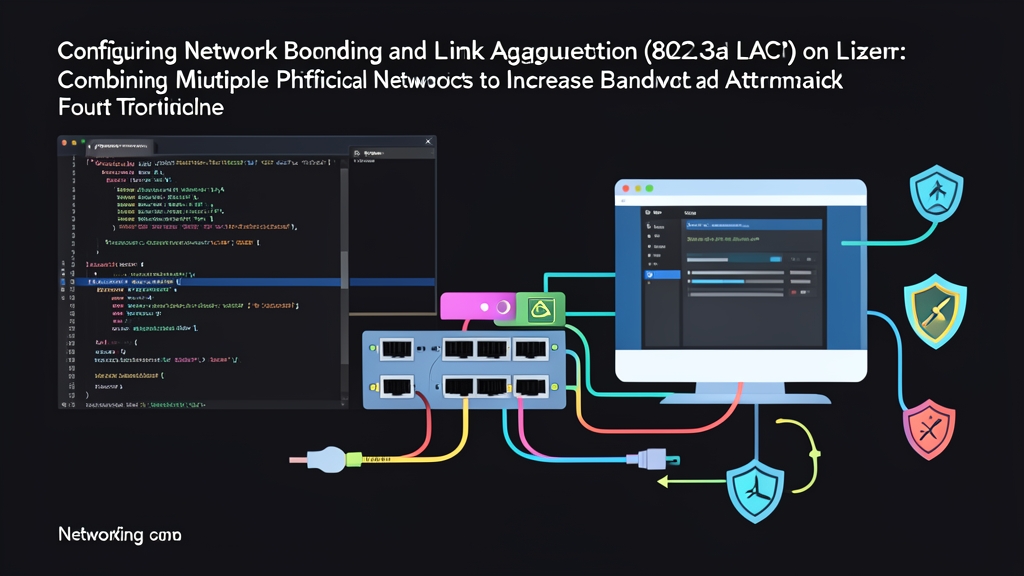
Linux solves both bottlenecks at the kernel level with the bonding module. By combining two or more physical network interface cards (NICs) into a unified logical device—typically named bond0—the kernel balances traffic across healthy adapters and redirects frames within milliseconds if a link drops.
Comparing Common Bonding Modes: 1, 0, and 4
Selecting the right bonding profile depends directly on your switch topology and workload. While the Linux kernel implements seven bonding modes, production deployments generally center around three:
1. Mode 1: Active-Backup
One physical interface carries all production frames. The secondary interface sits idle until the primary loses carrier signal.
- Switch requirement: None. Works with unmanaged desktop switches and independent, unstacked access switches.
- Throughput: Capped at the speed of a single link (e.g., 10 Gbps total on two 10 Gbps ports).
- Best fit: Simple dual-homing across two completely isolated switches where upstream LACP or multi-chassis trunking is unavailable.
2. Mode 0: Round-Robin (Balance-RR)
The kernel transmits packets sequentially across all active member ports, sending packet 1 out eno1, packet 2 out eno2, and so on.
- Switch requirement: Static, unmanaged etherchannel (LAG) without LACP negotiation.
- Throughput: Spreads raw bandwidth across all interfaces.
- Drawbacks: Packets frequently hit the receiving end out of sequence. This triggers TCP duplicate ACKs, collapses congestion windows, and slashes real transfer rates. Avoid Mode 0 for general TCP traffic.
3. Mode 4: IEEE 802.3ad Dynamic Link Aggregation (LACP)
Mode 4 is the enterprise standard. The host and switch exchange Link Aggregation Control Protocol Data Units (LACPDUs) to continuously negotiate link status, transmission parameters, and port membership.
- Switch requirement: Managed switch with 802.3ad LACP enabled on the corresponding port-channel.
- Throughput: Combines link capacities across multiple concurrent flows. Two 10 Gbps links provide 20 Gbps of aggregate bandwidth, though an individual single-stream TCP session still tops out at 10 Gbps due to hash policy constraints.
- Fault tolerance: Detects dead links in under a second and removes faulty ports from the active aggregator without interrupting established TCP streams.
Step-by-Step: Production 802.3ad LACP Implementation
Mode 4 provides both automated failover and aggregate bandwidth. Here is how to configure it from the switch port to the Linux operating system.
Step 1: Configure the Upstream Switch Ports
Configure the switch before modifying network files on the host. If the server negotiates LACP against unconfigured switch ports, the bond will drop into a detached state. Here is a baseline configuration for a Cisco Catalyst or Nexus switch:
interface range GigabitEthernet1/0/1 - 2
 description SRV-PROD-DB01-BOND0
 channel-group 10 mode active
 channel-protocol lacp
 exit

interface Port-channel 10
 description PO10-TO-DB01
 switchport mode access
 switchport access vlan 100
 spanning-tree portfast
 no shutdown
Setting mode active ensures the switch initiates LACP negotiation frames immediately.
Step 2: Configure LACP with Netplan (Ubuntu and Debian)
Modern Ubuntu installations (20.04 LTS through 24.04 LTS) and Debian systems handle interface definitions through Netplan. First run ip link to identify your interfaces. In this example, we aggregate eno1 and eno2.
Open your Netplan configuration file (typically in /etc/netplan/):
sudo nano /etc/netplan/01-netcfg.yamlDefine the raw physical ports under ethernets and build the aggregated link under bonds:
network:
  version: 2
  renderer: networkd
  ethernets:
    eno1:
      dhcp4: no
    eno2:
      dhcp4: no
  bonds:
    bond0:
      interfaces:
        - eno1
        - eno2
      addresses:
        - 192.168.100.50/24
      routes:
        - to: default
          via: 192.168.100.1
      nameservers:
        addresses:
          - 1.1.1.1
          - 8.8.8.8
      parameters:
        mode: 802.3ad
        lacp-rate: fast
        transmit-hash-policy: layer2+3
        mii-monitor-interval: 100
Configuration details to keep in mind:
mode: 802.3ad: Enables dynamic LACP trunking.lacp-rate: fast: Forces the kernel to transmit heartbeat frames every 1 second instead of every 30 seconds, speeding up partner timeout detection.transmit-hash-policy: layer2+3: Hashes both MAC and IP addresses. This spreads outbound flows far more evenly across ports than the defaultlayer2MAC-only hash.mii-monitor-interval: 100: Scans the MII transceiver registers every 100 milliseconds to catch hardware link loss immediately.
Test the syntax and apply the settings:
sudo netplan try
sudo netplan apply
Step 3: Configure LACP with NetworkManager / nmcli (RHEL and Rocky Linux)
On RHEL, AlmaLinux, and Rocky Linux, manage the bond via nmcli to generate persistent NetworkManager profiles:
# 1. Create the bond master device
sudo nmcli connection add type bond con-name bond0 ifname bond0 \
  bond.options "mode=802.3ad,lacp_rate=fast,xmit_hash_policy=layer2+3,miimon=100"

# 2. Assign static addressing
sudo nmcli connection modify bond0 ipv4.addresses "192.168.100.50/24" \
  ipv4.gateway "192.168.100.1" ipv4.dns "1.1.1.1 8.8.8.8" ipv4.method manual

# 3. Attach physical interfaces as subordinates
sudo nmcli connection add type ethernet con-name bond0-port1 ifname eno1 master bond0
sudo nmcli connection add type ethernet con-name bond0-port2 ifname eno2 master bond0

# 4. Initialize links
sudo nmcli connection up bond0-port1
sudo nmcli connection up bond0-port2
sudo nmcli connection up bond0
Step 4: Inspect Bond Health in /proc
Exit codes from netplan or nmcli only confirm that configuration files were parsed. Always check the kernel’s live bonding diagnostics directly:
cat /proc/net/bonding/bond0A healthy 2-port bundle outputs status lines matching this pattern:
Ethernet Channel Bonding Driver: v5.15.0

Bonding Mode: IEEE 802.3ad Dynamic link aggregation
Transmit Hash Policy: layer2+3 (2)
MII Status: up
MII Polling Interval (ms): 100
Up Delay (ms): 0
Down Delay (ms): 0
Peer Notification Delay (ms): 0

802.3ad info
LACP rate: fast
Min links: 0
Aggregator ID: 1
Number of ports: 2
Actor Key: 9
Partner Key: 10
Partner Mac Address: 00:2a:6a:11:22:33

Slave Interface: eno1
MII Status: up
Speed: 1000 Mbps
Duplex: full
Link Failure Count: 0
Permanent HW addr: 52:54:00:12:34:56
Slave queue ID: 0
Aggregator ID: 1
Actor chsn state: 63
Partner chsn state: 63

Slave Interface: eno2
MII Status: up
Speed: 1000 Mbps
Duplex: full
Link Failure Count: 0
Permanent HW addr: 52:54:00:12:34:57
Slave queue ID: 0
Aggregator ID: 1
Actor chsn state: 63
Partner chsn state: 63
Check two key fields before signing off on the maintenance ticket:
- Partner Mac Address: Must show your upstream switch’s base MAC address. If you see all zeros (
00:00:00:00:00:00), the switch is not replying to LACP control frames. - Aggregator ID: Both member ports must report the exact same integer (e.g.,
1). Divergent IDs indicate that the switch assigned the ports to mismatched channel groups.
Step 5: Run a Live Failover Drill
Verify failure recovery before routing live user sessions across the new bond. Split your terminal into two sessions.
In window 1, run a rapid ping against the default gateway:
ping -i 0.2 192.168.100.1In window 2, administratively down the primary link to emulate a pulled cable:
sudo ip link set eno1 downWatch the ping stream. Thanks to lacp-rate: fast and a 100 ms MII polling interval, you should see at most one dropped ICMP packet before eno2 carries the outbound traffic. In many environments, zero packets drop.
Bring the interface back online:
sudo ip link set eno1 upRe-check cat /proc/net/bonding/bond0. Within two seconds, eno1 should sync its actor state, match keys with the switch, and rejoin the active aggregator automatically.
Production Checklist
Configuring LACP requires coordination between server and network teams, but it eliminates a major class of unforced outages. Keep these operational rules in place:
- Set
transmit-hash-policytolayer2+3orlayer3+4. The default Layer 2 hash funnels all egress packets through one link if traffic passes through a single gateway MAC. - Use
lacp-rate fastfor database nodes, storage servers, and cluster heartbeats where 30-second LACP timeouts are too sluggish. - Confirm both
Partner Mac Addressand identicalAggregator IDvalues in/proc/net/bonding/bond0before closing your change window.