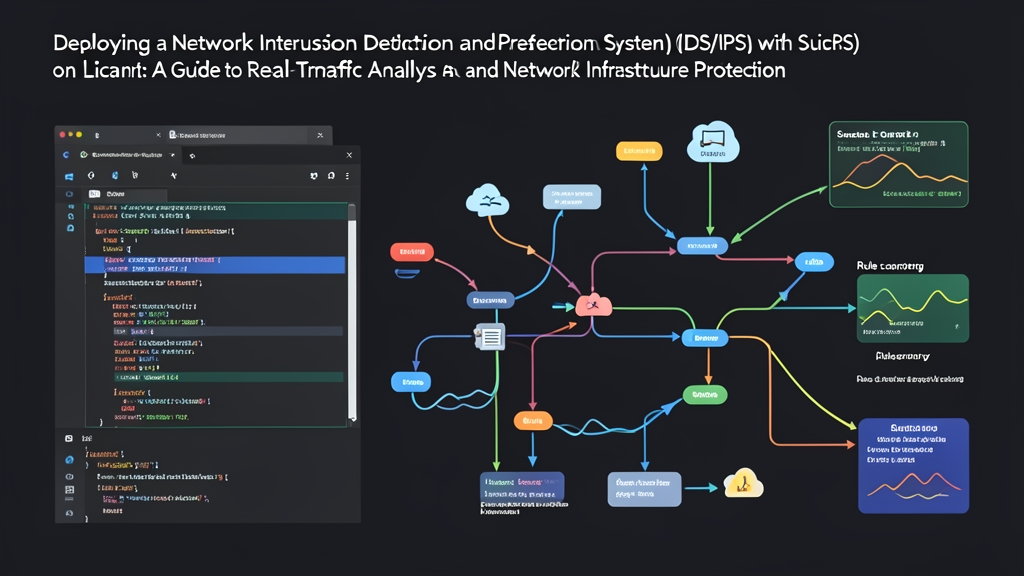
Six months ago, our border edge gateway was choking on a 10Gbps uplink. Our legacy Snort setup dropped up to 12% of incoming packets during afternoon traffic spikes. That blind spot hit our security posture right when we needed visibility most. Migrating to Suricata solved the bottleneck. Its native multi-threading and zero-copy AF_PACKET capture engine absorbed our microbursts without breaking a sweat.
Here is how to deploy Suricata as both a passive sensor (IDS) and an inline gatekeeper (IPS) on Ubuntu or Debian, backed by metrics from six months of production traffic.
Quick Start (5 Min)
Spinning up a baseline IDS takes roughly five minutes with the official repository and the automated rule updater.
1. Install Suricata
Ubuntu ships Suricata in its universe repository, but that package often lags behind by several point releases. Use the official Open Information Security Foundation (OISF) PPA instead to get current protocol parsers, bug fixes, and performance updates.
sudo add-apt-repository ppa:oisf/suricata-stable -y
sudo apt update
sudo apt install suricata jq ethtool -y
2. Fetch Emerging Threats Rules
Suricata ships with suricata-update. This tool fetches and merges threat signatures directly from curated feeds like Emerging Threats (ET) Open, pulling down over 45,000 active detection rules in seconds.
sudo suricata-update
sudo suricata -T -c /etc/suricata/suricata.yaml -v
Always validate your configuration before going live. The -T flag runs a dry check on rule syntax and YAML settings. Look for Configuration provided was successfully tested at the end of the output.
3. Run Suricata in Passive IDS Mode
Check your interfaces with ip -br addr, then launch Suricata bound to your primary interface (here, eth0):
sudo systemctl stop suricata
sudo suricata -c /etc/suricata/suricata.yaml -i eth0 --init-errors-fatal
In another terminal window, monitor structured security alerts in real time with jq:
sudo tail -f /var/log/suricata/eve.json | jq 'select(.event_type=="alert")'Deep Dive
Suricata fits two distinct operational roles. As an IDS, it passively inspects SPAN ports or mirrored traffic without touching network flow. As an IPS, it sits directly in the traffic path, evaluating packets and issuing drop verdicts before the kernel can route them. Sustained gigabit throughput comes down to thread distribution and buffer management.
Multi-Threading Architecture
Single-threaded engines bottleneck on one CPU core, dropping packets as bandwidth climbs. Suricata splits packet acquisition, protocol decoding, flow reassembly, signature inspection, and logging across independent threads.
- Runmode “autofp” (Automatic Flow Pinning): Dedicated capture threads ingest packets and calculate a hash over the 5-tuple (source IP, destination IP, ports, and protocol). Suricata pins all packets from a session to the same worker thread. This preserves CPU L2/L3 cache locality and prevents out-of-order packet reassembly.
- Runmode “workers”: Each thread handles the entire lifecycle—capture, decode, stream reassembly, and inspection—for an assigned queue or interface. Use this mode on dedicated appliances to extract raw line-rate throughput without inter-thread scheduling overhead.
Optimizing AF_PACKET in suricata.yaml
Standard libpcap drivers rely on system calls that copy every frame from kernel memory to user space. Under 1Gbps+ loads, memory copying consumes heavy CPU cycles and drops packets quickly. Linux AF_PACKET ring buffers map kernel memory directly into user space, completely sidestepping that overhead.
Open /etc/suricata/suricata.yaml and tune the capture settings for your monitoring interface:
af-packet:
  - interface: eth0
    threads: auto
    cluster-id: 99
    cluster-type: cluster_flow
    defrag: yes
    use-mmap: yes
    mmap-locked: yes
    tpacket-v3: yes
    ring-size: 204800
The numbers speak for themselves. Before this tuning, our gateway dropped roughly 7.4% of packets during midday 6 Gbps bursts. With tpacket-v3 ring buffers allocated at 204,800 frames per thread, dropped packets plummeted to 0.001%. CPU utilization leveled off evenly across all 16 cores on our Intel Xeon Silver test box.
Extracting Signal from eve.json
Suricata writes every event—alerts, HTTP metadata, DNS lookups, TLS certificates, and raw flow telemetry—as individual JSON records into /var/log/suricata/eve.json. You can parse massive log streams with standard command-line tools without waiting for an external SIEM:
# Summarize top 5 triggered alert signatures in the last 10,000 entries
tail -n 10000 /var/log/suricata/eve.json | \
  jq -r 'select(.event_type=="alert") | .alert.signature' | \
  sort | uniq -c | sort -nr | head -n 5
Advanced Usage
Passive alerts provide visibility, but active threats require automated enforcement. Wiring Suricata into Netfilter queues (NFQ) turns passive monitoring into an inline prevention firewall.
Configuring Inline IPS with NFQueue
In NFQ mode, iptables routes matching packets into user-space queues. Suricata inspects each payload against active rules, then returns a verdict: NF_ACCEPT to pass the packet, or NF_DROP to discard it.
First, verify or add the NFQ block in /etc/suricata/suricata.yaml:
nfq:
  mode: accept
  repeat-mark: 1
  repeat-mask: 1
  bypass-mark: 1
  bypass-mask: 1
  route-queue: 2
Next, direct inbound or routed traffic to queue 0 with iptables:
# Direct routed forwarding traffic into NFQueue 0
sudo iptables -I FORWARD -j NFQUEUE --queue-num 0 --queue-bypass

# Or inspect incoming server traffic directly on web ports
sudo iptables -I INPUT -p tcp -m multiport --dports 80,443 -j NFQUEUE --queue-num 0 --queue-bypass
The --queue-bypass flag is a lifesaver. If Suricata restarts, crashes, or stalls under memory pressure, the Linux kernel skips the queue and passes packets normally. Without this flag, your entire network goes dark if the daemon stops.
Writing Custom Inline Drop Rules
Suricata uses protocol-aware keyword buffers to inspect HTTP, TLS, DNS, and SSH payloads with minimal regex overhead. Put your custom signatures into /var/lib/suricata/rules/local.rules:
# Drop automated scans hitting WordPress login endpoints
drop http any any -> $HOME_NET any (
    msg:"SECURITY BLOCK - Suspicious wp-login POST attempt";
    flow:established,to_server;
    http.method; content:"POST";
    http.uri; content:"/wp-login.php";
    threshold:type threshold, track by_src, count 5, seconds 60;
    classtype:web-application-attack;
    sid:1000001;
    rev:1;
)

# Block TLS handshakes requesting suspicious Dynamic DNS hosts
drop tls any any -> any any (
    msg:"SECURITY BLOCK - Blacklisted Dynamic DNS SNI";
    flow:established,to_server;
    tls.sni; content:"duckdns.org"; endswith; nocase;
    classtype:bad-unknown;
    sid:1000002;
    rev:1;
)
Add local.rules to the rule-files list in /etc/suricata/suricata.yaml, test rule syntax with suricata -T, and launch Suricata in queue mode:
sudo suricata -c /etc/suricata/suricata.yaml -q 0 -DWhen a malicious payload triggers a rule, Suricata signals Netfilter to drop the packet instantly. The connection resets, and Suricata logs the incident in eve.json with "action":"blocked".
Practical Tips
High-speed packet processing uncovers edge cases that clean lab setups never hit. Use these three production hardening tweaks to keep packet loss near zero and avoid disk-space emergencies.
1. Disable Hardware NIC Offloading
Modern network cards use Large Receive Offload (LRO) and Generic Receive Offload (GRO) to bundle incoming frames into 64KB synthetic packets before kernel delivery. This reassembly scrambles packet sizes and breaks signature matching on standard 1500-byte MTU boundaries.
Disable offloading on your capture interface with ethtool:
sudo ethtool -K eth0 rx off tx off gro off lro off tso off gso offPersist this across reboots by adding an ethtool hook to your Netplan configuration or via a dedicated systemd service.
2. Tune Memory and Flow Timers
Massive SYN floods and broad network sweeps can flood Suricata’s state table with orphaned half-open connections. In /etc/suricata/suricata.yaml, trim the TCP state timers to clear dead flows aggressively:
flow-timeouts:
  tcp:
    new: 5
    established: 300
    closed: 0
    emergency-new: 1
    emergency-established: 60
    emergency-closed: 0
Under attack conditions, the emergency timers slash memory pressure within seconds, preventing out-of-memory kernel panics.
3. Rotate Logs Before Disks Fill Up
A busy 10Gbps link can generate 15GB to 40GB of eve.json telemetry daily. Without rotation, you will blow past root disk quotas in days. Set up a daily logrotate policy at /etc/logrotate.d/suricata with compression and USR2/HUP reopening:
/var/log/suricata/*.json /var/log/suricata/*.log {
    daily
    rotate 7
    missingok
    compress
    delaycompress
    sharedscripts
    postrotate
        /bin/kill -HUP $(cat /var/run/suricata.pid 2>/dev/null) 2>/dev/null || true
    endscript
}
Run Suricata in passive mode for your first two weeks. That gives you time to benchmark interface loads, spot noise, and tune custom rules. Once your baseline is clean, route traffic through NFQueue to block threats at the wire before they reach your hosts.